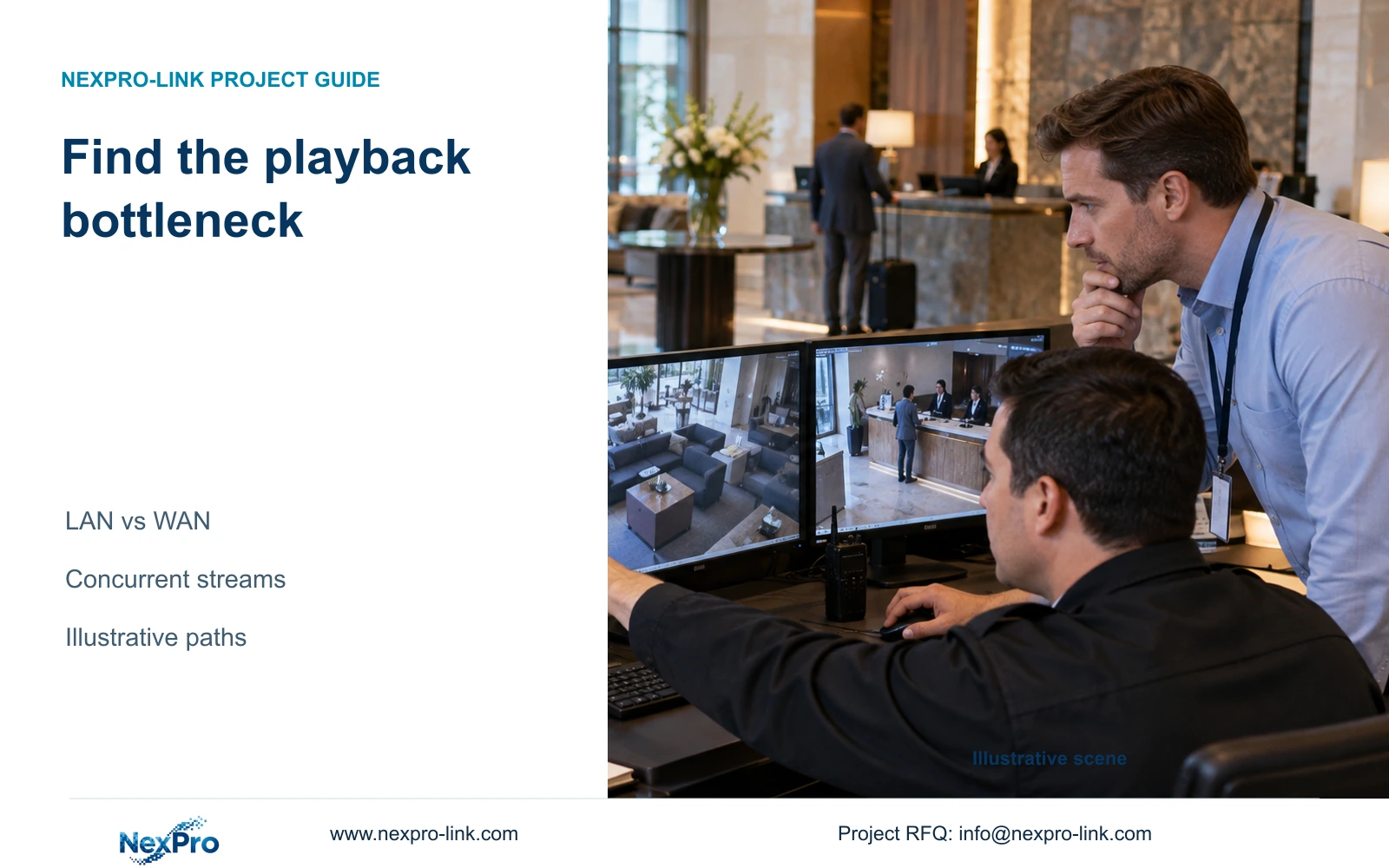
When remote playback is slower than local playback, trace the actual video path before replacing equipment. Storage reads, LAN traffic, internet upload and client decoding require separate checks.
Section 01
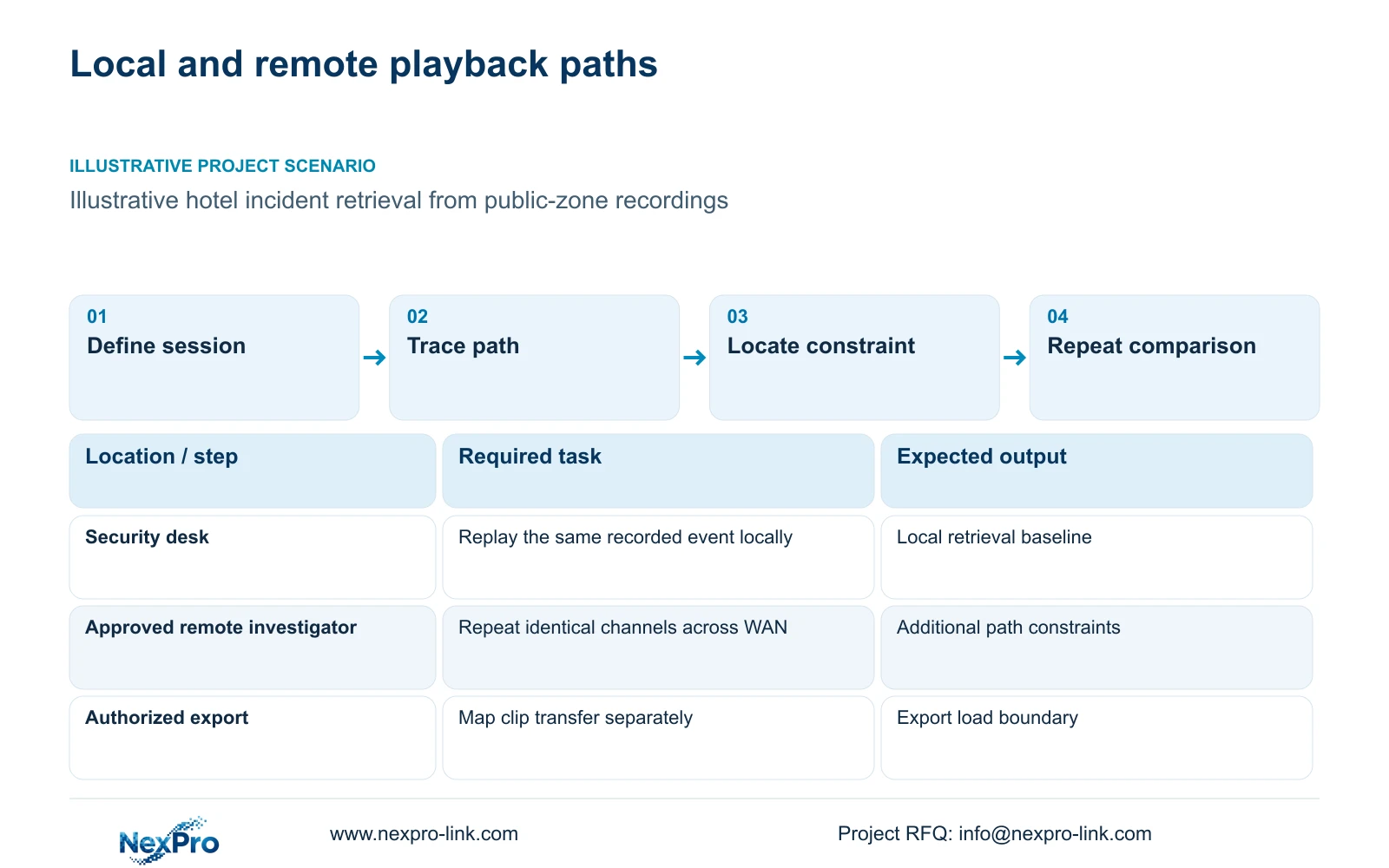
Choose the playback sessions to compare
Compare the same recorded event locally and remotely before deciding whether to replace the recorder or upgrade internet service. If local playback meets the required task while remote playback struggles, investigate the additional WAN path and remote client first. If both sessions struggle, examine recorder reads, local networking and decoding under the same workload.
Define a session by its camera group, recorded time window, stream profile and simultaneous activities. A receptionist checking an entrance view has a different workload from a security investigator replaying several parking views while exporting footage. Comparing those sessions without controlling their inputs can produce a misleading equipment diagnosis.
Keep live viewing separate from recorded playback. A supported live substream can reduce viewing traffic, but its availability does not establish that historical footage can be replayed at the same lower rate. Specify the required playback quality and verify which recorded streams the selected recorder and client can retrieve.
| Required task | Given information | Decision still needed |
|---|---|---|
| Local incident replay | Recorder and client on hotel LAN | Concurrent channels and recorded profile |
| Remote incident replay | Playback crosses hotel WAN | Usable upload and remote client workload |
| Authorized clip export | Defined cameras and time window | Destination and simultaneous replay requirement |
Section 02
Trace recording, viewing and export separately
Draw cameras to access switches, the backbone and the recorder as the recording path. Draw recorder to local client as a separate retrieval path, then extend it through the hotel router and internet service for remote retrieval. Add an export destination only where that transfer actually occurs.
Mark the direction of traffic on each segment. Camera ingestion at the recorder does not automatically cross the hotel internet connection. Remote playback normally introduces outgoing video on the hotel WAN, while the remote location must receive and decode it. A shared backbone may carry several services that an individual camera cable never carries.
This path map also defines troubleshooting responsibility. The CCTV supplier can address supported recording and client combinations; hotel IT controls the approved network route and access policy. Record the handoff between them so a remote fault is assigned to a specific segment instead of remaining an unresolved complaint about the whole system.
| Item | Local session | Remote session | Effect on investigation |
|---|---|---|---|
| Recorder reads | Required | Required | Both depend on usable recorded footage |
| Hotel internet upload | Absent from LAN-only path | Required | Adds a separate throughput constraint |
| Client decoding | Local client | Remote client | Evaluate the actual endpoint in each session |
Section 03
Calculate traffic on the shared link
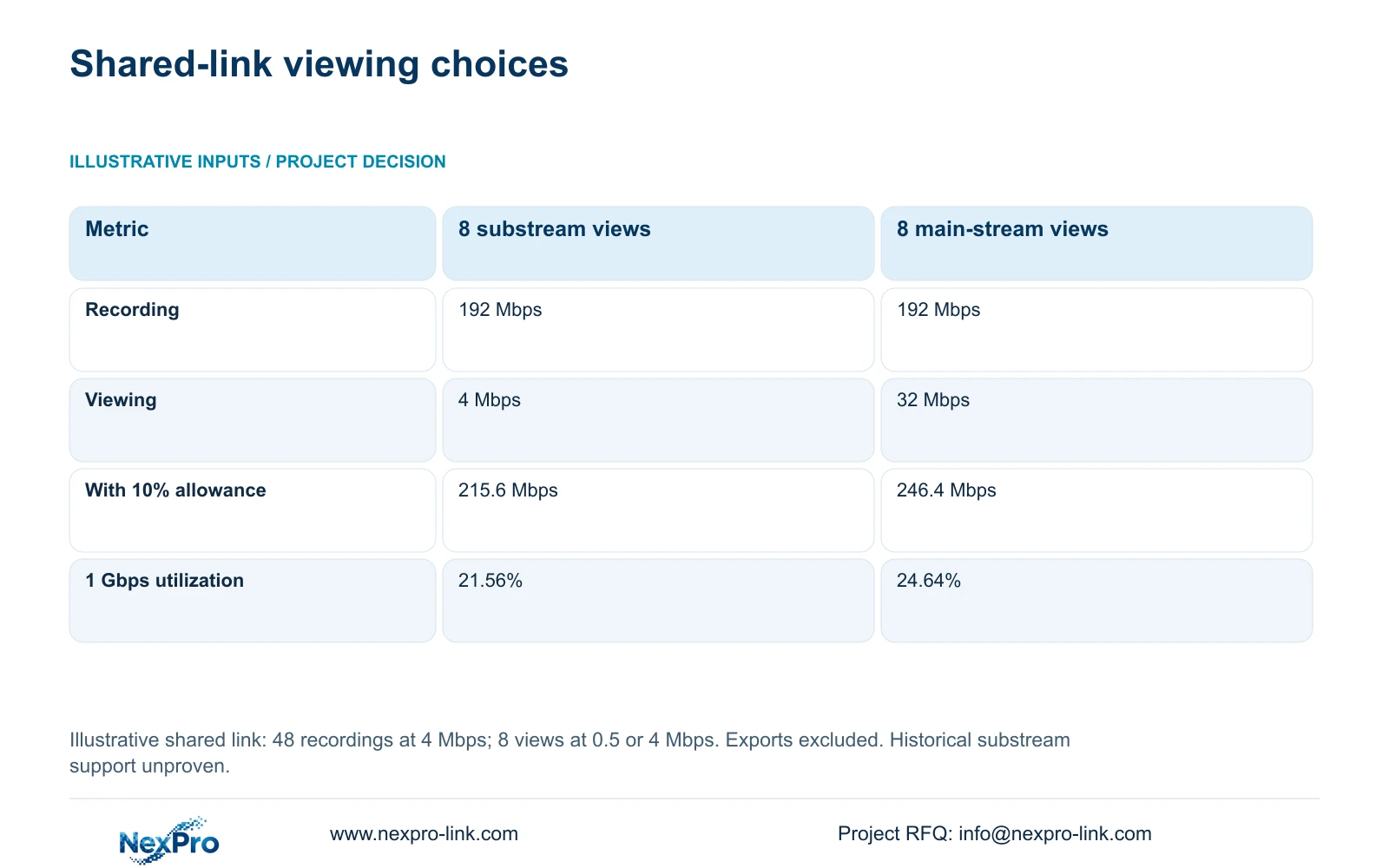
The following independent illustration puts 48 recording streams at 4 Mbps each and eight viewing streams through one direction of a deliberately shared link. Option A uses 0.5 Mbps viewing streams; option B uses 4 Mbps viewing streams. The sums apply only if all these flows traverse that same direction. They are planning inputs, not measured bitrates or proof that historical substream playback is supported.
Recording traffic is 48 × 4 = 192 Mbps. Viewing adds 8 × 0.5 = 4 Mbps or 8 × 4 = 32 Mbps. Planned demand in the stated direction is the combined traffic multiplied by 1.10, with an illustrative 10% allowance. Against a nominal 1 Gbps direction, treated as 1,000 Mbps, the results are 21.56% and 24.64%.
Check the actual topology before applying this sum: full-duplex directions have separate budgets, so traffic entering one direction must not be added to traffic using the opposite direction as if both shared a single capacity. These percentages do not prove achievable throughput. A WAN path carrying only the viewing session excludes the 192 Mbps recording flow. The separate 32-camera hotel reference is not combined with this example.
| Metric / condition | Main recording + 8 substream views | Main recording + 8 main-stream views |
|---|---|---|
| Recording traffic (Mbps) | 192 | 192 |
| Viewing traffic (Mbps) | 4 | 32 |
| Planned link traffic (Mbps) | 215.6 | 246.4 |
| 1 Gbps nominal utilization | 21.56% | 24.64% |
| Other links | Calculate their own flows | Do not copy this sum to every segment |
Section 04
Compare link capacity with recorder limits
Check switch port speed, forwarding capacity, recorder ingestion and playback concurrency independently. A recorder input rating describes incoming recording traffic; it does not establish simultaneous disk reads, playback outputs or client decoding performance. Successful recording therefore leaves several investigation functions to verify.
The supplied NexPro-NVR4449-4K record lists 49 channels, 320 Mbps input and dual gigabit interfaces. Its summary lists 49 × 5MP or 9 × 4K, so channel count cannot establish arbitrary 8MP concurrency. NexPro-NVR2232-4K has conflicting disk and playback descriptions, including 2 × 8 TB and 2 × 18 TB storage statements. Keep those differences unresolved in procurement rather than selecting the larger figure.
NexPro SW-POE1618G is a 16-PoE-port candidate with two uplinks, but its title and detailed access-port speed descriptions conflict, and total PoE watts are unstated. Obtain the applicable configuration before using it in a guaranteed network or power schedule. Consider 10 Gbps only when actual concurrency, expansion or measured segment demand justifies it.
Section 05
Preserve investigation quality when reducing load
A lower-rate overview can help an operator find the relevant period, provided the software supports that workflow and the necessary detail remains available. The investigator may then open the required recorded view. Keep the recording profile unchanged unless the hotel separately approves a recording-policy revision.
Exports need their own scope: selected cameras, duration, recipient and transfer path. Recorder processing and file packaging can limit completion before the network becomes saturated. Verify that the exported file plays with its intended tool and retains the required time context before removing the original record.
Include client versions, training and any required platform or server costs in an upgrade comparison. ONVIF profile matching is a starting point for checking supported functions; it does not prove account binding, advanced search or full export compatibility across platforms.
Section 06
Use a repeatable investigation and escalation sequence
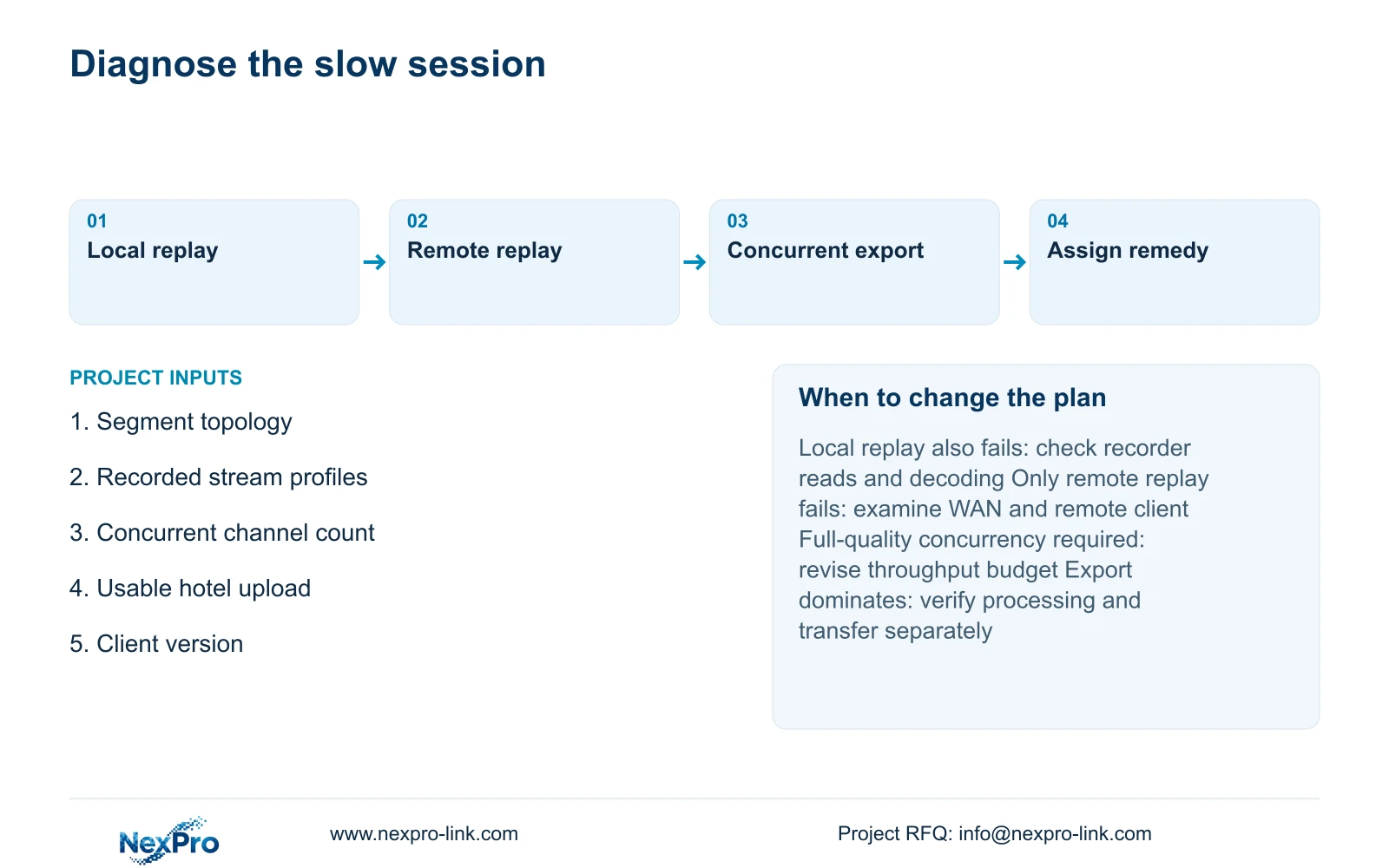
Have an authorized operator locate the event locally, replay the agreed channels, then repeat remotely with the same footage and client settings. Record which activity fails and which segment it uses. Repeat with the planned concurrent export or additional viewer so acceptance reflects incident work rather than an idle screen.
Prefer a supported overview-and-detail workflow when it meets the investigation requirement. Change the proposal if full-quality simultaneous remote playback is mandatory, historical lower-rate streams are unavailable, or the approved WAN path cannot support the required session. Keep local retrieval available wherever the agreed system supports it.
Send a simple topology, stream profiles, concurrent playback count and export requirement to info@nexpro-link.com through the hotel project or BOQ support route. NexPro-Link can discuss model matching and coordinated equipment scope; network changes and local implementation responsibilities should remain explicit. Initial inquiries should omit passwords and guest footage.
Section 07
Buyer questions
Does a 320 Mbps NVR input rating guarantee fast remote playback? No. Ask for the supported playback configuration separately, including concurrent channels and client version. Hotel upload capacity and the remote endpoint remain additional constraints even when ingestion is within its rating.
Should the quotation include a faster link or another workstation? Choose the item that addresses the demonstrated bottleneck. A link upgrade cannot resolve unsupported decoding concurrency, while a workstation upgrade cannot increase hotel upload capacity. Request separate prices for those changes.
Can NexPro-Link compare the complete investigation scope? Yes, using the topology and required sessions to discuss equipment and BOQ options. The response should identify supported functions, unresolved model fields and the hotel IT boundary without promising every third-party integration.
Engineering references
These sources support the general planning principles. Always use the selected product's current datasheet and applicable project standards for final design.