

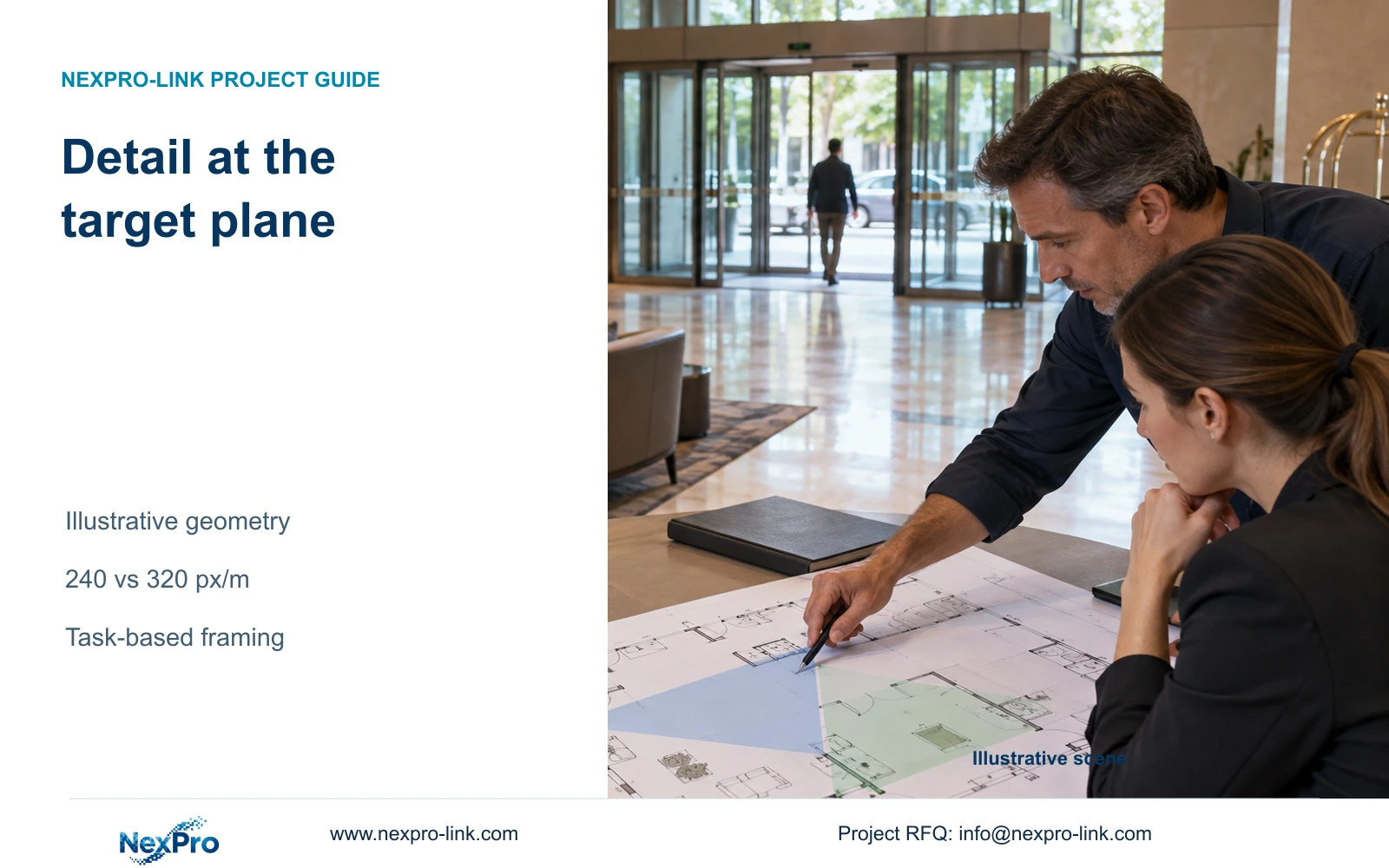
Choose hotel camera positions and lenses from the width of the required target view. A higher pixel count helps only when the geometry and recorded image support the observation task.
Section 01
Define the target plane before choosing a camera
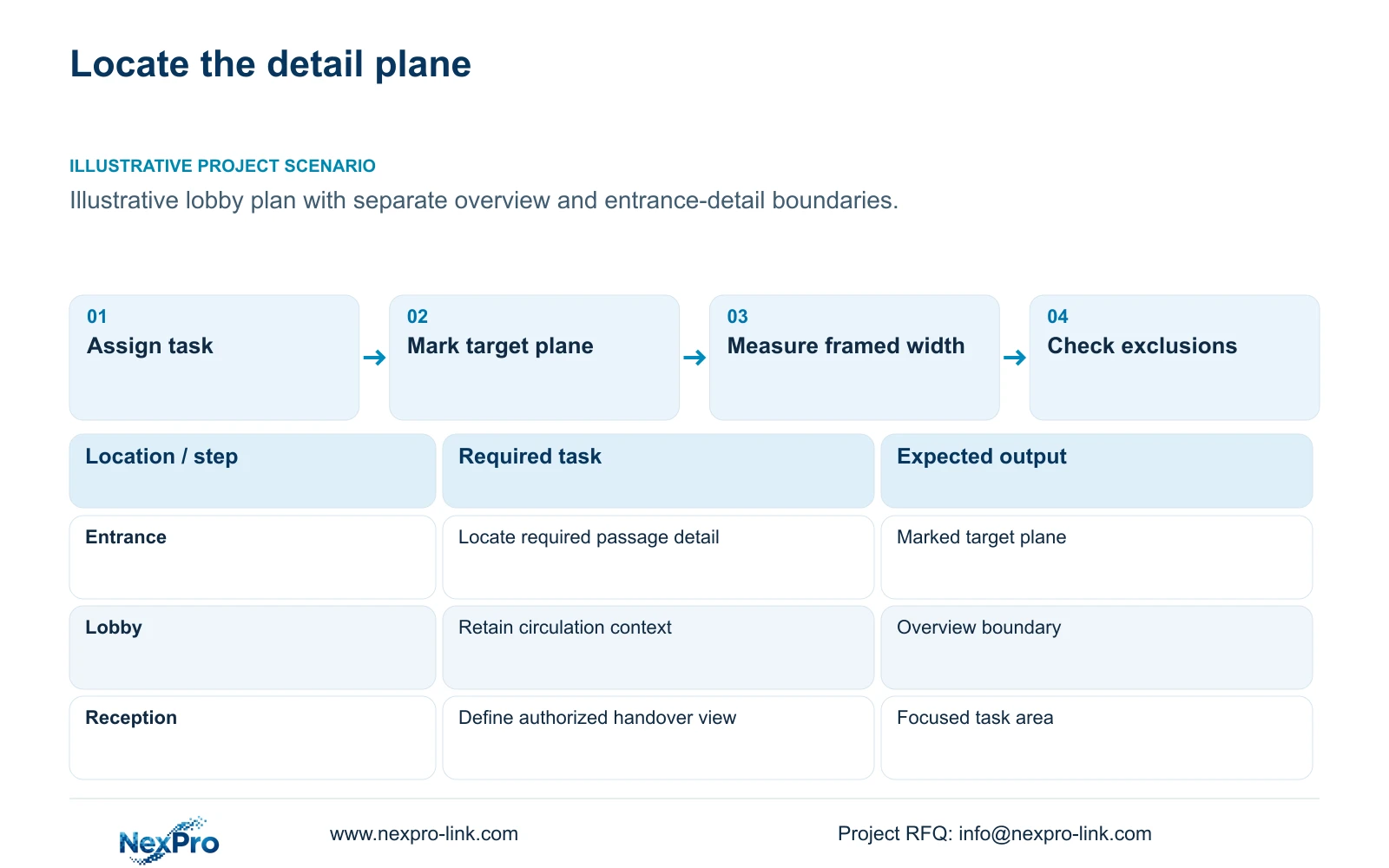
Measure the required target-plane width before selecting the lens or increasing camera resolution. Retain a wider view when the task is lobby movement overview; use a focused view when the operator needs detail at an entrance or authorized handover point. If those tasks cannot share one framing arrangement, give them separate camera positions. Pixel density describes the geometric detail budget, not a guaranteed identification result.
The target plane is the location at which the required action or detail must be visible. For an entrance, that might be the passage through the doorway. For reception, it might be an authorized handover area. Neither the total lobby floor area nor the number of guest rooms defines this plane. Record its location on the drawing so everyone calculates against the same boundary.
An illustrative lobby design can require both movement context and entrance detail. Combining those tasks is acceptable only when each remains visible at the required location. Keep private spaces outside the planned view, including unnecessary views through open guest-room doors. This prevents a broad coverage sketch from becoming an unsupported detail claim.
| Required task | Given information | Decision still needed |
|---|---|---|
| Entrance passage detail | Doorway and approach marked | Target plane and required view width |
| Lobby movement overview | Public circulation area identified | Whether detail needs a separate view |
Section 02
Use the horizontal pixels of the selected output
Use the recorded output width in the numerator. The supplied DM2812M product PDF lists a 2880×1620 main-stream mode for NexPro-DM2812M55-5MP-DIC-AI and 3840×2160 at 25 fps for NexPro-DM2812M88-8MP-DIC-AI. Preserve those documented values when preparing the comparison. A series label does not justify substituting a different output resolution.
These modes provide 2880 and 3840 horizontal pixels respectively. The calculation must use the mode actually selected for recording, with any cropping accounted for. A monitor screenshot, enlarged client window or low-resolution viewing stream is a different representation and should not silently replace the recording mode in the schedule.
Both listed candidates have 2.8-12mm motorized lenses. That range allows discussion of optical framing, but it does not establish an exact field of view at each focal length. The supplied material does not provide the effective sensor dimensions or official viewing angles needed for that conclusion. Output pixels and lens range therefore remain separate selection inputs.
Section 03
Measure the width at the required observation point
Measure the scene width across the target plane, in metres, from the proposed camera view. An entrance width measured on a floor plan is useful only if it represents the area framed at that observation point. Include surrounding space that must remain visible, and distinguish it from unnecessary margins that dilute the detail budget.
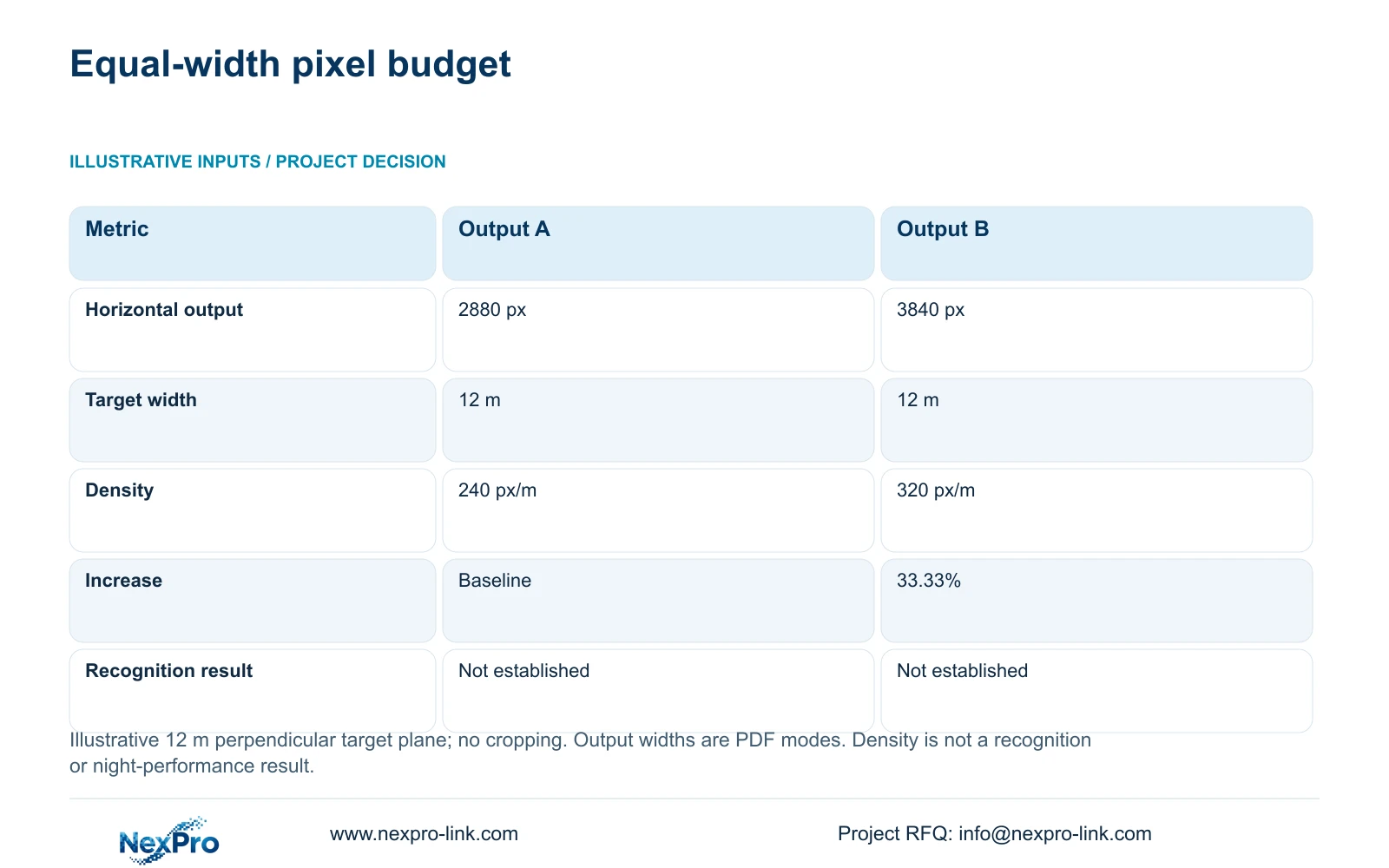
Planning pixel density equals horizontal output pixels divided by target-plane width. The illustrative comparison uses a 12 m width for both output modes. That width is a teaching input; the horizontal outputs come from the supplied PDFs. Geometry assumes an uncropped image and a target plane perpendicular to the view. Angled or changing-depth scenes require additional evaluation.
Record which drawing dimensions support the width and which require site confirmation. Furniture, a revised doorway position or a restricted mounting location can change the framed width. Update the calculation when those inputs change instead of retaining a density value from an earlier layout.
For a wide lobby and a narrow entrance using the same camera mode, the narrower framed target has more horizontal pixels allocated per metre. That explains why equal 8MP labels can produce different useful detail budgets.
Section 04
Compare framing options without losing required coverage
At the same illustrative 12 m width, 2880 divided by 12 gives 240 px/m; 3840 divided by 12 gives 320 px/m. The second result is 33.33% higher. This compares horizontal sampling at equal geometry. It does not establish recognition performance, night image quality or a required threshold for every hotel task.
Use the result to identify the next design choice. If the required wider scene must remain intact and the lower-output option lacks the agreed detail, assess the higher-output mode. If unnecessary surrounding space dominates the view, first examine a narrower optical framing or a different mounting position.
A focused view can remove context that the hotel still needs. Compare the revised drawing against every assigned task before deleting a camera or narrowing its lens. Where one view cannot retain both circulation context and entrance detail, price the additional view with its cable, recording and power scope.
| Metric / condition | Documented 2880 px output | Documented 3840 px output |
|---|---|---|
| Output width (px) | 2880 | 3840 |
| Same target width (m) | 12 | 12 |
| Planning pixel density (px/m) | 240 | 320 |
| Increase relative to A | Baseline | 33.33% |
| What is not proven | Recognition / night performance | Recognition / night performance |
Section 05
Check moving targets and temporary obstructions
A sufficient geometric budget can still produce unusable recorded detail when movement blurs the target or an obstruction hides it. Review the relevant route under normal activity and crowded conditions. Doors, luggage, signs and reception furniture should appear in the assessment where they can interrupt the assigned view.
Compare recorded clips using the same target route and comparable speed. A clear stationary image does not answer whether a walking person remains interpretable. Exposure duration and available light affect that result; a shorter exposure can require a different illumination and noise balance. Avoid approving a higher-resolution purchase from unmatched still images.
Separate the remedies by cause. Repositioning can address an obstructed sightline. Optical framing can redistribute detail across the required area. An output upgrade increases the sampling budget, but cannot reveal a target hidden behind furniture. Any added lighting or camera position should have a defined retained task and separately stated installation scope.
Section 06
Transfer accepted views into the camera schedule
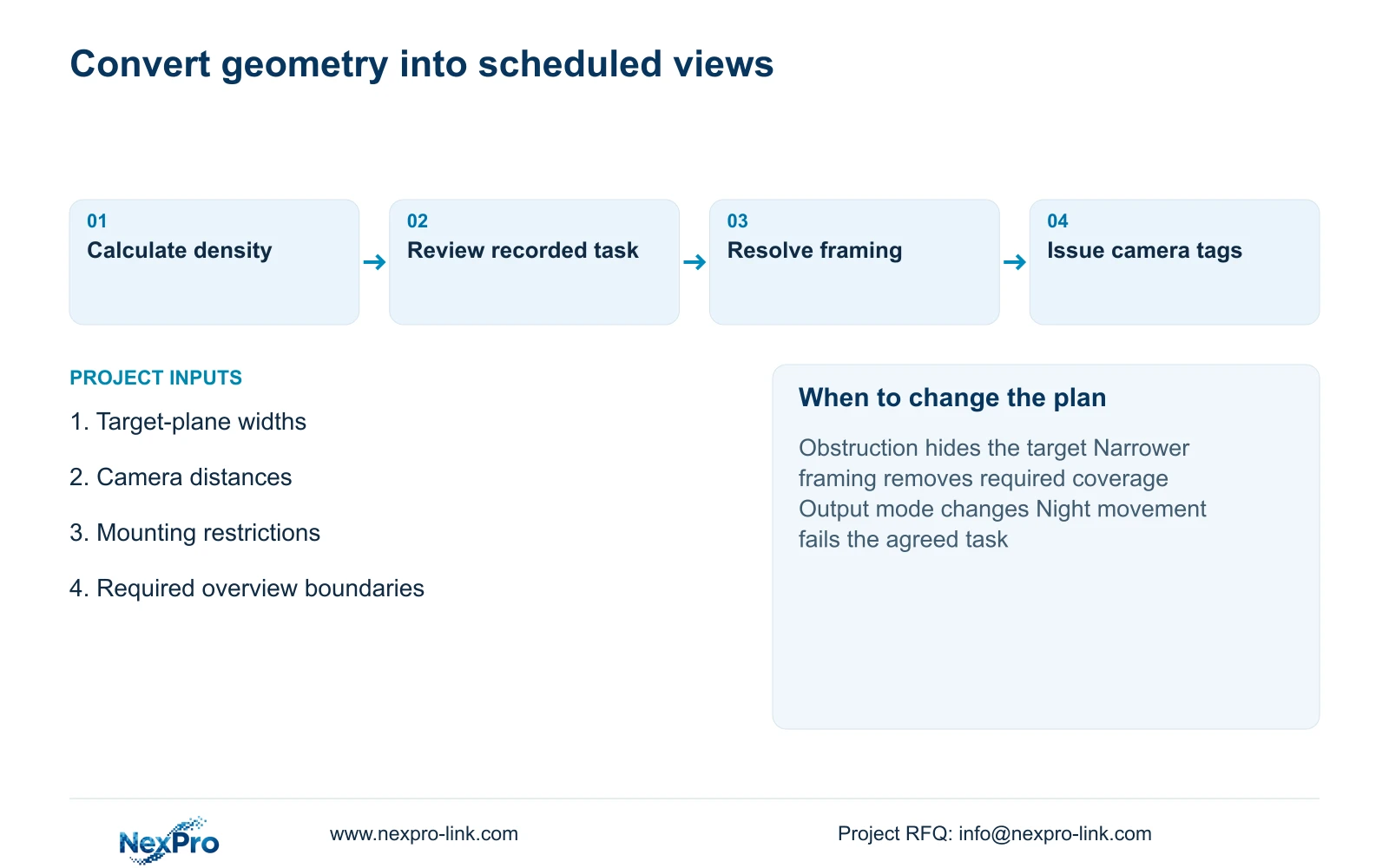
Give each accepted view a camera tag, observation task, target location, measured width and selected output mode. Add mounting constraints and the recorded-image check that remains to be completed. Those entries let the engineer connect a density calculation to a physical position and let procurement compare alternatives without losing the original task.
Recommend the simplest framing arrangement that preserves the required public-zone tasks and passes the agreed recorded-image check. Change the position or add a focused view when obstructions or excessive width prevent it from doing so. Select a higher-output candidate when the necessary scene must remain wide and its additional geometric budget is useful.
Send the relevant camera schedule, target widths, distances and mounting constraints to info@nexpro-link.com through the hotel project or BOQ support route. NexPro-Link can discuss model matching and coordinated equipment scope. CCTV manufacturing and supporting-category supply responsibilities should remain explicit, with local installation and any third-party functions defined separately.
Section 07
Buyer questions
Can digital enlargement replace a narrower optical view? Digital enlargement makes existing recorded pixels larger. It does not add original detail. Ask for an optical framing alternative when the target occupies too little of the recorded image, then verify that required surrounding coverage remains visible.
Does 320 px/m mean the entrance camera is approved? No. It is the result of the stated geometry. Approval still needs the hotel's defined observation task and recorded checks for angle, movement, lighting and obstruction. The supplied example sets no universal recognition threshold.
Can we request a comparison before every camera position is final? Yes. Identify provisional positions and supply their likely target widths and mounting restrictions. NexPro-Link can discuss bounded alternatives; unresolved geometry should remain visible in the quotation assumptions.
Engineering references
These sources support the general planning principles. Always use the selected product's current datasheet and applicable project standards for final design.


