

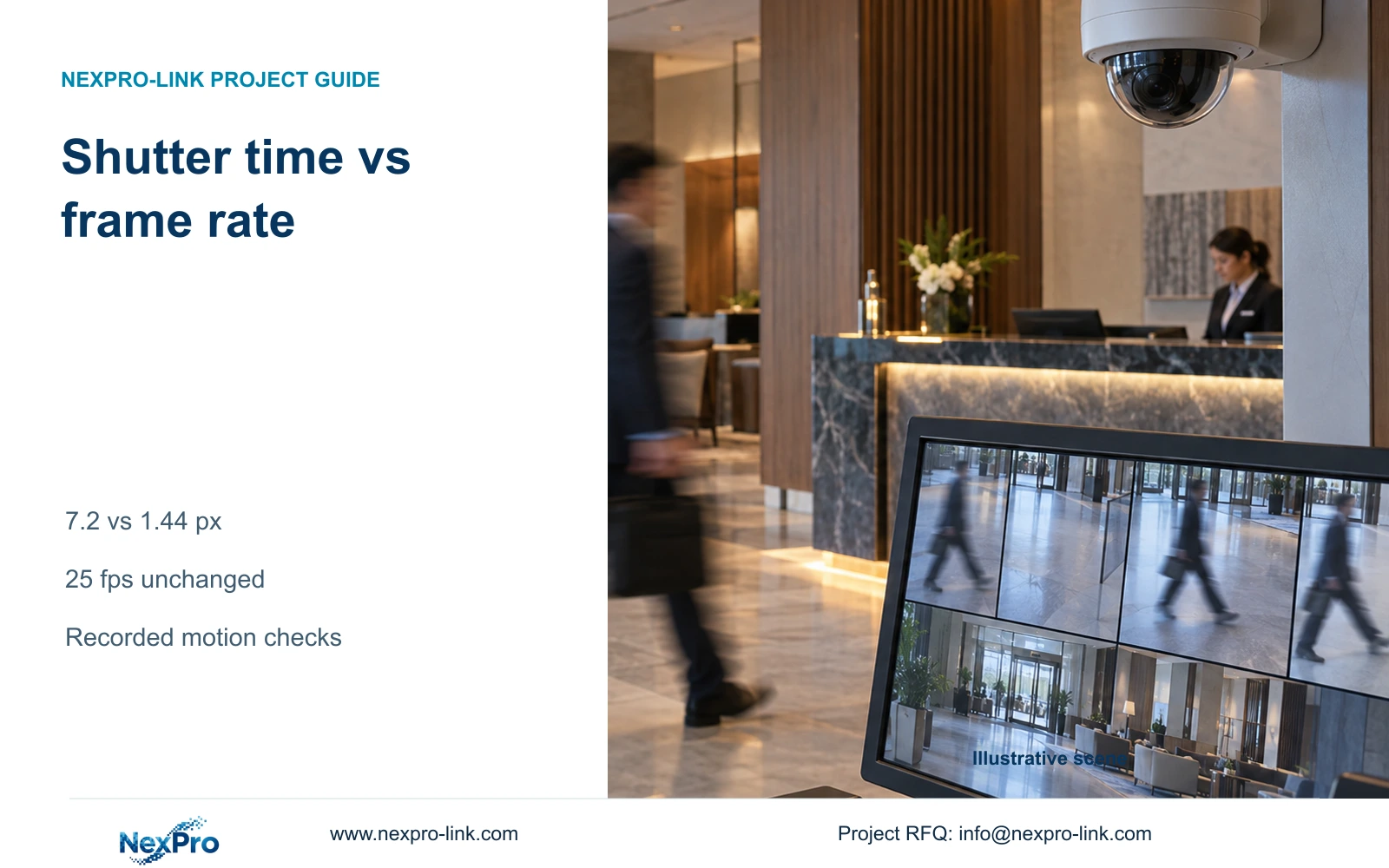
When hotel CCTV at 25 fps still blurs walking targets, review exposure and lighting first. Frame rate controls sampling, while shutter duration affects movement within each recorded image.
Section 01
Separate exposure blur from frame sampling
When a hotel lobby recording at 25 fps shows blurred moving targets, first assess exposure duration and the available light. Change frame rate when the action needs different sampling, and review bitrate after selecting a usable image profile. Purchase a higher-resolution camera only if the required detail remains inadequate after the view and motion conditions have been addressed.
Frame rate describes how often positions are sampled. Exposure time describes how long light contributes to an individual image. A recording can sample frequently while each image contains movement during its exposure. Increasing the number of samples does not by itself establish that each sample preserves the required detail.
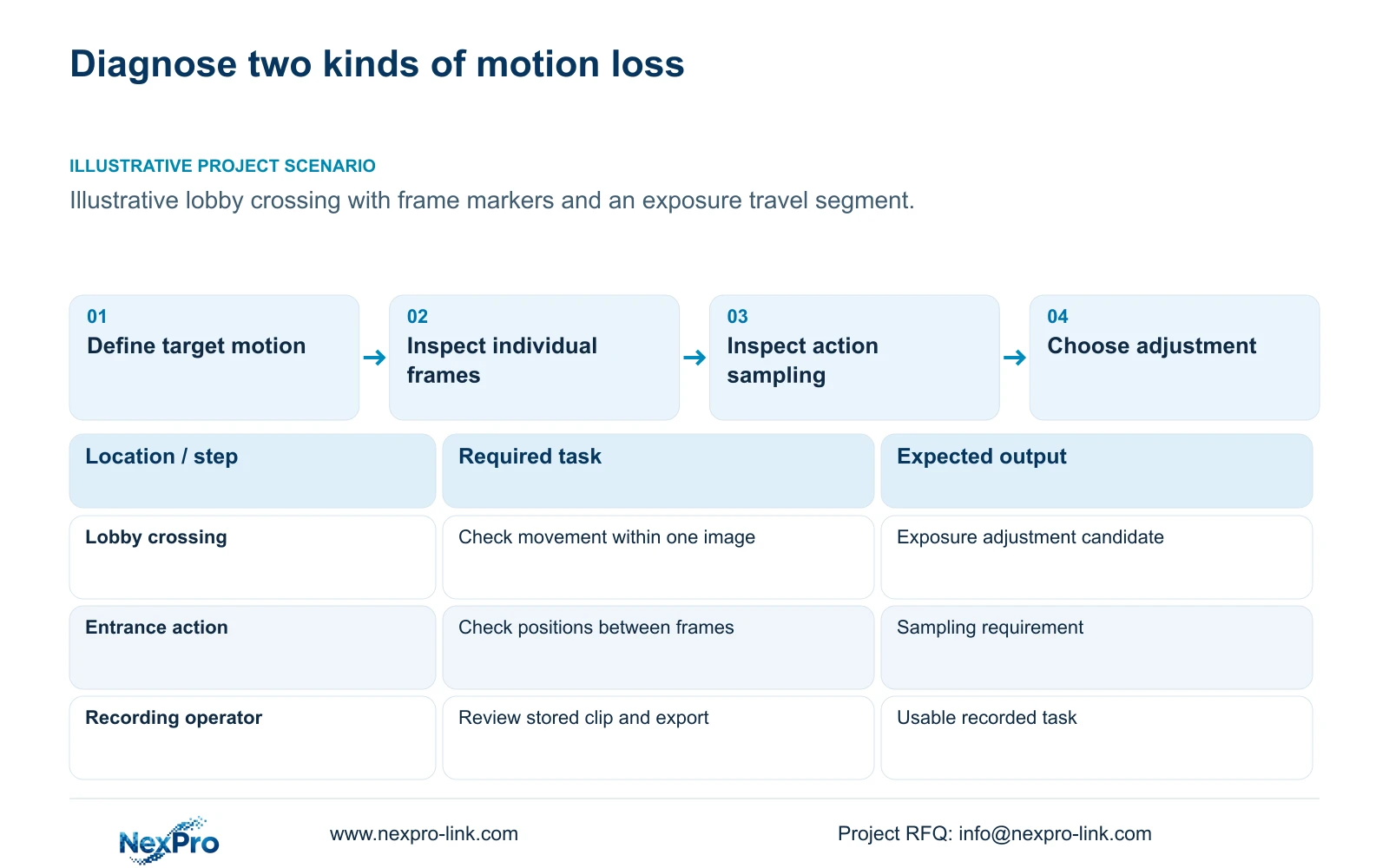
Define the target, direction of travel and action that must remain interpretable. Walking across a lobby and moving toward an entrance create different image motion. Identify the point where the required detail matters and the recorded mode used there. This gives the engineer a specific problem to adjust and gives procurement a basis for judging whether equipment replacement is justified.
| Required task | Given information | Decision still needed |
|---|---|---|
| Preserve detail within a frame | Moving target appears blurred | Exposure and light combination |
| Interpret action over time | Recording is nominally 25 fps | Whether sampling preserves the required sequence |
Section 02
Estimate image travel during the exposure
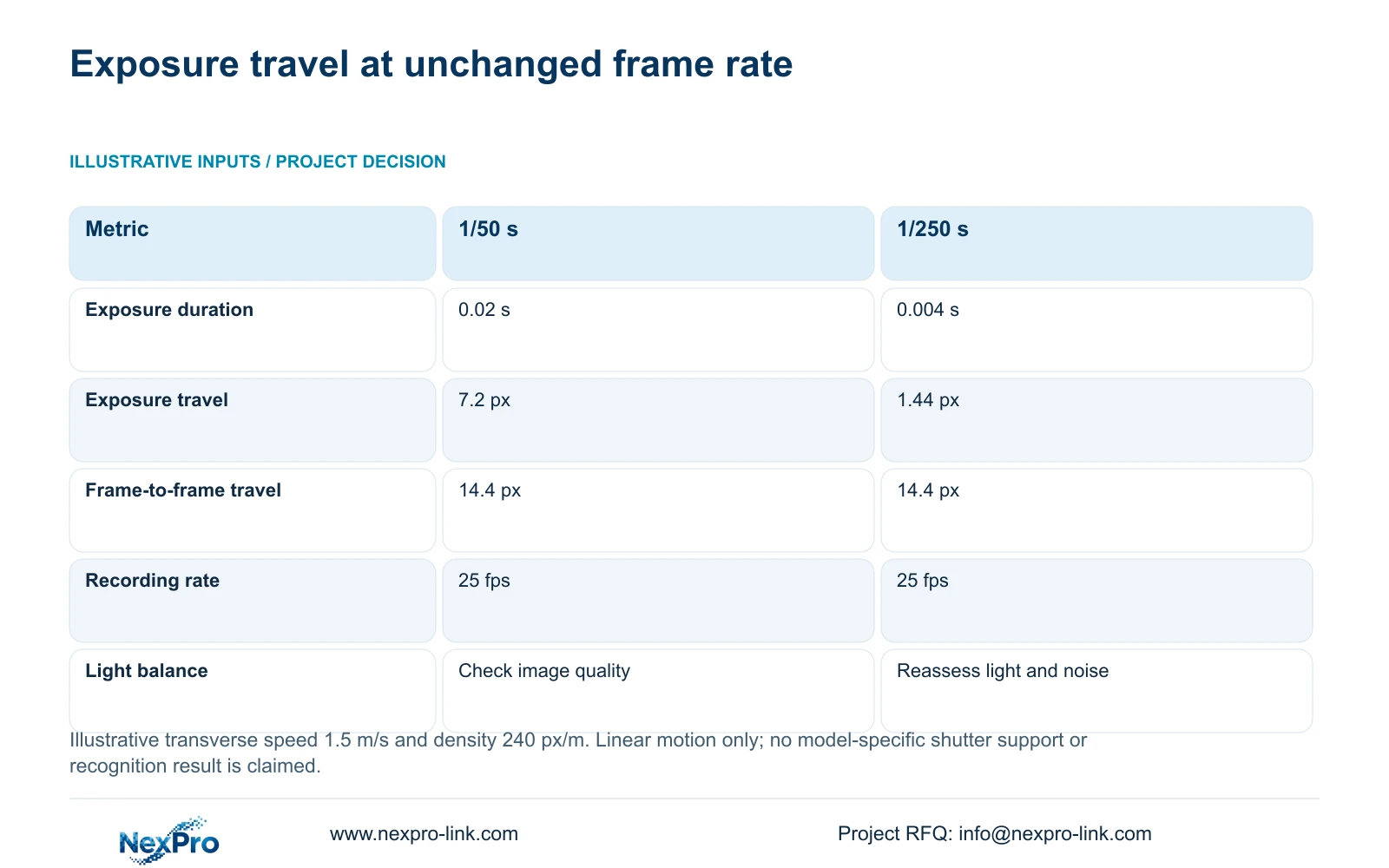
Use a simple motion calculation to explain the adjustment, while keeping it separate from a camera test. Exposure travel in pixels equals transverse speed in metres per second multiplied by exposure time in seconds and planning density in pixels per metre. The result estimates how far the target moves across the image during one exposure.
The teaching inputs are 1.5 m/s transverse speed and 240 px/m at the target plane. At 1/50 s, the duration is 0.02 s, giving 1.5 × 0.02 × 240 = 7.2 pixels. At 1/250 s, the duration is 0.004 s, giving 1.5 × 0.004 × 240 = 1.44 pixels.
This is a linear transverse-motion model. It does not predict a complete blur pattern, human recognition result or plate-reading performance. Real movement, target orientation and image processing require recorded checks. The calculation shows why exposure belongs in the first adjustment discussion, even when the nominal frame rate stays unchanged.
Confirm which exposure controls the selected model and firmware actually provide before specifying these settings as a deliverable.
Section 03
Compare movement at the same target plane
Keep the target route, image scale and output mode comparable when assessing exposure changes. The example holds both options at 25 fps. Frame-to-frame travel equals speed divided by frame rate, multiplied by pixel density: 1.5 ÷ 25 × 240 = 14.4 pixels between sampled positions.
Exposure travel falls from 7.2 to 1.44 planning pixels, while frame-to-frame travel remains 14.4 pixels. The first value concerns movement inside an image; the second concerns spacing between images. This supports testing the shorter exposure for detail without presenting it as a change in temporal sampling.
The supplied DM2812M PDF lists 25 fps modes for NexPro-DM2812M55-5MP-DIC-AI and NexPro-DM2812M88-8MP-DIC-AI, with their documented outputs. That specification does not verify either illustrative shutter setting or guarantee moving-target quality. Compare actual clips from the selected configuration, not a product label or two unrelated static screenshots.
| Metric / condition | 1/50 s exposure | 1/250 s exposure |
|---|---|---|
| Exposure seconds | 0.02 | 0.004 |
| Transverse image travel during exposure (px) | 7.2 | 1.44 |
| Frame-to-frame travel at 25 fps (px) | 14.4 | 14.4 |
| Additional requirement | Suitable image quality at the light level | Usually needs a different light/noise balance |
Section 04
Check the lighting and noise trade-off
A shorter exposure changes the illumination and noise balance. Evaluate the moving target under the light level relevant to the hotel task, including night operation if required. A setting that reduces calculated travel but leaves insufficient usable image information does not complete the design.
Review permitted illumination at the target and potential interference from glass or reflective finishes. The documented dual-light capability of NexPro-DM2812M88-8MP-DIC-AI is a product field, not proof of a specific acceptable lighting mode at the entrance. Confirm the actual selected behaviour and whether visible light is permitted in that location.
Choose the shortest supported exposure that preserves the required recorded task with an acceptable light and noise balance. If the trial becomes unusably dark or noisy, revise illumination, view geometry or the candidate configuration and repeat it. Do not turn 1/250 s into a universal hotel setting; it is one comparison input.
Keep any added lighting and its installation scope visible in the evaluated proposal. A camera-only price can omit the change that actually enables the motion task.
Section 05
Preserve the result through recording, playback and export
Review the recorded main stream after adjusting the camera. A live preview or a low-resolution grid can conceal differences in the stored image. Confirm that the intended output, frame rate and bitrate reach the recorder, then replay and export the relevant test interval through the authorized workflow.
After the usable profile is selected, calculate aggregate recorder input from actual planned stream rates. Calculate storage from bitrate, hours and retention. Do not assume that a shutter adjustment or an 8MP label maps to a fixed rate, and do not reduce the recorded profile simply to preserve an old disk allowance.
NexPro-NVR4449-4K lists 320 Mbps input, but its summary identifies 49×5MP/9×4K. Image-mode support and playback tasks need separate checking. The supplied NexPro-NVR2232-4K source has conflicting disk and playback fields; retain those differences instead of selecting the larger capacity as a procurement commitment.
Compare an exposure adjustment, permitted lighting change and camera upgrade as separate scope choices. Each must retain the motion task, with recorder and storage consequences included where the final profile changes.
Section 06
Specify a repeatable recorded walk-through
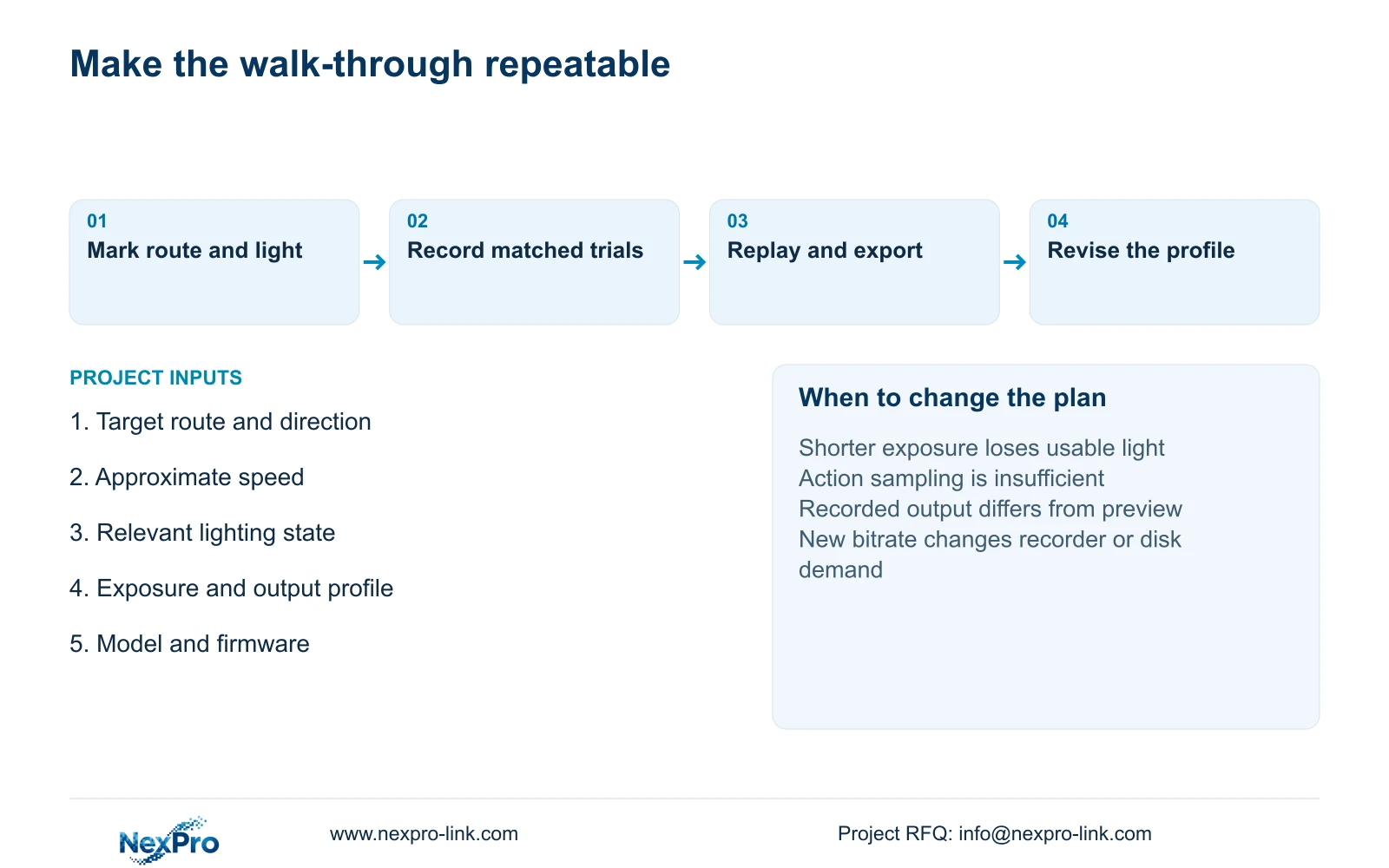
Mark the test route and target point on a public-area plan. Record the intended direction and approximate speed, relevant lighting state, full model and firmware, selected exposure, output and recording profile. Use the same route for the comparison so a change in movement or framing does not masquerade as an equipment improvement.
Review the clips for the assigned action and required detail, then check playback and export. Record actual observations and unresolved conditions. A limited successful walk-through supports the conditions observed; it does not establish lifetime reliability or a general brand ranking. After a corrective change, repeat the relevant conditions.
Recommend exposure and light adjustment first when individual frames are motion blurred. Revisit frame rate when sampling misses the required action; revisit camera selection when usable detail remains insufficient under supported settings and permitted light. This keeps the purchase linked to the cause of the failure.
Send the marked route, approximate speed and direction, lighting conditions and existing exposure and recording profile to info@nexpro-link.com. NexPro-Link can discuss candidate matching and the equipment scope needed for that comparison through its hotel and BOQ support routes.
Section 07
Buyer questions
Will a higher frame rate make every walking-target image sharper? It changes the spacing of sampled positions. Sharpness within each image still depends on exposure, light and the recorded configuration. Determine whether the failure is blurred frames, missing action samples or both before changing the specification.
Is 1/250 s the required hotel entrance setting? No. It is an illustrative comparison setting. Confirm support on the exact configuration and test it under the required light. A shorter exposure is useful only when the resulting recording still preserves the assigned task.
Can we use live preview screenshots for acceptance? Use representative recorded clips for the motion decision. Include playback and export of the test interval. Static preview screenshots do not demonstrate movement sampling or prove that the same useful image was stored.
Engineering references
These sources support the general planning principles. Always use the selected product's current datasheet and applicable project standards for final design.
- Supplied DM2812M camera specification: documented modes and lens variants
- Axis: exposure time, motion and illumination principles; not NexPro-Link firmware evidence
- N01: Hotel project equipment support
- N02: BOQ and technical configuration support
- N04: NexPro-NVR4449-4K recording limits
- N03: NexPro-NVR2232-4K unresolved source fields


