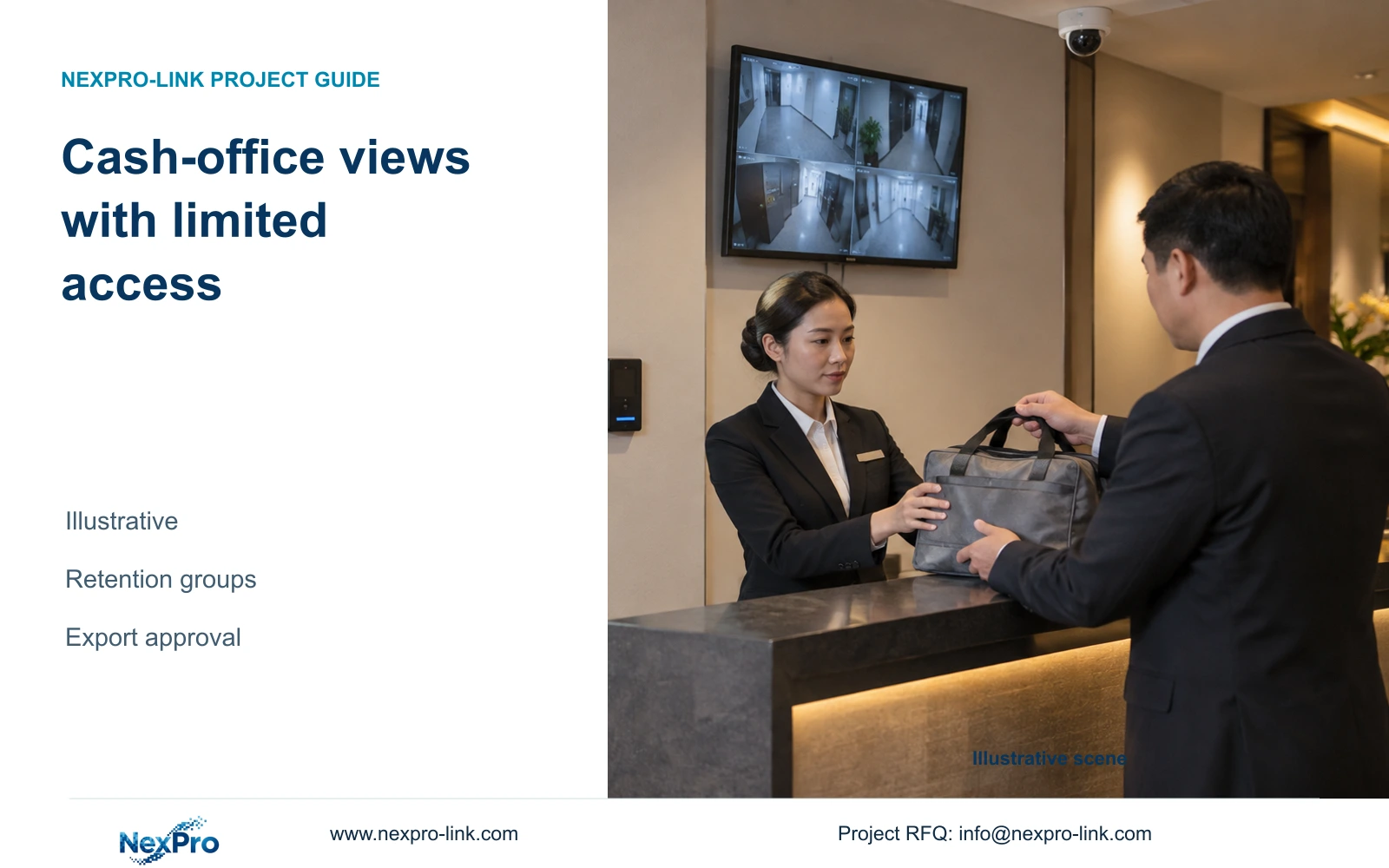
For a cash-office request, identify the approved incident purpose, minimum relevant views and recipient before export. Record whether adjacent private-office activity enters the selection and how the authorized reviewer handles it under hotel policy.
Section 01
Set the protected-area boundary
For a cash-office request, identify the approved incident purpose, minimum relevant views and recipient before export. Record whether adjacent private-office activity enters the selection and how the authorized reviewer handles it under hotel policy. Keep the released-copy record separate from routine camera access; footage sensitivity alone does not authorize broader retention or circulation.
Specify separate recording and access rules for approved cash-office entrances and handover points when their purpose differs from ordinary service-route coverage. Use longer retention only where the hotel has approved a reason and the selected system can enforce it. If channel-level policy or permissions are unsupported, change the recorder or management arrangement before accepting the grouped design.
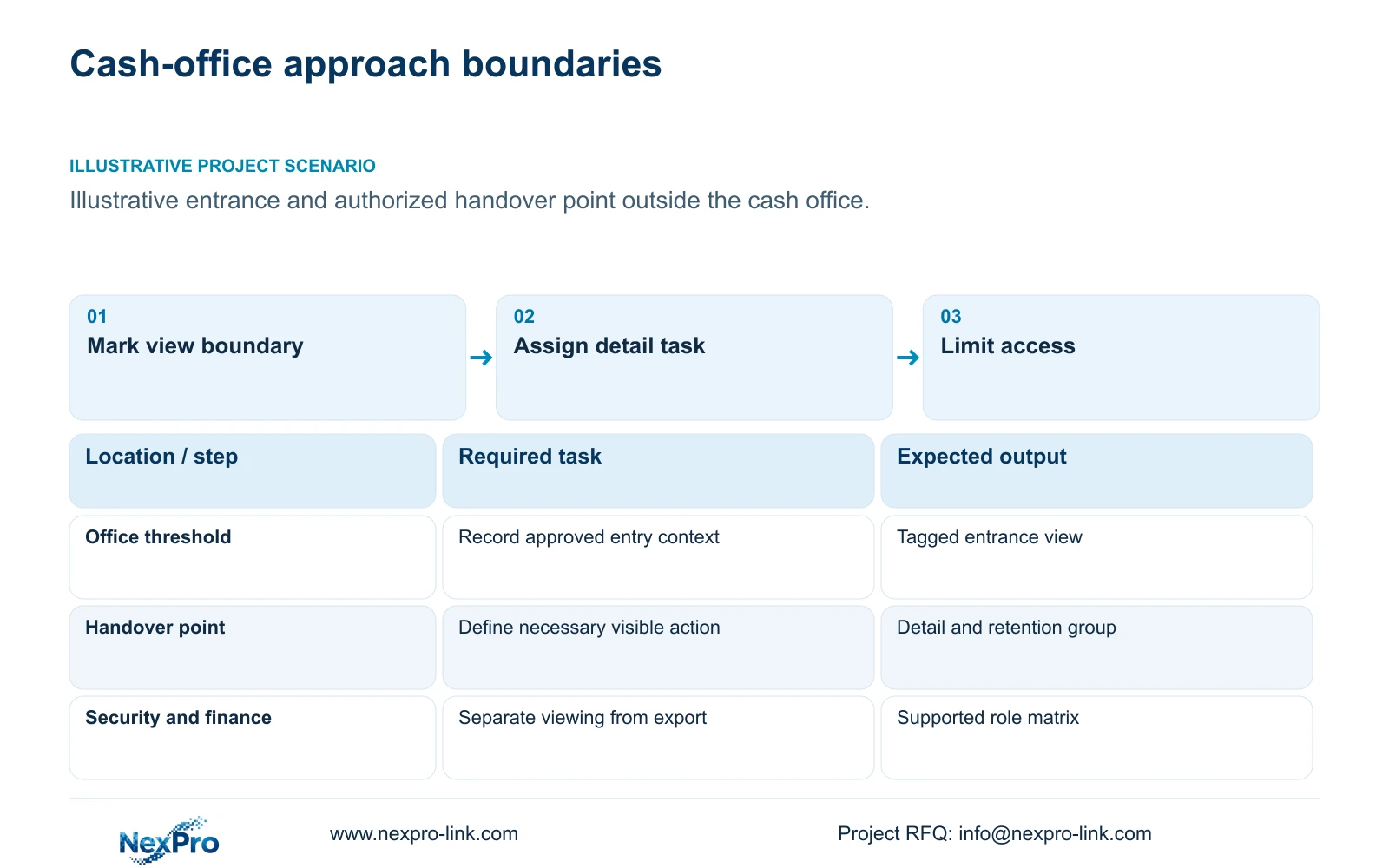
Mark the approach, threshold and authorized handover location on the plan. State what must remain visible and what should remain outside the view. An approach camera should not acquire an undefined remit to monitor office activity, financial documents or employee performance. Door opening must be considered because it can reveal space beyond the intended boundary.
Give each view a camera tag and purpose. The project manager can then connect the view to its image requirement, retention group and authorized recipients without assigning the longest period to every camera. The protected-area label alone establishes neither a necessary retention duration nor permission for everyone responsible for general hotel security to inspect the footage.
| Required task | Given information | Decision still needed |
|---|---|---|
| Review entry at the threshold | Office approach and door location | View boundary and authorized viewers |
| Retrieve handover context | Approved transfer point | Detail requirement and retention purpose |
Section 02
Choose the necessary detail view
Define the detail needed to resolve an access or handover question. A route overview may show that a transfer occurred but leave the relevant action obscured by the door or a person standing near the threshold. Compare repositioning or tighter framing with a separate detail view. Add a camera only when the required tasks cannot coexist in one accepted view.
The supplied BL2812M and DM2812M PDFs document 5MP and 8MP candidates with motorized lens options. They support consideration of framing and recording modes; they provide no task-specific identification guarantee. Check the target plane, lighting and moving action in recorded footage before treating a higher pixel count as sufficient.
Record the actual stored bitrate for each proposed group. Resolution and encoding names do not determine disk capacity by themselves. A tighter view or different light condition can require a revised recording profile, so the storage estimate should follow the accepted image configuration. Keep overview and detail streams identifiable if they have different recording needs.
Section 03
Assign narrow access roles
Separate routine viewing, historical search and export duties. An illustrative arrangement might allow security to inspect an entrance event while restricting cash-office retrieval to named authorized personnel. IT can maintain the system through an approved support process without automatically receiving unrestricted operational access. The hotel must decide the actual roles and verify that the proposed equipment can implement them.
Account ownership, channel permissions, device binding and network access are separate requirements. A restricted account is useful only if its visible channels and available actions match the approved task. Demonstrate both the permitted action and an action that should be unavailable. Do not infer these capabilities from an app name or a general ONVIF statement.
Carry the role schedule into retention and export design. A longer archive increases the period during which footage can be retrieved, but it does not justify expanding its audience. Document account removal and authorized transfer when personnel change. Applicable privacy decisions remain with the hotel and responsible local advisers; the UK ICO guidance is not a global hotel retention rule.
Section 04
Compare zone-specific retention
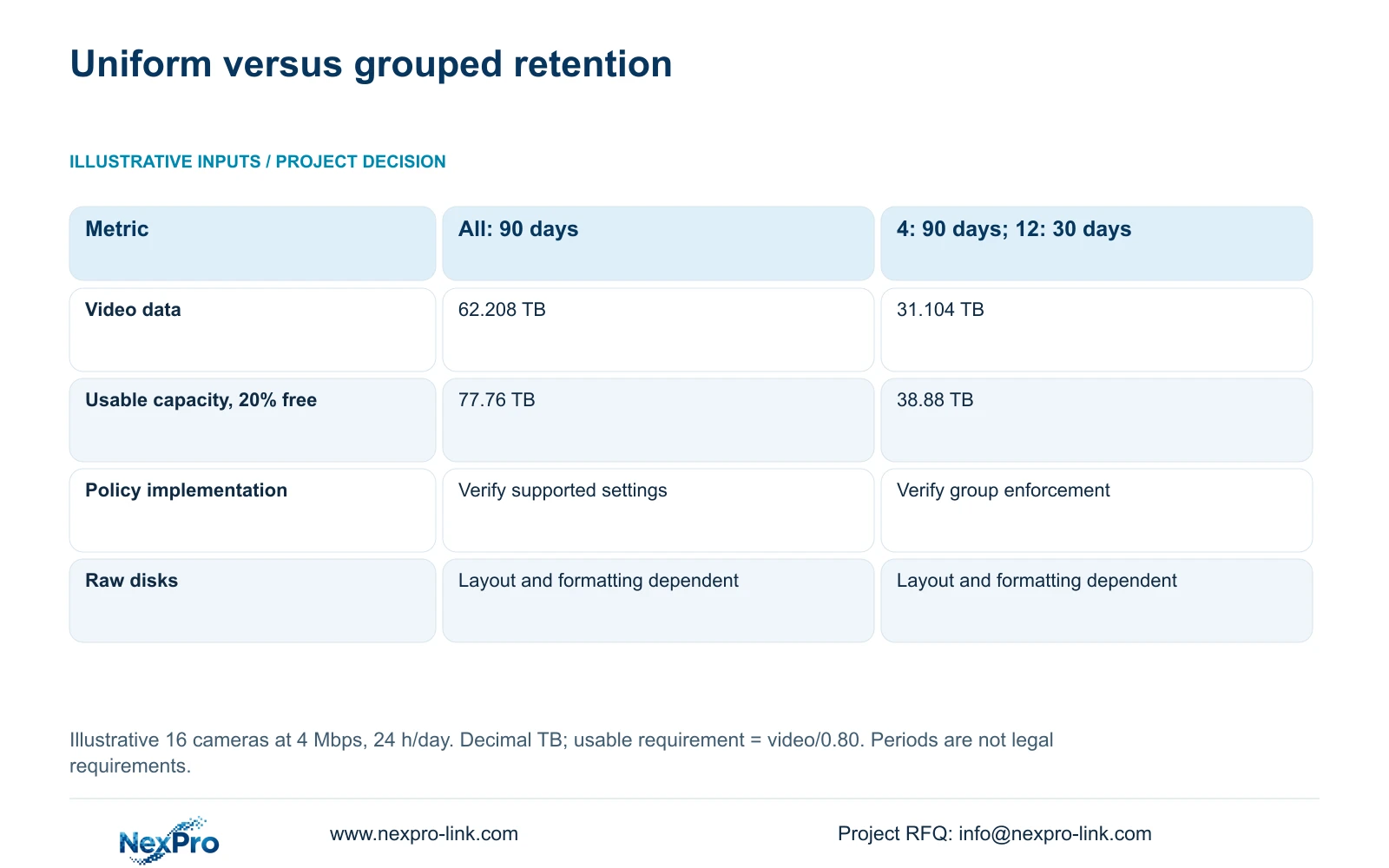
The illustrative calculation uses 16 cameras, each averaging 4 Mbps, recording 24 hours per day. Option A keeps every camera for 90 days. Option B keeps four cameras for 90 days and twelve for 30 days. These are teaching policies, not required cash-office periods, and this 16-camera example is independent of the 32-camera CASE01 reference.
Calculate each group separately: video TB = sum of cameras × Mbps × 10^6 × hours/day × 3600 × days ÷ 8 ÷ 10^12. The result uses decimal terabytes and converts bits to bytes. With 20% of usable capacity left free, required usable TB = video TB ÷ 0.80.
The grouped plan requires 31.104 TB of video space and 38.88 TB of usable capacity, compared with 62.208 TB and 77.76 TB for uniform 90-day recording. Select the grouped plan only if the approved longer-period tasks are confined to those four views. Preserve a uniform policy where every view genuinely needs the longer period, or choose a different supported grouping when the operational purpose changes.
| Metric / condition | Option A | Option B |
|---|---|---|
| Recording policy | All cameras: 90 days | 4 cameras: 90 days; 12: 30 days |
| Video data (decimal TB) | 62.208 | 31.104 |
| Required usable TB with 20% free | 77.76 | 38.88 |
| Raw disk selection | Depends on supported layout and formatting | Depends on supported layout and formatting |
Section 05
Calculate the incremental storage
To explain the longer-period increment, use the same sixteen cameras at 30 days as a baseline. Their video volume is 20.736 TB, requiring 25.92 TB usable with the stated reserve. Extending four cameras by a further 60 days adds 10.368 TB of video and 12.96 TB of required usable capacity. This derived increment belongs to the same teaching model.
Translate usable capacity into an actual disk arrangement only after checking formatting, any supported array mode and reserved drives. NexPro-NVR4449-4K lists four SATA bays and up to 18 TB per drive; NexPro-NVR8864-4K lists eight SATA bays and up to 18 TB per drive. Both list 320 Mbps input. Those fields do not establish per-channel retention enforcement, every recording mode or usable array capacity.
Keep the price assessment separate from the arithmetic. Request the additional disks, recorder changes and policy-management scope needed to preserve the approved task. A lower storage total does not establish a proportional price reduction. Before deleting older routine footage, verify how incident preservation and export interact with the normal policy on the selected configuration.
Section 06
Record export approval responsibility
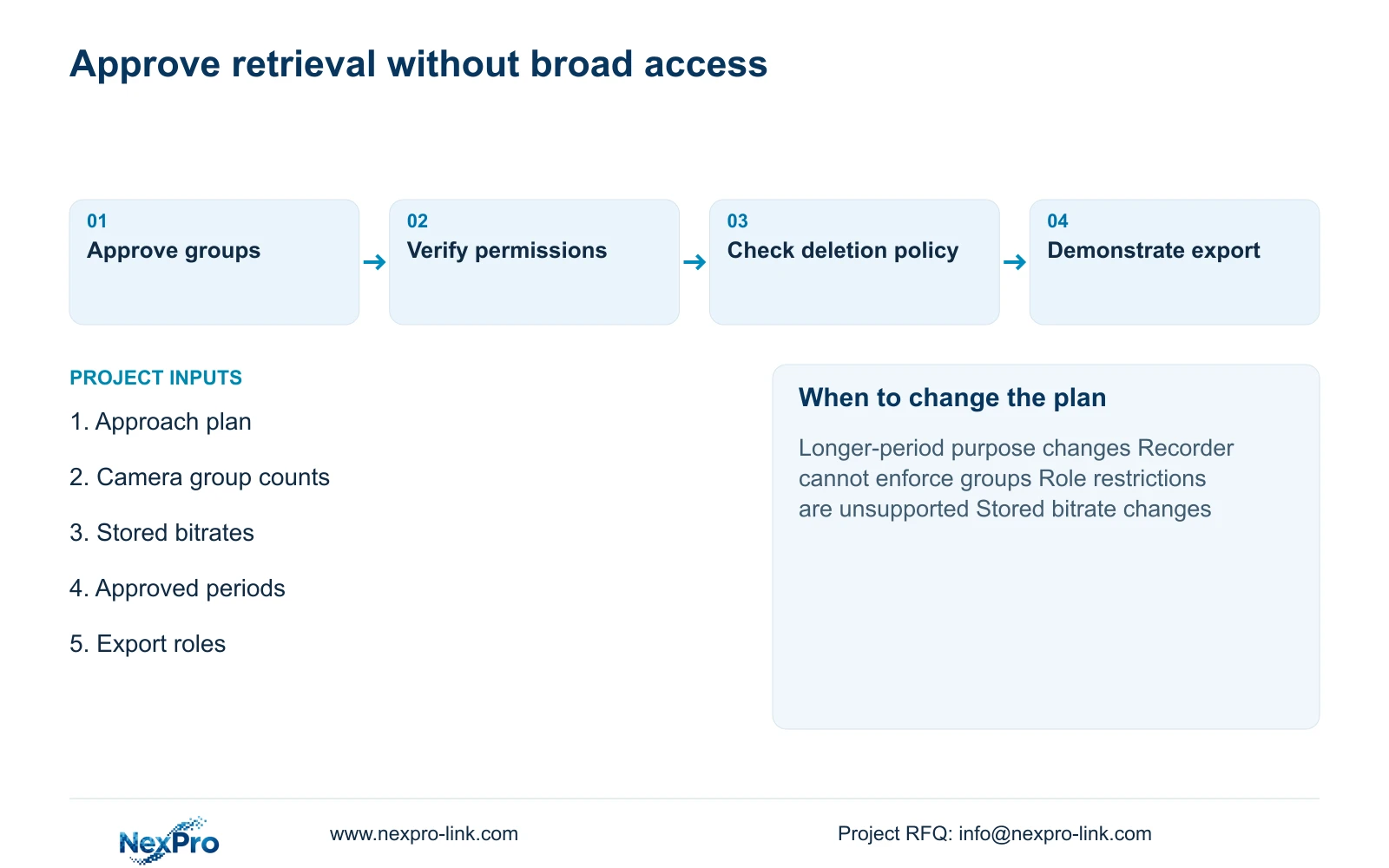
Assign an approver and an authorized operator for cash-office footage exports. Record the event purpose, camera tags, time window and intended recipient before creating a copy. Keep the transfer route and access scope within the hotel's approved process. A supplier's equipment proposal is not authorization to retrieve or distribute recordings.
Demonstrate retrieval of the required interval and playback of the exported result on the intended receiving arrangement. Retain the relevant time information and camera context. Incident preservation should be treated as a separate task from ordinary cyclic storage, with its own responsibility. An export demonstration on a sample configuration supports only the functions actually observed.
Email info@nexpro-link.com with an approach-plan extract, camera groups and proposed periods, stored bitrate assumptions, and the intended viewer/export roles. Include the existing recorder or mandatory platform and delivery destination. NexPro-Link can discuss model matching, BOQ support and coordinated supply. CCTV manufacturing and companion-equipment coordination remain distinct, and local permissions, installation and specialist responsibilities belong in the agreed scope.
Section 07
Buyer questions
Does the storage calculation prove that one NVR can enforce both periods? No. Ask for a demonstration of the selected version's per-channel or group policy, deletion behavior and incident-preservation workflow. If it cannot enforce the approved split, revise the management or recorder arrangement.
Can spare disk space justify longer cash-office retention? Spare capacity provides operating room. Any longer period still needs an approved purpose and applicable requirements. Keep the policy explicit instead of allowing the available disks to determine it.
What should be priced when the longer-retention group changes? Recalculate its camera count, stored bitrate and hours, then request any disk, recorder or software changes. Preserve the access and export requirements in the revised quotation so capacity savings do not remove a required workflow.
Engineering references
These sources support the general planning principles. Always use the selected product's current datasheet and applicable project standards for final design.
- Published NexPro BL2812M series specification: model-specific fields
- Published NexPro DM2812M series specification: model-specific fields
- N01: Hotel & Hospitality Project Supply
- N02: BOQ & Tender Support
- N04: NexPro-NVR4449-4K
- N06: NexPro-NVR8864-4K
- O04: ICO purpose, access and retention guidance, UK scope