

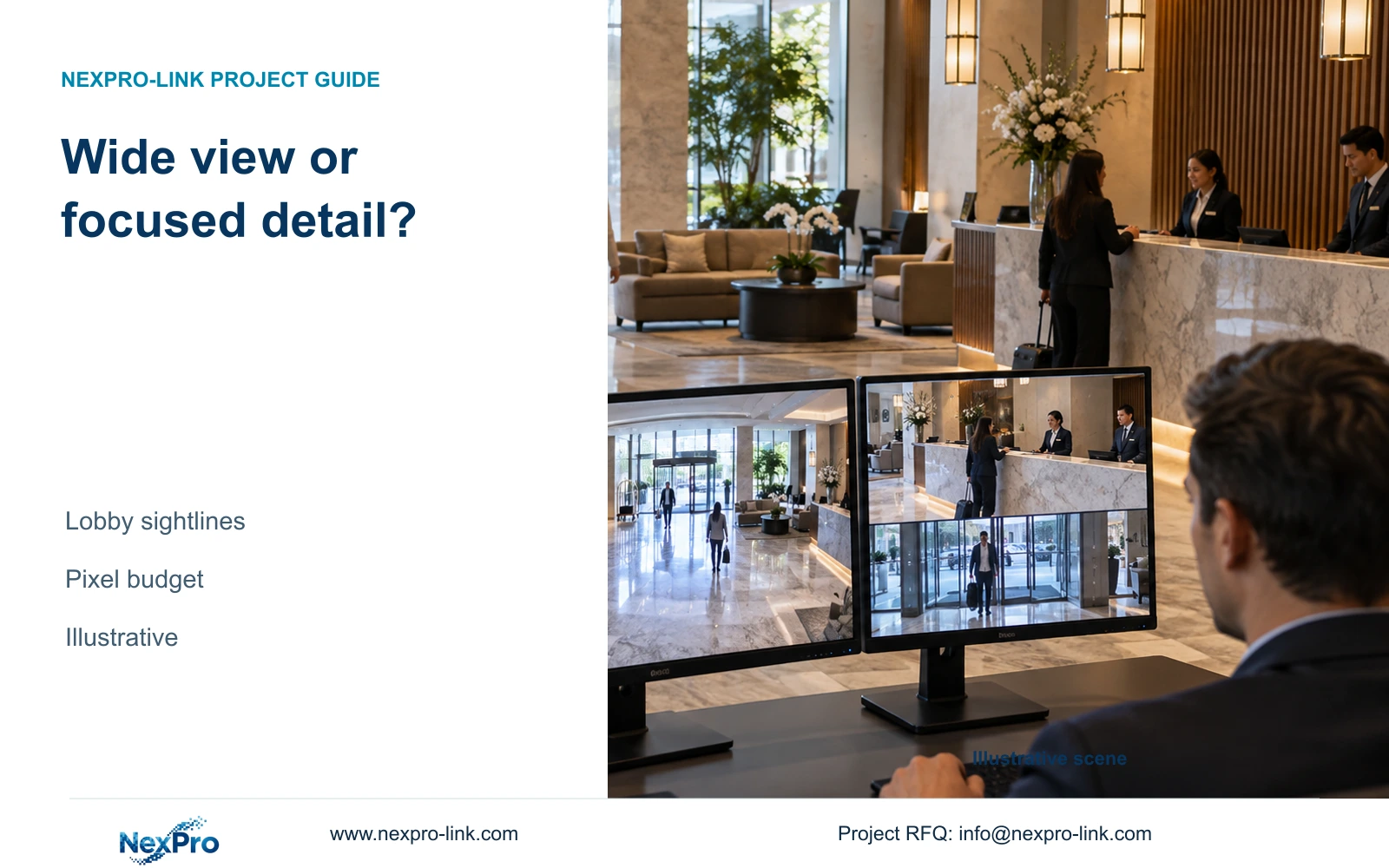
Choose one wide hotel camera view only when it preserves every required observation task. Compare focused positions where detail, obstructions or lighting make the overview insufficient.
Section 01
Decide which tasks need separate detail views
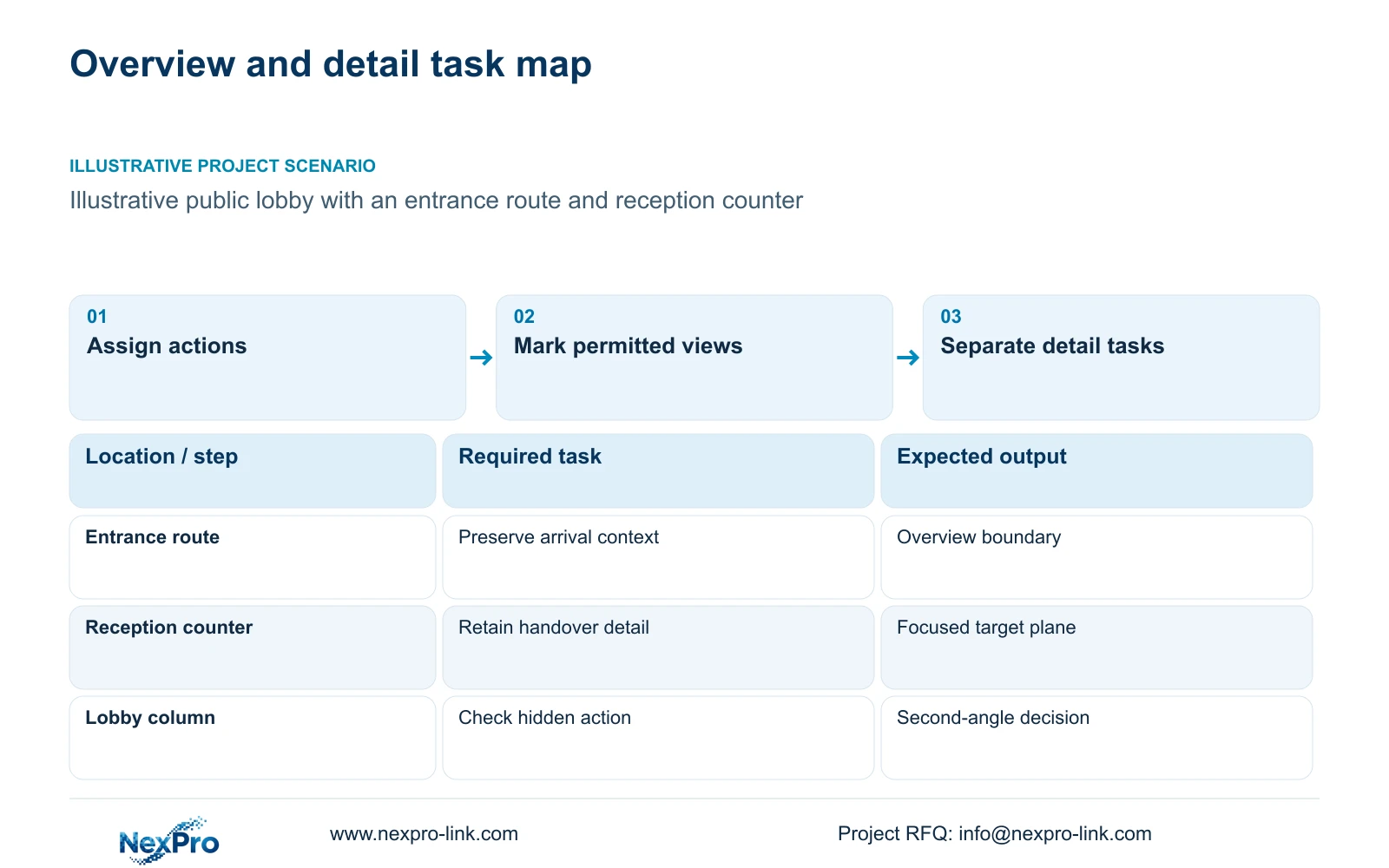
Keep one wide view when the recorded image meets both the overview task and the required detail at the agreed locations. Choose two focused positions, or an overview plus a detail camera, when a necessary action becomes too small or remains obstructed. Seeing the whole lobby establishes an overview; it does not establish that the recording can resolve a reception handover or an entrance event.
Define the action before drawing a coverage cone. A lobby overview might need to show how people move between the entrance and reception. A focused view might need to preserve the sequence of an authorized handover at a particular counter. These tasks can share a camera only when its position and framing retain both outcomes under the relevant operating conditions.
Use public-area tasks to establish quantity. Hotel bedroom count provides project context but cannot determine the number of useful views. Keep guest-room interiors and other sensitive spaces outside the routine coverage scope. At each proposed position, record the permitted boundary and the action that the hotel expects to review.
| Required task | Given information | Decision still needed |
|---|---|---|
| Follow public circulation | Entrance and reception share a lobby | Can one view retain the whole route? |
| Review a counter handover | The action occurs at a defined counter | Does the recording preserve the required detail? |
Section 02
Calculate detail at the actual target width
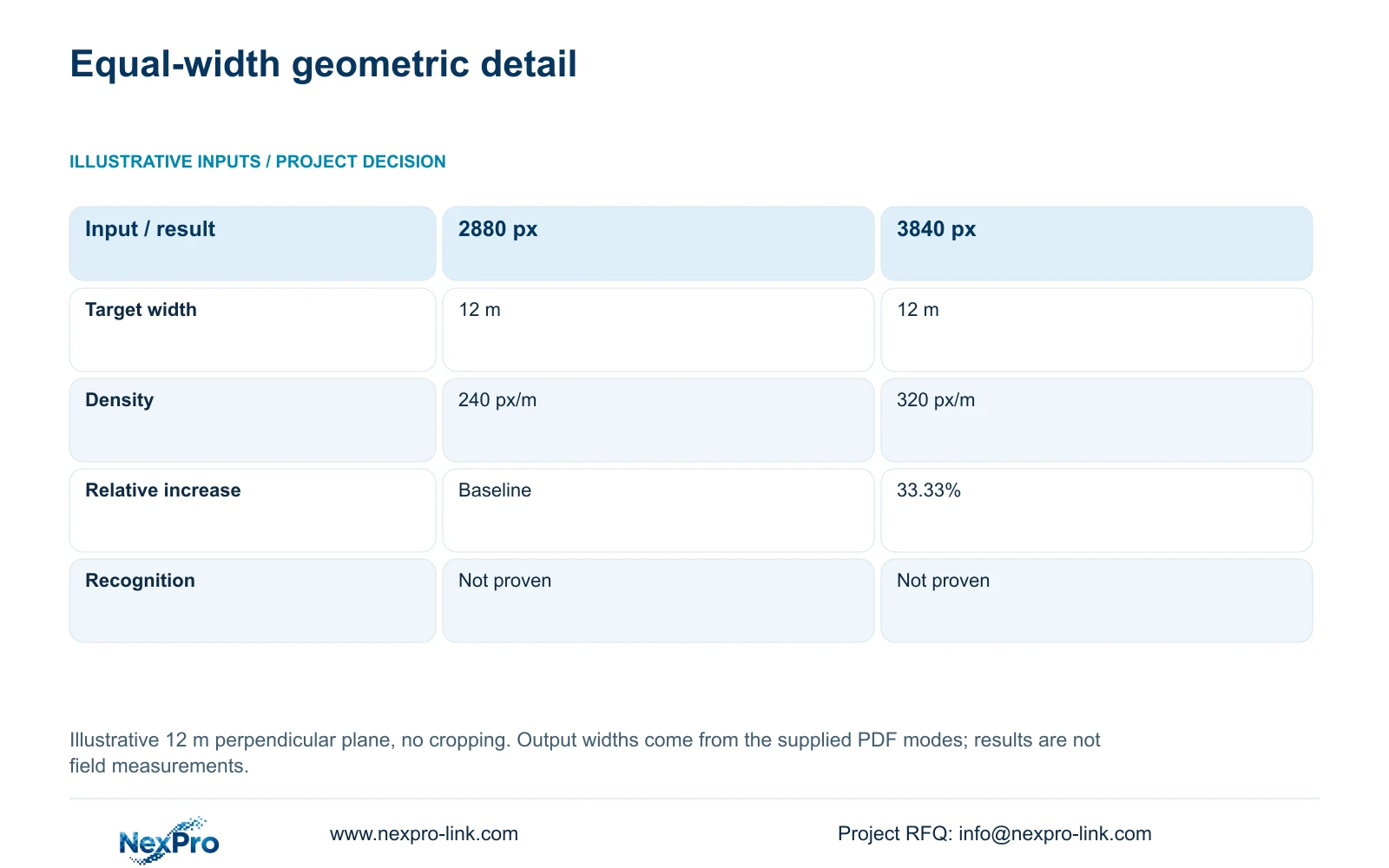
Planning pixel density equals horizontal output pixels divided by target-plane width in metres. The supplied DM2812M product PDF documents a 2880×1620 main-stream mode for NexPro-DM2812M55-5MP-DIC-AI and 3840×2160 at 25 fps for NexPro-DM2812M88-8MP-DIC-AI. Keep those output values intact. The 12 m width below is an illustrative scene input, not a measured hotel dimension.
At that same width, 2880 divided by 12 gives 240 px/m, while 3840 divided by 12 gives 320 px/m. The increase is 33.33%. This calculation assumes a perpendicular target plane without cropping. It provides a geometric detail budget, not an identification guarantee or a comparison of night performance.
Both documented dome candidates have a 2.8–12 mm lens range. That range alone does not establish the exact viewing angle at a selected focal length. Optical adjustment changes framing; enlarging the recorded image digitally does not add captured detail. A motorized varifocal lens also does not make either candidate a PTZ camera.
| Metric / condition | 2880 px output | 3840 px output |
|---|---|---|
| Output width (px) | 2880 | 3840 |
| Same target width (m) | 12 | 12 |
| Planning pixel density (px/m) | 240 | 320 |
| Increase relative to first option | Baseline | 33.33% |
| What is not proven | Recognition / night performance | Recognition / night performance |
Section 03
Locate obstructions that survive lens changes
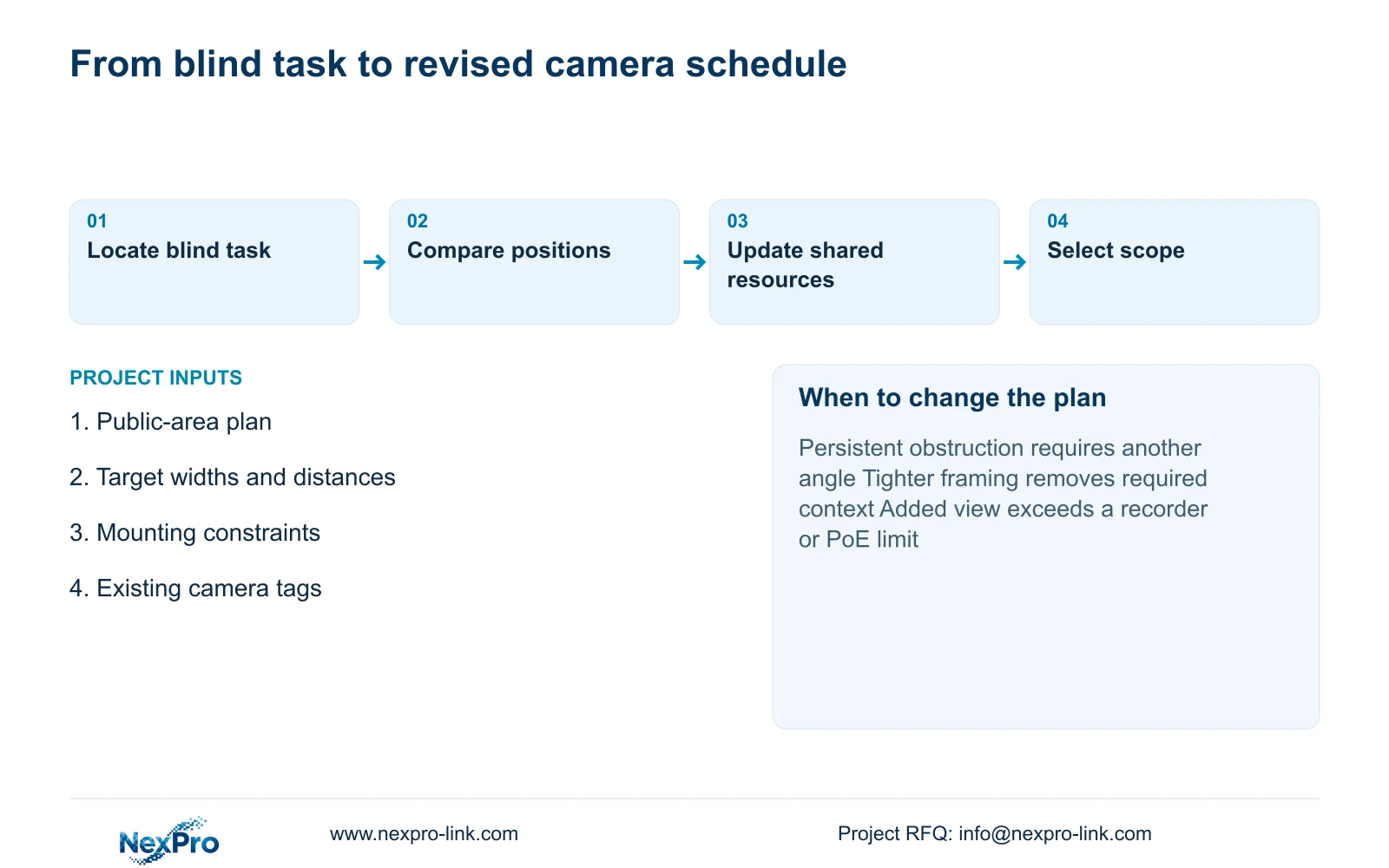
Mark persistent obstructions on the public-area plan before choosing a higher-resolution camera. A column, counter screen or sign can hide the required action from a wide position. More horizontal pixels do not restore a line of sight through that object. Record which target points remain visible and which require a different position.
Check normal operation as well as the empty layout. Open doors, movable furniture and queues may change the view at the moment an incident occurs. Distinguish a permanent blind area from temporary crowd occlusion because the corrective action differs. Relocating a camera can remove a fixed obstruction, while a second angle may be needed where people repeatedly block the first.
Apply the pixel-density formula to the actual visible target plane, not the full lobby floor area. A slanted or partly concealed target cannot inherit the simple 12 m perpendicular-plane result without further assessment. Record mounting height, target distance and lighting transitions alongside width so the drawing identifies the assumptions that a site review must confirm.
Section 04
Compare two positions against the same actions
Draw the two focused views around the actions they must preserve. Assign one to the entrance approach and another to the reception task, for example, then check whether their combined coverage retains the public route previously visible in the overview. Two narrow images can leave an important interval between them, even when each looks detailed in isolation.
Compare relocation and lens adjustment before adding hardware. Moving the overview position may resolve a column obstruction while keeping the required route visible. Tightening its framing may improve a counter view but remove the entrance. The preferred correction must preserve the original task or explicitly assign that task to another camera.
The 240 versus 320 px/m comparison shows the effect of documented output width at equal framing. It does not quantify the improvement from two focused cameras because their actual target widths have not been supplied. Calculate those widths separately and review recorded movement at each task point. Keep an overview plus detail arrangement available when two focused views lose useful context.
Section 05
Carry additional views into ports and recording
Give each accepted view a camera tag and carry that tag into the Camera Schedule. Adding a camera creates requirements for a connection, cable route, recording channel and storage allocation. Confirm its actual peak power and stream profile before revising PoE or UPS budgets. The supplied camera PDFs do not state maximum watts, so a hypothetical power value cannot establish switch suitability.
Check the recorder after a quantity or resolution change. NexPro-NVR2232-4K has 32 channels and two SATA bays, but its supplied page record contains conflicting disk limits: 2×8 TB in the summary and 2×18 TB in the detailed table. Playback and recording fields also differ. Do not select the larger figures to make an expanded layout appear supported.
Compare the installed changes against the retained outcome. Include mounting work and access for future adjustment. A camera that removes a blind task can justify extra scope; an additional view that duplicates usable coverage needs a separate operational reason.
| Retained outcome | Extra scope | Purchase condition |
|---|---|---|
| Required detail behind an obstruction | Second position, port and recording | First position cannot preserve the action |
| Overview plus counter detail | Separate detail camera and cable | Narrowing the overview removes needed context |
| Existing tasks from one position | Position or lens adjustment | Recorded results remain adequate without another camera |
Section 06
Select the layout by recorded outcomes
Use one wide camera when the permitted view delivers the agreed route context and event detail in the relevant lighting. Change to focused positions when a documented obstruction or inadequate recorded detail remains after practical positioning adjustments. Retain an overview alongside a detail view when the hotel needs both continuous context and a close view of a specific action.
NexPro-Link can support model matching and a revised BOQ through /project-supply/hotel-security and /project-supply/boq-tender-support. Its CCTV manufacturing core and coordinated supply of supporting equipment should be identified separately in the proposal. A combined order does not establish third-party integration or include local installation automatically.
Send the relevant public-area plan, proposed camera tags, target widths and mounting constraints to info@nexpro-link.com. Identify the action that the wide view currently fails to preserve and whether the operator permits alternative positions. Those inputs allow the equipment comparison to address the unresolved view without requesting guest footage or access credentials.
Section 07
Buyer questions
Can an 8MP camera avoid buying a second lobby camera? It can remain a single-camera option if recorded detail meets the agreed task at the required width. It cannot resolve a persistent obstruction. Compare the same target locations before treating higher output resolution as a substitute for another position.
What should a quotation show when one view becomes two? Request the added camera tag, mounting and cable scope, port allocation, recording profile and revised capacity checks. Keep any reusable equipment visible so the change is priced as an incremental scope.
Does NexPro-Link need the complete hotel drawing set? An initial comparison can use the relevant lobby plan and task schedule. Include target distances, permitted positions and any mandatory platform requirement. The wider system information becomes necessary when the accepted layout affects shared recording or power resources.
Engineering references
These sources support the general planning principles. Always use the selected product's current datasheet and applicable project standards for final design.


