

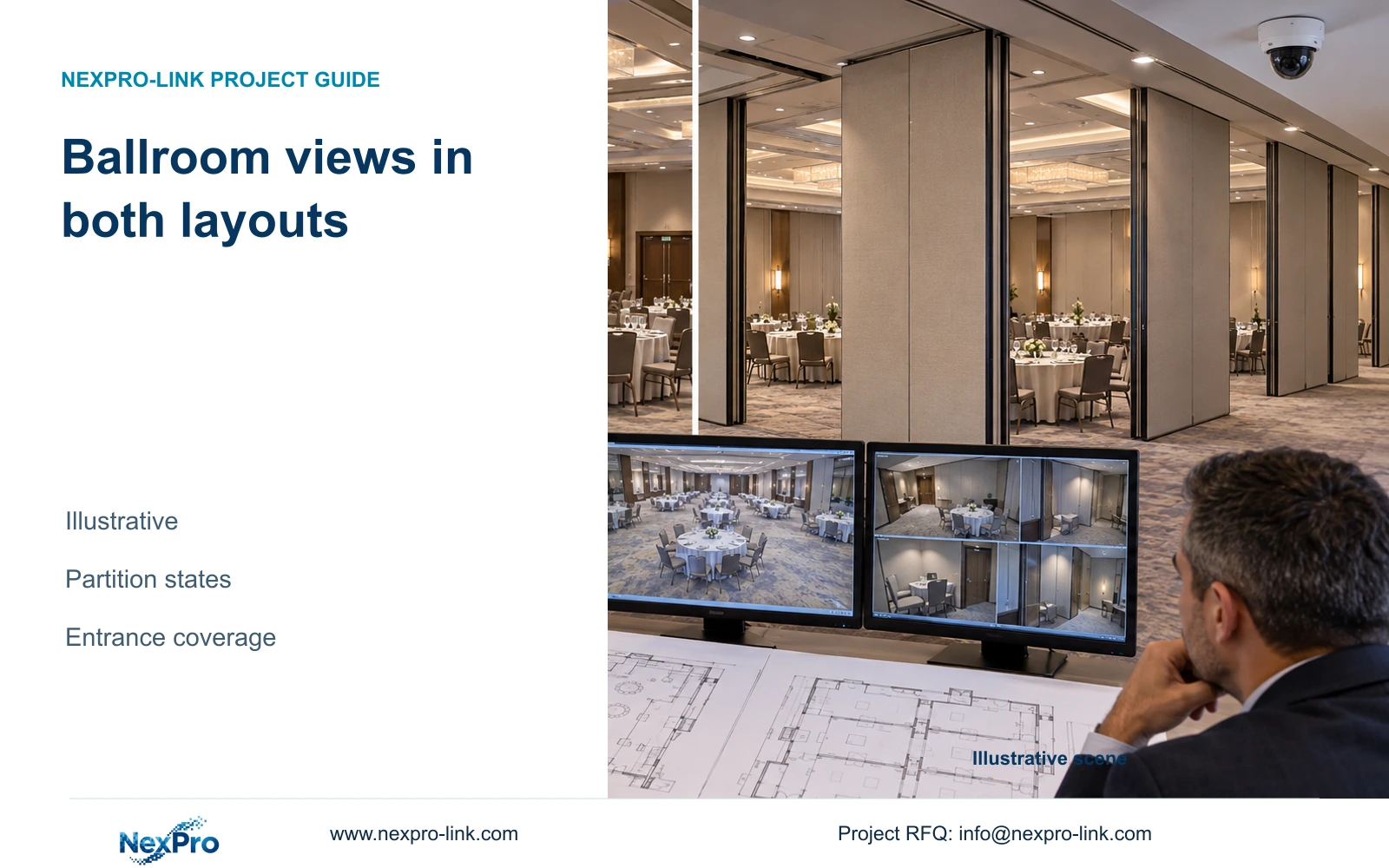
Movable partitions can remove a useful camera view even when image resolution stays unchanged. Design ballroom coverage around approved layouts and fixed access tasks.
Section 01
Choose the room layouts that coverage must support
Design fixed coverage for the ballroom entrances and public routes that must remain visible in every approved configuration. Add adjustable framing only where a defined room mode needs it. Accept the open and divided layouts separately; a camera that overlooks the open hall may become isolated behind a closed partition.
The hotel operator should identify the layouts it actually sells and operates, including partition positions and the entrances assigned to each divided space. An illustrative ballroom may operate as one hall or several separately occupied rooms. Each mode needs a stated observation task, such as following arrivals through a doorway or reviewing movement along a shared circulation route. Seating capacity alone does not establish camera quantity.
Keep operational layout approval separate from supplier registration, brand acceptance and model approval. Agreement that a divided configuration needs coverage does not authorize a particular purchase. NexPro-Link can support CCTV model matching and coordinate associated equipment, while the hotel and its project team retain the decisions about permitted views and procurement authority.
| Required task | Given information | Decision still needed |
|---|---|---|
| Observe arrivals in open mode | Open-hall plan | Approved entrance view and detail |
| Observe each divided-room entrance | Partition positions | Independent views needed when closed |
| Maintain shared public-route coverage | Circulation plan | Permitted framing in every mode |
Section 02
Map partitions against entrances and public routes
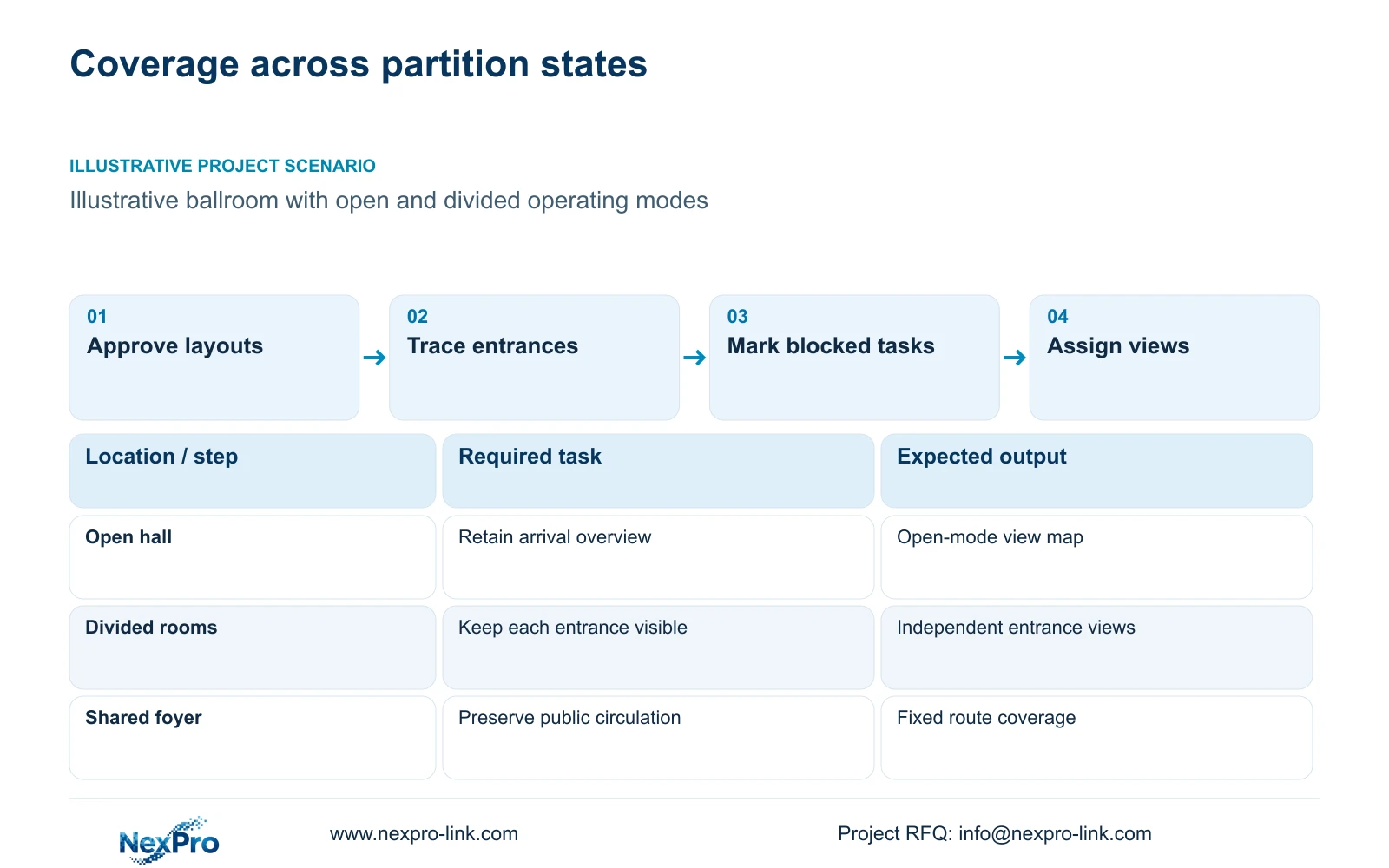
Overlay partition lines on the camera plan and trace each required view to its target. Include partition storage positions, door swings and temporary event features that can obstruct the route. A view crossing a movable wall should be marked as conditional, even if the wall is normally open.
Separate overview and detail tasks. An overview can explain movement through a shared foyer, while an entrance view may need clearer recorded detail at a narrower target plane. Combine these tasks only when the proposed position preserves both under the approved layouts. Widening the lens to include another doorway can reduce the detail available at the original entrance.
Compare a single cross-room view with separate views on the relevant sides of the partition. The first arrangement uses fewer positions but depends on an unobstructed room. The second adds camera and infrastructure scope while preserving independent entrances. If moving an existing position restores both tasks, price that option before adding equipment.
| Arrangement | Open hall | Divided hall | Effect on task |
|---|---|---|---|
| View across partition line | Potential shared overview | Sightline interrupted | Conditional coverage only |
| Views serving separate entrances | Some overlap possible | Independent tasks retained | Additional scope may be justified |
| Reposition existing camera | Recheck original task | May avoid partition obstruction | Useful only if both modes pass |
Section 03
Compare recorded detail at the same target width
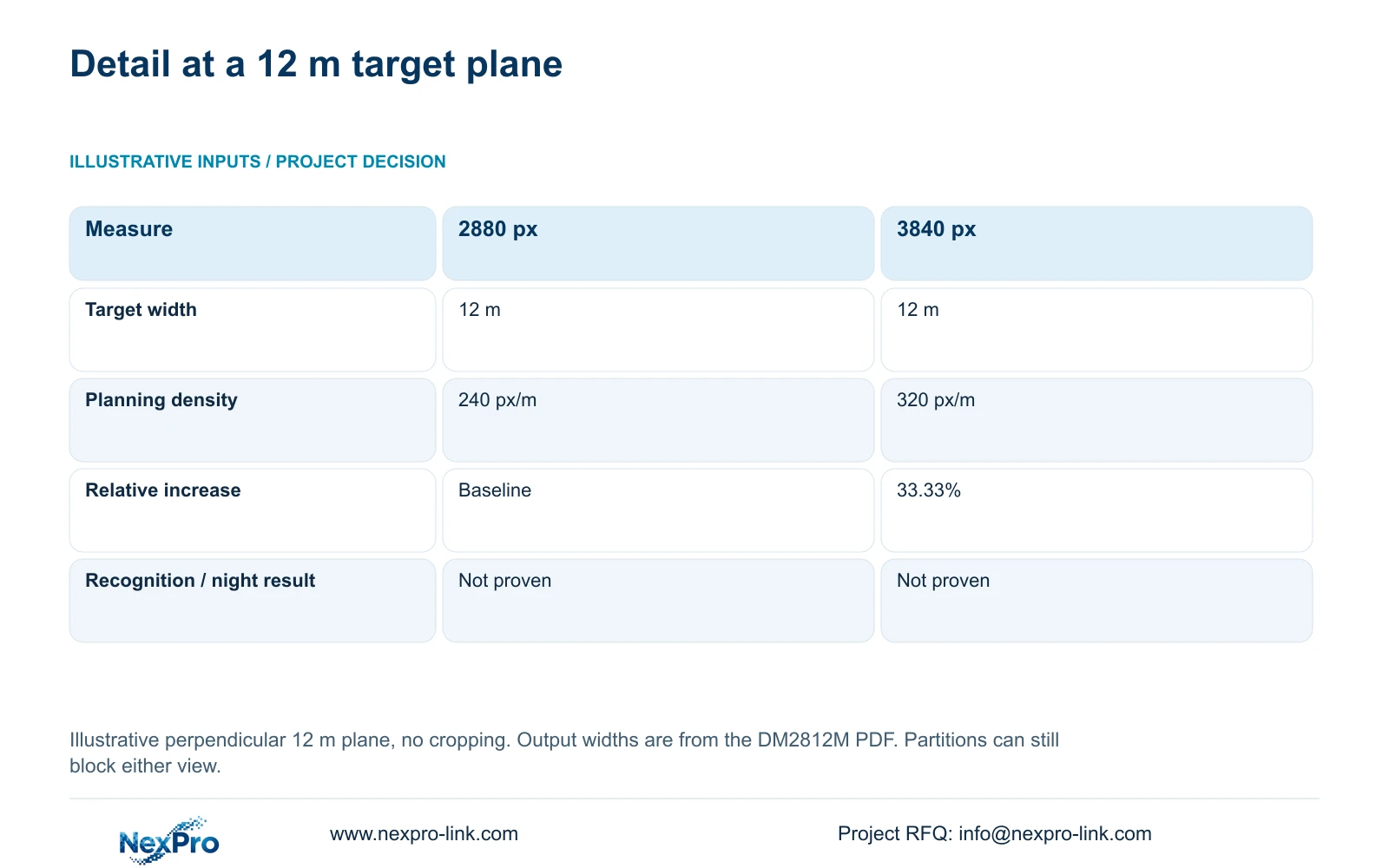
Use the same target-plane width when comparing image outputs. The supplied DM2812M Series product PDF lists a 2880×1620 main-stream mode for NexPro-DM2812M55-5MP-DIC-AI and 3840×2160 at 25 fps for NexPro-DM2812M88-8MP-DIC-AI. The following comparison uses those documented horizontal outputs with an illustrative 12 m target width.
Planning pixel density equals horizontal output pixels divided by target-plane width in metres. The geometry assumes a perpendicular target plane and no cropping. Thus 2880 ÷ 12 gives 240 px/m, while 3840 ÷ 12 gives 320 px/m. The increase is 33.33%, but neither result proves recognition or night performance.
Use the higher output when the required recorded task benefits from additional detail and the recording system supports the selected mode. If the partition blocks the target, changing resolution cannot restore the view. Resolve the sightline first, then compare framing and recorded performance. The PDF's 2.8–12 mm lens range does not establish an exact field of view or a PTZ capability.
| Metric / condition | Documented 2880 px output | Documented 3840 px output |
|---|---|---|
| Output width (px) | 2880 | 3840 |
| Same target width (m) | 12 | 12 |
| Planning pixel density (px/m) | 240 | 320 |
| Increase relative to first option | Baseline | 33.33% |
| What is not proven | Recognition / night performance | Recognition / night performance |
Section 04
Record the blind areas created by each configuration
Create a separate coverage overlay for every approved layout. Mark where a partition, furnishing or event installation interrupts a required sightline. Classify each affected task as retained, conditional or unavailable. This produces a usable design decision without inventing a percentage of coverage from an unmeasured drawing.
Where drawings provide dimensions, measure the relevant obscured route or target area using a consistent basis. A floor area total can conceal a missing doorway, so record the affected task beside the measurement. Do not claim an exact blind-area size until the geometry and obstruction heights are established.
Compare relocation, narrower framing and an additional position against the same missing task. Relocation can sacrifice another view; narrowing can improve visible detail but leave adjacent circulation unobserved. Add a camera when no permitted existing view can retain the necessary task. Ballroom quantities should come from this schedule, not from the separate 128-camera convention-hotel reference case.
Section 05
Assign responsibility for changing approved views
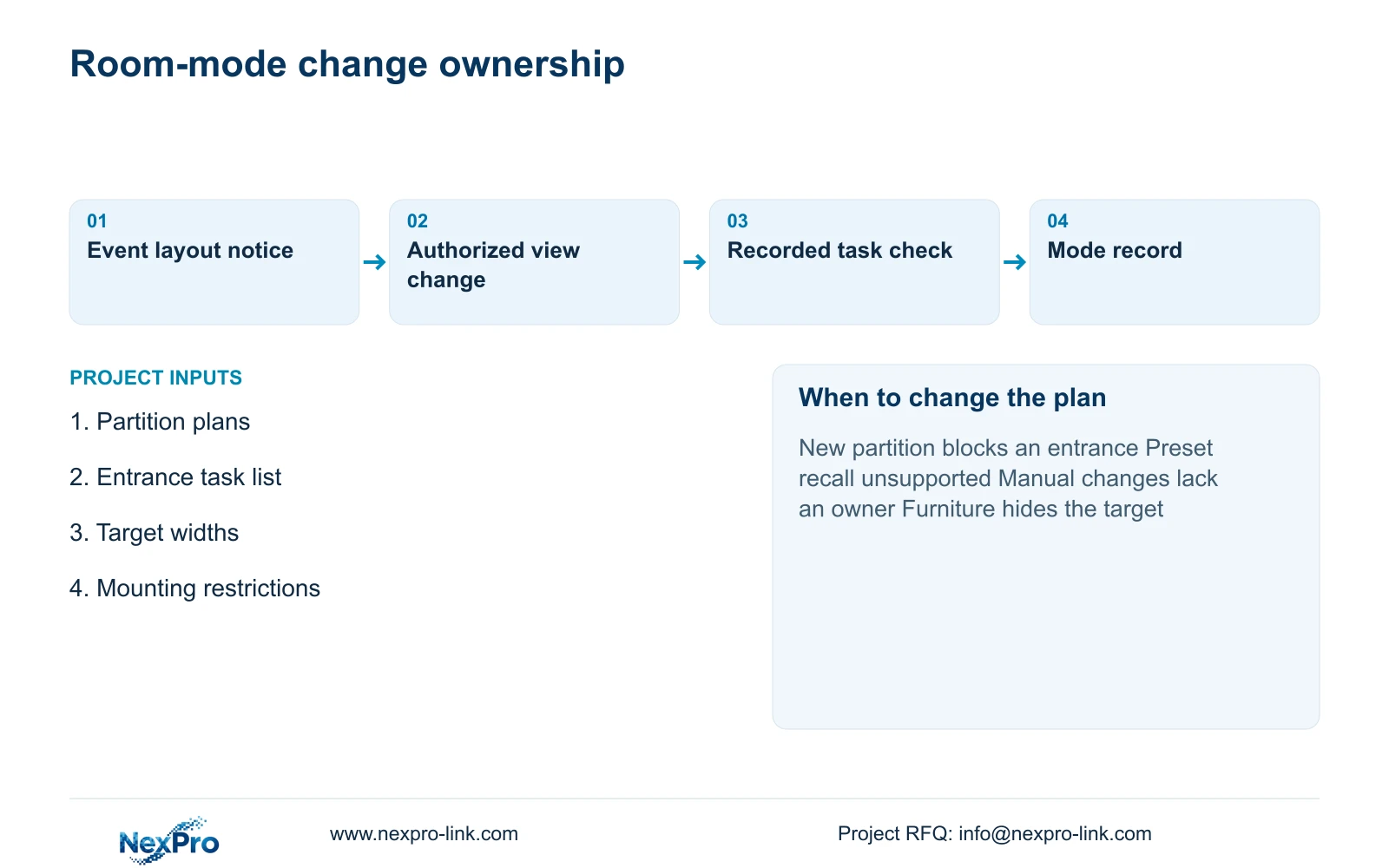
Name the person who tells security that a room configuration is changing and the authorized person who checks the corresponding views. Event staff can report the partition state without receiving camera administration rights. Security or the nominated technical team should confirm the operating view before the room is used.
Use a configuration record that identifies camera tags, framing and the approved room mode. If the selected equipment supports stored settings, verify that capability before describing a preset workflow. Motorized varifocal adjustment alone does not prove automatic recall or touring. Where dependable changeover is unavailable, fixed views may be the more workable choice.
A late layout revision may reuse cameras while changing brackets, routes or installation work. Separate those effects in the revised quotation. Buy additional fixed coverage when frequent changes or unclear operating ownership make manual adjustments unreliable; retain adjustable framing when changes are controlled and both configurations can be reproduced.
Section 06
Accept open and divided operation separately
Acceptance should demonstrate the assigned entrance and circulation tasks with partitions in both approved states. Review recorded movement, playback and an authorized export. Include representative furniture and event obstructions. A clear live image in an empty open hall cannot establish divided-room performance.
Transfer accepted camera tags into the Camera Schedule, then update recording modes, PoE grouping and cable quantities. The supplied camera PDF does not state maximum power, so obtain the actual peak requirement before finalizing the power budget. NexPro-Link's BOQ support can help keep equipment quantities and technical deviations tied to that schedule.
Use fixed entrance and shared-route views as the baseline, adding adjustable views only where documented mode changes remain manageable. Reconfigure when a new partition position hides a required entrance or changes the permitted viewing boundary. Send the open and divided plans, target widths and proposed mounting restrictions to info@nexpro-link.com, with the project stage and delivery destination, for a scoped equipment proposal.
Section 07
Buyer questions
Can one wide-angle camera serve every divided-room entrance? Only if each required entrance remains visible with the partitions closed and the recorded detail meets the task. Request a mode-by-mode view schedule before accepting the lower camera count.
Does motorized zoom include automatic room-layout presets? The supplied lens specification does not establish preset recall. Ask for the exact camera and client capability. Include manual changeover work or choose fixed coverage if automatic recall is unavailable.
What information is sufficient for an initial ballroom quotation? Provide the approved partition layouts, entrance tasks and mounting restrictions. Identify any mandatory platform or brand. Complete construction drawings are not necessary to discuss a bounded initial scope.
Engineering references
These sources support the general planning principles. Always use the selected product's current datasheet and applicable project standards for final design.


