

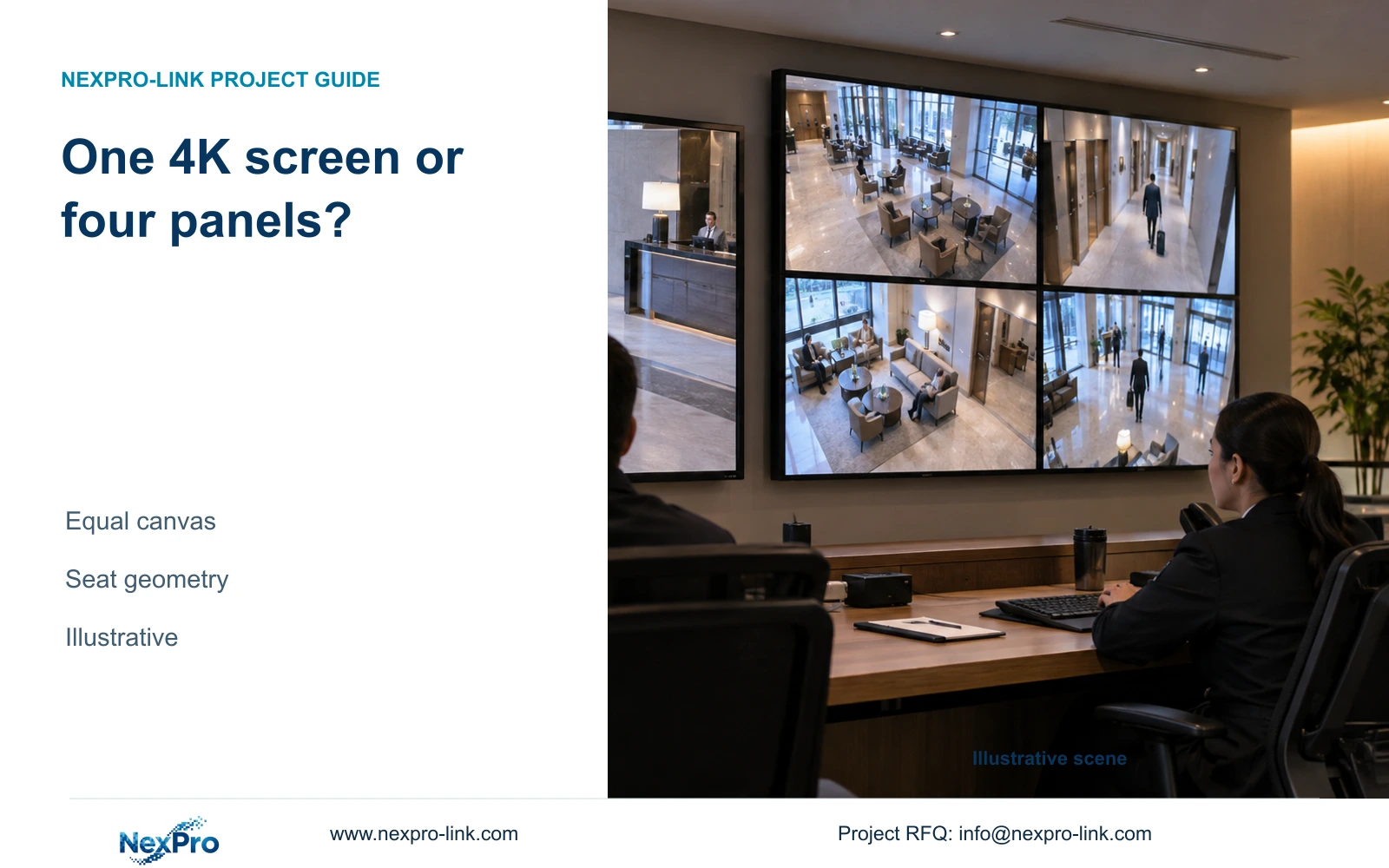
A single 4K monitor and four Full HD panels can provide the same pixel canvas. Choose between them through operator tasks, physical size and complete installation scope.
Section 01
Decide who needs to read the shared display
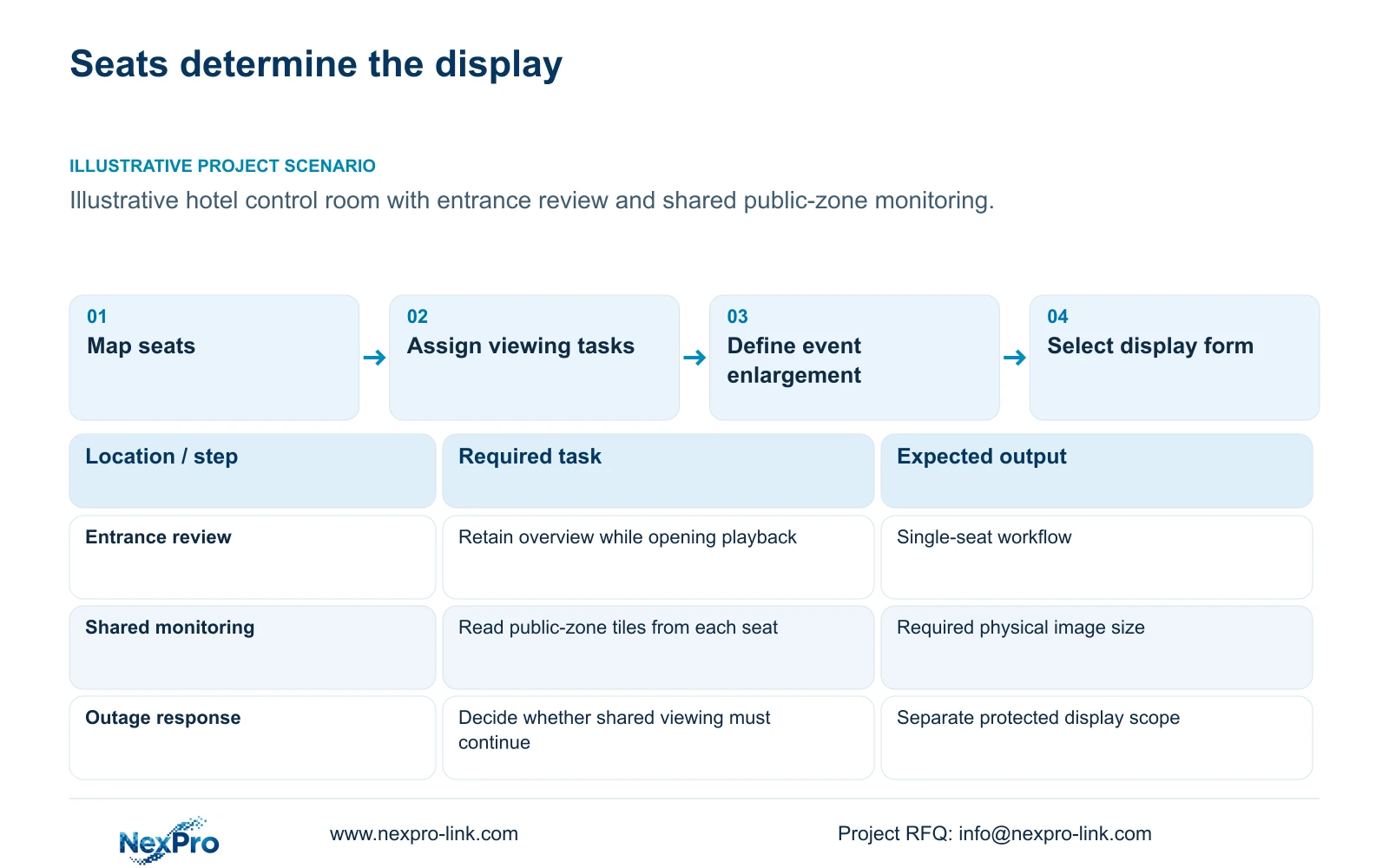
Choose one 4K monitor when the designated operators can read the required overview and enlarge an event from their normal seats. Consider a 2×2 LCD wall when several observers need a larger common view and the room can accommodate its mounting and maintenance requirements. Both arrangements can have a nominal 3840×2160 canvas, so panel count alone provides no pixel advantage.
Begin with a seating plan and an operating description. A nearby operator retrieving an entrance incident has a different display requirement from a supervisor observing several public-zone views across the room. Record which views stay visible during routine monitoring and which information must remain readable when someone opens playback. Keep the purchasing decision tied to those actions.
The initial task schedule should identify the normal observer, the relevant seat and the event workflow. It should also distinguish live monitoring from investigation. Otherwise, the team may purchase a large shared wall and later discover that the operator still needs a separate screen for timelines, exports or detailed playback.
| Required task | Given information | Decision still needed |
|---|---|---|
| Entrance incident review | Nearby operator needs playback and enlargement | Can one screen preserve the required overview? |
| Shared public-zone observation | Several observers may use different seats | Is a larger common image readable from each seat? |
Section 02
Calculate the canvas that the signal path can address
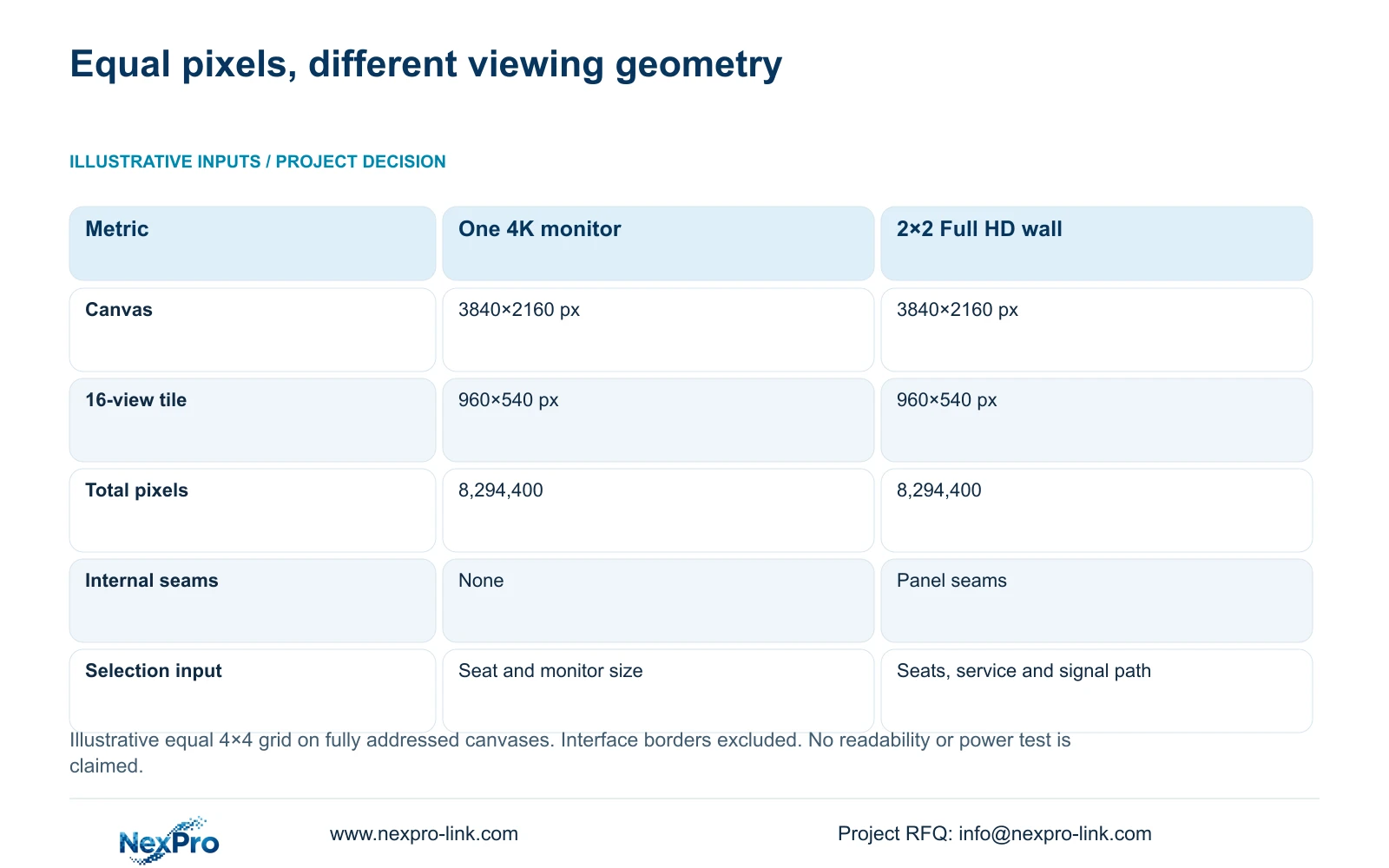
A single monitor receiving 3840×2160 has 8,294,400 nominal pixels. Four 1920×1080 panels arranged two across and two high produce the same theoretical canvas: (2×1920) × (2×1080). This calculation describes an addressable image surface. It does not establish how the source device distributes that image across four physical panels.
NX-VP-5535 is a 55-inch LCD panel with a published 1920×1080 resolution. The supplied product record also lists a 3.5 mm seam field and 400 nit typical brightness. These fields support an LCD comparison, but the selected input boards, external dimensions and installation details still belong in the equipment proposal.
Ask the designer to show the source, decoding stage and output arrangement for each option. Four panels showing repeated copies of one image would not provide the intended combined workspace. Likewise, a monitor capable of 4K needs a source and output configuration that actually delivers the planned canvas. The comparison should retain the same operator layout on both sides.
Section 03
Compare the pixels allocated to each camera tile
For the illustrative comparison, both options show sixteen equal views in a 4×4 grid. Divide the canvas width and height by four: 3840/4 = 960 pixels and 2160/4 = 540 pixels. Each tile therefore receives 518,400 nominal pixels, regardless of whether the canvas comes from one monitor or four Full HD panels.
A high-resolution camera stream must be scaled to fit that tile. Recording a source in 4K does not make every small overview window a full-4K image. When detail is needed, the operator must allocate a larger portion of the canvas to the relevant view, using a supported event-enlargement or investigation layout.
This result removes pixel count as the reason to prefer the wall in this particular comparison. The wall may make the same tile physically larger, which can help a distant observer, but its seams and viewing geometry remain separate concerns. Select the arrangement that makes the required information readable, then confirm the source and decoder can support its routine and event states.
| Metric / condition | One 4K monitor | 2×2 Full HD LCD wall |
|---|---|---|
| Canvas (px) | 3840 × 2160 | 3840 × 2160 |
| 16-grid tile (px) | 960 × 540 | 960 × 540 |
| Nominal total pixels | 8,294,400 | 8,294,400 |
| Internal seams | None | Panel seams |
| Decision beyond pixels | Seat distance and physical display size | Seat distance, size, signal chain and service access |
Section 04
Estimate screen area separately from installation size
The physical comparison needs the actual diagonal of the proposed single monitor. A 4K resolution does not specify its size. For the wall, the 55-inch panel diagonal and a 16:9 active-area assumption allow an early geometric estimate. Width equals diagonal × 16/√337, and height equals diagonal × 9/√337.
Using 25.4 mm per inch, a nominal 55-inch diagonal gives an approximate active width of 1218 mm and height of 685 mm. Four such active areas arranged 2×2 occupy roughly 2435×1370 mm before enclosure and installation effects. These derived dimensions are planning geometry, not an NX-VP-5535 mounting drawing.
Place that approximate rectangle on the room elevation, then replace it with the selected equipment envelope. Include panel edges, mounting structure, cable access and the space required to remove or service equipment. A wall that fits the visible surface can still obstruct maintenance or place its upper views outside comfortable routine sightlines.
Section 05
Include decoding, mounting and outage viewing
Compare the complete display path, including the client or decoder, output hardware, controls and mounting. NX-VD-4K16 is a modular network-decoder candidate whose source page describes a 5U chassis. Its name does not prove sixteen simultaneous 4K streams. Input formats, concurrent decoding, physical outputs and supported windows require separate configuration checks.
Power should follow the operating state. If the hotel requires viewing during an outage, include the display path in the protected-load schedule. The supplied CASE01 uses four assumed 120 W panels plus an assumed 100 W decoder, totaling 580 W of additional equipment. Those are independent teaching loads, not published power ratings for NX-VP-5535 or NX-VD-4K16.
Local recording should remain independent of the wall. Cameras, necessary network nodes and the recorder form the recording path; optional viewing adds its own load and dependencies. Obtain actual average and peak inputs for the selected display equipment, and give the electrical and cooling teams the same equipment boundary.
Section 06
Select the simplest display that completes the task
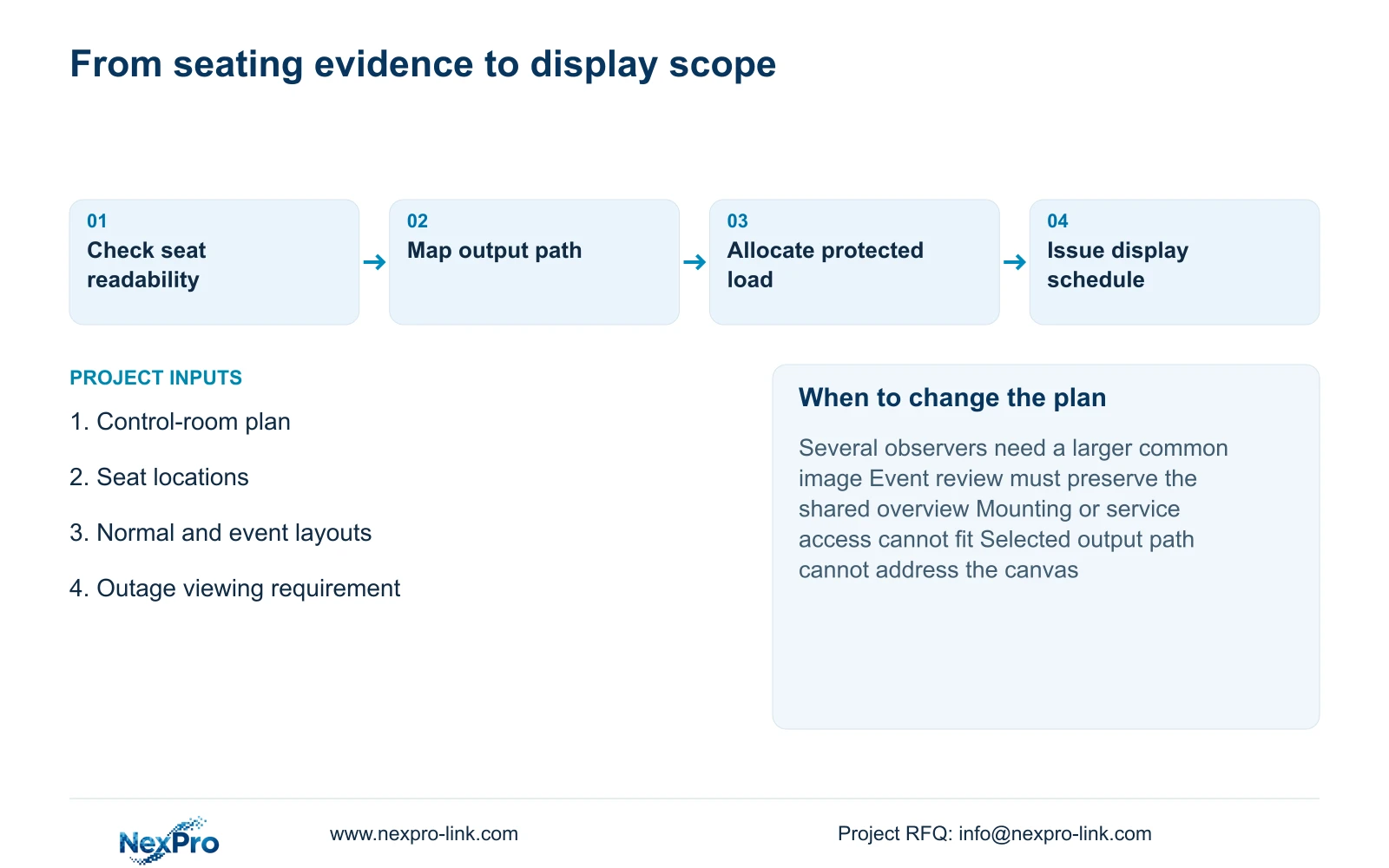
Use the single 4K monitor as the starting option when nearby operators can complete monitoring and investigation without losing a required view. Change to the LCD wall when the seating assessment demonstrates a need for a larger shared image, and the proposed signal path and service arrangement support that need. More recorded cameras alone does not trigger the change.
Keep the quotation comparison complete. A wall proposal should identify its panels, decoding or distribution equipment, mounting and local installation responsibilities. NexPro-Link can support model matching and BOQ preparation around its CCTV manufacturing core and coordinated equipment supply; the written scope determines which display components and services are included.
Send info@nexpro-link.com the control-room dimensions, seat locations and normal display layout, together with the event-viewing and outage-viewing requirements. These inputs allow the proposal to distinguish a pixel requirement from a physical viewing requirement without requesting guest footage or access credentials.
Section 07
Buyer questions
Does a larger wall let us remove the investigation screen? Only if the shared layout supports playback, event enlargement and the overview that other observers must retain. Include that simultaneous operating state in the proposal; a larger physical surface does not establish the required client workflow.
Can NX-VP-5535 be quoted as a direct-view LED wall? No. The supplied record identifies it as a 55-inch Full HD LCD panel. Direct-view LED requires a separate pitch, module and cabinet configuration, with its own signal, mounting and power scope.
Must we keep the wall running throughout an outage? Protect it only when the hotel requires that viewing function during the outage. Required recording must have its own protected camera, network and recorder path. Display capacity and battery runtime must then be recalculated for the selected viewing load.
Engineering references
These sources support the general planning principles. Always use the selected product's current datasheet and applicable project standards for final design.


