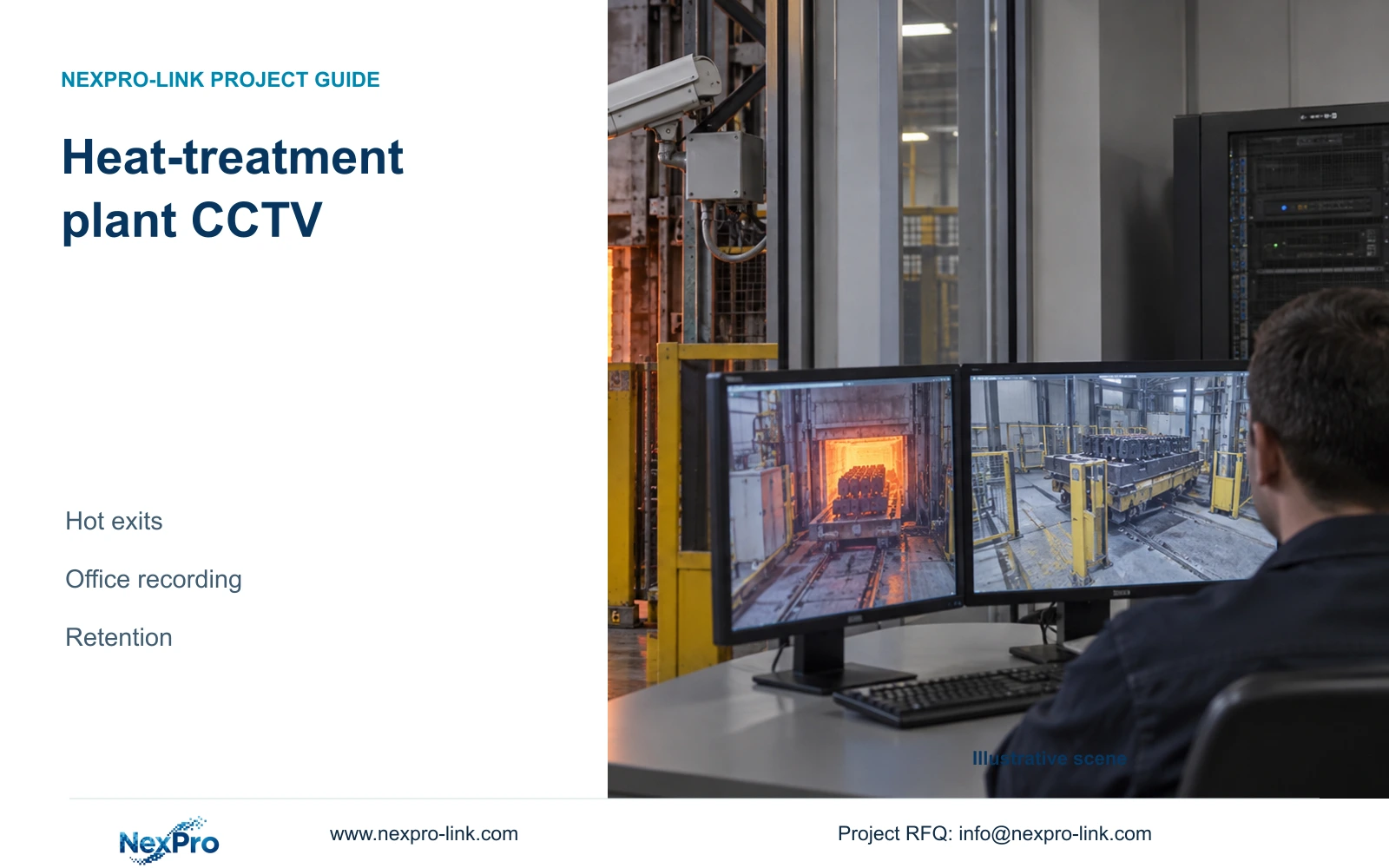
Heat-treatment CCTV needs a qualified process-facing view and a suitable recording location. The retention decision then determines disk capacity, rack resources and supporting power.
Section 01
Qualify the hot-exit view separately from recording
Heat treatment plant CCTV should separate the process-facing image problem from the recording environment. Select a remote suitable view or a qualified specialist front end before increasing resolution. A recorder in a cool office does not make the camera position suitable, and a higher-resolution camera cannot resolve an incompatible thermal or contamination exposure.
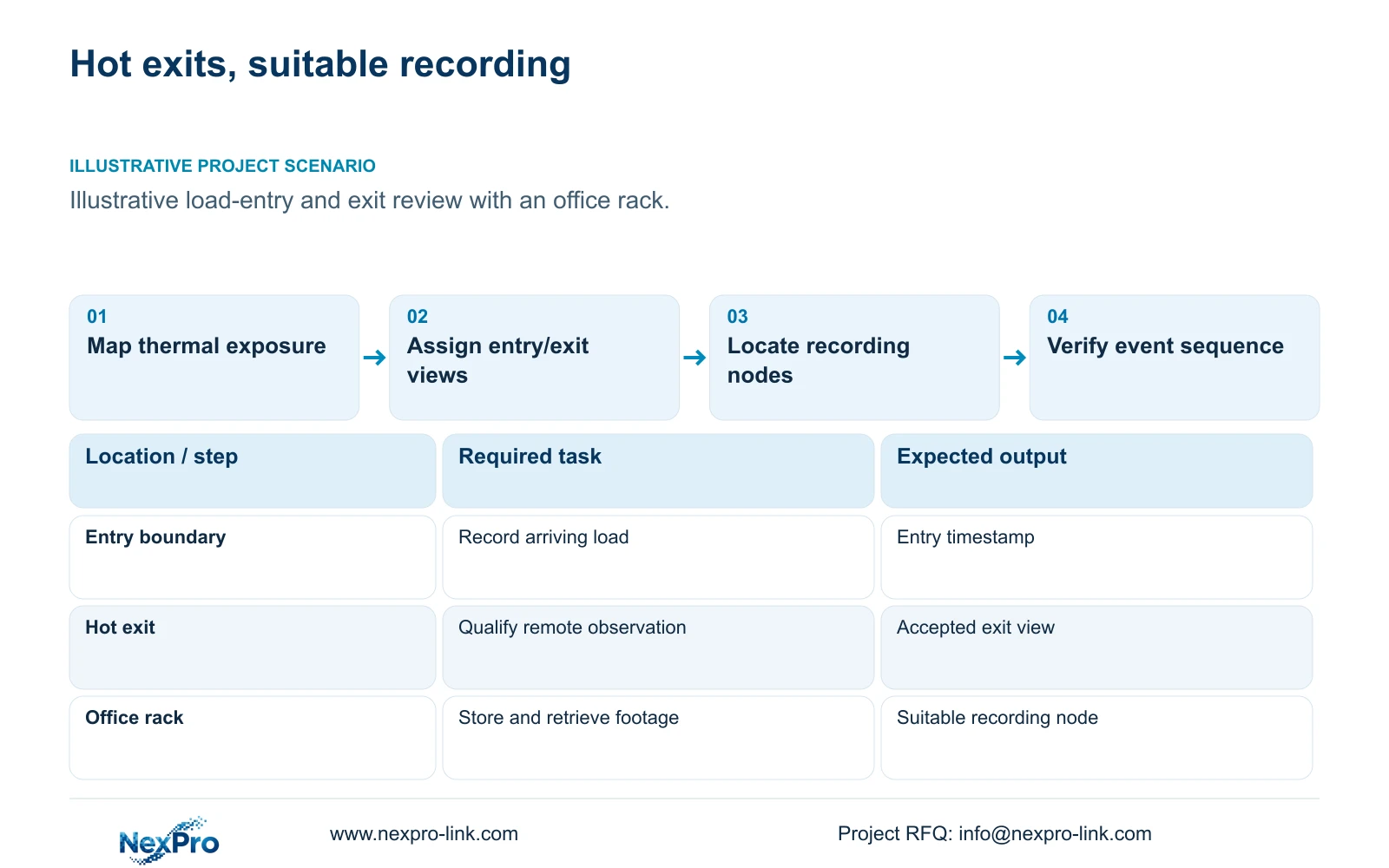
Illustrative project scenario: Operators need to review loads entering and leaving heat-treatment areas while the recording rack remains in an office. Assume the required evidence is the load's passage through identified entry and exit boundaries. The camera positions and thermal conditions remain provisional. The recording task does not include temperature measurement or acceptance of the treatment process.
Have the responsible site team map ambient conditions and radiant exposure at the lens, housing, bracket and connection positions. Include door-open and transfer states. The ordinary BL2812M55 source lists IP66 and -20 to +60°C, but those fields do not establish suitability for every hot exit. Keep unresolved process-facing positions separate from approved ordinary-area views.
Section 02
Place the recording rack in a serviceable environment
Confirm that the office location provides the equipment conditions, ventilation, electrical supply and maintenance access required by the selected recorder, drives, switches and batteries. 'Office' is a location description, not a qualification record. Include who can service the rack and whether routine access remains available during plant operation.
Draw the data path from each camera or qualified front end through the access network to the recorder. Measure actual routes and identify remote cabinets independently. CASE01 assumes one 32-camera electrical node and continuous camera links of 41 to 76 m. A heat-treatment site may need a different topology; its remote AC equipment is not protected merely because the office recorder has a UPS.
Use the viewing workstation for retrieval and authorized export without making it an unnecessary serial dependency for recording. An ordinary monitor may suit the operating task. If a permanent wall is justified, quote its decoding, power and cooling separately. The supplied NX-VP-5535 reference is an LCD panel, not a direct-view LED product.
Section 03
Keep entry and exit events retrievable as one sequence
Give entry and exit cameras location IDs that match the process-area drawing and the operator's load records. Agree the time reference and check it in recorded exports. A load identifier in an external record can guide a time-based search, but automatic integration should remain a separately verified requirement rather than an assumed recorder feature.
Use continuous recording where the agreed evidence task requires the entire passage sequence. Validate any event-only alternative with actual triggers and recording behaviour before using it to reduce storage. Include normal obstructions at doors and transfer positions in acceptance. Record whether the owner needs load presence, direction or distinguishable container detail, because each changes the view requirement.
Continuity also depends on powered cameras, access switches and the recording node. Define the outage behaviour and backup objective for each actual electrical node. Sum complete switch AC demand without adding its camera load again. A calculated load-energy requirement is an input to battery selection, not proof that a selected UPS will sustain the accepted recording sequence.
Section 04
Size usable storage for the owner's review window
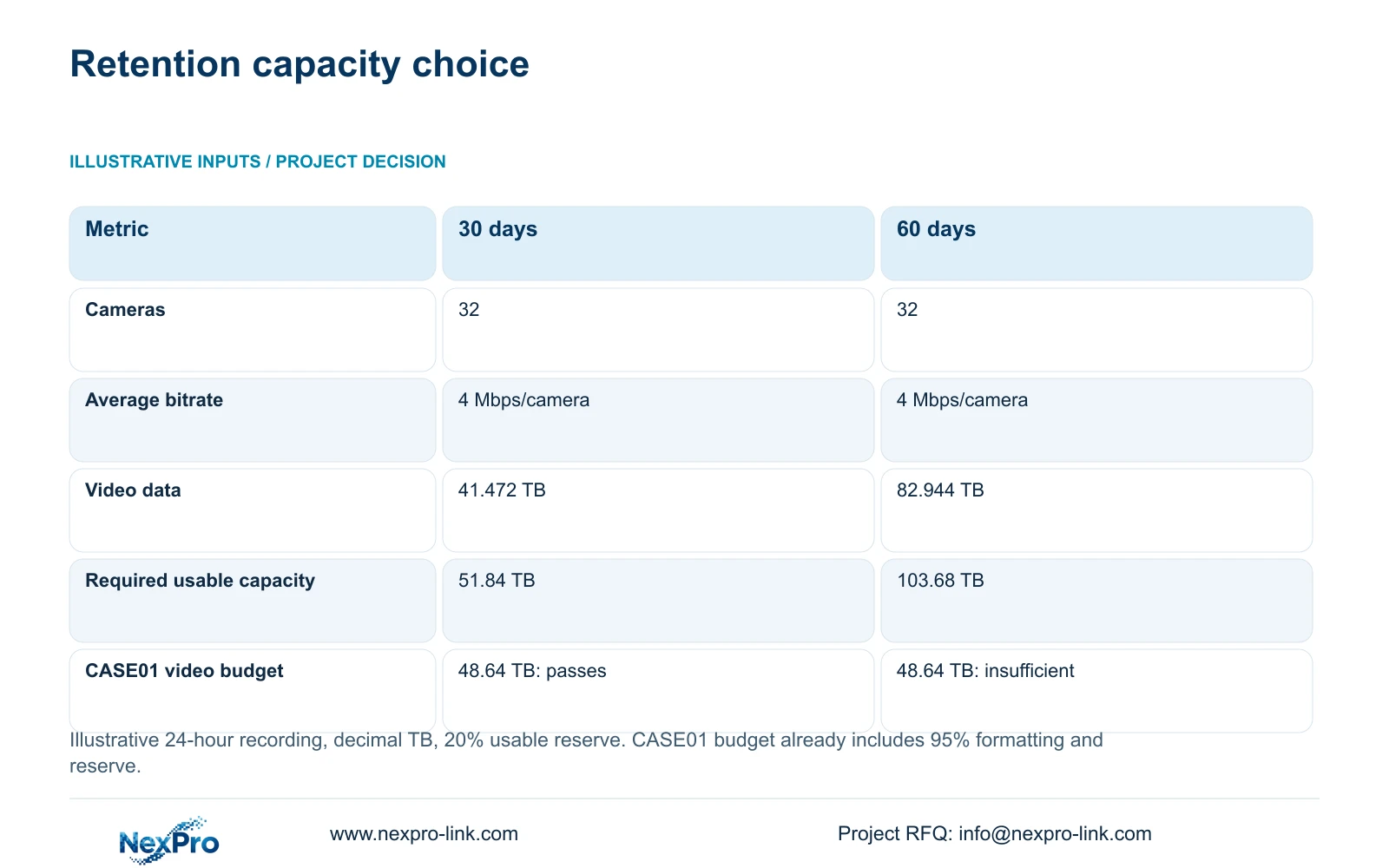
The illustrative storage comparison uses 32 cameras averaging 4 Mbps each, recording 24 hours/day. Compare 30 and 60 days while retaining 20% of usable space as free space. Use video_TB = n × Mbps × 10^6 × 86400 × days / 8 / 10^12 and required_usable_TB = video_TB / 0.8. TB is decimal in this model.
For 30 days, the video total is 41.472 TB and the usable-capacity target is 51.84 TB. For 60 days, those values are 82.944 TB and 103.68 TB. Doubling retention doubles capacity under unchanged recording assumptions. The comparison does not establish a compression advantage for any brand. Audio and extra metadata are excluded; representative bitrate and actual overhead need confirmation.
CASE01 installs four 16 TB drives: 64 TB raw, 60.8 TB after its illustrative 95% formatting allowance, and 48.64 TB video budget after reserve. Compare 41.472 TB with 48.64 TB for 30 days, or 51.84 TB with 60.8 TB. Do not add reserve again. The same installation does not meet the 60-day target; RAID, spares and actual recorder limits remain separate.
| Input or result | Option A | Option B |
|---|---|---|
| Camera count | 32 | 32 |
| Average bitrate | 4 Mbps/camera | 4 Mbps/camera |
| Retention | 30 days | 60 days |
| Video data | 41.472 TB | 82.944 TB |
| Required usable capacity | 51.84 TB | 103.68 TB |
Section 05
Change the recorder architecture when retention demands it
Recommend the suitable remote-view and office-recording arrangement first, then choose retention from the owner's actual review process. If 30 days covers that process, the CASE01 disk arrangement passes its stated illustrative capacity check. If 60 days is required, revise the storage architecture rather than reducing accepted image quality without approval.
The NexPro-NVR4449-4K reference has four SATA bays up to 18 TB per drive, while the NexPro-NVR8864-4K reference has eight bays with the same per-drive limit. Both list 320 Mbps input. These capacity fields help identify alternatives for assessment, but the exact stream modes, drive compatibility and playback workload must also fit. Neither bay count establishes RAID.
Increasing the drive or recorder scope changes rack space, power and servicing. Recalculate the actual load and verify both W and VA constraints for the selected UPS. Keep its battery configuration and runtime curve tied to the required duration. Compare supplier packages with the same retention, accepted views and environmental boundaries, including any necessary specialist front end.
Section 06
Freeze the thermal, recording and handover inputs together
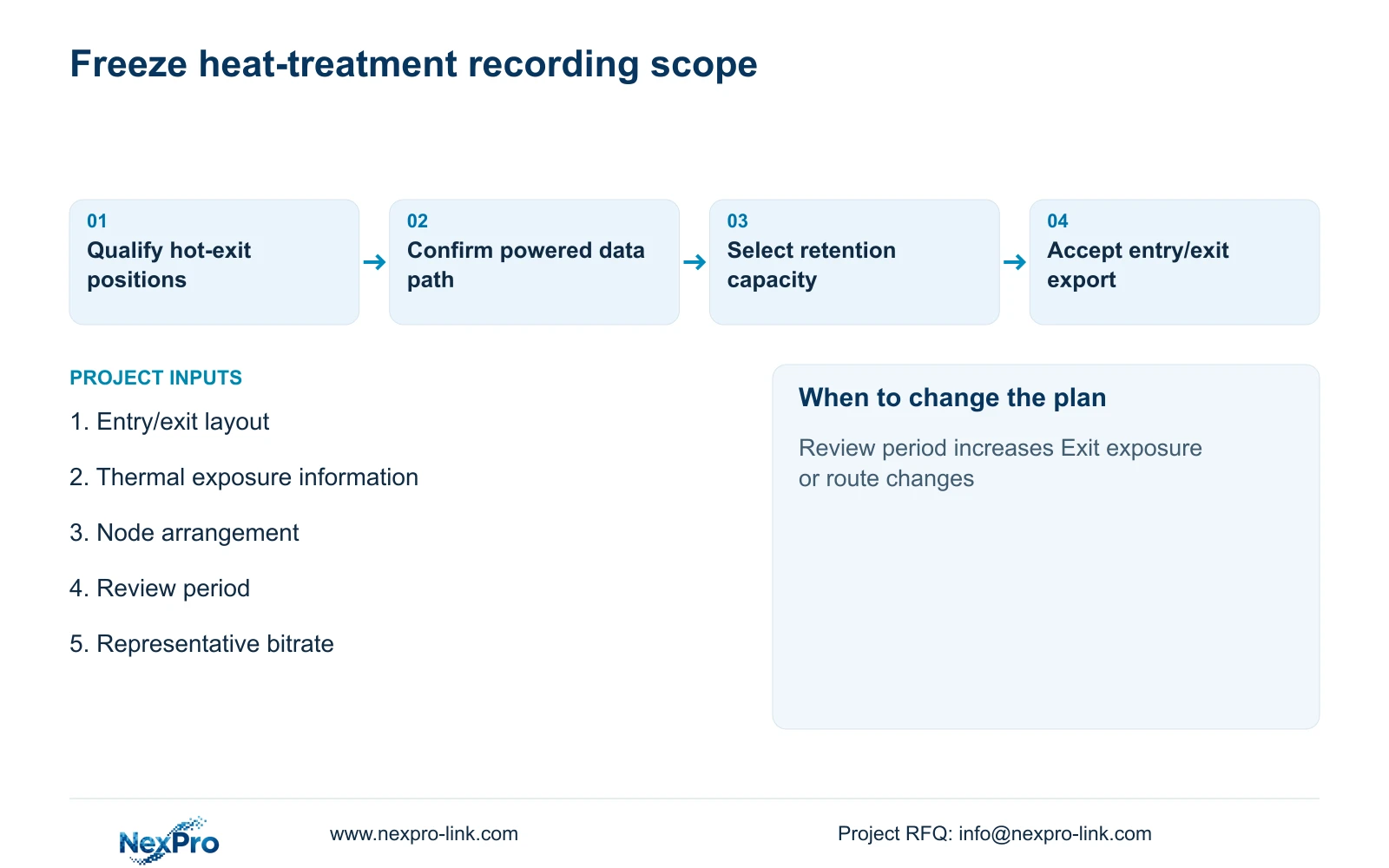
The project manager should release a camera role schedule containing entry/exit task, proposed position, exposure qualification status, maintenance access and recorder assignment. Add retention, representative bitrate and export requirements. Mark ordinary and specialist positions separately. A changed door arrangement or load route should trigger a view review, while a longer review window should trigger the storage calculation.
Split the quotation into process-facing equipment, suitable-area recording infrastructure and local installation. Identify approved cable routes and remote power dependencies. CASE01 remains a planning reference, not evidence of a delivered heat-treatment system. Its 4 Mbps average and formatting coefficient must not become binding product claims.
NexPro-Link can discuss model matching, recording equipment, supporting power and BOQ documentation through its published project-supply scope. Project labels can preserve entry/exit IDs through packing and installation. Keep specialist environmental approval and local works with the appointed parties, and confirm the final recorded sequence before the operator accepts the package.
Section 07
Buyer questions
Does selecting 60 days require better cameras? Retention primarily changes the recording capacity requirement. Camera changes are needed only if the accepted image task or environmental suitability changes; maintain the agreed quality when comparing retention options.
Can a UPS in the office protect a remote camera cabinet? Only if that cabinet's equipment is actually supplied through the protected electrical arrangement. Identify each remote power node and its dependencies rather than assuming protection through the data link.
Can event recording replace the continuous-storage calculation? Only after the owner accepts its evidence scope and the exact triggering and recording behaviour is validated. Do not assume a reduced recording duty cycle before that verification.
Section 08
Specify hot-exit recording and retention
Send the entry/exit layout, position exposure information, office/remote-node arrangement and required review period to info@nexpro-link.com for a coordinated camera and recording scope.
Engineering references
These sources support the general planning principles. Always use the selected product's current datasheet and applicable project standards for final design.