

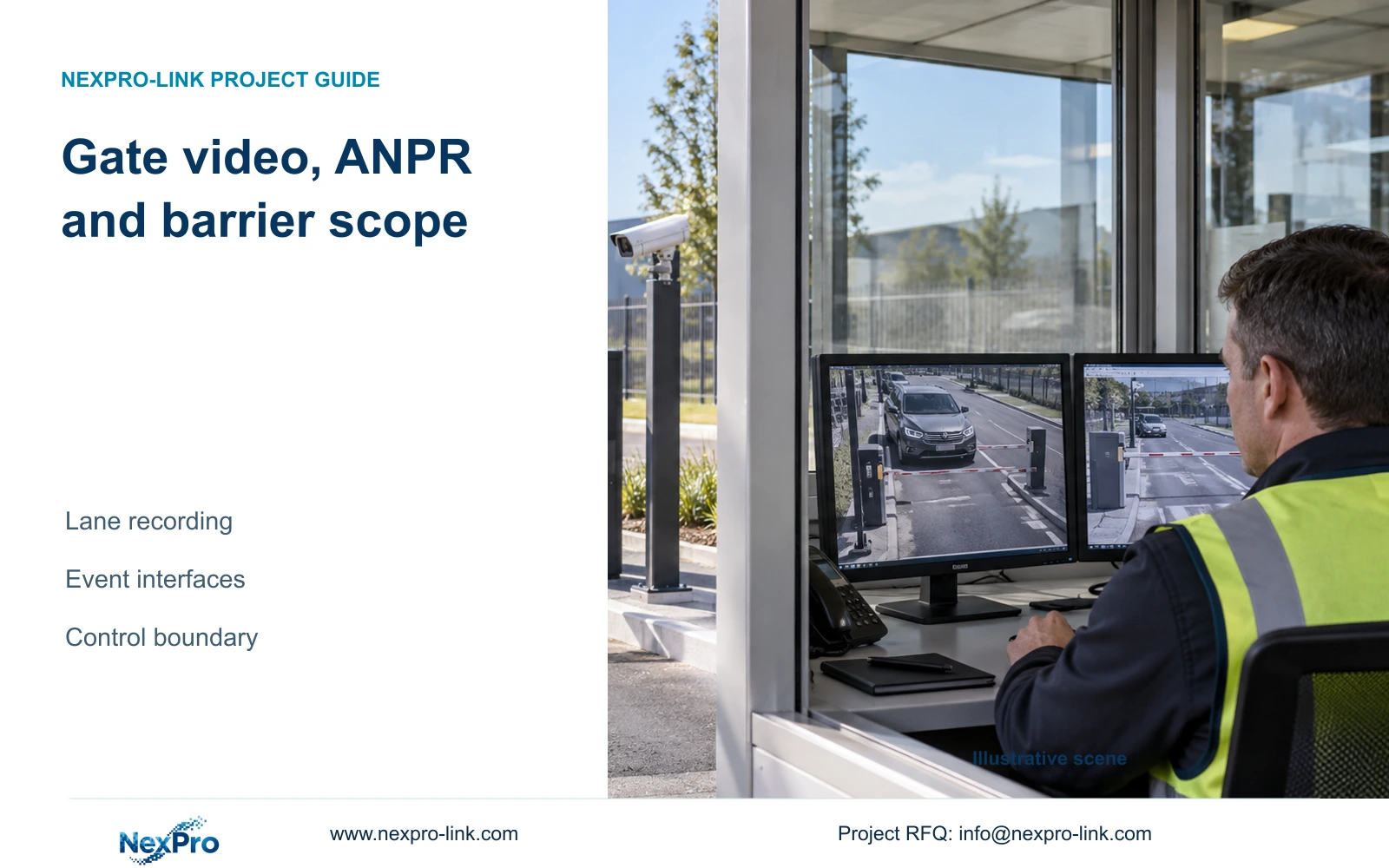
Define what the operator does when an agreed lane-event interface is unavailable while video still records. Retrieve the known lane and interval through the supported manual path, and record the missing event association separately.
Section 01
Define the lane footage the recorder must retain
Define what the operator does when an agreed lane-event interface is unavailable while video still records. Retrieve the known lane and interval through the supported manual path, and record the missing event association separately. Keep authorization and barrier decisions with their responsible systems. Successful manual video retrieval does not validate the failed event transfer.
A gatehouse NVR can retain lane-camera video while a separate system reads plates, checks authorization and controls the barrier. Specify each outcome independently before selecting equipment. The recording requirement should identify the overview and capture views, the periods to retain, and how an operator will retrieve an incident. If the recorder must receive a lane event, name its source and the required response separately from the video connection. An ordinary intrusion setting does not establish plate recognition or a vehicle database. Acceptance should demonstrate the requested footage and any agreed event transfer, while the lane controller remains responsible for its defined decisions.
Begin with an observable recording task: an operator must locate footage from the correct lane and required period. List identity recognition as a separate task with its own acceptance evidence. A vehicle appearing in playback proves that video was recorded; it does not prove that the plate was interpreted or that permission was checked.
This guide uses the supplied NVR4.0 user manual CH_V2.4.doc, whose body identifies V2.2. Relevant sections are §4.3.3, §5.3, §4.12.15, §§4.12.13 and 4.12.14, and §5.1. Apply its instructions to the actual recorder and firmware. The interface and acceptance recommendations below are project-engineering guidance.
| Situation | Required record | Decision boundary |
|---|---|---|
| Lane events unavailable, video retained | Known lane and bounded incident interval | Use the supported manual retrieval path |
| Manual retrieval succeeds | Playable relevant video | Do not mark event transfer restored |
| Barrier decision required | Responsible controller and authorization | Keep it outside recording acceptance |
Section 02
Check camera analytics without assuming plate recognition
The manual's analytics workflow enables the NVR-side function and then opens Front-end Settings to configure the supporting IPC's region or line, direction and sensitivity. The camera produces the event, and the recorder handles the supported response. Both ends need suitable capabilities.
For the gate project, establish whether the requested event is intrusion, line crossing or an ANPR result from the separate system. These descriptions have different meanings. Do not substitute a vehicle crossing a line for a recognized plate, or describe a recorded plate-camera stream as a transferred recognition database.
If video arrives but the expected event does not, retain the working video configuration. Check the event source, enabled camera function and recorder response individually. Stop the integration test when the selected devices lack documented support for the requested transfer; obtain the corresponding interface information before changing unrelated settings.
Section 03
Choose a video-only or event-linked recording scope
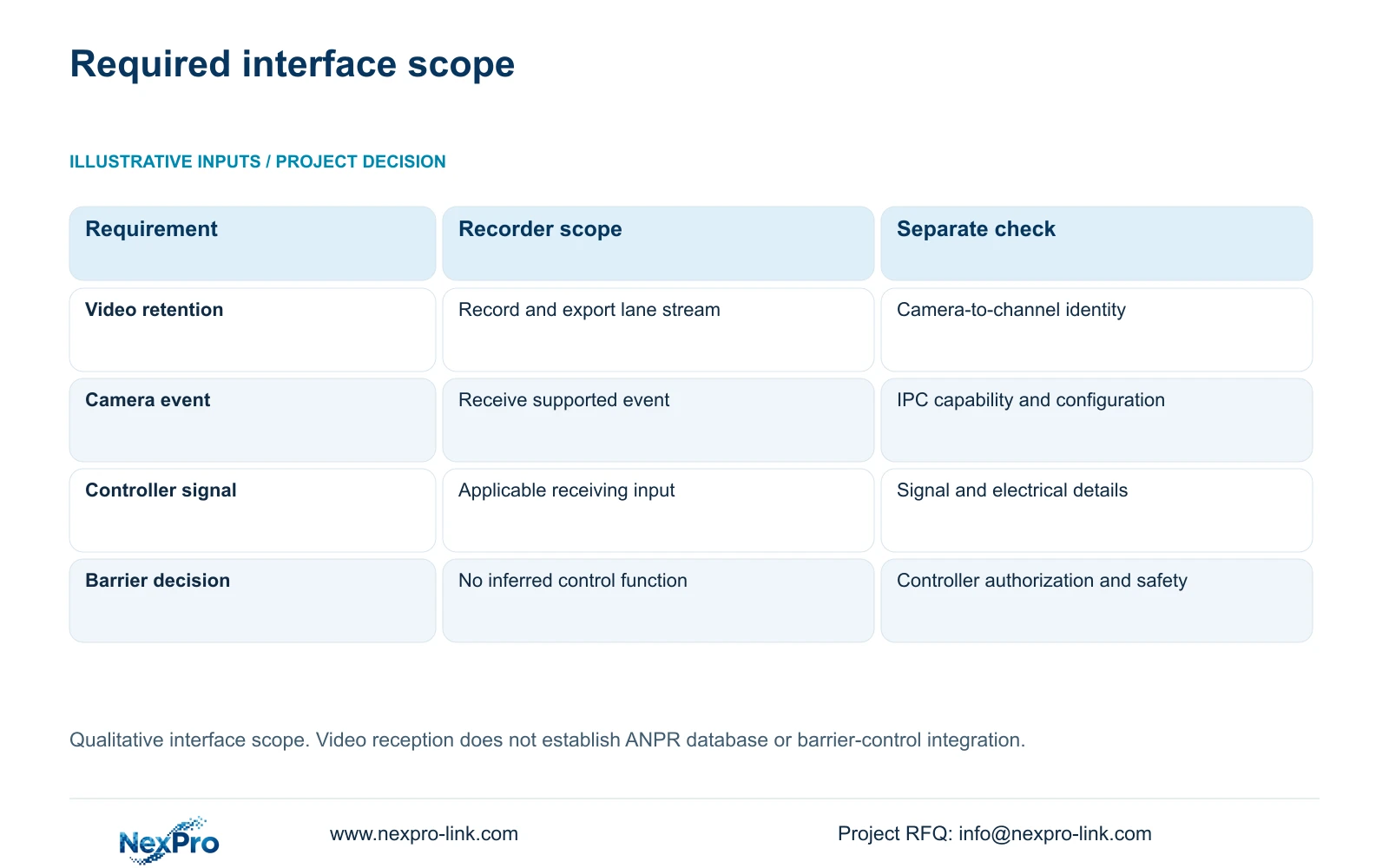
A video-only requirement can be scoped around camera streams, recording and retrieval. Event-linked recording adds a separate receiving and response task. Write what crosses the boundary, which device sends it, and what the recorder should do after receiving it.
Local NVR I/O originates at an applicable physical recorder input. IPC I/O originates at a supporting camera and reaches the recorder through its connection. Keep input terminals, output channels and video-channel numbers separate in the interface schedule. The manual does not provide all electrical ratings needed to connect an arbitrary sensor or operate a powered barrier.
The following decisions keep the recorder package reviewable without assigning gate-control functions to an undocumented menu.
| Requested outcome | Required evidence | Next action |
|---|---|---|
| Retain lane video | Correct camera stream, recording period and playable export | Specify recording and retrieval without adding an event interface |
| Receive a camera event | Supporting IPC event and applicable NVR response | Test event generation and reception separately |
| Receive a controller signal | Defined signal source, receiving interface and electrical requirements | Obtain device-specific interface details before connection |
| Authorize barrier movement | Lane-controller decision and barrier-control scope | Keep authorization and safety responsibilities with their designated system |
Section 04
Maintain a lane-to-channel record
Record the drawing location, physical camera identity, IP address, NVR channel and displayed name in separate fields. The manual provides channel-name and OSD controls in §§4.3.1, 4.4.4 and 4.12.6; the project record supplies the relationship between those settings and the physical lane.
Use that relationship when retrieving an incident. A familiar screen position can contain a different camera after replacement or reordering. A renamed channel also does not establish that the physical camera changed. Record these changes separately so earlier footage remains attributable to its original view.
If playback shows the wrong lane, compare the recording identity against the installation record before editing names. Correct the mapping and repeat retrieval of a known period. Changing the display label alone would leave the underlying attribution problem unresolved.
Section 05
Size lane-video retention independently
Define retention for the camera groups actually recorded by the NVR. Required inputs are channel count, average video bitrate in Mbps, recording hours per day and retention days. Add audio, storage overhead and reserved space separately. Plate records held by the lane controller are a different storage requirement.
For decimal units, video TB = 0.00045 × Σ(channels × Mbps × hours per day × days). If the reserved fraction is r, required usable TB = video TB ÷ (1 − r). This topic supplies no lane bitrate or retention duration, so it supports an input method rather than a numerical disk recommendation.
Select disks only after those inputs are agreed. Compare required usable capacity with the selected recorder's supported configuration; physical disk labels alone do not establish usable recording space. If the owner changes the recording schedule or adds another lane view, revise the calculation before accepting the original storage selection.
Section 06
Apply the separation to a gate project
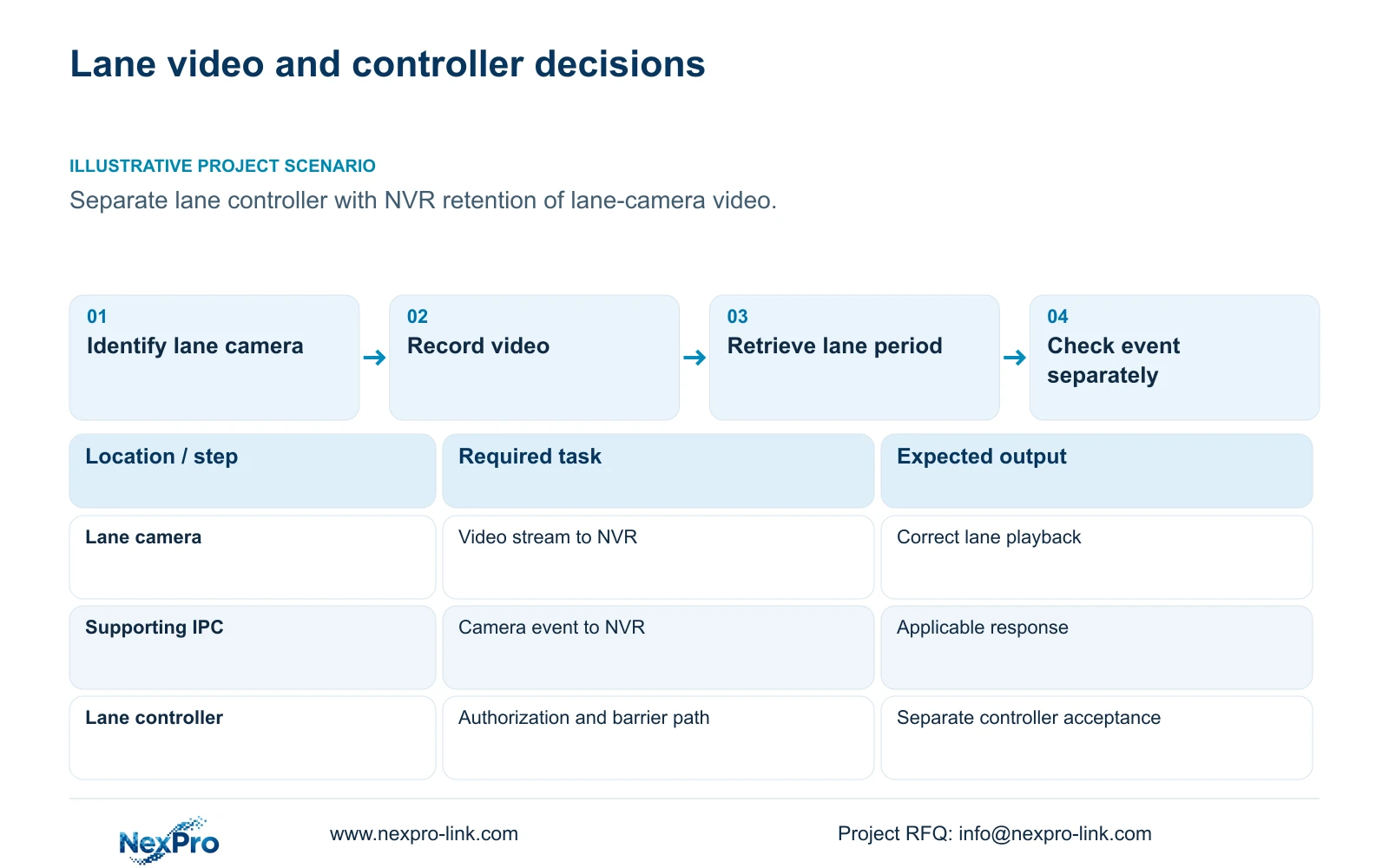
Illustrative project scenario: A gate project uses a separate lane controller and wants the recorder to retain video from the lane cameras. The first package therefore identifies the lane streams and their retrieval task. An event interface enters the package only if the owner also requires a defined recorder response.
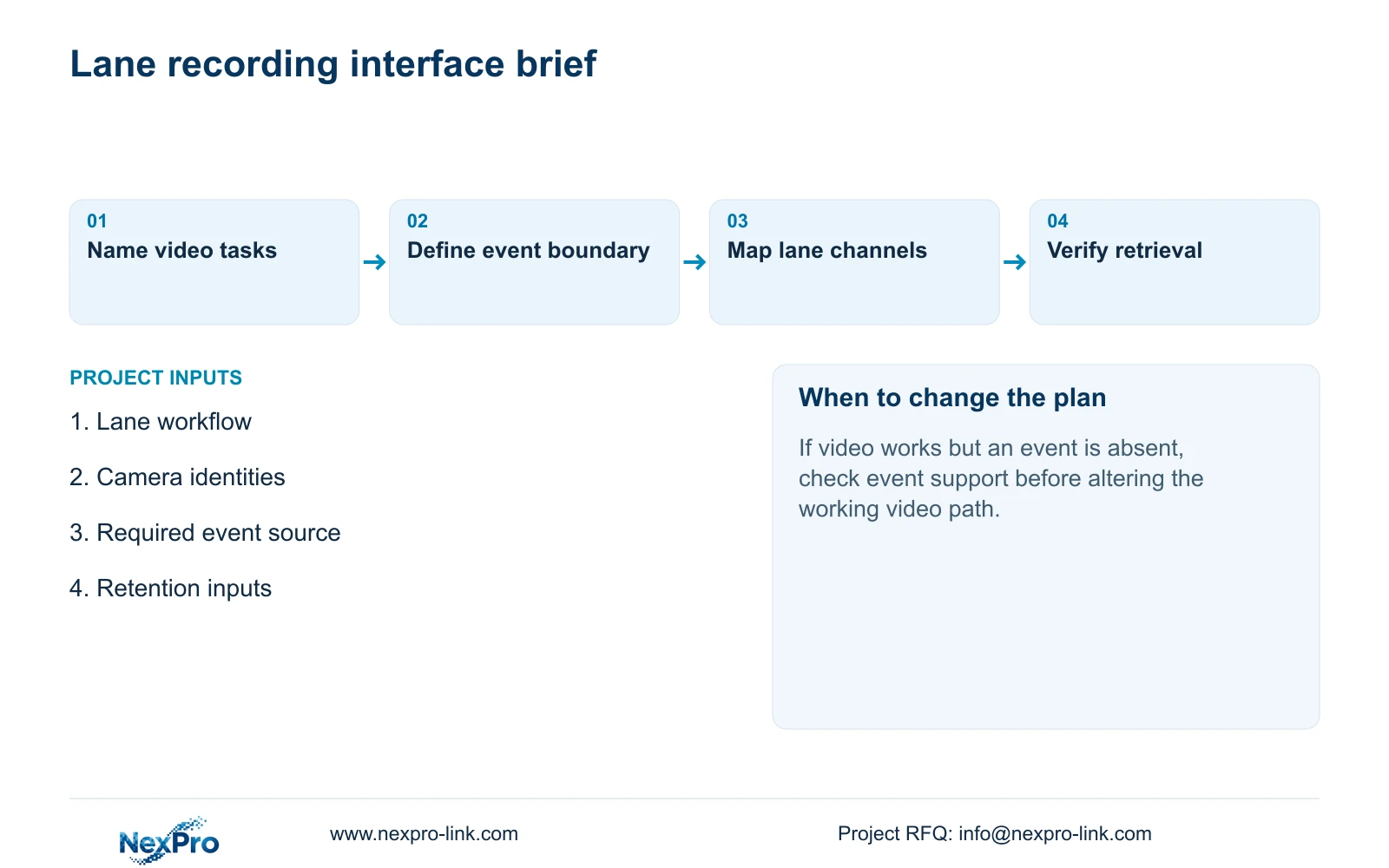
Prepare a lane workflow alongside the camera schedule. It should identify recognition, permission decisions and barrier operation, then show where video recording fits. This lets equipment and responsibility be coordinated without assuming that a single supplied device performs every gate function.
Section 07
Does recording an ANPR camera transfer its plate database?
No. Recording its video stream does not establish database transfer, recognition search or authorization integration. Specify each required information transfer and confirm support on the actual devices.
Section 08
Can a recorder relay be treated as complete barrier control?
No. A relay or alarm menu does not establish the required electrical interface, permission logic or gate-safety function. Those remain separate requirements for the responsible controller and designer.
Section 09
Prepare the interface brief
The useful procurement result is a lane workflow with identified camera streams and any requested event boundary. NexPro-Link's BOQ and tender support can use that scope for equipment and technical-document discussions. Shared supply coordination does not establish native interoperability or include every installation service.
Send the lane workflow and camera list, marking whether the NVR needs video only or a defined event input, to info@nexpro-link.com.
Engineering references
These sources support the general planning principles. Always use the selected product's current datasheet and applicable project standards for final design.


