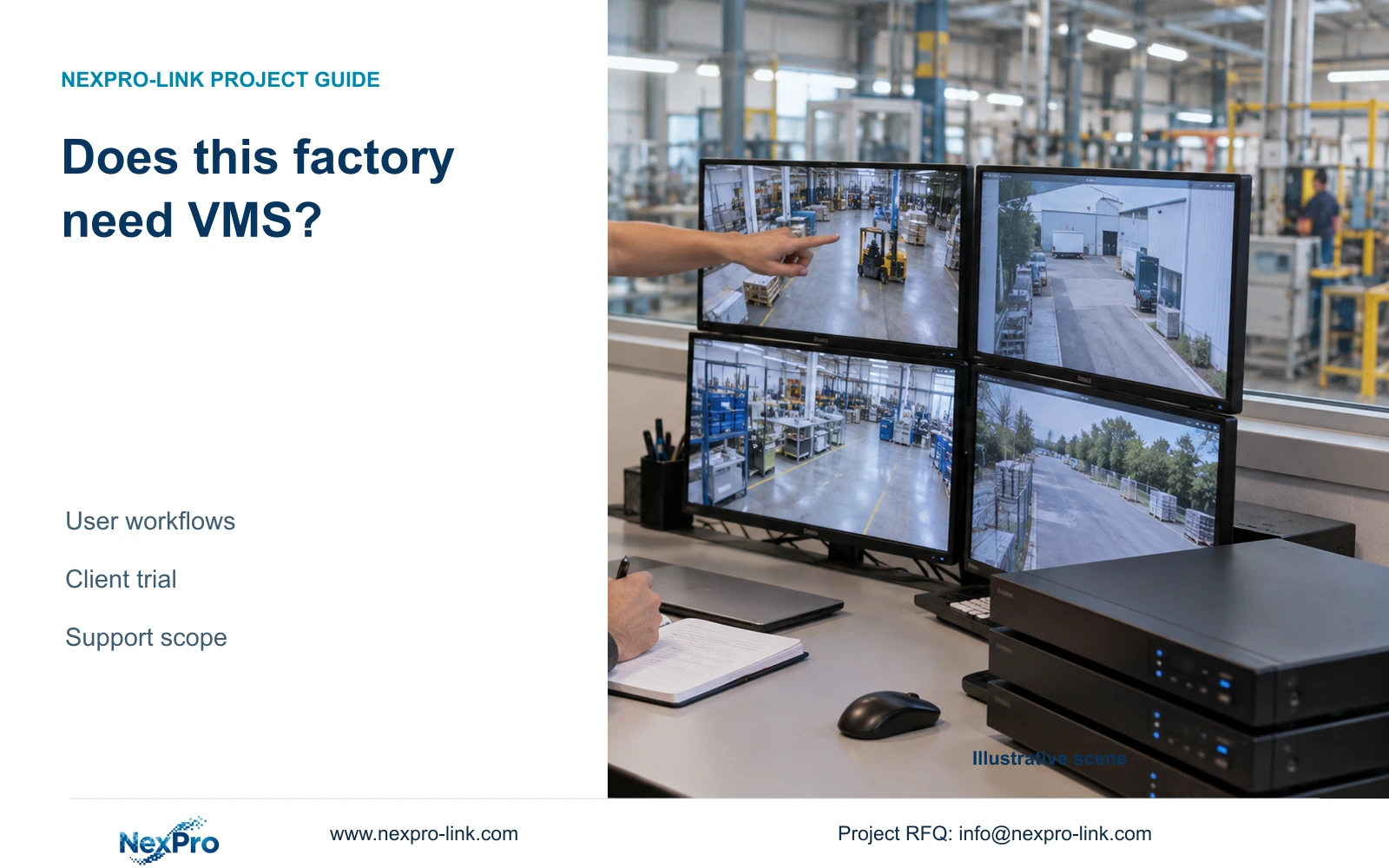
Give operators a bounded incident spanning two buildings and ask them to reconstruct it using the proposed client arrangement. Record the required identity, clock and permissions steps.
Section 01
Define the operator task before buying a platform
Give operators a bounded incident spanning two buildings and ask them to reconstruct it using the proposed client arrangement. Record the required identity, clock and permissions steps. Quote a VMS addition only for the unmet workflow and supported remedy; a larger wall or more recorder icons does not answer the search problem.
Keep local recording with a verified viewing client when it meets the factory's actual tasks. Investigate a VMS when required permissions, cross-building search, event handling or central administration exceed that arrangement. Multiple recorders establish equipment quantity; they do not establish a need for enterprise software.
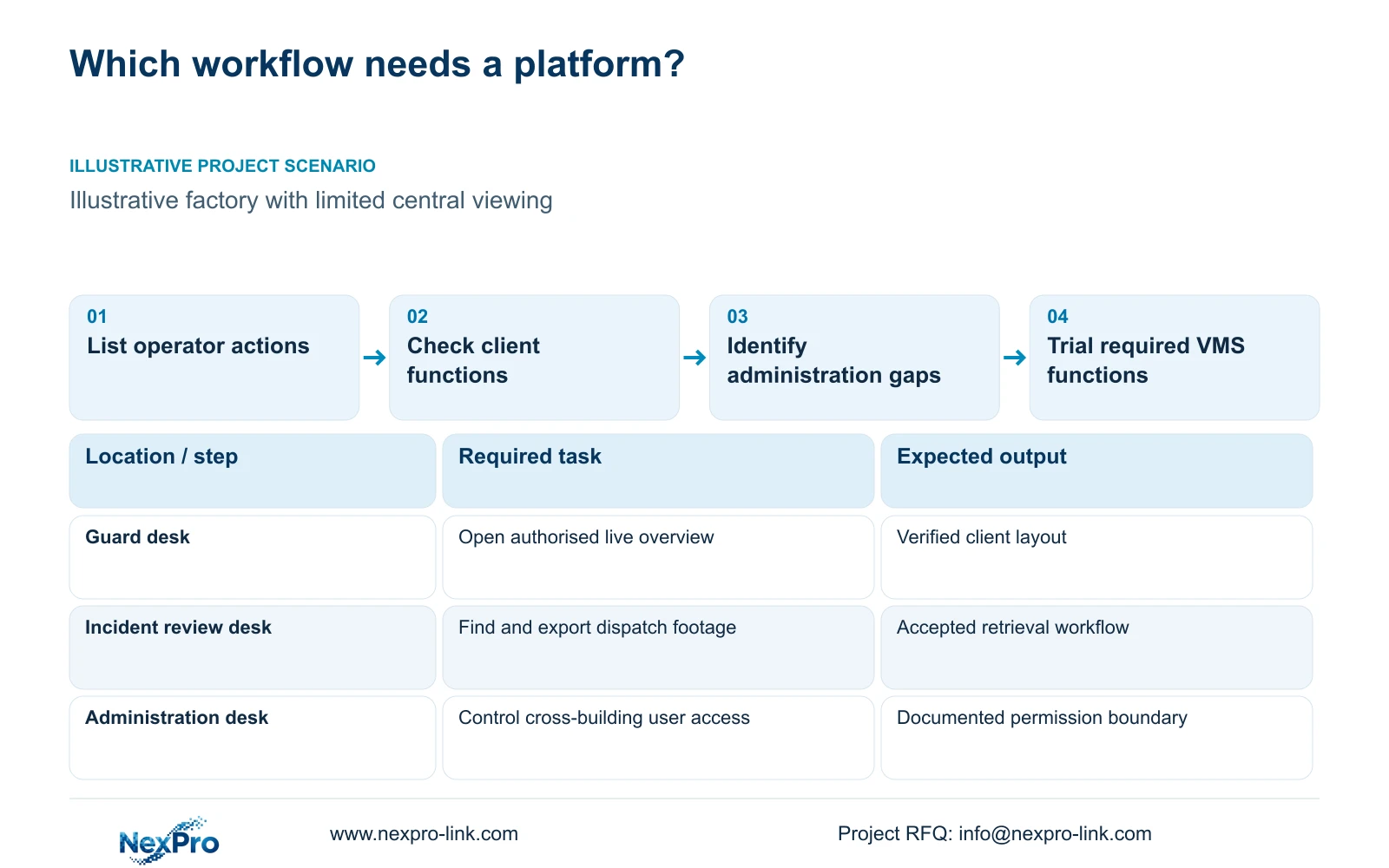
Illustrative project scenario: A factory security team has several local recorders but limited central viewing needs. Assume guards need an overview and authorised incident retrieval rather than continuous operation of every available feature. CASE01 supplies the 32-camera local-recording baseline; the additional recorder locations are a planning variation, not evidence of a completed campus deployment.
List each task as an action with a user and an outcome. A guard checks an entrance; a supervisor retrieves dispatch footage; an administrator removes access when a role changes. State whether the action spans buildings, how many streams it uses and whether other recording or viewing work must continue. Those details determine what should be demonstrated.
Section 02
Separate a convenient screen from central administration
A client that places cameras from several recorders in one layout may satisfy the overview requirement. It still needs verification for playback, export and permissions on the exact recorder and software versions. NexPro-Link's Seetong system page provides app and PC-client context, without establishing universal mixed-brand or full-function compatibility.
Central administration is a different requirement. If the owner needs coordinated user changes, a common event queue or cross-building investigation workflows, write each function into the platform comparison. Do not mark an enterprise feature present because a demonstration displays several pictures. A proposed VMS must prove the functions that justify its additional scope.
Use ONVIF profile and firmware applicability when checking device/client interfaces, then test the actual workflow. Basic video connectivity does not establish event search, audio or every camera control. Where a required proprietary function is retained on its original platform, describe the operator handoff instead of assuming the new client will reproduce it.
Section 03
Compare who maintains the client and the platform services
Prepare two complete offers: local recorders with the verified operator client, and the proposed VMS arrangement. For each, identify workstations, any servers, licences where applicable, storage responsibilities, backups, updates and support ownership. Unknown charges remain open quotation items rather than being entered as zero.
The engineer should describe concurrent work and interfaces. The owner should approve users and access boundaries. The local integrator should identify commissioning and training work, while the supplier states supported hardware and preparation scope. This creates a recorder and client capacity comparison with firmware scope that can be reviewed technically and commercially.
Keep the recording service independent of a proposed central application's availability unless the architecture deliberately depends on it. For retained local recorders, test what happens when the client is closed or its workstation is unavailable. A convenient central screen should not introduce an undocumented dependency into a previously local recording path.
Section 04
Use display arithmetic to avoid overscoping the operator room
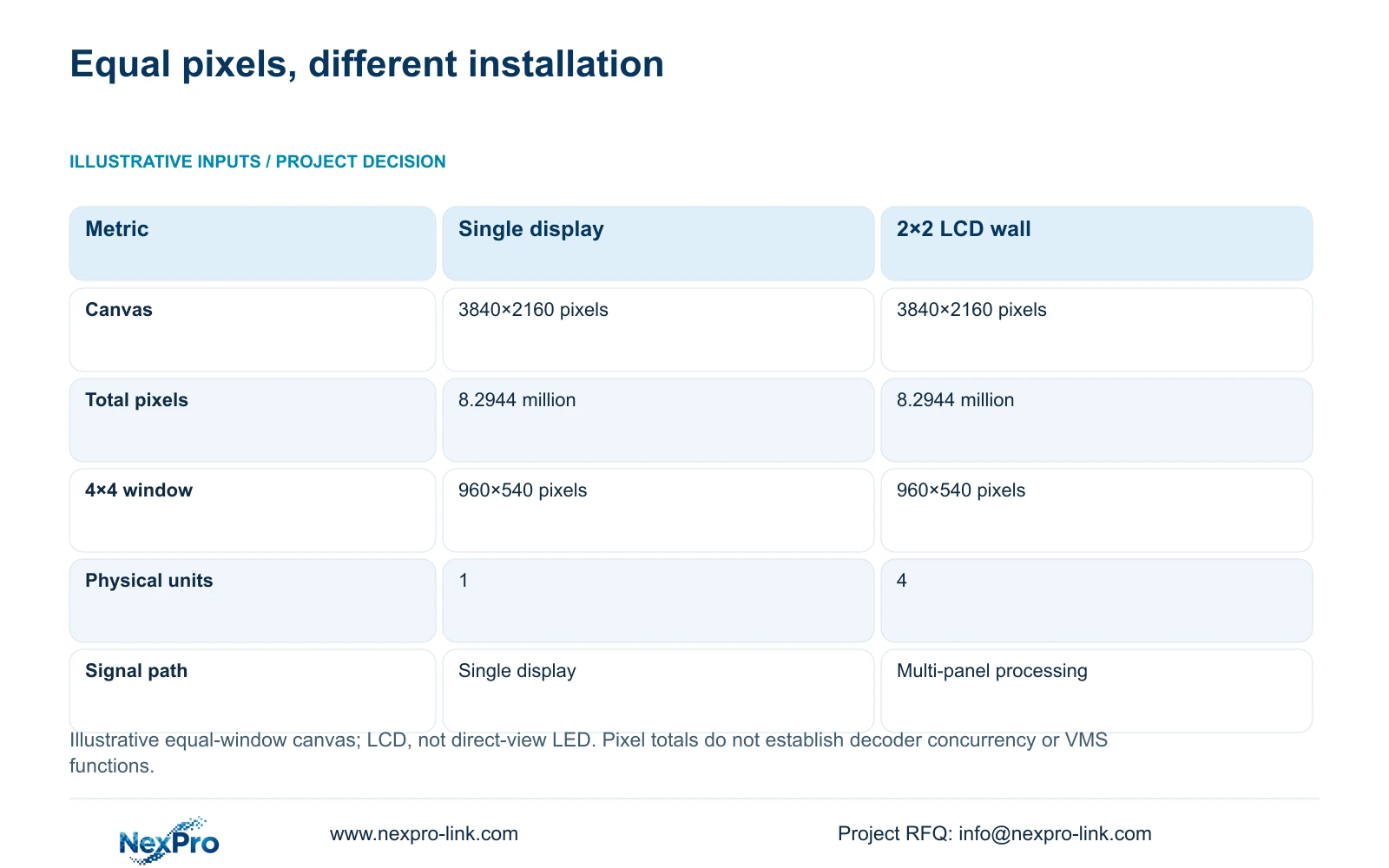
Compare one assumed 3840×2160 display with a 2×2 array of 1920×1080 LCD panels treated as one canvas. Canvas width = columns×panel width; canvas height = rows×panel height. The array therefore has 3840×2160 nominal pixels, matching the single display. Total pixels = 3840×2160 = 8,294,400, or 8.2944 million.
For an illustrative 4×4 equal-window layout, nominal window dimensions = canvas dimensions / (4,4), giving 960×540 pixels per camera window in both options. The wall changes physical presentation, seating and maintenance requirements. It does not automatically add native pixel detail or establish a need for a different management platform.
NX-VP-5535 is a 55-inch 1920×1080 LCD reference, with a listed 3.5 mm bezel/seam and 400 nit typical field. Its multi-panel path needs specification of processing, scaling and layouts. NX-VD-4K16 is a decoder reference; its name does not prove sixteen simultaneous 4K decodes. Treat the table as pixel arithmetic, not a decoder benchmark.
| Metric | Single display | 2×2 LCD array |
|---|---|---|
| Nominal canvas | 3840×2160 pixels | 3840×2160 pixels |
| Total canvas pixels | 8.2944 million | 8.2944 million |
| 4×4 window allocation | 960×540 pixels | 960×540 pixels |
| Physical display units | 1 | 4 |
| Processing path | Single display path | Multi-panel path to specify |
Section 05
Choose the simpler arrangement unless a required workflow fails
For the stated limited central viewing need, start with retained local recording and a demonstrated client on a suitable operator display. CASE01 already separates its retrieval screen from an optional four-panel LCD wall. Keep that distinction: a wall purchase and a platform purchase should each have their own operational justification.
Move to a VMS comparison when a required task cannot be completed with acceptable permissions, retrieval effort or administration in the simpler arrangement. Use a trial built around those failed tasks. If the VMS solves them, include its server, licensing and support dependencies in the accepted scope rather than presenting software alone as the upgrade.
For brand comparisons, hold user roles, search tasks, concurrent views and support boundaries constant. An enterprise offer may include functions absent from a basic client package. Preserve required functions and compare the complete delivery scope; there is no supplied matched quotation or task trial establishing which brand provides better value.
Section 06
Approve the user workflow and its continuing support boundary
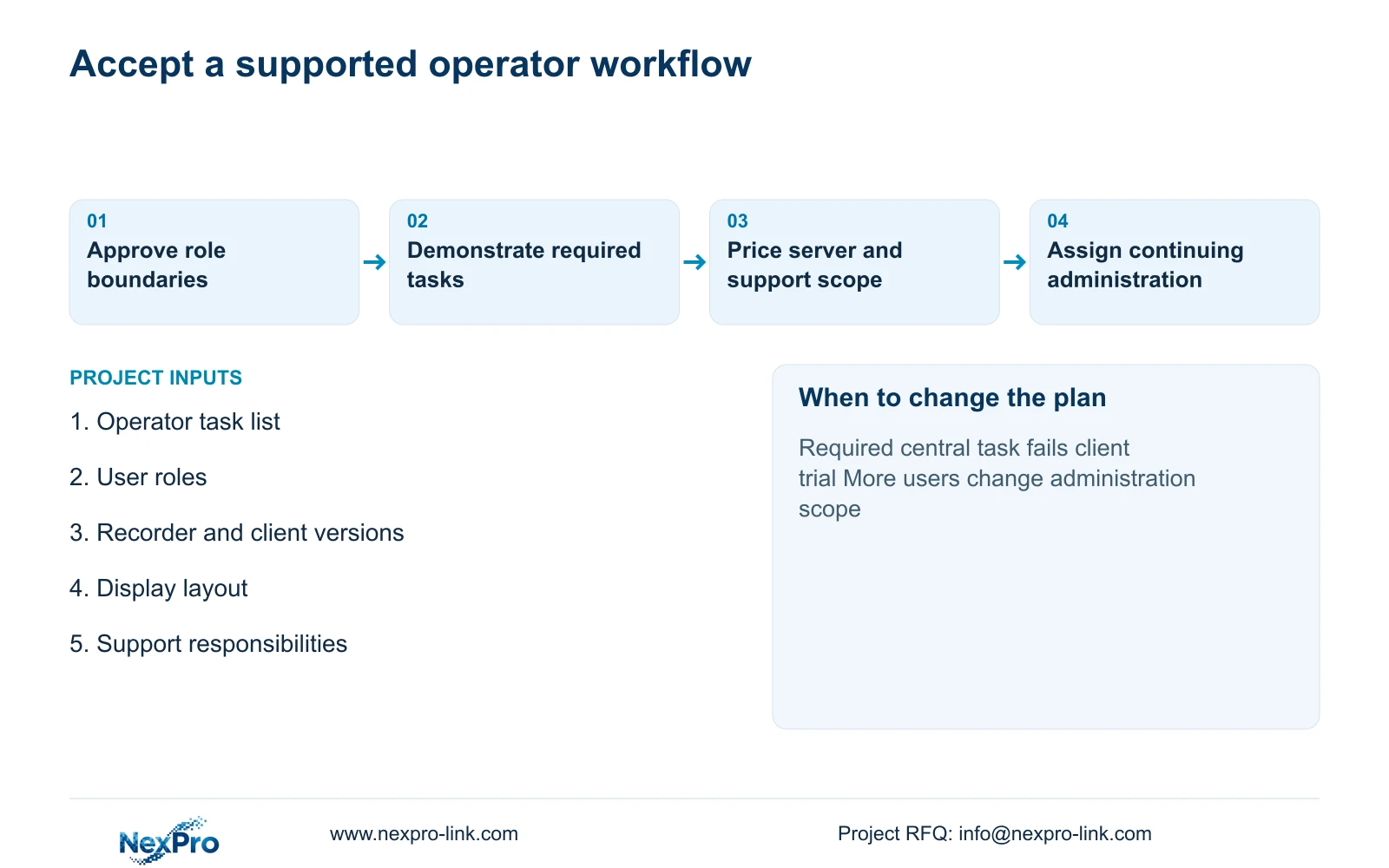
Create an acceptance script using representative entrance and dispatch events. A named role finds the correct recorder and interval, opens the required views and exports an approved clip. Another role attempts an action it should not be allowed to perform. Record observed behaviour and unresolved functions without pre-filling pass results.
NexPro-Link can discuss model matching, the equipment schedule and technical submittal through its project and BOQ support scope. For this decision, request exact recorder/client version combinations and a split between supplied, retained and optional resources. Any project or OEM packaging should follow the accepted hardware schedule, without implying ownership or rebranding of third-party software.
Assign continuing responsibility for user administration, workstation maintenance and platform updates. Train operators on the agreed tasks, including what to do when a building or client is unavailable. A later demand for additional users, central events or integration should reopen the relevant comparison rather than trigger an automatic replacement of every recorder.
Section 07
Buyer questions
Can we retain the NVRs when introducing a VMS? Possibly, if the proposed platform supports the exact recorders and required functions. Verify whether it retrieves their recordings, records separate streams or requires another arrangement. Those choices affect storage and network scope.
Does a video wall require enterprise VMS software? The wall needs a supported signal-processing and layout path. Whether that requires a VMS depends on the selected architecture and operating tasks. Display size alone does not decide the software platform.
How should an unverified enterprise feature appear in a quotation? Show it as an open compliance item with the proposed evidence or demonstration needed. Keep associated licences and service scope visible, and do not treat a feature as included solely because a product family advertises it.
Section 08
Scope the factory's client or VMS decision
Send your cross-building task list, user-role requirements, recorder/client inventory, and proposed display layout to info@nexpro-link.com for a NexPro-Link equipment and workflow comparison.
Engineering references
These sources support the general planning principles. Always use the selected product's current datasheet and applicable project standards for final design.