

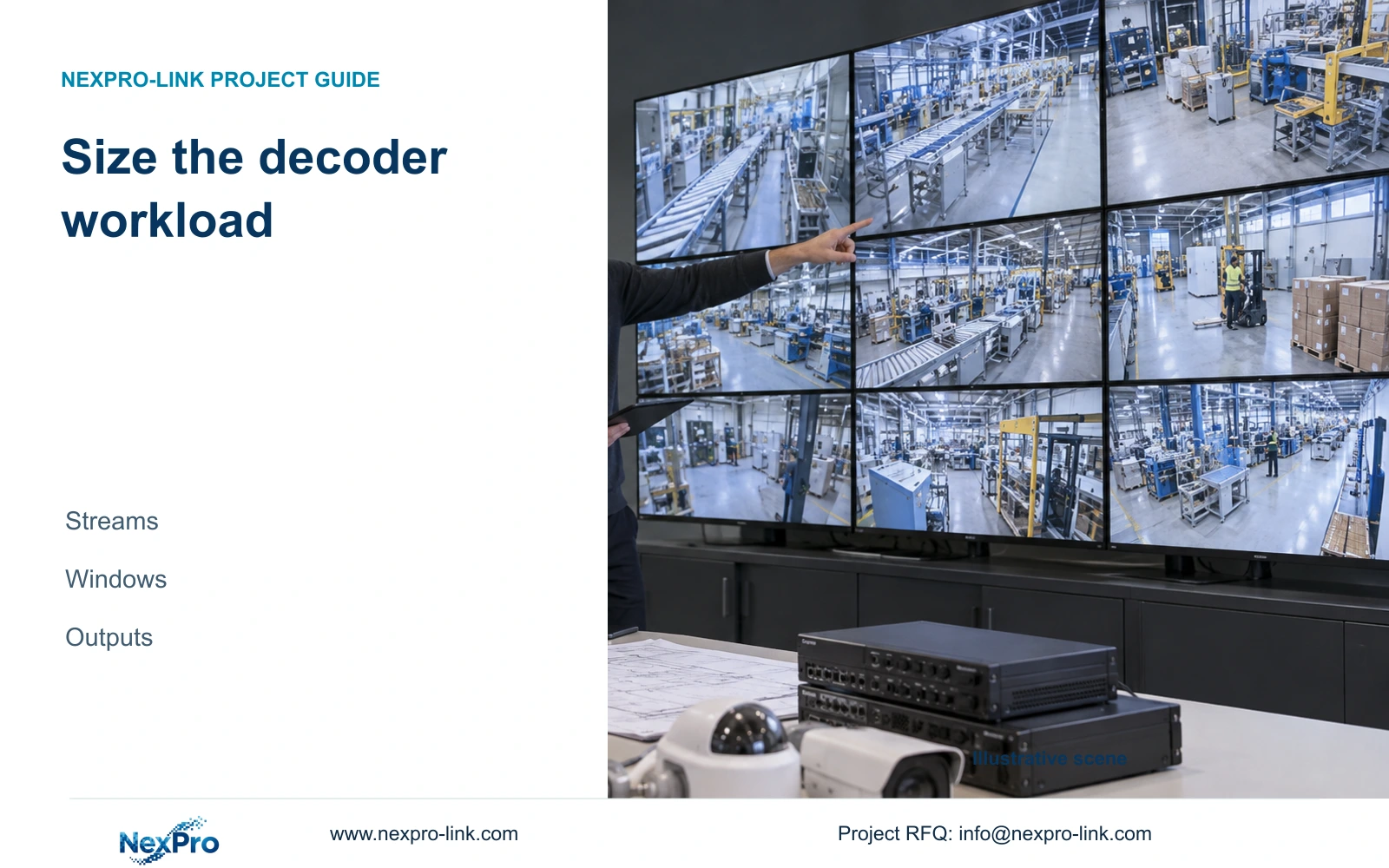
Specify the escalation from overview to selected detail playback while remaining required sources stay visible. Record the exact stream mix and layout transition in the supplier demonstration.
Section 01
Approve stream support before counting output connectors
Specify the escalation from overview to selected detail playback while remaining required sources stay visible. Record the exact stream mix and layout transition in the supplier demonstration. If the processor drops another essential view, revise the operating state or equipment. Connector count does not establish this concurrent transition capability.
Size a factory video wall decoder from the supported source streams and simultaneous viewing workload, then check the physical outputs. A device with enough HDMI connections can still be unsuitable for the intended mix of live video, playback and layouts. Product-code elements such as 4K or 16 do not prove sixteen simultaneous 4K decodes.
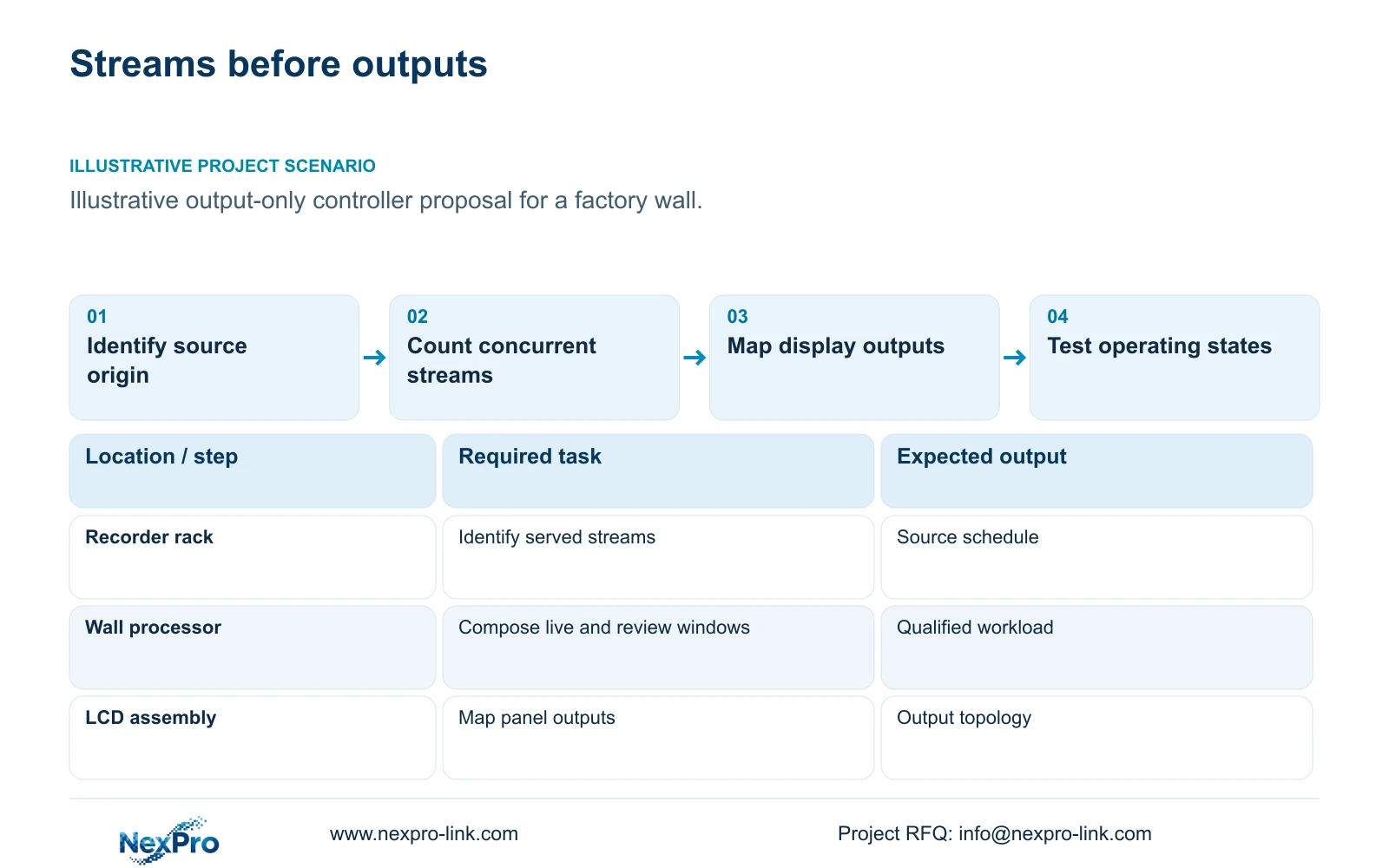
Illustrative project scenario: A supplier proposes a controller based only on the number of HDMI outputs. Use CASE01's 32-camera ordinary-area factory as the recording background and assume the owner wants a 16-window overview with occasional detail review. This is a proposed qualification task, not evidence that the offered controller can perform it.
Build a source schedule containing camera or recorder identity, firmware, stream origin, codec, resolution, frame rate and bitrate settings. Identify whether the decoder receives camera streams directly, recorder-provided streams or an already composed display signal. Those alternatives place different responsibilities on the decoder, recorder and client. Keep the recording path separate from optional display processing.
Section 02
Describe the busiest legitimate viewing combination
Count the streams required by each accepted operating state. For the assumed normal state, list sixteen live windows and the stream selected for each. For incident review, specify whether one live tile is replaced by playback, a separate desk displays playback, or the wall keeps its overview while an additional detail window opens. Each arrangement creates a different concurrent workload.
Do not treat repeated appearances of one camera as automatically free processing. The selected device may handle duplicates differently, and a second appearance might request another stream profile. Ask the supplier to explain the supported behavior and demonstrate the actual layout. Include the highest legitimate frame-rate and resolution combination that the owner expects to use.
CASE01's 32 cameras at an assumed average 4Mbps produce 128Mbps of recording input. That total is not the decoder's proven input capacity, nor does it describe all viewing traffic. Identify which streams traverse each link and which equipment serves them. A supported recording mode and spare network bandwidth do not establish concurrent decoding or output-layout support.
Section 03
Map composed windows to the physical displays
Draw the output map after defining the stream workload. A single 4K screen needs a supported composed output at its intended format. A 2x2 full-HD LCD wall needs a specified way to distribute the canvas or independently composed outputs across four panels. State connector type, output dimensions, refresh requirements and layout ownership in the equipment schedule.
NX-VP-5535 is a 1920×1080 LCD panel reference. NX-VD-4K16 is a modular network decoding reference. The supplied information does not establish every output count, supported window arrangement or codec combination for the decoder. Treat those missing fields as qualification requests rather than filling them from the model name.
Separate decoding from wall control even if one proposed appliance performs both. Decoding turns supported video streams into images; composition determines the windows; output distribution delivers the result to the display arrangement. The supplier should identify which component owns each function. This prevents an output-only processor from being quoted as though it directly receives and decodes every camera.
Section 04
Use canvas arithmetic to define presentation, not decoder capacity
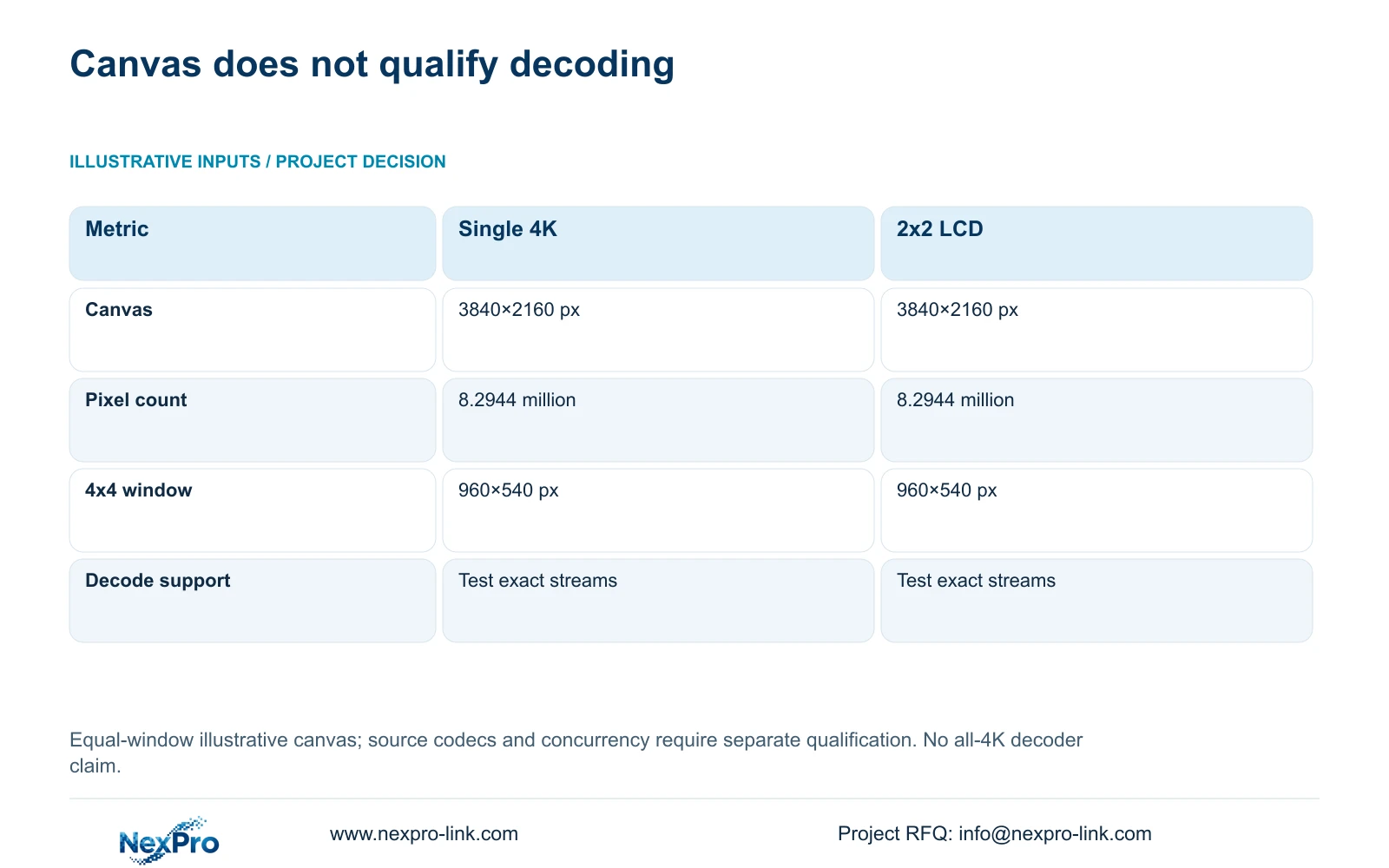
The supplied illustrative comparison uses one 3840×2160 display and a 2x2 array of 1920×1080 LCD panels. Apply canvas = (columns × panel_width_px, rows × panel_height_px). The wall gives (2 × 1920, 2 × 1080) = 3840×2160 pixels, matching the single display's nominal canvas.
Both contain 8.2944 million pixels. For sixteen equal windows arranged 4×4, nominal_window_px = canvas_px / (4,4), so each receives 960×540 pixels. The table shows identical presentation allocations despite different physical output arrangements. Actual labels, borders, aspect ratios and seam handling can alter the visible image area.
The decisive decoder question remains the source workload. Sixteen windows fed by large main streams and sixteen windows fed by supported overview streams can share the same output canvas while imposing different processing demands. A small displayed tile does not prove the appliance decodes only a small source. Record the selected stream profile and test any automatic profile change during enlargement.
| Metric | Single 4K display | 2x2 full-HD LCD |
|---|---|---|
| Canvas width | 3,840 px | 3,840 px |
| Canvas height | 2,160 px | 2,160 px |
| Total pixels | 8.2944 million | 8.2944 million |
| 4x4 window | 960×540 px | 960×540 px |
| Display units | 1 | 4 |
| Decode qualification | Exact streams required | Exact streams required |
Section 05
Recommend the smallest configuration that passes the required workload
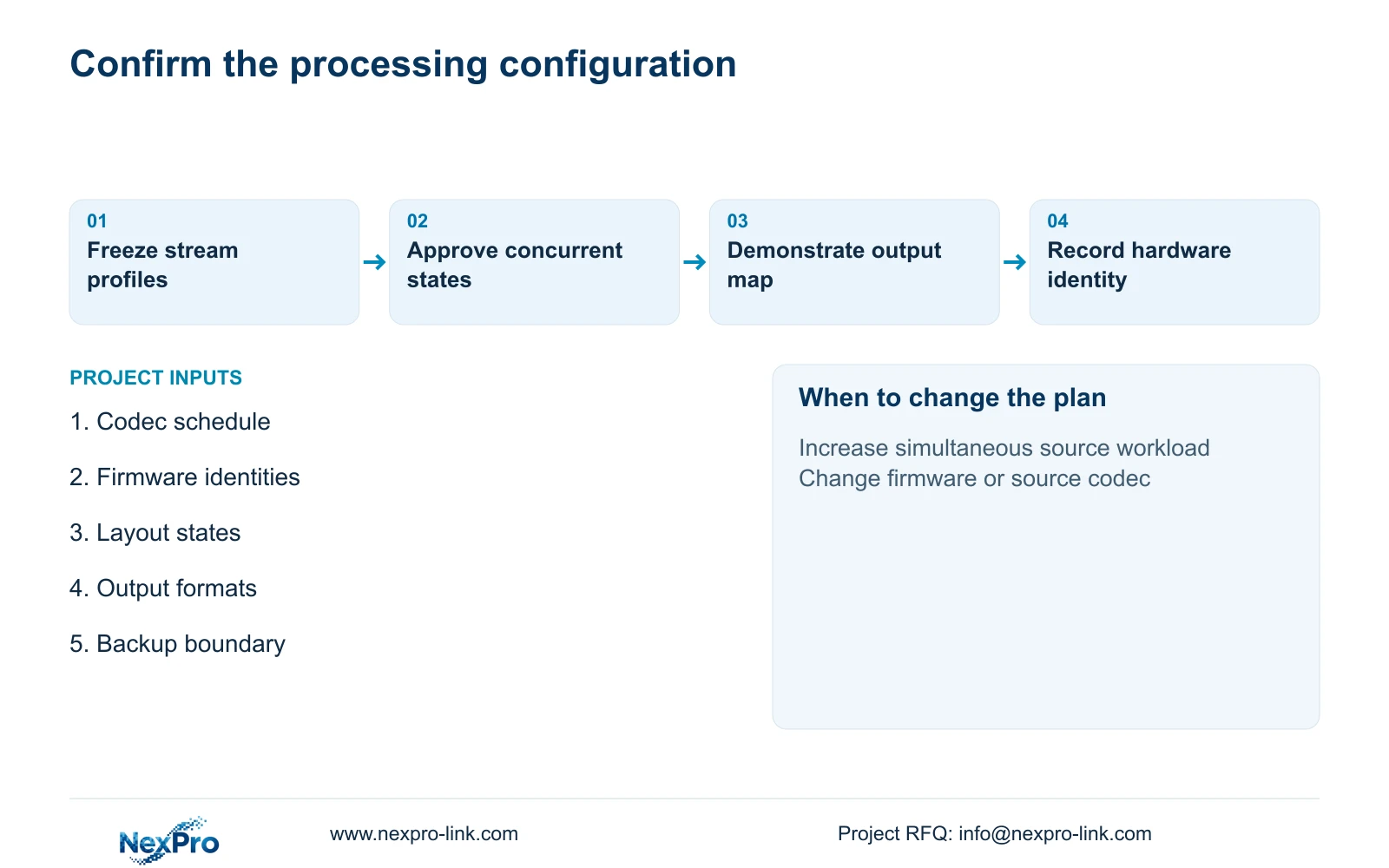
Select a decoder configuration only after the supplier confirms the stream schedule and demonstrates the accepted layouts. Keep the original output-only proposal if its processing architecture is fully identified and it passes the complete task. Otherwise, revise the decoder, client or composition arrangement. Adding outputs should address an output requirement, not conceal unresolved source support.
The demonstration should include normal overview, detail selection, playback where required and return to the saved layout. Observe incomplete windows, visible interruptions, delayed changes and recording status. Set acceptable behavior with the owner before the test rather than inventing a universal latency threshold. Preserve the exact hardware and firmware identities in the result.
If the display path needs backup, CASE01 uses an assumed 100W decoder within a 580W wall increment. That is a teaching allowance, not the published demand of NX-VD-4K16. Replace it with the selected configuration's load information and check the protected circuit. A processing upgrade can affect rack space, power and cooling even if the panel arrangement stays unchanged.
Section 06
Make stream qualification part of the order
Attach the source schedule, output map and accepted operating states to the quotation. Identify retained recorders, supplied processing equipment and installer-provided signal cabling or supports. Assign the integration contractor responsibility for assembling the agreed interfaces and the owner responsibility for approving the operating task. The decoder supplier should confirm the offered configuration against that scope.
NexPro-Link's BOQ support can coordinate the relevant model references, technical submittal and deviations. Its video-wall range provides a starting point for discussing LCD and decoding roles, while exact concurrency remains a configuration-specific question. A complete quotation should separately identify added processing hardware, control software and any commissioning work.
Include a change rule: a new camera codec, higher frame rate, more simultaneous windows or another independent review session requires the workload schedule to be checked again. Keep layout files and configuration records available for handover through the project's approved process. Equipment identity and operating-state evidence make a later replacement easier to evaluate than a generic claim of 4K support.
Section 07
Buyer questions
Can an NVR's channel count qualify the wall decoder? No. Recording channels, recorder input bandwidth, playback service and decoder concurrency are separate constraints. Qualify the actual stream path and viewing combinations for each device.
Does displaying the same camera twice always use one decode? That behavior needs confirmation for the selected architecture. Duplicate windows may share processing or request separate streams, especially when different profiles or playback times are used.
What should happen if one proposed codec is unsupported? Agree a supported source configuration or change the processing equipment, then repeat the required workload test. Preserve recording quality and document the deviation instead of silently reducing the whole system.
Section 08
Qualify a decoder against your actual layouts
Send your source stream and firmware schedule, simultaneous live/playback layouts, display output map and protected-power boundary to info@nexpro-link.com to discuss a configuration-specific decoder scope.
Engineering references
These sources support the general planning principles. Always use the selected product's current datasheet and applicable project standards for final design.


