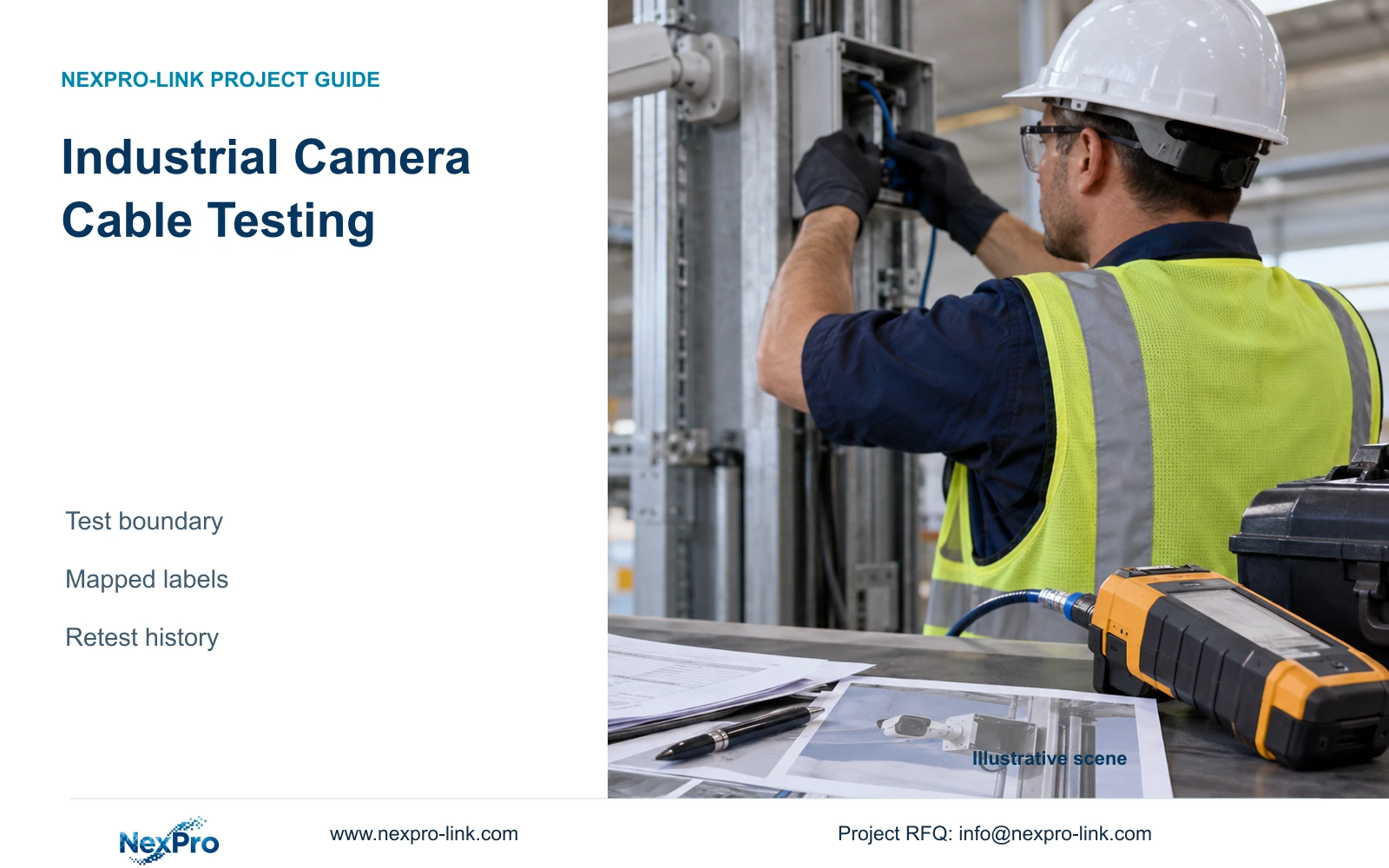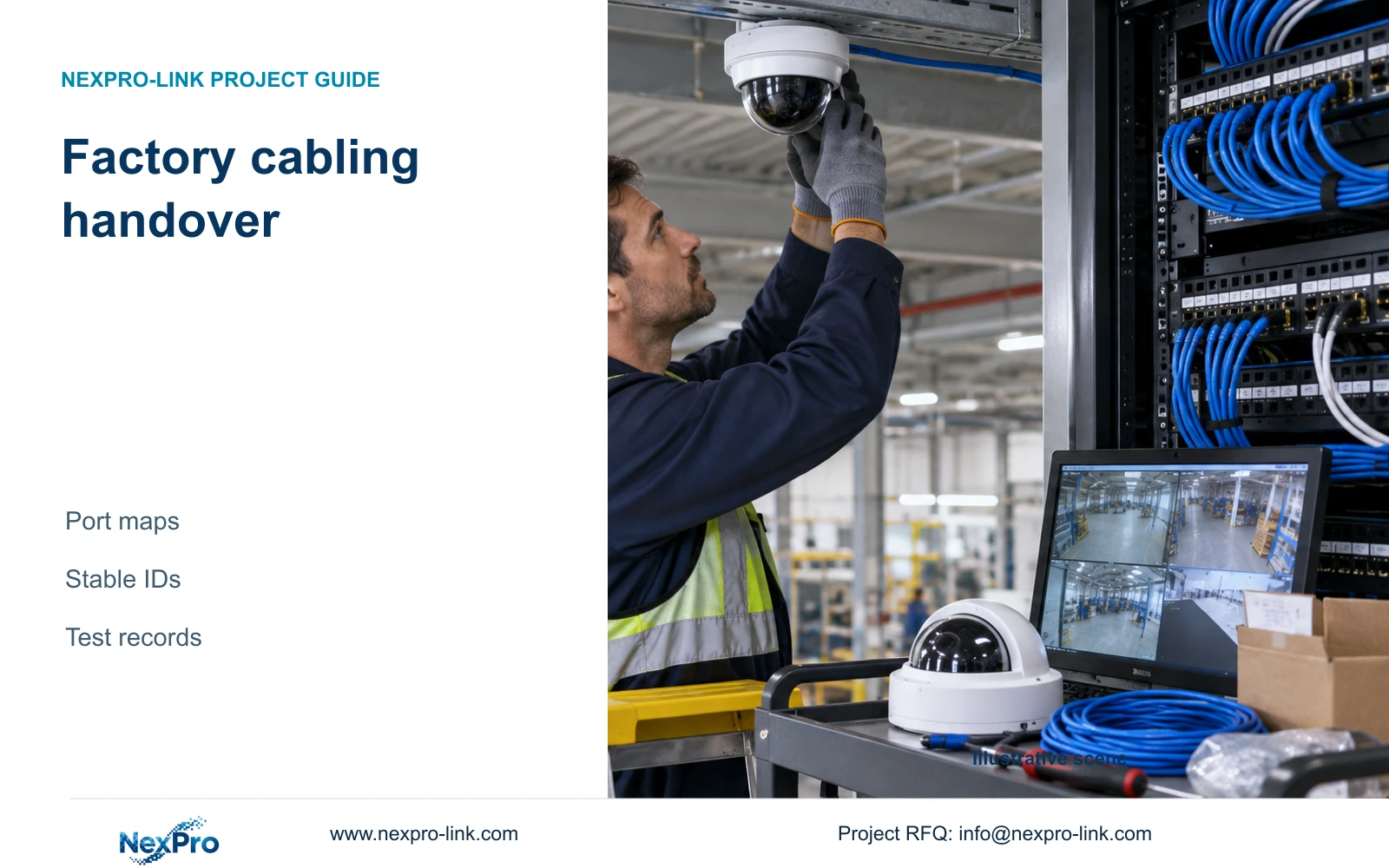
Factory cabling handover needs a traceable path from camera location to recorder channel. Stable project identifiers preserve that path when hardware, ports or contractors change.
Section 01
Trace each camera through its physical connection
For factory structured cabling handover, give every camera location a stable project identifier and map its full connection path. The handover row should connect that location to the cable ID, outlet or termination, cabinet, patch-panel port, switch port and recorder channel. Store the exact camera model and serial number as separate fields. This allows replacement equipment to inherit the location record without erasing the installed cable history.
Illustrative project scenario: An integrator replaces several cameras and must retain the factory's asset and port naming scheme. Use the 32-camera CNC layout in CASE01 as a hypothetical installed baseline, with one recording node and four eight-camera access groups. Assume its owner wants the existing location names retained during replacement. Neither the replacement work nor the condition of those links is a claimed completed project.
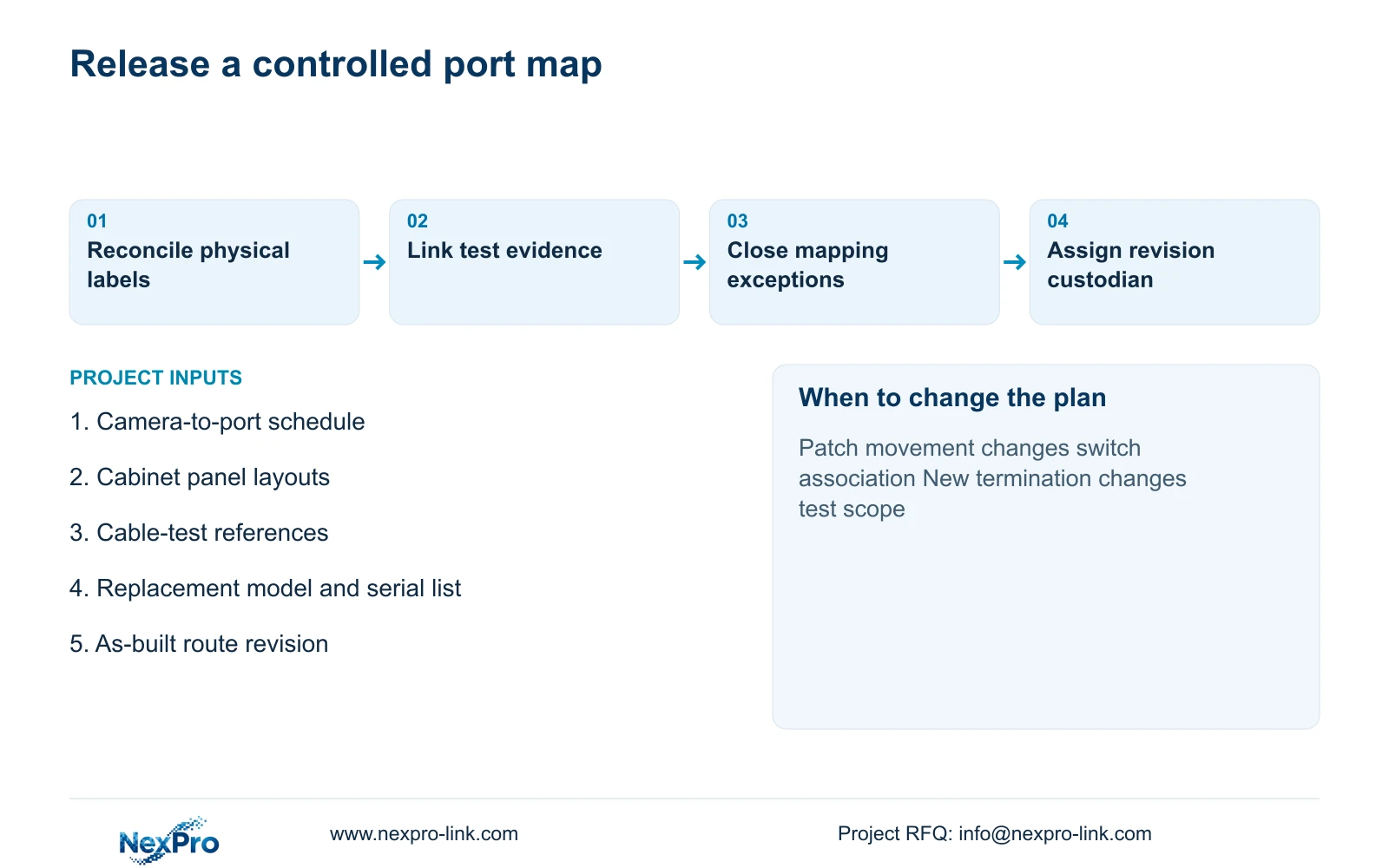
Start by comparing the drawing, cabinet labels and live device list. Trace discrepancies before editing names in the recorder. A live picture confirms only part of the connection path; it does not establish that the displayed location label matches the physical camera. Record unresolved rows as exceptions and assign them to the installer for verification before the owner accepts the revised schedule.
Section 02
Keep location and cable identities independent of brands
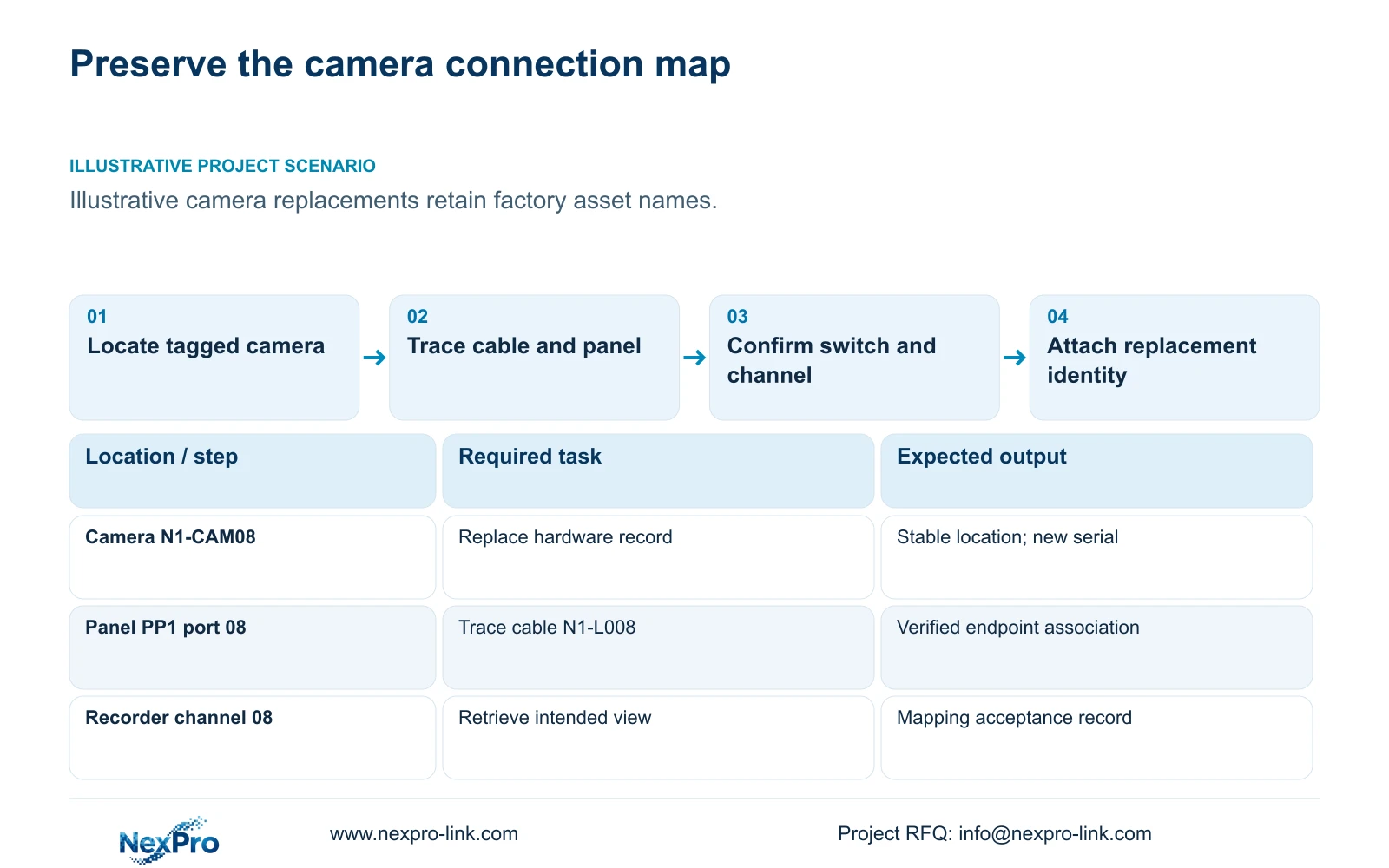
Use separate identifiers for the observation location, permanent cable and replaceable hardware. A location tag can remain N1-CAM08 when its camera changes. The associated cable retains its own identifier while the model, serial number and installation date are updated. If the cable is replaced, create a new cable record and preserve the superseded record rather than silently assigning its test history to the new link.
For example, an illustrative mapping might connect N1-CAM08 to cable N1-L008, panel PP1 port 08, switch SW1 port 08 and recorder channel 08. These added names demonstrate the method; they are not verified CASE01 port assignments. If a patch cord later moves the connection to another switch port, revise that association while retaining the camera location and permanent-link identity.
Keep network addresses in the schedule as editable operational fields. Do not use an IP address or vendor model name as the sole physical label. A replacement, address change or brand substitution should leave the technician able to locate the same route and mounting position. Label both cable ends and make the cabinet designation visible enough to distinguish similar panel numbers in different rooms.
Section 03
Attach test evidence to the link that was tested
Associate each test file with the cable ID, installed endpoints, test arrangement, test date and relevant drawing revision. Fluke Networks guidance distinguishes the typical 90 m permanent-link boundary from the 100 m complete channel. The record must show which arrangement was tested; a permanent-link result should not be described as verification of every later patch cord and device connection.
CASE01 assumes continuous link cuts of 41 to 76 m, derived from base routes of 35 to 70 m plus a declared 6 m service and termination allowance. Those are material-planning inputs, not cable-test measurements. Preserve planned length, installed route information and tester-reported length in separate fields. A difference prompts investigation rather than automatic correction of one figure to match another.
Its two-module termination assumption produces 64 modules for 32 links. NexPro-Link lists DT968MX as a Cat6 tool-less module and SP5648 as a Cat6 48-port patch panel; neither establishes complete installed-link performance. If the camera end changes to a direct-plug or MPTL arrangement, revise the materials and test method. Retain the former report as historical evidence and attach the appropriate new verification to the changed installation.
Section 04
Choose a complete handover before adding integration
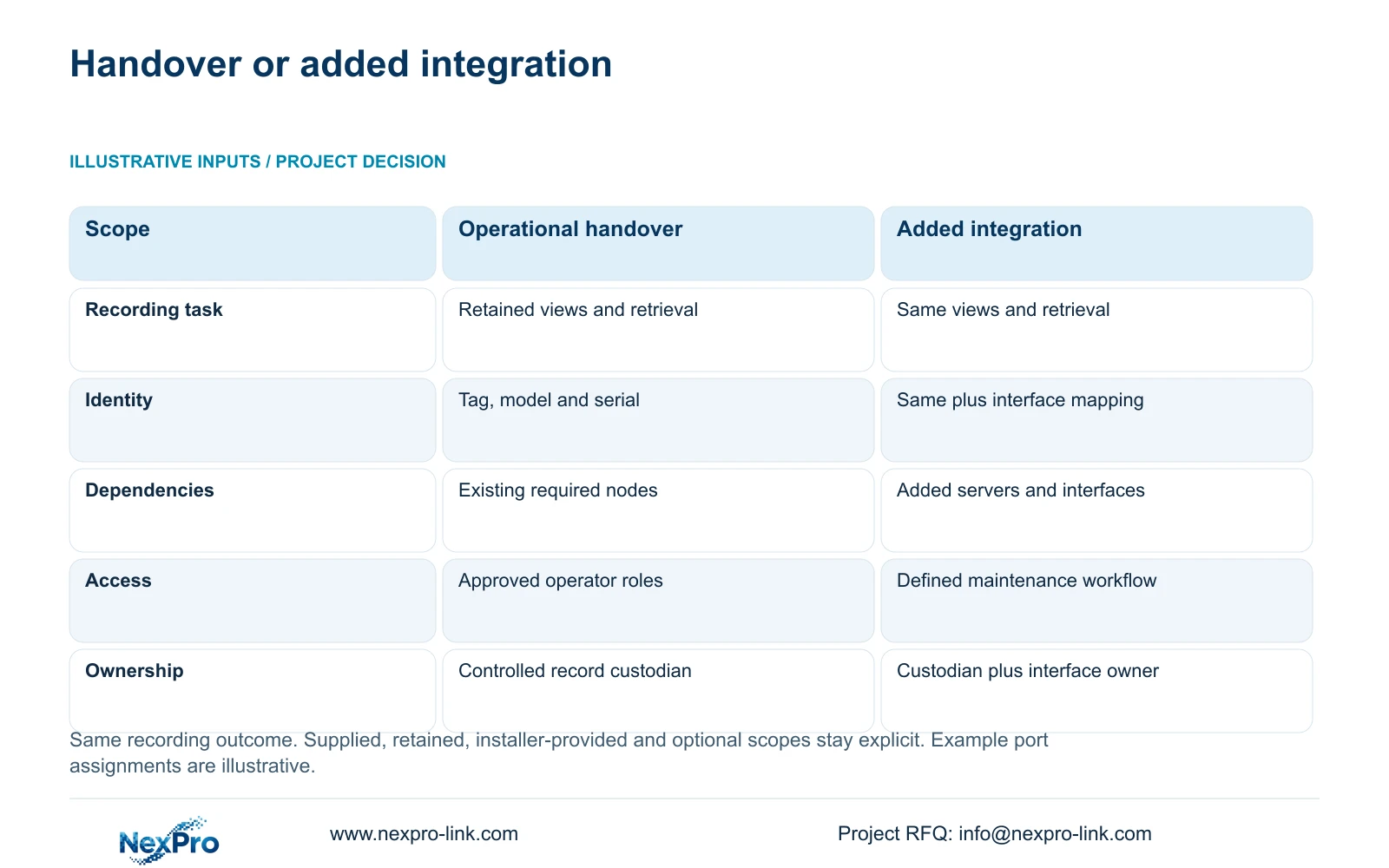
The minimum operational package is a usable recording system with a verified physical map, access roles and retrievable evidence. It can be handed over through controlled schedules, drawings and test files. Additional integration is justified when the owner needs a defined workflow, such as synchronizing the approved mapping with a maintenance platform. That extra interface needs its own owner and acceptance task.
The comparison keeps the same recording outcome in both options. Assign every scope row as supplied, retained, installer-provided or optional, with one accountable party for each interface. For this replacement scenario, the owner retains the asset naming scheme, the installer verifies the physical links, and the equipment supplier identifies the supplied models and serials. Any new management connector remains an additional scope until approved.
The decisive difference is responsibility for maintaining a second connected record. Option B must specify what updates it transfers, who resolves failed synchronization and whether additional servers or network and protected-power resources are needed. A shared supplier does not establish shared software compatibility. An empty integration field represents an unresolved scope item, not zero cost or proof that the interface cannot work.
| Decision | Option A: operational handover | Option B: added integration |
|---|---|---|
| Recording outcome | Retained views and verified retrieval | Same views and retrieval |
| Hardware identity | Project tag, exact model and serial | Same fields plus approved interface mapping |
| Network and power | Required existing nodes accounted for | Added server and interface dependencies identified |
| Software and access | Approved operator roles | Defined maintenance synchronization workflow |
| Procurement boundary | Equipment records; installer verification; owner acceptance | Additional connector scope and named interface owner |
Section 05
Accept the replacement through a trace-and-retrieve check
Recommend the controlled operational handover first unless an owner workflow requires integration. For each replacement, verify the location label at the camera, follow its panel and switch assignments, and confirm the corresponding recorder channel. Then check that an authorized operator can retrieve footage from the intended location. This tests the mapping through the service the owner actually uses.
Maintain an exception list for mislabeled ends, undocumented patching, missing reports and unverified retained links. Each exception should have a responsible party and a defined closure action. Do not mark a reused cable as accepted solely because a replacement camera streams successfully. Conversely, a missing historical report should trigger the agreed verification work rather than an unsupported conclusion that the cable must be replaced.
Reassess related resources when the replacement changes them. Different device demand may require a PoE review; a changed stream can affect recording and storage assumptions. Move those technical checks into the replacement approval record without changing stable location tags. If a route is extended or a termination is rebuilt, update its drawing, testing reference and cable-material scope together. Port identity alone cannot establish that the revised equipment package fits.
Section 06
Deliver one controlled record with clear update ownership
Issue the approved port map in an editable format alongside a fixed revision copy. Include the as-built route drawing, panel layout, equipment identity list, link-test files and outstanding exceptions. Use consistent cable IDs in filenames and schedule references so a technician can move from a row to its evidence without guessing which report applies.
For new cable work, preserve procurement information separately from installed acceptance. CASE01's 1,872 m total and feasible seven-reel cutting plan describe an all-new 32-link baseline. They do not determine purchasing quantities for several camera replacements. Order new cable only from the approved changed-link schedule, maintaining continuous lengths and a revised cutting allocation where needed. Retained cable requires an acceptance decision, not a duplicate purchase allowance.
NexPro-Link can discuss model matching and coordinated technical documentation through its BOQ and tender support. Its structured-cabling references can inform the selected termination materials. Require the supplier's packing and equipment records to carry the agreed project tags, while the local installer records actual port assignments. Name the owner's record custodian before handover so later changes have an approval path and do not create competing undocumented schedules.
Section 07
Buyer questions
Should spare patch-panel ports appear in the handover? Yes. Identify installed spare ports as unassigned and distinguish them from ports reserved for a named future camera. This prevents a reservation from being mistaken for a connected or tested link and makes later additions easier to reconcile.
Can a QR label replace a printed cable ID? Keep a readable identifier alongside any QR code. The code may point to an authorized record, but technicians still need to identify the link when a reader or network connection is unavailable. Do not put credentials in publicly accessible label content.
Who updates the map after a maintenance contractor moves a patch cord? The contractor records the actual change and supplies the revised association to the owner's appointed custodian. The project should define approval and issue procedures in advance so the cabinet record and controlled master remain consistent.
Section 08
Prepare a traceable replacement handover
Email the current camera-to-port schedule, cabinet and panel layouts, available cable-test references, and proposed replacement list to info@nexpro-link.com to discuss aligned equipment records and cabling supply scope.
Engineering references
These sources support the general planning principles. Always use the selected product's current datasheet and applicable project standards for final design.