Commercial system sets and factory component lists serve different purposes. A controlled mapping keeps accessories, shared equipment and packing quantities aligned.
Section 01
Preserve the commercial reference when components multiply
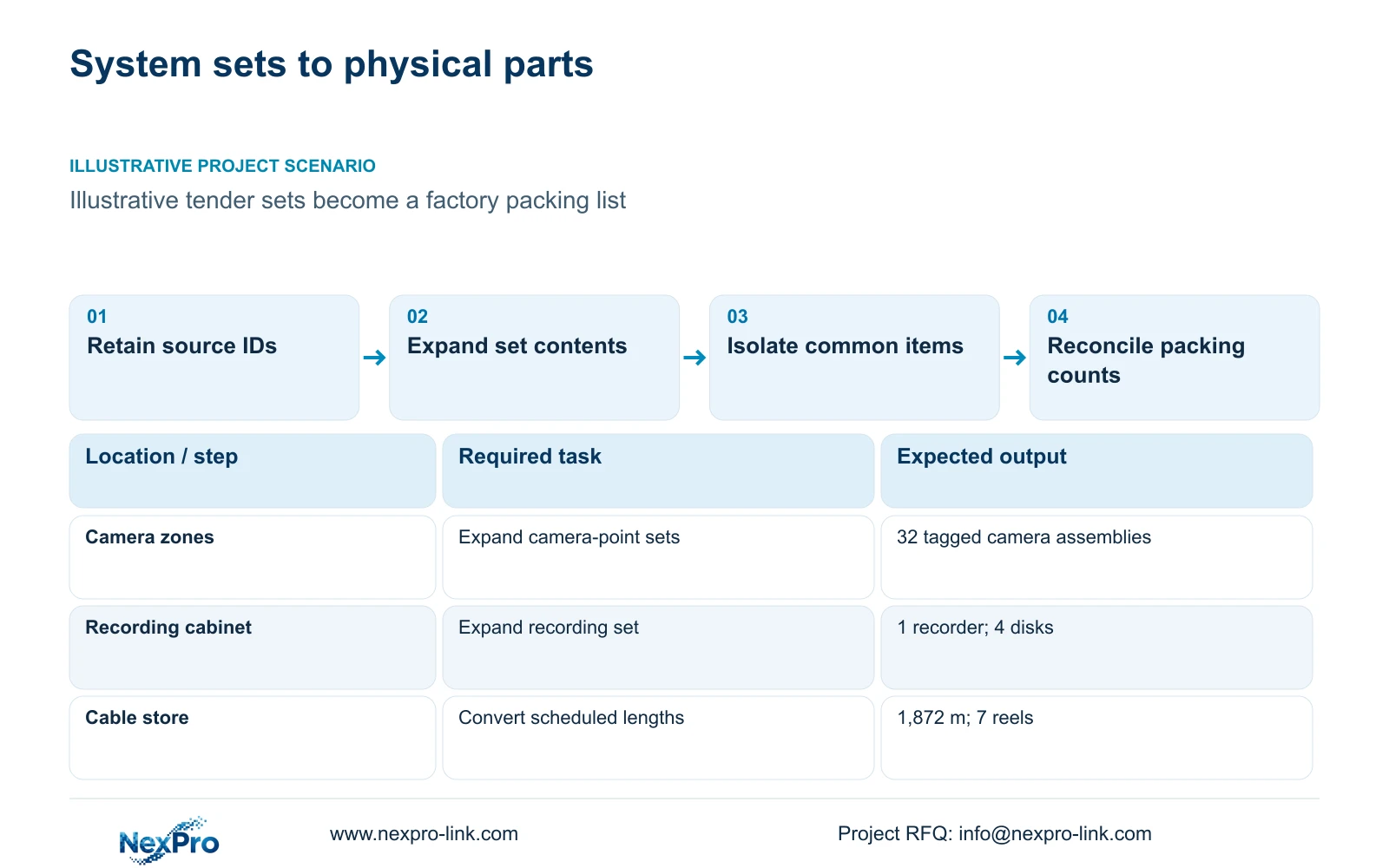
Keep the BOQ's original item number, description, unit and quantity, then map each commercial line to its technical BOM components. A bill of quantities supports pricing and measurement; a bill of materials identifies the parts needed for supply, assembly and packing. Their quantities need not look identical, but every difference should have an explanation. Shared equipment and accessories should appear once in the physical supply total.
Illustrative project scenario: A tender prices security systems while the factory needs component quantities for production and packing. Use the supplied 32-camera CNC reference as the technical baseline. Assume, solely for this planning example, that the tender groups cameras by zone and lists common recording infrastructure separately. The factory must translate those commercial groups into individual cameras, selected mounting accessories, network equipment and labelled cartons.
Create child references without replacing the tender identifier. A zone line can connect to several camera tags and accessory rows, while a shared recorder row serves multiple zones. Retain the specification clause and revision on the mapping. This gives the reviewer a route from a packed component back to the priced obligation.
Section 02
Define the contents of each system set
A set is only a reliable procurement unit when its contents are explicit. For a camera point, identify the camera, applicable bracket, junction accessories, termination method and any included patch cords. Keep local installation work in its agreed commercial line. The production team should not infer that a camera carton includes everything required to mount and connect the point.
The reference contains 32 cameras, one recorder and four 16 TB drives. If the commercial recording line is one complete set, its BOM still needs one recorder plus four individually identified disks. The NexPro-NVR4449-4K's four SATA bays explain the physical arrangement; exact disk compatibility remains a selection input. Four disks do not establish a RAID arrangement or a spare disk.
Cable requires a second conversion. The case schedules 1,872 m of continuous lengths and a feasible seven-reel cutting plan using 305 m reels. Purchasing quantity, installed length and residual material should occupy separate fields. A price per metre cannot be converted into a factory reel order by rounding every camera link independently.
Section 04
Normalize complete scope before comparing totals
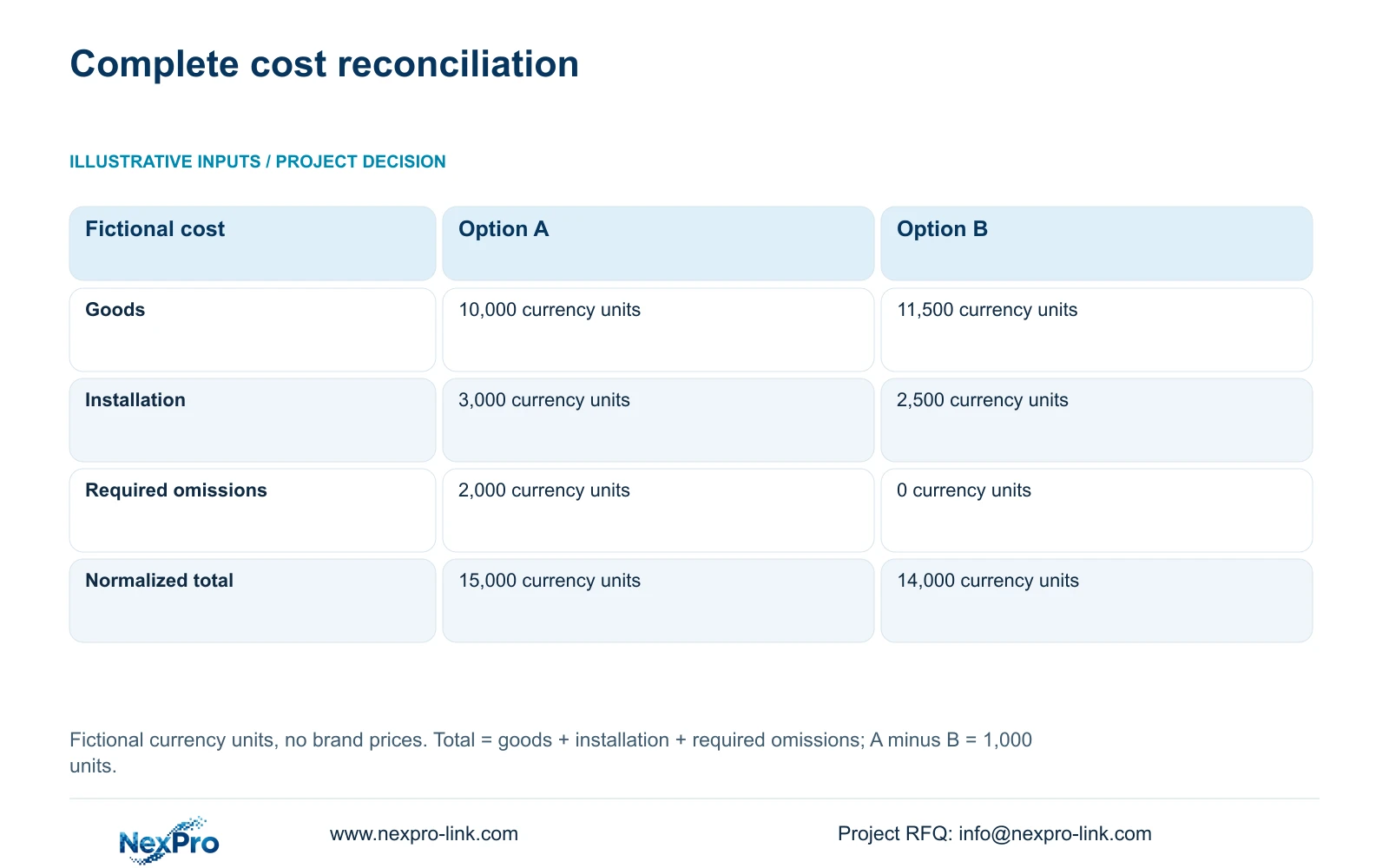
Use the BOM-to-BOQ mapping to identify what each quotation includes. The supplied monetary example is entirely fictional and uses unspecified currency units: Option A has goods of 10,000, installation of 3,000 and required omitted scope of 2,000. Option B has goods of 11,500, installation of 2,500 and required omitted scope of zero. These amounts are not prices for the CNC reference or any brand.
Apply normalized_total = goods + installation + required_omitted_items. Option A becomes 10,000 + 3,000 + 2,000 = 15,000 currency units. Option B becomes 11,500 + 2,500 + 0 = 14,000 currency units. Difference = A_total - B_total = 1,000 currency units. The initially lower goods quotation is higher after the declared missing work is restored.
The decisive issue is completeness, not the name attached to a proposal. In an actual comparison, an absent line remains unresolved until inclusion or an evidenced allowance is established. Replace the fictional inputs with same-date, same-quantity, same-currency and same-delivery-scope quotations. Preserve the original quoted total beside the evaluation total so the comparison remains auditable.
| Cost component | Option A | Option B |
|---|---|---|
| Quoted goods | 10,000 currency units | 11,500 currency units |
| Installation | 3,000 currency units | 2,500 currency units |
| Required omitted scope | 2,000 currency units | 0 currency units |
| Normalized total | 15,000 currency units | 14,000 currency units |
Section 05
Update both lists when a technical choice changes
A model substitution should update the component row, relevant accessory rows and the commercial mapping together. Changing a housing or mounting position may alter the bracket, enclosure, cable route and installation task. Preserve the original requirement and show the delta. A revised camera model in the BOM with an unchanged set description in the BOQ leaves the buyer approving two different scopes.
The optional four-panel LCD wall in CASE01 demonstrates a package change beyond camera quantities. It adds four panels and one decoder while retaining the original operator display. If accepted, add the equipment, mounts, signal path and power effects to both lists. Do not quietly replace the base retrieval display with a wall or assume the decoder model name proves all requested stream combinations.
Recommend one controlled mapping maintained through technical approval, quotation and packing. A commercial set can remain a set when that suits the tender, provided its component attachment is stable. Supplier registration, product approval and the purchase order still require their own decisions; reconciliation makes their subject clear without substituting for them.
Section 06
Release quantities that production and receiving can reconcile
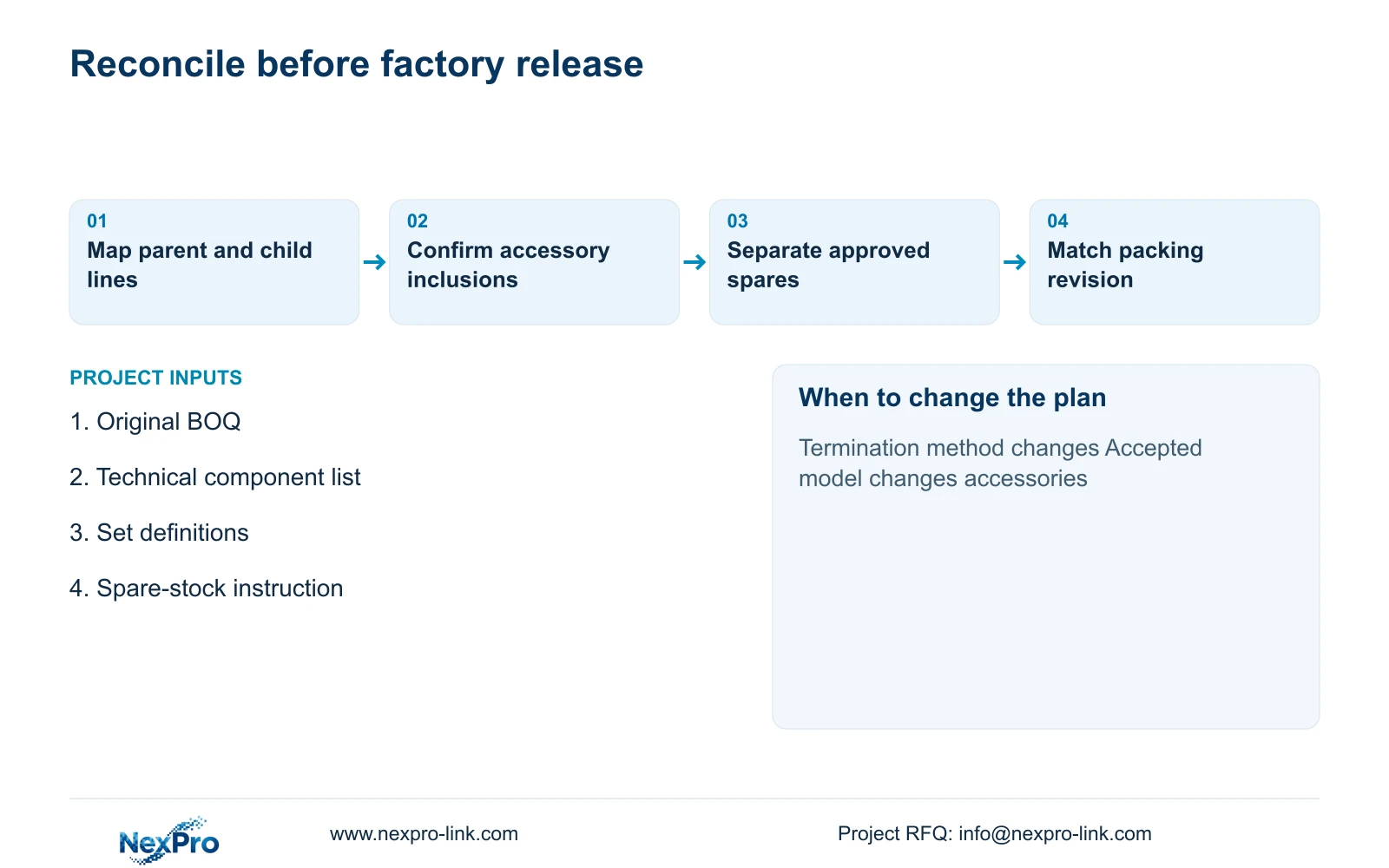
Before production release, reconcile installed components, common equipment, spares and options against the selected quotation revision. The packing record should retain project tags and the parent BOQ references where practical. Receiving staff can then distinguish a missing accessory from an item intentionally assigned to the local installer. Any approved substitutions should travel with the same revision record.
NexPro-Link's BOQ & Tender Support scope is relevant to model matching and mapped quotation preparation; its project-supply scope covers equipment preparation, packing and export coordination. Request only the documents needed to connect the buyer's priced lines to the selected parts. OEM labels or packaging can preserve those references without implying changes to third-party software branding.
Keep a short unresolved-input register for decisions that block quantities, such as the termination method or spare-stock instruction. Close those items before fixing the corresponding production count. This produces a usable supply schedule without forcing the factory to interpret tender language or the quantity surveyor to count cartons as installed systems.
Section 07
Buyer questions
Must the BOM use the same units as the BOQ? No. A commercial set can map to several each-counted components. Record the conversion and inclusions so component totals reconcile to the accepted set quantity.
Where should included accessories appear? List them in the technical breakdown even if their price is included in a parent rate. Mark them as included rather than applying a second commercial charge.
How should partially retained systems be recorded? Separate retained assets from new supply and identify inspection or compatibility work. Retained equipment should not appear as a newly purchased component merely because it belongs to the same operating system.
Section 08
Reconcile your tender sets with supply quantities
Send the source BOQ, component or model schedule, set-inclusion definitions and spare-stock instructions to info@nexpro-link.com for a mapped BOM and quotation scope.
Engineering references
These sources support the general planning principles. Always use the selected product's current datasheet and applicable project standards for final design.