
A building design changes after the first quotation: two entrances are relocated and one cable closet moves to a different floor. Extract the drawing details that alter the supplied item: mounting interface, camera identity, lens option, environment and accessory requirement.
Section 01
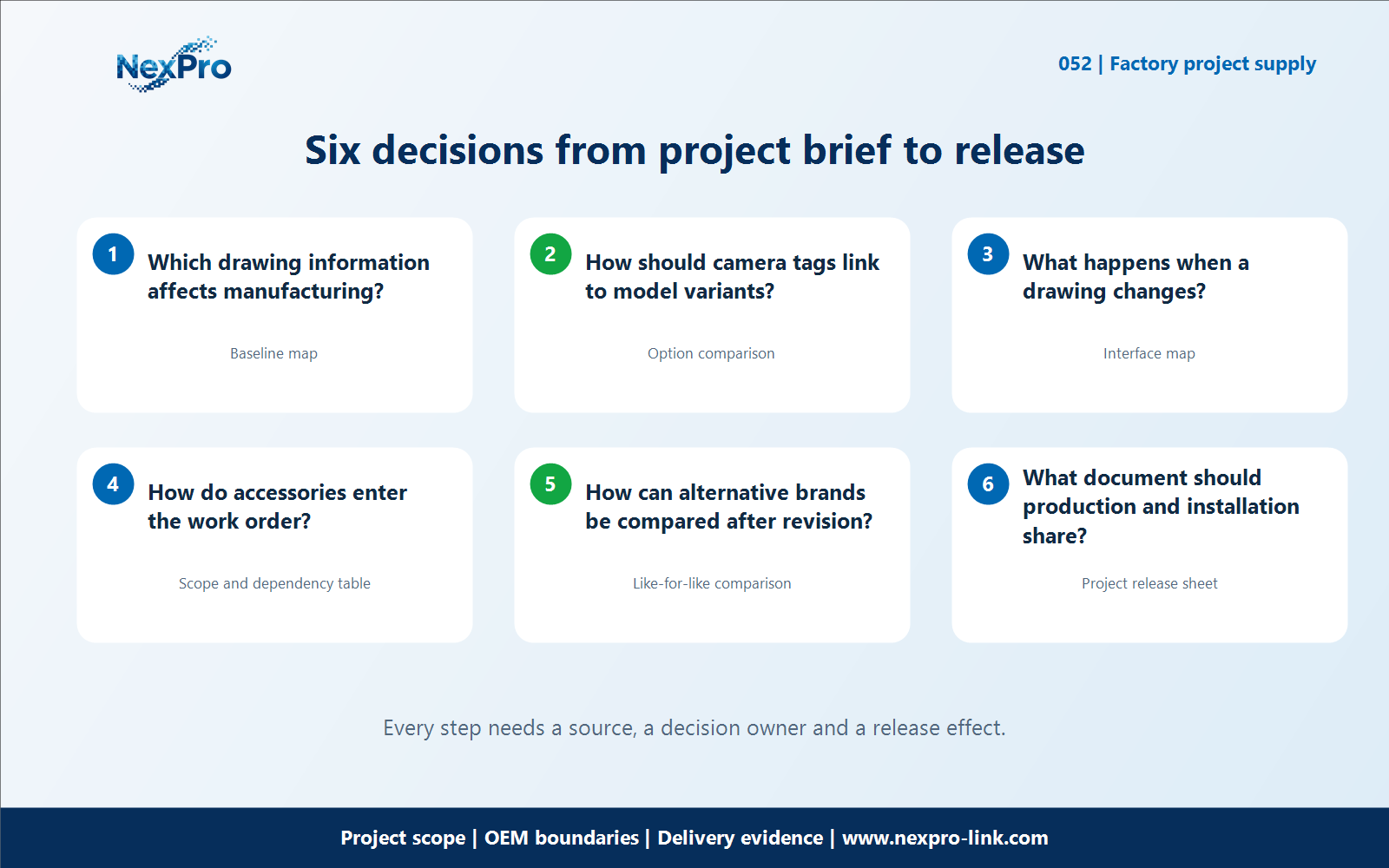
Which drawing information affects manufacturing?
A building design changes after the first quotation: two entrances are relocated and one cable closet moves to a different floor. Extract the drawing details that alter the supplied item: mounting interface, camera identity, lens option, environment and accessory requirement. Preserve the drawing revision so a production decision can be traced back to the design that caused it.
For the "Which drawing information affects manufacturing" decision, use the baseline map fields Area or item, Required task, Current assumption, Decision owner. Apply it to drawings to CCTV factory work order so the buyer, supplier and local integrator can see which input is confirmed, who owns it and which evidence remains open.
Evaluate which drawing information affects manufacturing against the stated site task and the surrounding equipment, documentation, packing and handover dependencies for drawings to CCTV factory work order. For which drawing information affects manufacturing in drawings to CCTV factory work order, record the confirmed condition, chosen option and remaining evidence separately; an open value is not a price, test, approval or customer-result claim.
Carry the which drawing information affects manufacturing decision into the RFQ, BOQ, configuration or release record for drawings to CCTV factory work order. For which drawing information affects manufacturing in drawings to CCTV factory work order, name the equipment, artwork, network, installation and acceptance owner; site-specific work remains with the buyer or integrator unless the signed scope says otherwise.
Section 02
How should camera tags link to model variants?
How should camera tags link to model variants? Use a point-to-model mapping before summarizing quantities. Several camera tags may share one product configuration, but their floor, accessory and packing destinations can differ. Keep both the purchasing total and the individual installation references. For From Construction Drawings to CCTV Factory Work Orders, keep this decision tied to the same project brief rather than opening a separate generic specification exercise.
For the "How should camera tags link to model variants" decision, use the option comparison fields Position or option, Suitable condition, Trade-off, Next choice. Apply it to drawings to CCTV factory work order so the buyer, supplier and local integrator can see which input is confirmed, who owns it and which evidence remains open.
Evaluate how should camera tags link to model variants against the stated site task and the surrounding equipment, documentation, packing and handover dependencies for drawings to CCTV factory work order. For how should camera tags link to model variants in drawings to CCTV factory work order, record the confirmed condition, chosen option and remaining evidence separately; an open value is not a price, test, approval or customer-result claim.
Carry the how should camera tags link to model variants decision into the RFQ, BOQ, configuration or release record for drawings to CCTV factory work order. For how should camera tags link to model variants in drawings to CCTV factory work order, name the equipment, artwork, network, installation and acceptance owner; site-specific work remains with the buyer or integrator unless the signed scope says otherwise.
Section 03
What happens when a drawing changes?
What happens when a drawing changes? Classify each revision as an addition, deletion, relocation or specification change. A relocated camera may need a new bracket or label rather than another camera. Price and schedule the actual differences instead of restarting the whole package. For From Construction Drawings to CCTV Factory Work Orders, keep this decision tied to the same project brief rather than opening a separate generic specification exercise.
For the "What happens when a drawing changes" decision, use the interface map fields Device or record, Input, Output, Responsible party. Apply it to drawings to CCTV factory work order so the buyer, supplier and local integrator can see which input is confirmed, who owns it and which evidence remains open.
Evaluate what happens when a drawing changes against the stated site task and the surrounding equipment, documentation, packing and handover dependencies for drawings to CCTV factory work order. For what happens when a drawing changes in drawings to CCTV factory work order, record the confirmed condition, chosen option and remaining evidence separately; an open value is not a price, test, approval or customer-result claim.
Carry the what happens when a drawing changes decision into the RFQ, BOQ, configuration or release record for drawings to CCTV factory work order. For what happens when a drawing changes in drawings to CCTV factory work order, name the equipment, artwork, network, installation and acceptance owner; site-specific work remains with the buyer or integrator unless the signed scope says otherwise.
| Project question | Project-oriented treatment | Keep equal when comparing offers |
|---|---|---|
| Which drawing information affects manufacturing? | Extract the drawing details that alter the supplied item: mounting interface, camera identity, lens option, environment and accessory requirement. | Exact configuration and accessory scope |
| How should camera tags link to model variants? | Use a point-to-model mapping before summarizing quantities. | Preparation versus on-site work |
| What happens when a drawing changes? | Classify each revision as an addition, deletion, relocation or specification change. | Branding process and artwork scope |
| How do accessories enter the work order? | Attach the supplied mounting accessories to the relevant camera configuration. | Delivery and support responsibilities |
Section 04
How do accessories enter the work order?
How do accessories enter the work order? Attach the supplied mounting accessories to the relevant camera configuration. List site-provided fixings and installation materials separately. This avoids an apparently complete device order arriving without the hardware needed for its approved mounting arrangement. For From Construction Drawings to CCTV Factory Work Orders, keep this decision tied to the same project brief rather than opening a separate generic specification exercise.
For the "How do accessories enter the work order" decision, use the scope and dependency table fields Item, Included, Dependency, Separate option. Apply it to drawings to CCTV factory work order so the buyer, supplier and local integrator can see which input is confirmed, who owns it and which evidence remains open.
Evaluate how do accessories enter the work order against the stated site task and the surrounding equipment, documentation, packing and handover dependencies for drawings to CCTV factory work order. For how do accessories enter the work order in drawings to CCTV factory work order, record the confirmed condition, chosen option and remaining evidence separately; an open value is not a price, test, approval or customer-result claim.
Carry the how do accessories enter the work order decision into the RFQ, BOQ, configuration or release record for drawings to CCTV factory work order. For how do accessories enter the work order in drawings to CCTV factory work order, name the equipment, artwork, network, installation and acceptance owner; site-specific work remains with the buyer or integrator unless the signed scope says otherwise.
Section 05
How can alternative brands be compared after revision?
How can alternative brands be compared after revision? Reissue the same revised schedule to every bidder. Keep unchanged equipment separate from changed lines, and compare the revised totals on that basis. Otherwise a lower quotation may simply describe the previous drawing and a smaller scope. For From Construction Drawings to CCTV Factory Work Orders, keep this decision tied to the same project brief rather than opening a separate generic specification exercise.
For the "How can alternative brands be compared after revision" decision, use the like-for-like comparison fields Requirement, Baseline, Proposed treatment, Remaining difference. Apply it to drawings to CCTV factory work order so the buyer, supplier and local integrator can see which input is confirmed, who owns it and which evidence remains open.
Evaluate how can alternative brands be compared after revision against the stated site task and the surrounding equipment, documentation, packing and handover dependencies for drawings to CCTV factory work order. For how can alternative brands be compared after revision in drawings to CCTV factory work order, record the confirmed condition, chosen option and remaining evidence separately; an open value is not a price, test, approval or customer-result claim.
Carry the how can alternative brands be compared after revision decision into the RFQ, BOQ, configuration or release record for drawings to CCTV factory work order. For how can alternative brands be compared after revision in drawings to CCTV factory work order, name the equipment, artwork, network, installation and acceptance owner; site-specific work remains with the buyer or integrator unless the signed scope says otherwise.
Engineering references
These sources support the general planning principles. Always use the selected product's current datasheet and applicable project standards for final design.