

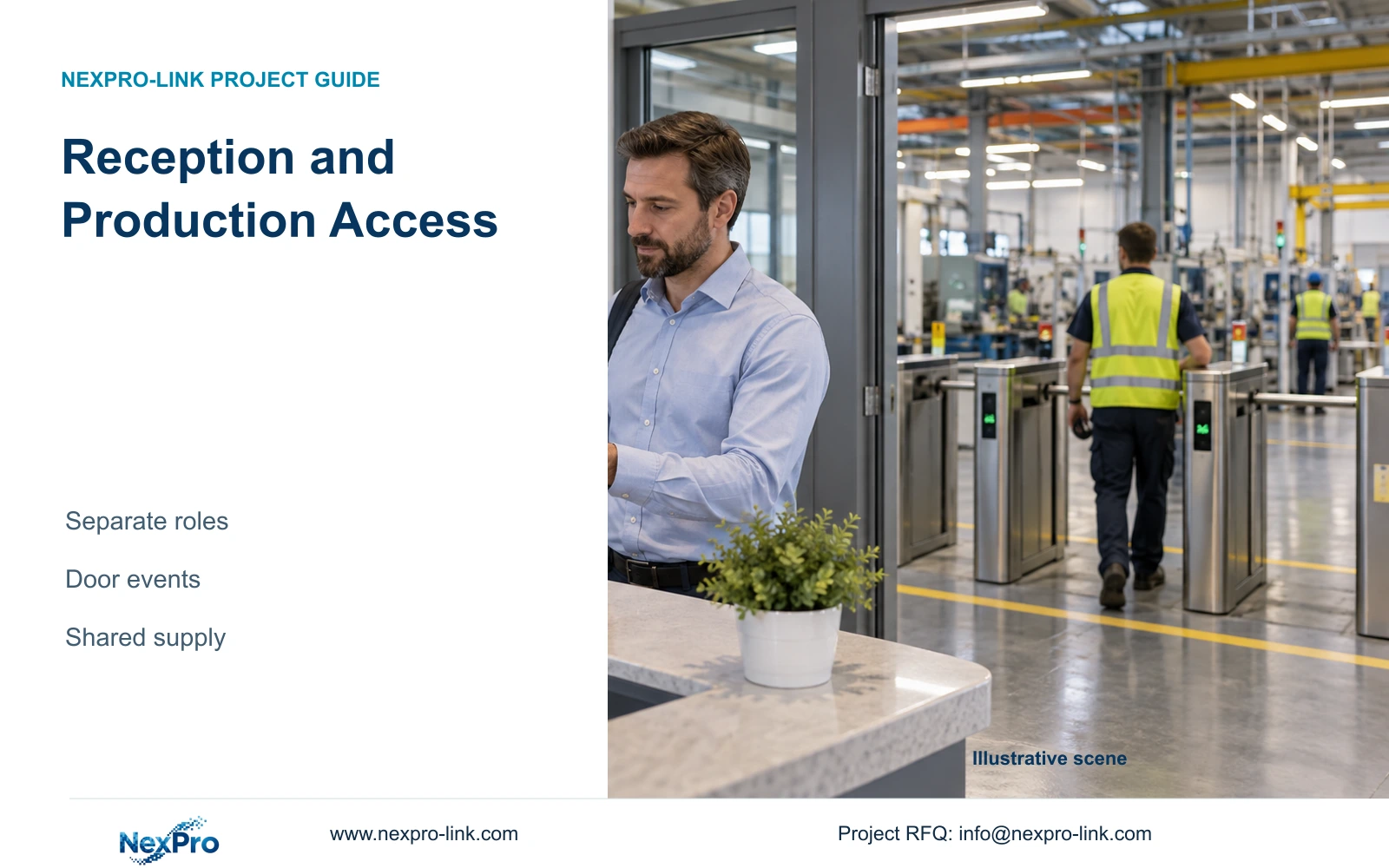
Reception CCTV and production access control can share a procurement schedule while keeping visitor permissions, employee credentials and system responsibilities separate.
Section 01
Assign visitor and employee authority before combining equipment
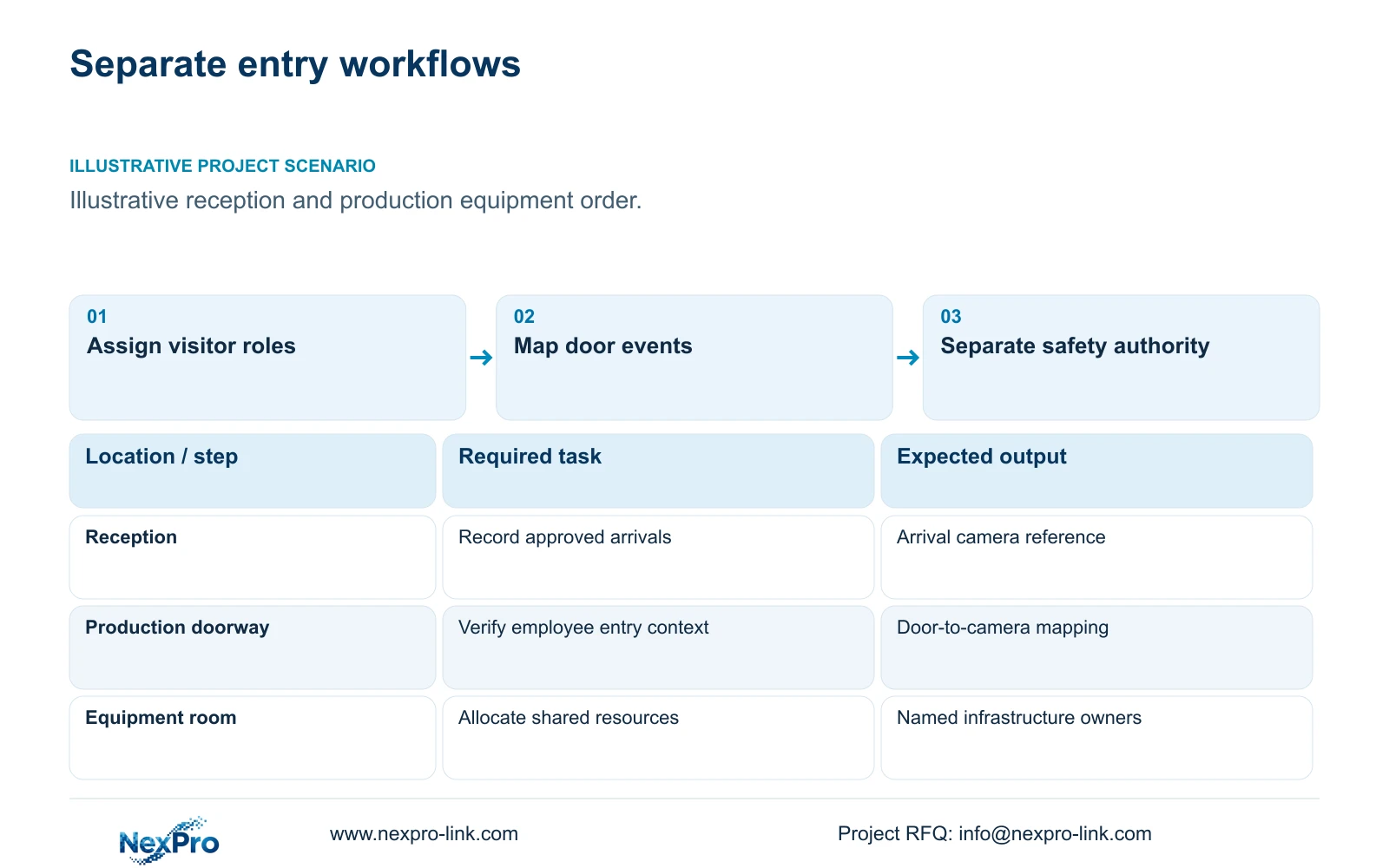
Factory reception and production access should use separate operating workflows, even when the equipment comes through one supplier. Reception staff need to manage arrivals and approved visitor routes; production access owners decide who may enter operational areas. CCTV reviewers need permission to retrieve relevant footage. Combining these responsibilities into one general security account makes the approval boundary difficult to explain and harder to test.
Illustrative project scenario: A factory wants reception CCTV and production access control in the same order. Assume visitors report to a reception desk, employees enter through a separate production doorway, and both systems use an accessible equipment room. These are planning assumptions. The engineer should mark the visitor waiting area, escorted route and employee threshold separately, then identify which department approves each activity.
Start the schedule with the task and its authority, rather than a list of devices. A reception camera may document arrival without creating a visitor credential. A door reader may record an access decision without providing a usable image of the person approaching. The owner should approve those separate outcomes before procurement combines cameras, controllers, network equipment and related services.
Section 02
Map each door event to a usable camera reference
Give every controlled doorway a stable door identifier and every relevant view a camera identifier. Record the viewing direction, the expected movement and the responsible event source. For the illustrative reception route, the arrival view and production threshold view serve different searches. An investigator should be able to use the door schedule to find the correct recording without assuming that a software integration already exists.
The baseline can use a documented camera-and-time lookup. Additional integration becomes useful when the owner needs an approved door event to open a corresponding video view or search result. Specify the event type, timestamp source, permitted user and expected response. The access-control contractor and CCTV integrator must confirm the actual interface and firmware behavior; ONVIF profile support alone does not establish a complete door-event workflow.
For a suitable ordinary-area threshold, the NexPro-BL2812M55-5MP-DIC-AI is a camera candidate with a 2.8–12mm motorized lens and listed 2880×1620 output in its 5MP family specification. Select its position around the required doorway width and lighting. Neither the family label nor the lens range establishes recognition at a particular distance.
Section 03
Keep door safety decisions with the responsible specialists
The interface schedule should distinguish observation, access authorization and life-safety behavior. CCTV may supply visual context for an approved event, but the order should not assign escape-lock operation or fire interlocks to a camera supplier by implication. The local door, access-control and life-safety teams should verify applicable requirements and agree the door behavior independently.
Use a named owner for every handoff. In this scenario, the access-control contractor supplies and configures the production controller, the owner retains credential approval, and the CCTV integrator configures recording and authorized retrieval. Any alarm-to-video connection remains an optional interface until its source, destination and acceptance test are defined. This allocation also identifies who investigates a failed event.
Shared equipment needs equally explicit allocation. The network owner approves switch configuration and permitted traffic; the electrical contractor confirms the actual protected circuits. A shared UPS or cabinet does not transfer responsibility for lock power, controller batteries or approved door release. Those items need their own demand, outage behavior and maintenance scope.
Section 04
Choose integration only for an approved operator task
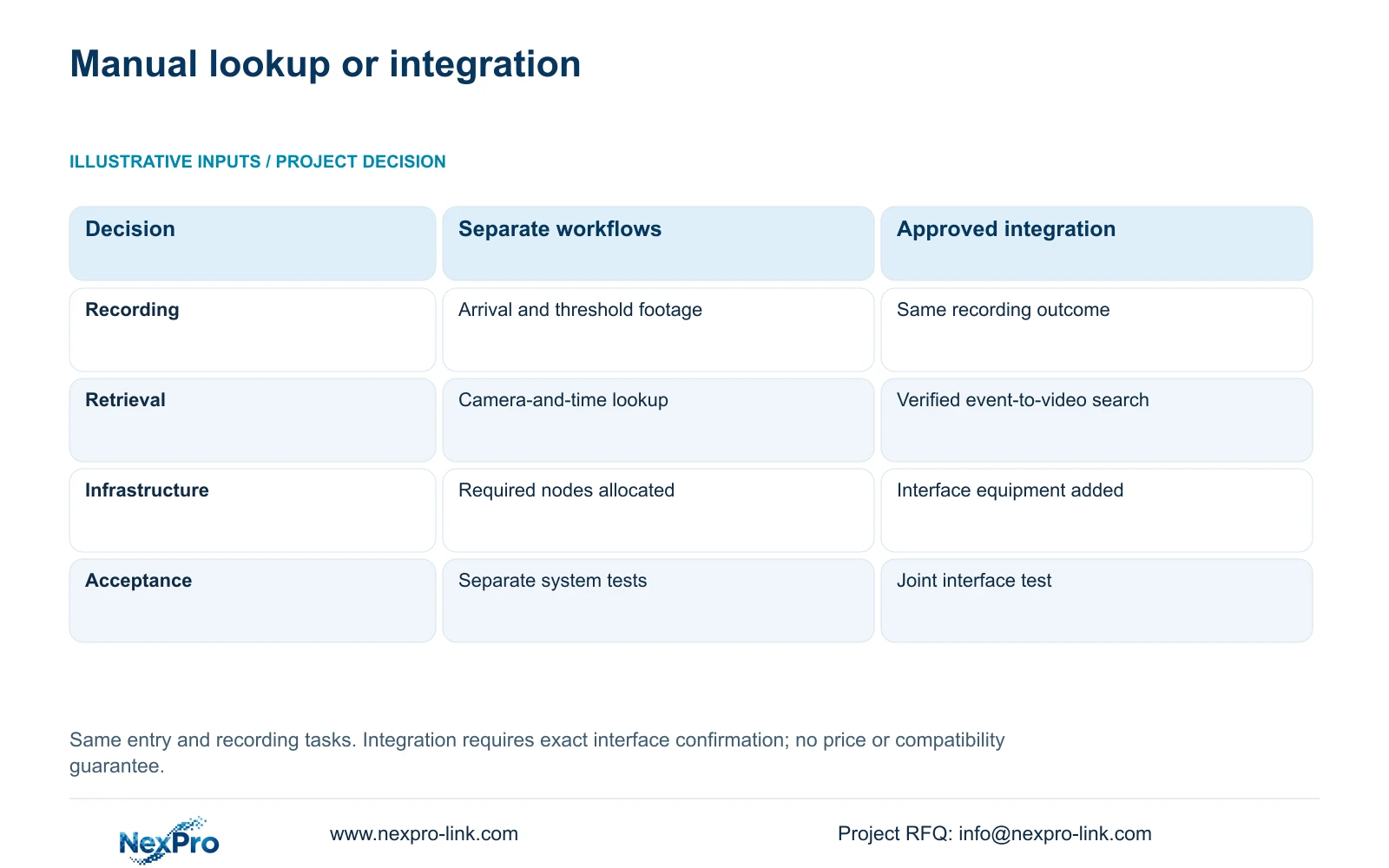
Option A below is a complete recording and access package with a documented manual lookup. Option B retains the same recording outcome and adds a verified event-to-video workflow. Assign each item as supplied, retained, installer-provided or optional, with one responsible owner per interface. Unknown interface work must remain visible rather than becoming an assumed zero-cost inclusion.
The decisive difference is the operator workflow. Option B requires interface configuration, testing and ongoing version coordination. It is justified when staff must retrieve footage from a specific door event and the selected systems can demonstrate that task. Buying equipment together does not establish this capability, and adding a management server without a tested use case creates another dependency.
CASE08 provides an illustrative infrastructure pattern: four independent 32-camera building nodes retain local recording and separate access roles while sharing approved fibre. Reception viewing can follow that pattern without granting access to every building. The park total is 128 cameras, but it does not determine the camera quantity for this reception task.
| Decision | Option A: separate workflows | Option B: approved integration |
|---|---|---|
| Recording outcome | Arrival and threshold footage retained | Same footage and retention |
| Equipment identity | Exact models and door/camera tags | Same plus identified interface components |
| Network and power | Camera, controller and recorder nodes allocated | Additional interface equipment included |
| Operator access | Role-limited manual time lookup | Role-limited event-to-video retrieval |
| Procurement responsibility | Separate configurations and acceptance tests | Named interface owner and joint test |
Section 05
Protect the recording baseline when scope changes
Use Option A unless the owner identifies a retrieval task that needs Option B. It preserves arrival evidence, employee threshold recording and independent credential administration. Compare alternative brand proposals against those same outcomes. A proposal that includes necessary integration or local commissioning should keep that scope visible in the comparison instead of being reduced to camera unit prices.
Check shared resources at the actual node. In CASE08, each 32-camera node assumes 4 Mbps per camera, producing 128 Mbps of recorder input. Its 30-day video requirement is 41.472 TB against a 48.64 TB recording budget from four 16 TB disks after the stated formatting and free-space allowances. These illustrative figures describe the node, not spare capacity automatically available to a new reception camera.
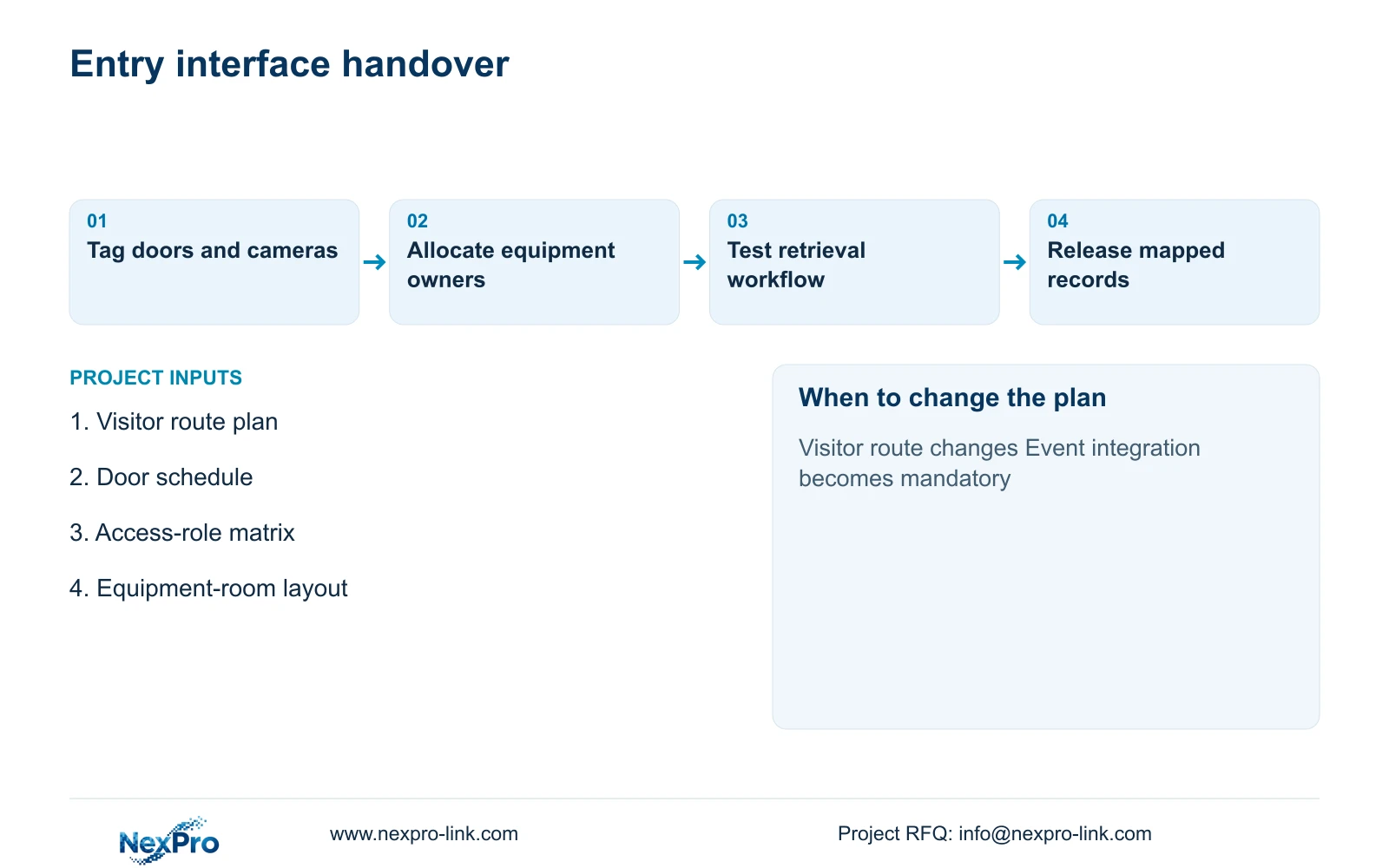
Revisit the selection when a visitor route changes, a production door moves or an additional interface becomes mandatory. Added cameras affect storage, PoE and cabling; added servers affect network and protected power. Ordinary operator displays remain a viewing branch. A display wall is unnecessary unless the guard workflow requires simultaneous views beyond the existing workstation.
Section 06
Issue one coordinated schedule with separate acceptance records
The procurement package should join the door schedule, camera schedule and shared-equipment allocation through common project tags. Include exact model identity, mounting accessories, recorder assignment, cable endpoint and configuration owner. Reception and production items can share shipment planning while keeping their acceptance criteria and authorized users distinct.
NexPro-Link can discuss CCTV model matching, BOQ preparation, relevant technical documents and coordination of related equipment. Project labels or OEM packaging can identify reception and production batches, helping installers place the correct unit without exposing credentials on cartons. Local installation, controller programming and final interface approval should be assigned separately in the quotation.
Before release, demonstrate arrival recording, production-threshold playback and the approved retrieval method using the proposed configuration. For an integrated option, include an unavailable-event or disconnected-interface test and confirm how staff continue searching local footage. Retain the accepted door-to-camera mapping with the handover records so later replacements do not silently break it.
Section 07
Buyer questions
Can we place CCTV and access control on one purchase order? Yes, provided the order separates equipment, configuration, interface work and acceptance responsibility. Shared commercial coordination should not create shared administrator credentials or imply that door programming is included in the CCTV price.
What if the owner requires an existing access-control brand? Retain that requirement and quote the permitted CCTV and infrastructure scope around it. Any proposed integration should identify the exact interface and who supports it after a firmware or controller change.
Must reception staff have production-camera access? Only if their approved task requires it. A reception role can be limited to arrival views while production footage remains available to a separately authorized reviewer.
Section 08
Define the reception and production package
Send your visitor and employee route plan, door schedule, access-role matrix and shared equipment-room layout to info@nexpro-link.com for a coordinated equipment and interface scope.
Engineering references
These sources support the general planning principles. Always use the selected product's current datasheet and applicable project standards for final design.


