

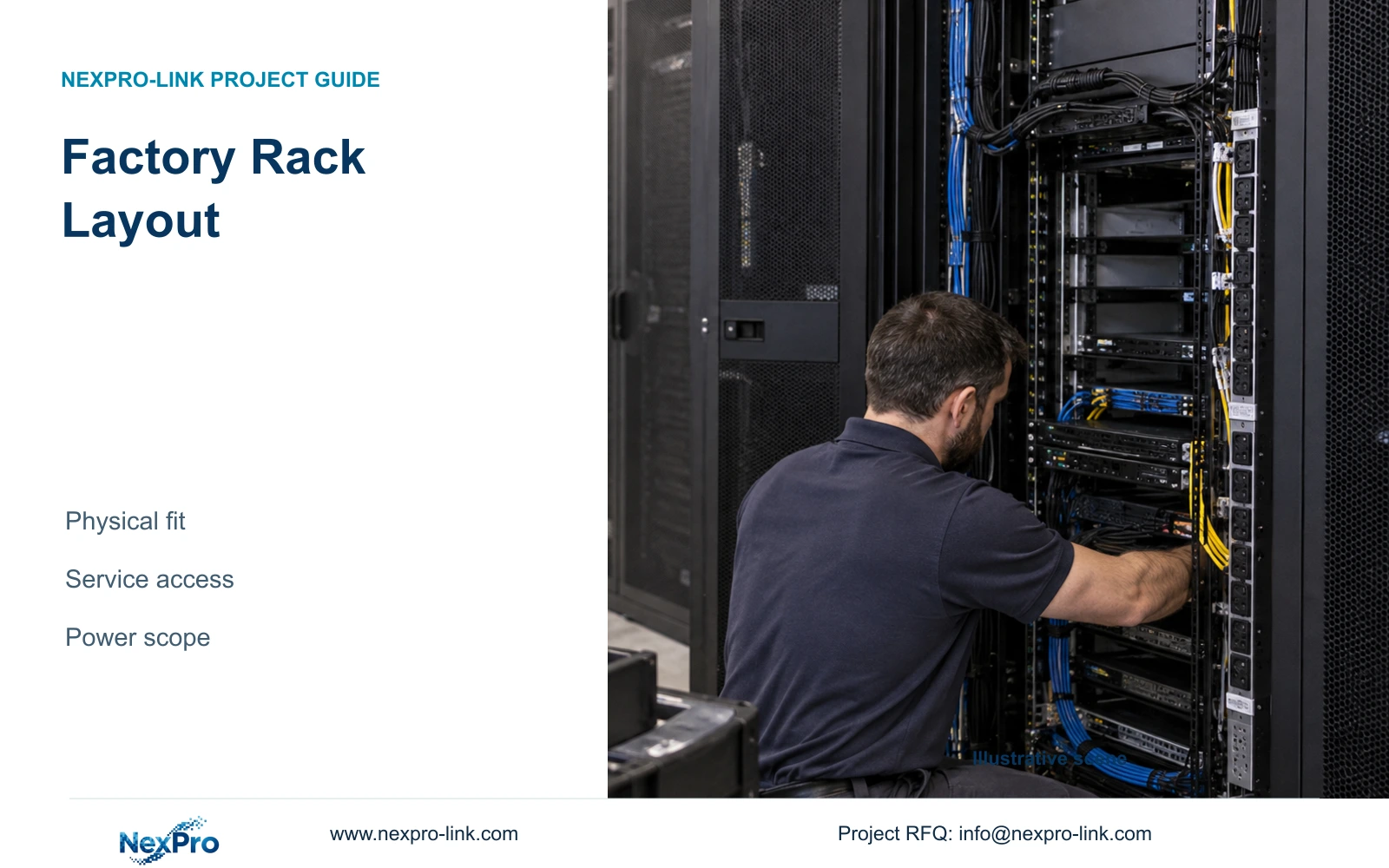
Review removal of the largest serviceable item without disconnecting unrelated required equipment. Record door clearance, lifting/support responsibility and cable access with the elevation.
Section 01
Approve equipment fit beyond nominal rack height
Review removal of the largest serviceable item without disconnecting unrelated required equipment. Record door clearance, lifting/support responsibility and cable access with the elevation. Where replacement needs dismantling adjacent services, price and schedule that interruption. Free rack units do not establish a practicable service operation.
Approve a factory rack layout only after checking equipment depth, installed weight, mounting method, service access, power distribution and operating environment alongside U count. In the supplied teaching example, an 18U cabinet meets the stated vertical reserve while a 15U cabinet does not. Neither cabinet is fully approved by that calculation.
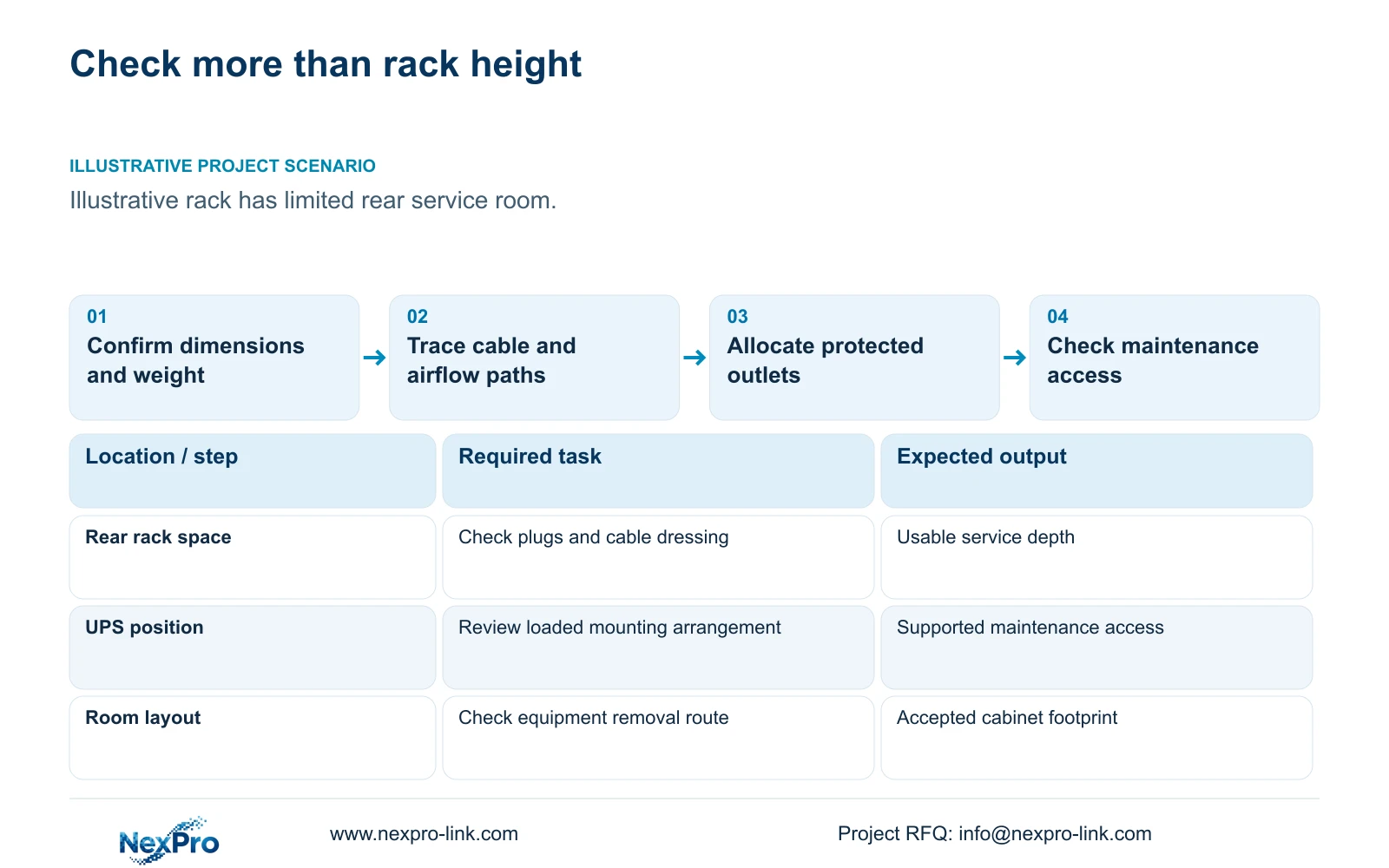
Illustrative project scenario: The proposed rack has enough nominal U space but leaves little rear access or cable-management room. Assume the engineer is coordinating recorders, a UPS, switches and patching equipment in an ordinary factory service room. The initial layout shows front elevations, but exact rail positions, rear connectors and maintenance clearances remain unconfirmed.
Obtain the selected equipment drawings and loaded weights, including drives, battery configuration, rails and any shelves. Compare usable mounting depth rather than external cabinet depth alone. Check the room footprint and access route as well: a deeper cabinet may fit the equipment but obstruct servicing or delivery. Keep those checks open until exact products and the intended mounting arrangement are known.
Section 02
Reserve usable cable and airflow paths
Show cable entry and dressing space in a side or plan view, not only the front elevation. Trace copper bundles, fibre connections and power cords to their actual interfaces. Use the selected components' handling requirements when allocating bends and slack. Extra front-panel space does not demonstrate that cables can be connected behind the equipment.
Record each device's airflow direction and required clearance from its installation documentation. Arrange the cabinet so cable bundles and stored slack do not occupy those paths. Ask the building-services team to assess the suitable room environment and equipment heat load; no cooling capacity or allowable temperature rise can be derived from the generic U allocations.
CASE01 illustrates the associated cabling workload: 32 module-ended links would require 64 modules under its two-module assumption, with 32 cabinet-side positions. SP5648 is a Cat6 48-port panel reference, and DT968MX is a Cat6 tool-less module. Their category and port roles do not establish rack depth, shielding suitability or the quantity of cable-management hardware needed in this particular layout.
Section 03
Allocate distribution and backup equipment as separate constraints
List every powered item and its intended outlet. Check the PDU's proposed connections, mounting position and accessible disconnection arrangement against the selected equipment. A vertical PDU may avoid consuming front U positions yet still obstruct connectors or maintenance access. A horizontal arrangement needs its own space allocation rather than disappearing from the elevation.
CASE01's recording-priority option assumes a complete protected load of 682.7407 W. Its optional four-panel LCD and decoder arrangement raises that to 1,262.7407 W while retaining the original operator equipment. These are illustrative system demands. The additional display equipment may be physically outside the rack, so its power scope and its rack-space contribution must be assessed separately.
The source UPS capacity references are SP1KR(S), 1kVA/900W; SP2KR(S), 2kVA/1800W; and SP3KR(S), 3kVA/2700W. Exact batteries, physical dimensions, weight and supported installation conditions must match the selected variant. Capacity ratings do not establish cabinet fit or runtime. Confirm how the UPS and batteries can be serviced without requiring an unplanned removal of the equipment above them.
Section 04
Calculate occupied U and define the reserve purpose
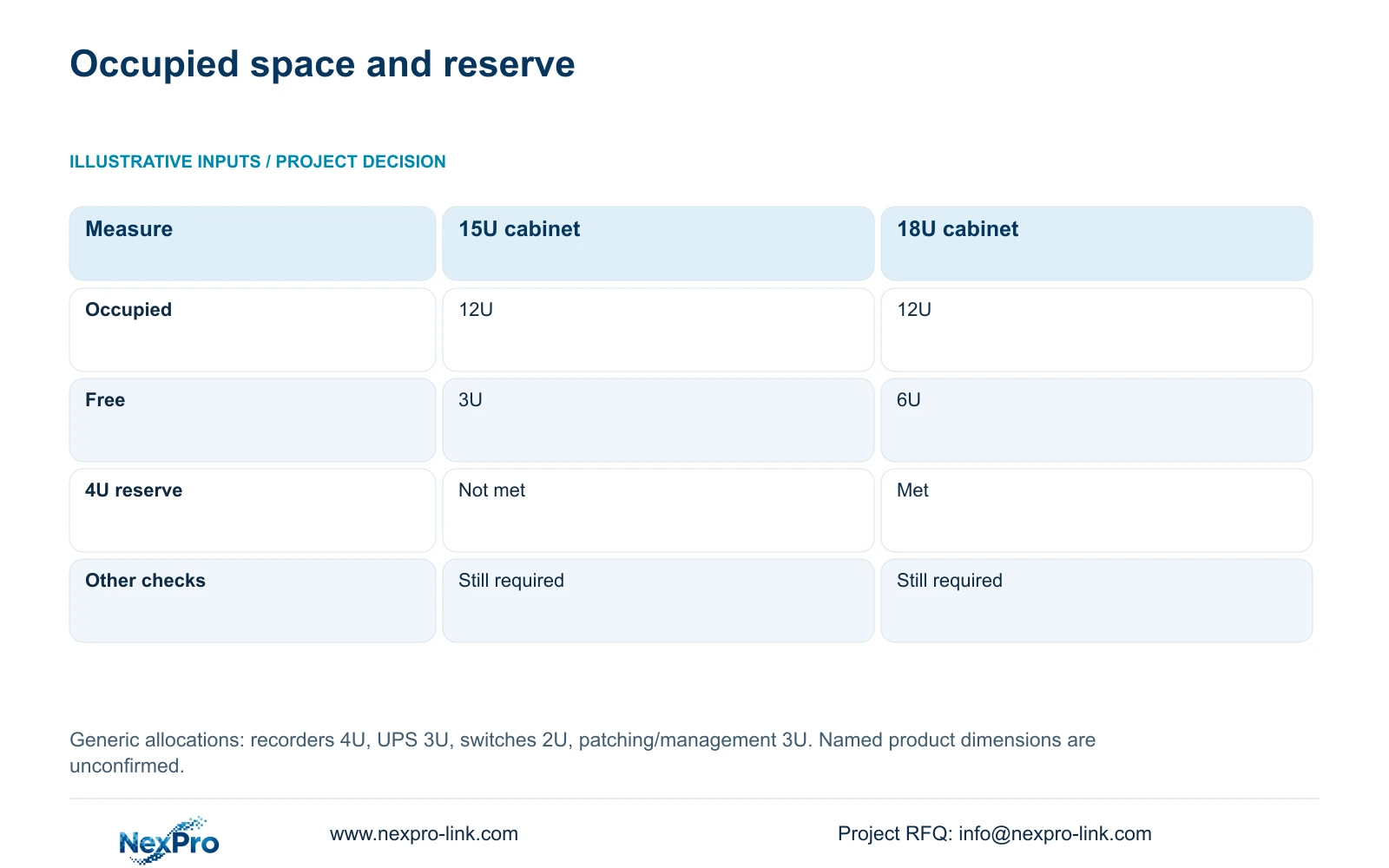
The generic teaching inputs are recorders 4U, UPS 3U, switches 2U and patching plus management 3U. occupied_U = sum(device_U) = 4 + 3 + 2 + 3 = 12U. The desired free reserve is 4U, so planned_min_U = 12 + 4 = 16U. These values are not dimensions of named NexPro-Link products.
A 15U cabinet leaves 15 - 12 = 3U, below the stated 4U reserve. An 18U cabinet leaves 18 - 12 = 6U and meets that planning target. Select the 18U candidate for further review on this basis. Its two additional free U beyond the target should remain identified rather than being silently filled with accessories omitted from the original schedule.
Define whether the reserve is for future equipment, planned service spacing or both. A future device also brings depth, weight, connections and load requirements. If the generic 3U management allocation does not cover the actual proposed accessories, revise occupied U first. Empty positions cannot compensate for inadequate rails, unsuitable shelves or a room that prevents rear access.
| Measure | 15U candidate | 18U candidate |
|---|---|---|
| Occupied equipment space | 12U | 12U |
| Cabinet height | 15U | 18U |
| Free space | 3U | 6U |
| Meets 4U reserve | No | Yes |
| Full suitability | Other checks remain | Other checks remain |
Section 05
Choose a cabinet around the maintenance operation
Prefer the 18U candidate for the supplied equipment and reserve assumptions, provided it passes physical and environmental review. Keep the 15U option only if the owner accepts a revised reserve or the verified equipment schedule changes. Do not remove necessary cable management simply to make the smaller cabinet meet a front-elevation target.
Walk through the likely service operations with the local installer: accessing recorder drives, replacing a switch, reaching optical interfaces and servicing the UPS configuration. Identify which work needs the front, rear or side of the cabinet. Verify room access and any equipment removal route using the actual selected products, without inventing a universal clearance dimension.
A different cabinet depth, floor-standing arrangement or separate battery location may be appropriate when the exact equipment cannot be serviced in the original footprint. Price the associated supports, power connections and installation work as part of the revision. A larger U count alone is an incomplete remedy when rear access or installed load is the real limiting condition.
Section 06
Issue an elevation with physical and electrical schedules
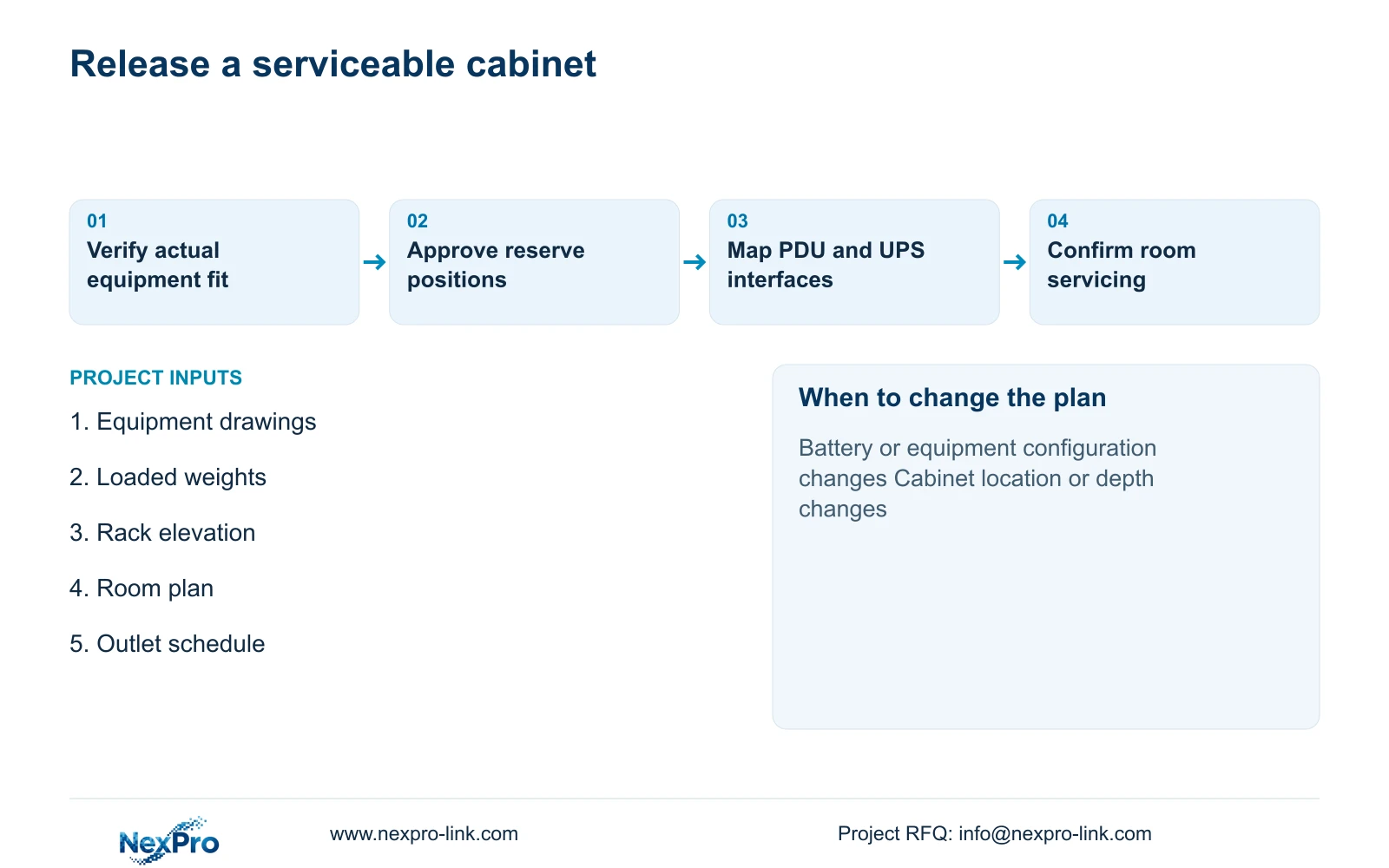
The procurement package should include the rack elevation, plan or side view, exact equipment schedule, mounting accessories and outlet allocation. Identify the accepted reserve and show which items are outside the cabinet. Keep dimensions and weights marked provisional until the proposed models and configurations are confirmed.
NexPro-Link's BOQ support can coordinate the relevant CCTV, cabling and UPS references with the package boundary. Its product roles do not replace local verification of cabinet loading, room access, electrical installation and cooling. Require alternate proposals to show changes in rails, shelves, rear depth and distribution rather than returning only a cabinet-height substitution.
Keep the cable takeoff synchronized with the cabinet position. CASE01's 1,872 m and seven-reel copper plan assumes its stated routes; moving the rack can change those lengths. At release, the equipment layout, connection labels, continuous-cut schedule and local installation scope should carry the same revision so the cabinet arrives with a usable plan rather than a nominal capacity claim.
Section 07
Buyer questions
Can wall mounting be approved from the equipment weight total? The total is an input, not the approval. Verify the cabinet, mounting arrangement and supporting construction with the responsible local team using the actual installed configuration.
Does a vertical PDU mean no space is needed? It may use no front U positions, but its body, cords and plugs still need physical room and service access. Include it in the plan and side-view checks.
Should a future UPS battery be included in the 4U reserve? Only after its exact configuration, dimensions, mounting and service requirements are known. The generic reserve does not establish that any battery expansion will fit.
Section 08
Review the cabinet before release
Send your equipment dimensions and loaded weights, rack and room layout, outlet schedule and required expansion reserve to info@nexpro-link.com to discuss the coordinated cabinet equipment scope.
Engineering references
These sources support the general planning principles. Always use the selected product's current datasheet and applicable project standards for final design.


