Keep door position, transfer direction, lighting state and actual recording configuration with each approved sample. Reproduce those conditions for a substitute model, then add the owner's other critical states.
Section 01
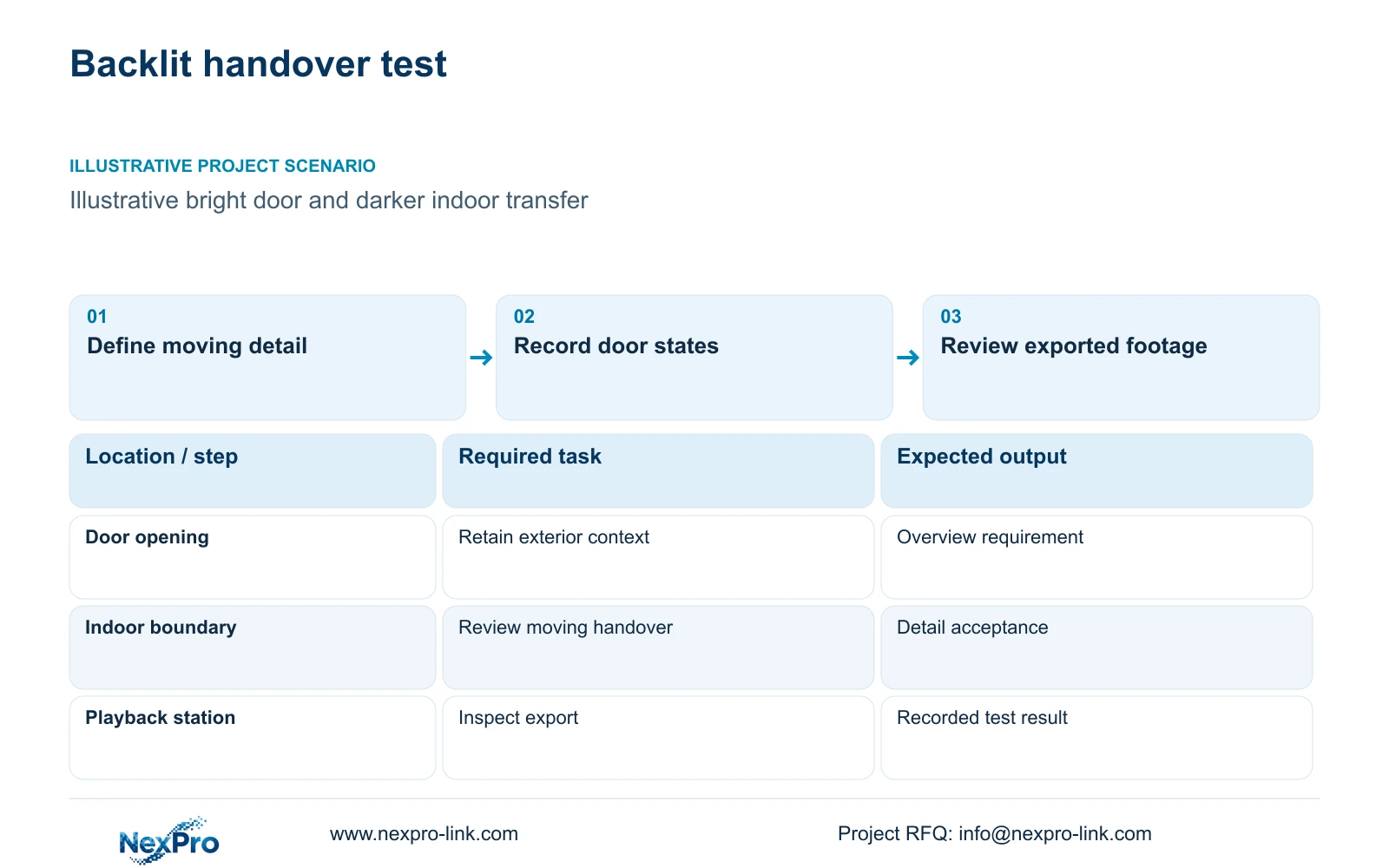
Specify the moving detail that must survive backlight
Keep door position, transfer direction, lighting state and actual recording configuration with each approved sample. Reproduce those conditions for a substitute model, then add the owner's other critical states. If only an edited still or different scene is available, retain the comparison as unresolved rather than transferring acceptance between unlike trials.
Select factory loading-door cameras by the required recorded-image task and exact model evidence. Preserve the distinction between Digital WDR and documented multi-exposure WDR. Neither name alone establishes that a moving handover remains usable when the doorway is bright and the transfer area is darker.
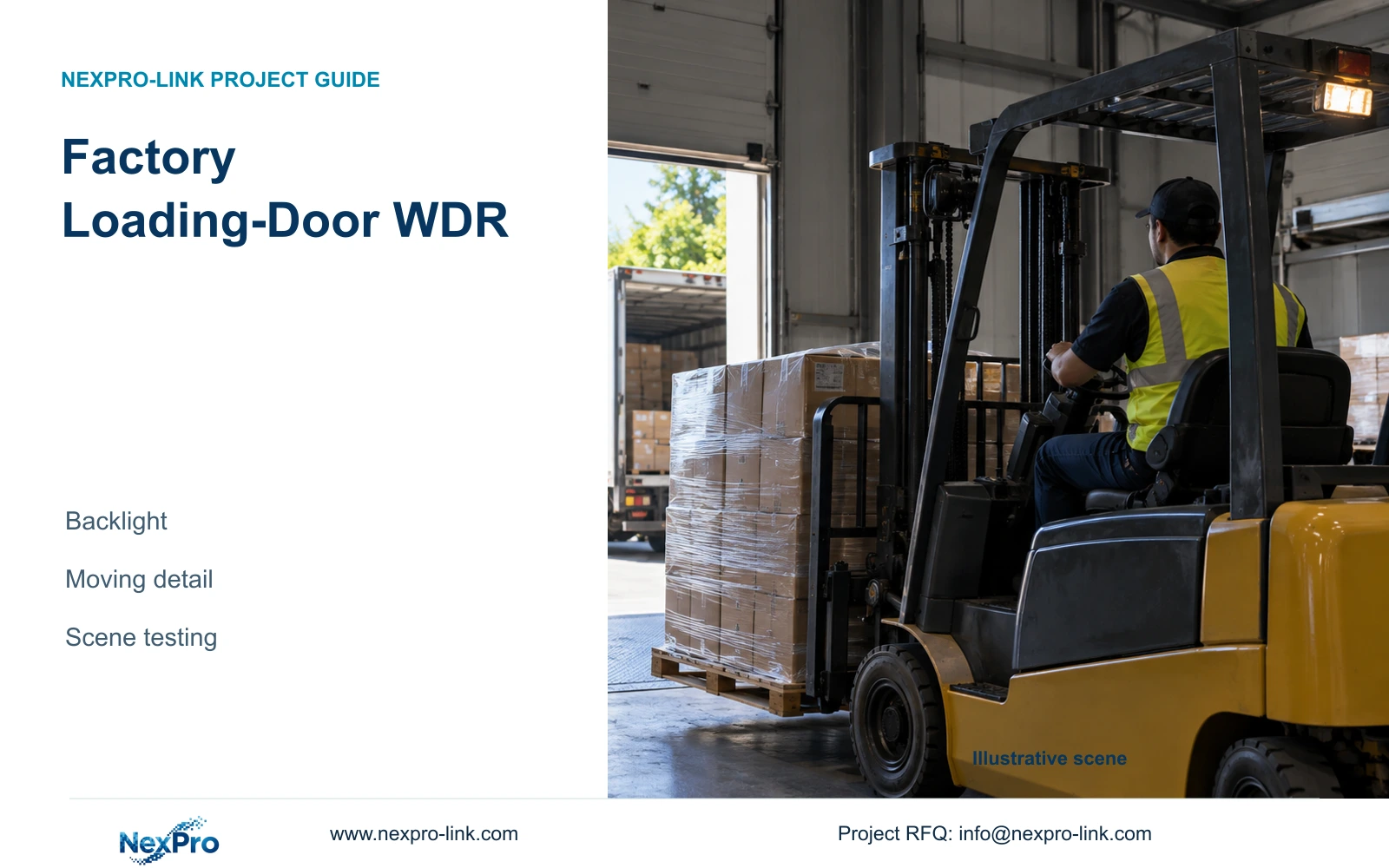
Illustrative project scenario: A loading door opens to bright daylight while the goods-transfer point remains inside. Within the supplied CNC factory reference, assume one dispatch view must show a package passing between two authorised parties. The owner needs the transfer sequence and relevant visible detail, while the engineer must qualify the doorway conditions. This is a hypothetical acceptance task.
Mark which part of the image matters most. If the decision concerns the indoor handover, do not approve a sample simply because the outdoor yard looks well exposed. State whether exterior context must also remain readable, and whether one view can reasonably satisfy both requirements from the proposed position.
Section 02
Keep the stated WDR method visible in the submittal
Request the exact camera's stated WDR method, applicable output mode and relevant settings. If the evidence says Digital WDR, retain that wording. If a supplier proposes a multi-exposure method, ask for model-specific documentation and representative recordings. Axis's Wide Dynamic Range paper explains why the distinction matters: digital contrast enhancement does not extend the captured dynamic range, while merging sequential exposures can introduce ghosting around moving objects. These are general method limitations, not proof of a particular NexPro-Link implementation. An unanswered specification field should remain unresolved rather than become an assumed upgrade.
The supplied BL2812M specification supports ordinary-area candidates with documented lens and output fields: the 5MP-family model lists 2880×1620, and the 8MP model lists 3840×2160 at 25 fps. Those fields help establish test geometry. The supplied evidence here does not establish a particular multi-exposure WDR capability or comparative loading-door result.
Separate compliance with a specified method from acceptance of the scene. A tender may require both. If a proposed alternative changes the method, record a deviation for the buyer's decision even if a sample appears promising. Conversely, a matching label should not bypass the recorded moving-target test.
Section 03
Test the door through its actual operating states
Prepare an authorised trial covering the door closed, partly open and fully open, with the transfer occurring at the agreed boundary. Include representative bright-day and night-shift conditions. Keep target width, camera position and movement comparable between candidates, and use the recording settings proposed for the project.
Review playback and exported footage rather than relying solely on a live preview. Ask the reviewer to answer the actual handover question and record failures, such as lost indoor detail or an unusable moving object. Keep configuration notes beside each sample so the team can reproduce a successful setting.
The owner approves the evidence task, the engineer defines the test and the installer confirms the position. The supplier provides the exact model evidence and proposed settings. Carry the result into a qualified mixed-model schedule: general dispatch overview supplied, critical doorway candidate conditional on trial, and any lighting or mounting work assigned separately.
Section 04
Calculate motion during exposure before blaming WDR
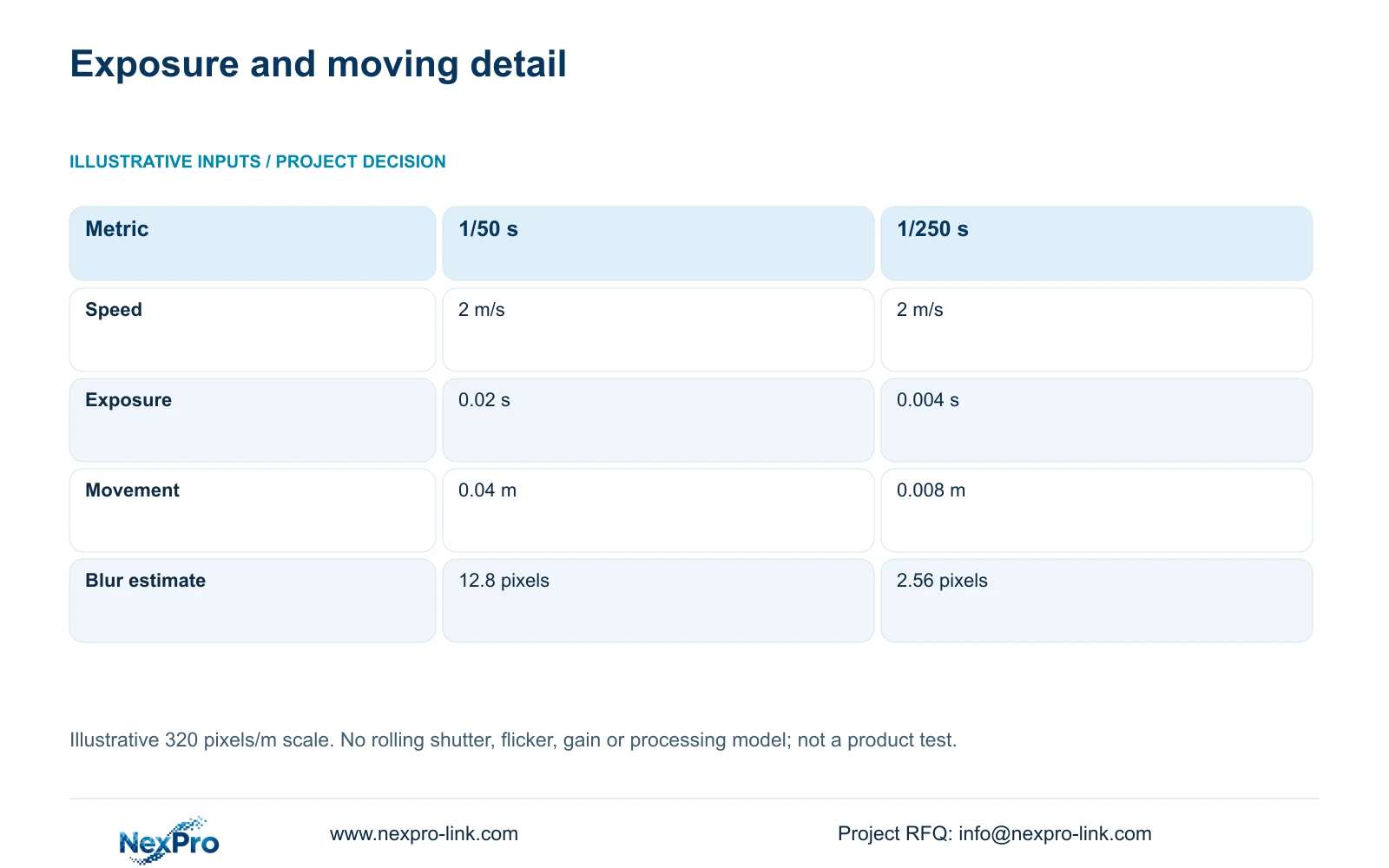
The illustrative motion calculation assumes a target speed of 2 m/s and an image scale of 320 pixels/m. Movement_m = speed_m_s × exposure_s; estimated_blur_px = movement_m × pixels_per_m. At 1/50 s, or 0.02 s, the target travels 0.04 m, corresponding to 12.8 pixels.
At 1/250 s, or 0.004 s, movement is 0.008 m and the geometric blur estimate is 2.56 pixels. Exposure duration changes the estimate by a factor of five while speed and scale remain fixed. A higher frame-rate setting alone does not produce this shorter exposure.
The shorter exposure changes light requirements, so evaluate the darker transfer area again at that setting. The calculation does not model rolling shutter, flicker, gain or processing, and it is not a camera test. Its purpose is to show why a still backlit sample cannot establish usable detail during a moving transfer.
| Metric | Longer exposure | Shorter exposure |
|---|---|---|
| Target speed | 2 m/s | 2 m/s |
| Exposure | 1/50 s = 0.02 s | 1/250 s = 0.004 s |
| Movement | 0.04 m | 0.008 m |
| Geometric blur estimate | 12.8 pixels | 2.56 pixels |
Section 05
Change the view or lighting when processing is insufficient
Prefer the candidate that passes the defined moving-image task with its documented configuration. If neither passes, review camera angle, target width and available lighting before approving a more expensive model solely on a WDR label. A dedicated indoor detail view may separate the handover task from the bright exterior overview.
Price those alternatives as complete scopes. A camera substitution, revised bracket, additional view and lighting modification create different equipment and installation work. The cost manager should compare each against the same required evidence, with current quotations and any operating restrictions retained.
The CNC reference includes six dispatch cameras within a 32-view system. Adding a dedicated doorway view requires a channel and resource review; replacing an existing view requires confirmation that its original context survives. The reference recorder's channel capacity does not establish every decoding or mixed-resolution configuration, so keep those checks explicit.
Section 06
Tie procurement approval to a reproducible scene test
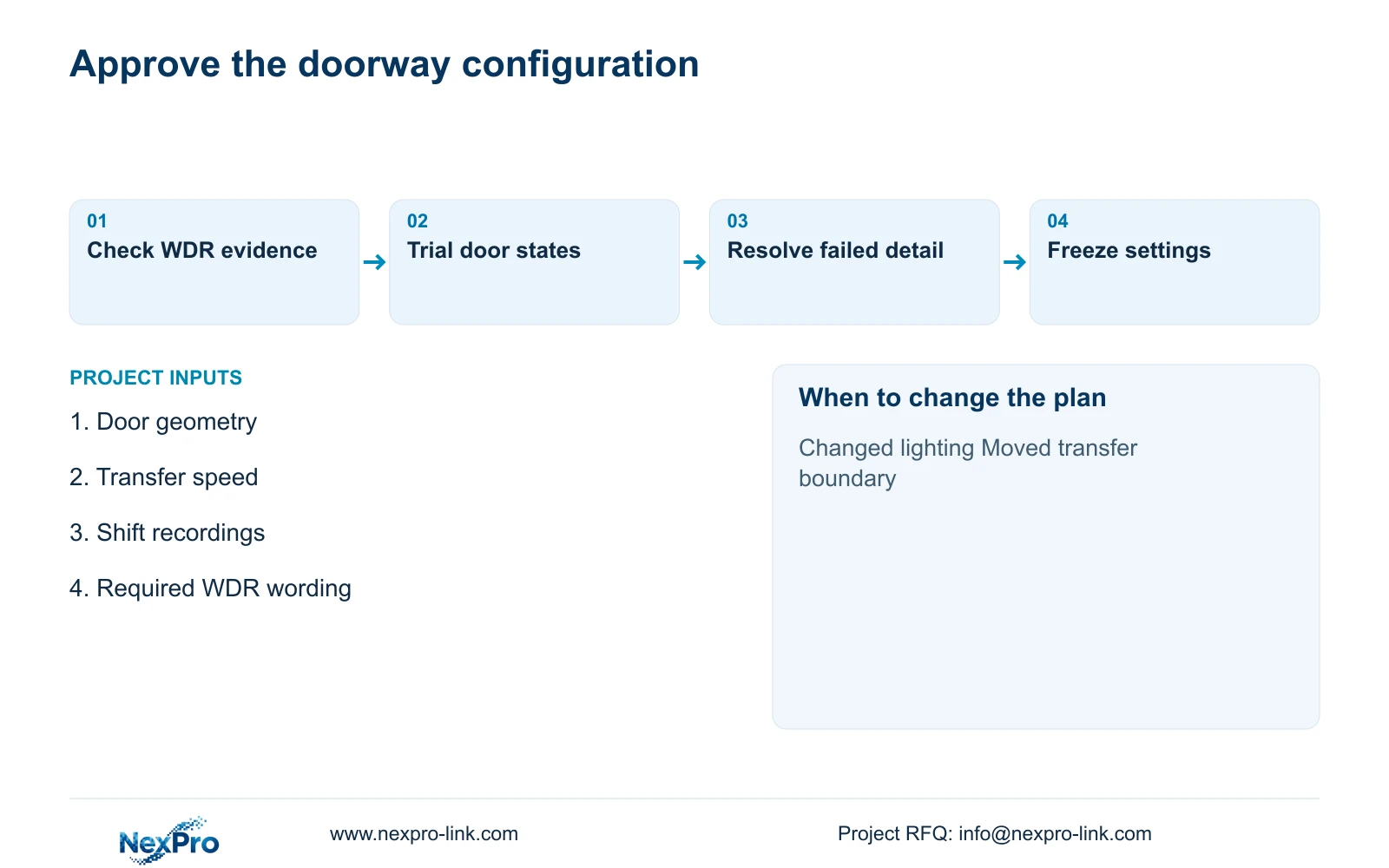
Attach the accepted door-state recordings, model identity and configuration to the technical schedule. Record the required WDR wording exactly, alongside exposure limits, selected output and the tested geometry. The installer then has a concrete commissioning reference instead of a general instruction to improve the image.
NexPro-Link's BOQ and Tender Support scope can help organise model matching, technical documents and deviations. Its factory project supply scope can coordinate the ordinary CCTV package. Local lighting design, mounting work and final acceptance need named project responsibilities, especially where an alternative changes the agreed doorway arrangement.
Repeat the relevant test if the door orientation, shelter, transfer boundary or lighting changes. Preserve the previous accepted scope and list changed items separately. This limits unnecessary repricing while preventing a later construction change from leaving an apparently compliant camera with an unqualified recorded view.
Section 07
Buyer questions
Can a brightened screenshot qualify a loading-door camera? It can illustrate a setting, but it cannot establish the moving transfer result. Request the corresponding recording and configuration. Avoid treating an independently edited screenshot as evidence of the camera's proposed recording performance.
What if a tender explicitly requires multi-exposure WDR? Provide exact model evidence for that requirement or submit a clearly identified deviation. Scene acceptance and specification compliance are separate decisions. A successful Digital WDR sample does not silently satisfy a different stated method.
Section 08
Qualify the loading-door view
Send the door and transfer geometry, representative open-door recordings, required moving-detail task and tender WDR wording to info@nexpro-link.com for model matching and a focused scene-test scope.
Engineering references
These sources support the general planning principles. Always use the selected product's current datasheet and applicable project standards for final design.