Give each preservation request an owner, selected event boundary, readable-copy check and review date. Before closure, confirm where the independent copy remains and who may authorize its later disposal.
Section 01
Approve the event boundary before exporting footage
Give each preservation request an owner, selected event boundary, readable-copy check and review date. Before closure, confirm where the independent copy remains and who may authorize its later disposal. Closing an investigation does not automatically authorize deletion; extending every rolling recording is not the same as retaining the approved incident.
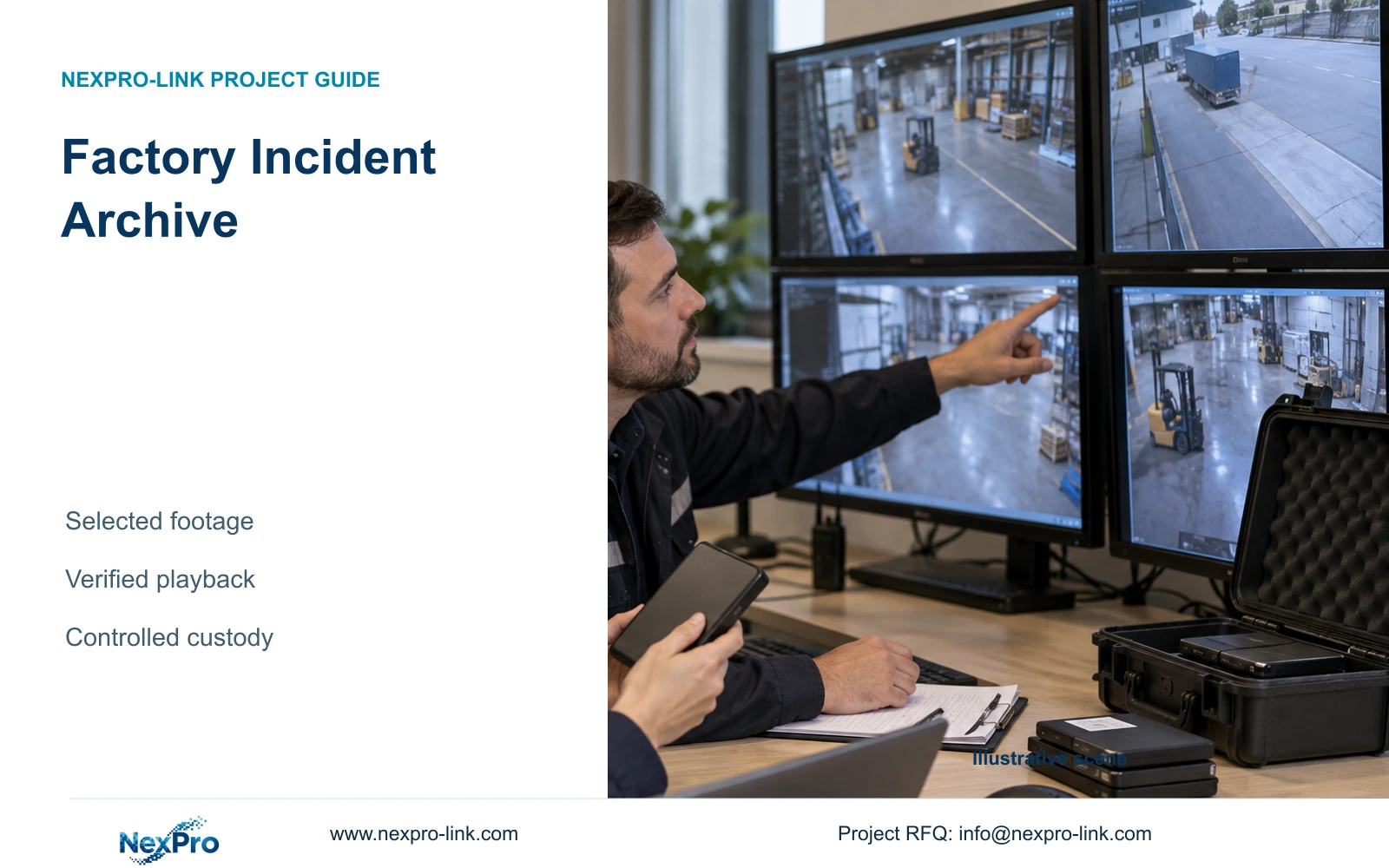
Build a factory incident archive around authorised events, selected camera views and agreed time windows. Preserve enough context to explain the event, verify the exported files, and place them under separate access and retention controls. Copying every continuous recording is a different requirement, with a different storage and recovery scope. The engineer should establish which service the owner actually needs before specifying additional equipment.
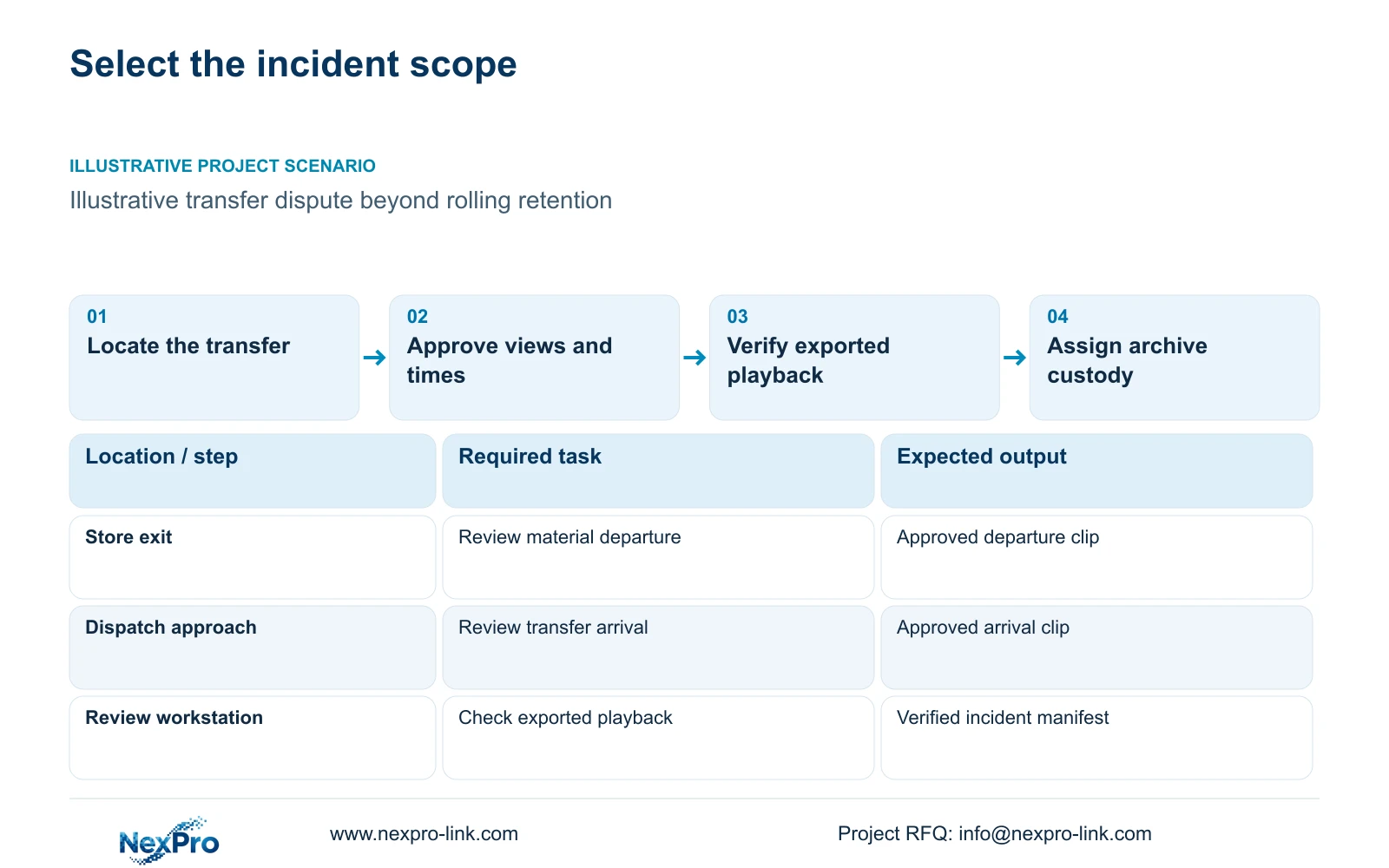
Illustrative project scenario: The owner of a planned 32-camera CNC factory needs selected clips retained longer than the routine overwrite period. Using CASE01 as a hypothetical system background, assume a material-transfer dispute involves a store exit and a dispatch approach. The reviewer initially requests eight views for an hour, then considers whether two relevant views covering ten minutes contain the complete event. These selections are planning assumptions, not findings from an actual incident.
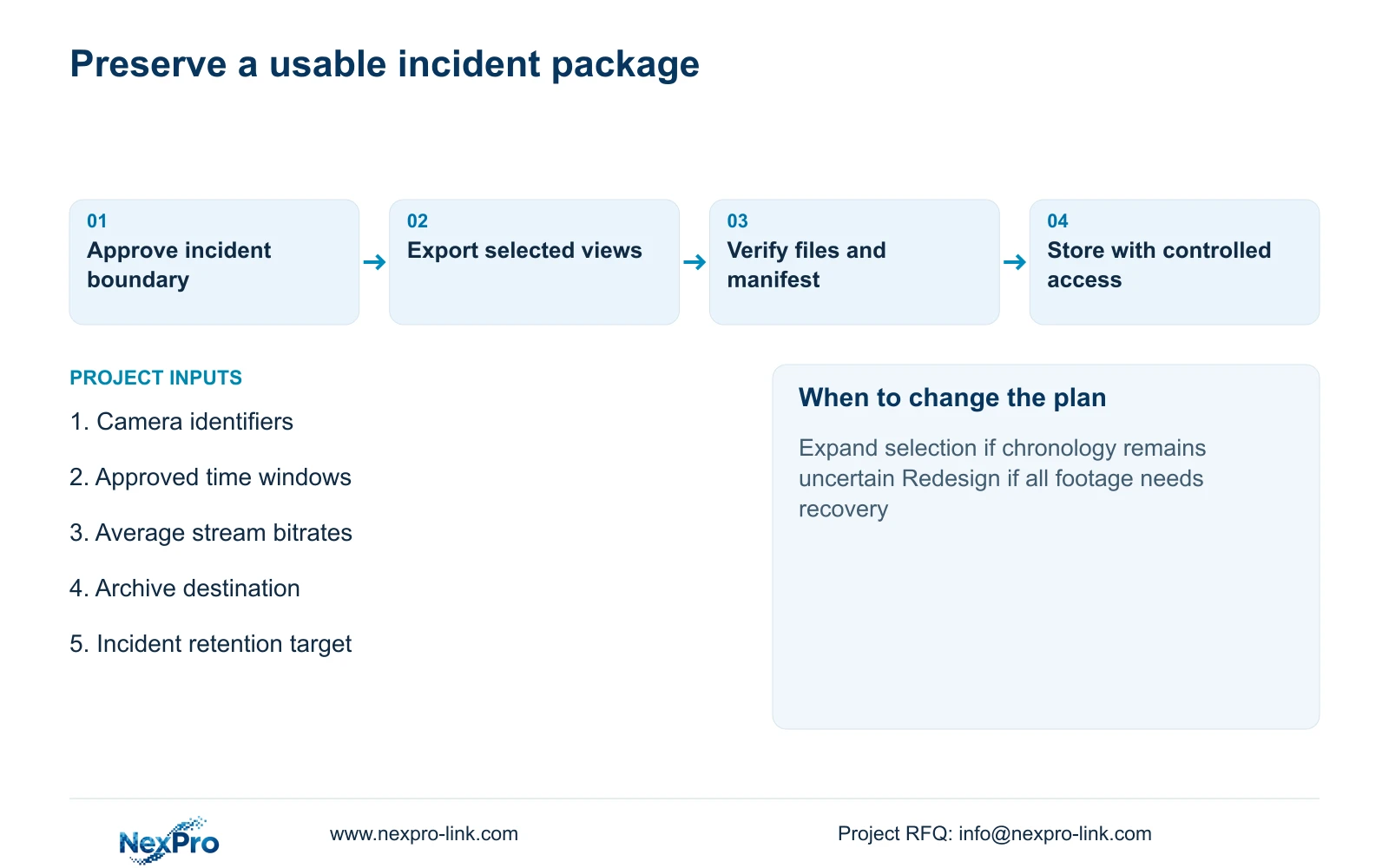
Have the authorised requester identify the incident reference, camera locations, start and end times, and the reason for preserving each view. Include the preceding and following activity where it establishes custody or explains a movement. If timing or the route remains uncertain, preserve a broader selection first. Narrowing an export before establishing the event boundary can remove the context the archive was intended to retain.
Section 02
Specify playback and access as archive requirements
An exported file is useful only when an authorised reviewer can locate and play it outside the recorder. Define the expected review workstation, export format, any required player and the permitted recipients. Request a representative export demonstration using the actual recorder model and firmware. A successful live view does not demonstrate that an exported incident package will work on the owner's review computer.
Use a controlled working copy for review and keep the preserved export separately. A practical manifest can list the incident reference, camera identifiers, requested time windows, exported filenames, export date and responsible operator. Record any known clock offset or missing interval rather than silently adjusting the account of the event. The handling record should let another authorised person reproduce the selection and understand what was copied.
Before accepting the package, check the beginning and end of each clip, seek through the event and confirm that the required views are present. If audio is required, verify its inclusion and playback separately. Give the archive custodian responsibility for access permissions and periodic retrieval checks. These project controls support reproducible handling; they do not establish a guaranteed legal evidence status.
Section 03
Keep the incident archive outside rolling capacity
Rolling retention answers how much recent continuous footage the recorder can keep before overwrite. Incident retention answers how long an approved selection must remain available after export. Give each its own capacity line and responsible owner. An archive copy left only on the same recorder disks does not provide a separate recovery location if that recorder or disk set becomes unavailable.
CASE01 assumes 32 cameras at an average 4 Mbps, continuous recording and a 30-day target. Its illustrative formula is video_TB = cameras × average_Mbps × 10^6 × 86400 × days / 8 / 10^12. The result is 41.472 TB of video. Four 16 TB drives provide 64 TB raw; applying the case's 95% formatting allowance and 20% free-space reserve gives 64 × 0.95 × 0.80 = 48.64 TB of video budget. Compare 41.472 TB directly with 48.64 TB, without adding the reserve again.
The NexPro-NVR4449-4K reference has four SATA bays supporting up to 18 TB per drive and a listed 320 Mbps input limit. Those fields inform the rolling-storage design, but they do not establish RAID, independent archiving or export performance. Specify the archive destination and its protection separately. Where parity, a hot spare or another storage arrangement is required, recalculate from that supported configuration rather than treating every installed terabyte as available video space.
Section 04
Calculate the payload from cameras and time
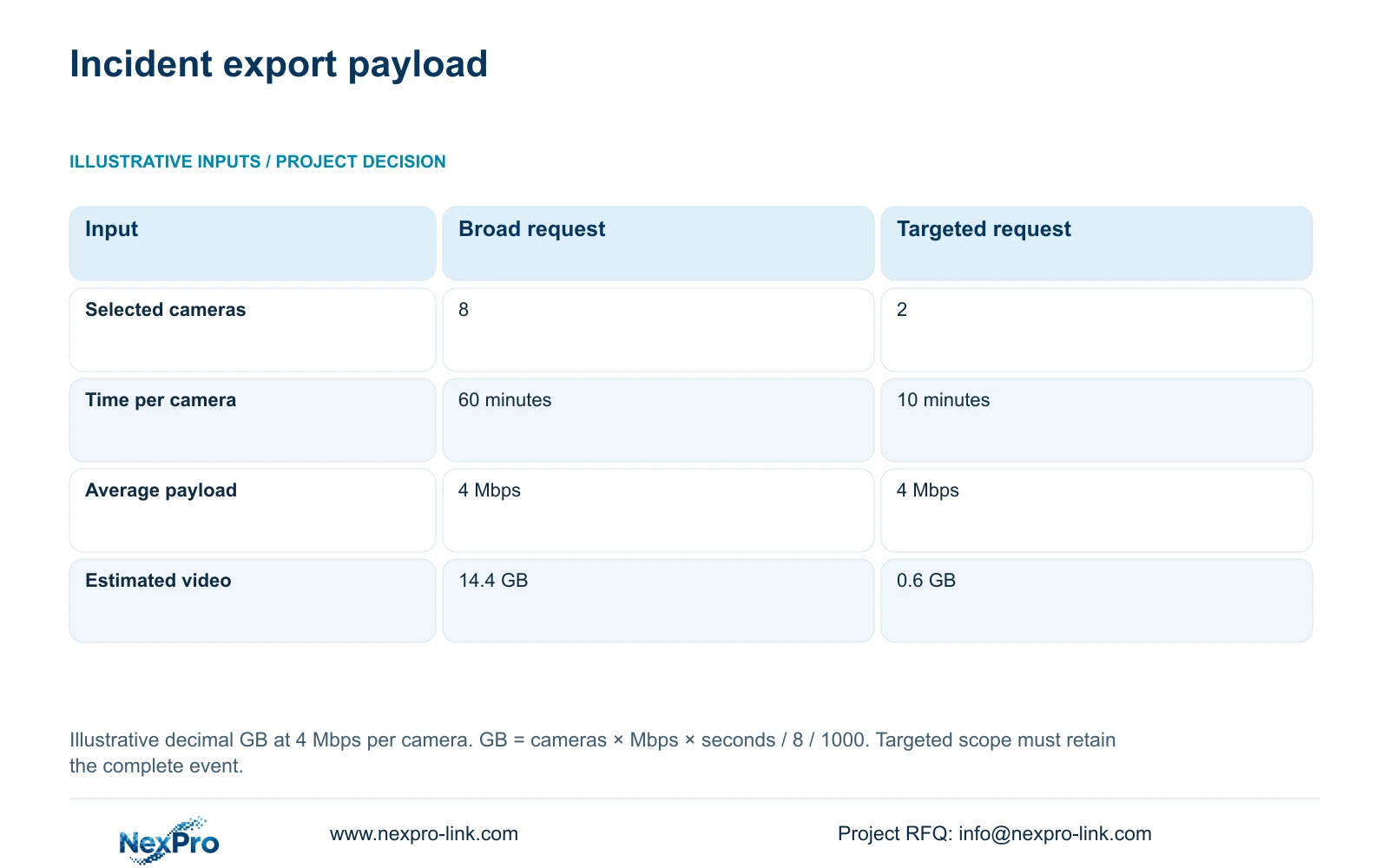
For the supplied export comparison, both options use an illustrative average video payload of 4 Mbps per camera. Option A selects eight cameras for 60 minutes each. Option B selects two relevant cameras for ten minutes each. Using decimal GB, the formula is GB = cameras × Mbps × seconds / 8 / 1000. It estimates selected video payload, not the complete size of every possible export package.
Option A therefore gives 8 × 4 × 3600 / 8 / 1000 = 14.4 GB. Option B gives 2 × 4 × 600 / 8 / 1000 = 0.6 GB. The decisive difference is the approved selection: fewer views and a shorter interval reduce the estimated payload. The targeted package is suitable only if those two views preserve the complete required event and its necessary context.
Use the calculation to check destination capacity and the proposed handling method. Add actual audio, metadata, player files or other package contents where applicable. Neither result establishes export duration or staff-time savings, since recorder behaviour, destination performance and review tasks remain separate inputs. If the reviewer discovers an earlier handover or another route, revise the selection and recalculate before closing the incident package.
| Selection input | Option A: broad request | Option B: targeted request |
|---|---|---|
| Cameras selected | 8 | 2 |
| Minutes per camera | 60 minutes | 10 minutes |
| Average video payload | 4 Mbps per camera | 4 Mbps per camera |
| Estimated video payload | 14.4 GB | 0.6 GB |
Section 05
Choose targeted archiving when the event is understood
Recommend targeted incident exports when the owner has established the relevant views and time boundary. Preserve the agreed material in a controlled destination with a manifest and verified playback. This keeps the archive focused on incidents that need extended retention while the recorder continues its separate rolling schedule. The owner must also define when archived incidents can be reviewed, released or deleted.
Choose a broader export when chronology, camera coverage or the material route remains unresolved. Continuous duplication becomes appropriate when the actual requirement is recovery of all footage after a recorder failure, rather than preservation of selected incidents. That change requires a separate architecture review, including the recording path, capacity, access and recovery procedure. A small incident archive cannot be offered as an equivalent substitute.
Compare supplier proposals against the same export and recovery tasks. Separate archive media, review software, setup, verification and ongoing custody from recorder purchase costs. Keep a required owner platform or brand-specific workflow where it is necessary. Without matched quotations and demonstrated exports, a lower equipment price does not establish a lower total archive cost.
Section 06
Make the archive workflow an accepted deliverable
The procurement schedule should identify the retained recorder, supplied archive destination, review computer and any required player or interface. Assign export operation to an authorised site role and archive custody to the owner's nominated team. The installer or technical service provider should demonstrate the agreed workflow, while the owner approves selection authority and retention policy. This prevents an unassigned storage device from being mistaken for a complete archive service.
Ask for an acceptance package containing a sample incident export, its manifest, playback results and instructions for retrieval. Keep configuration changes separate from preservation work so that formatting, disk replacement or recorder maintenance cannot accidentally dispose of the only required copy. NexPro-Link's BOQ and tender support can help coordinate model matching, technical documents and quotation scope. Final archive approval and local service responsibilities remain with the appointed project parties.
Section 07
Buyer questions
Can one USB device serve as the complete incident archive? It may be a transfer medium, but a complete archive also needs an assigned custodian, controlled access, a retention decision and a recovery arrangement. Decide whether another preserved copy is needed before treating removable media as the final destination.
Should reviewers receive only converted video files? Confirm the review requirement first. A convenient review format may be useful, but retain the approved original export package where required by the owner's procedure. Document conversion and verify the resulting playback rather than assuming both packages contain identical information.
Does extending recorder retention remove the need for archiving? Longer rolling retention can provide more time to discover an incident. It still has an overwrite boundary. Selected events that must outlast that boundary need a separate preservation decision and an accessible destination.
Section 08
Define your incident archive scope
Send your camera-and-time selection requirements, group bitrates and recording hours, rolling and incident retention targets, and current disk layout with the proposed archive destination to info@nexpro-link.com.
Engineering references
These sources support the general planning principles. Always use the selected product's current datasheet and applicable project standards for final design.