

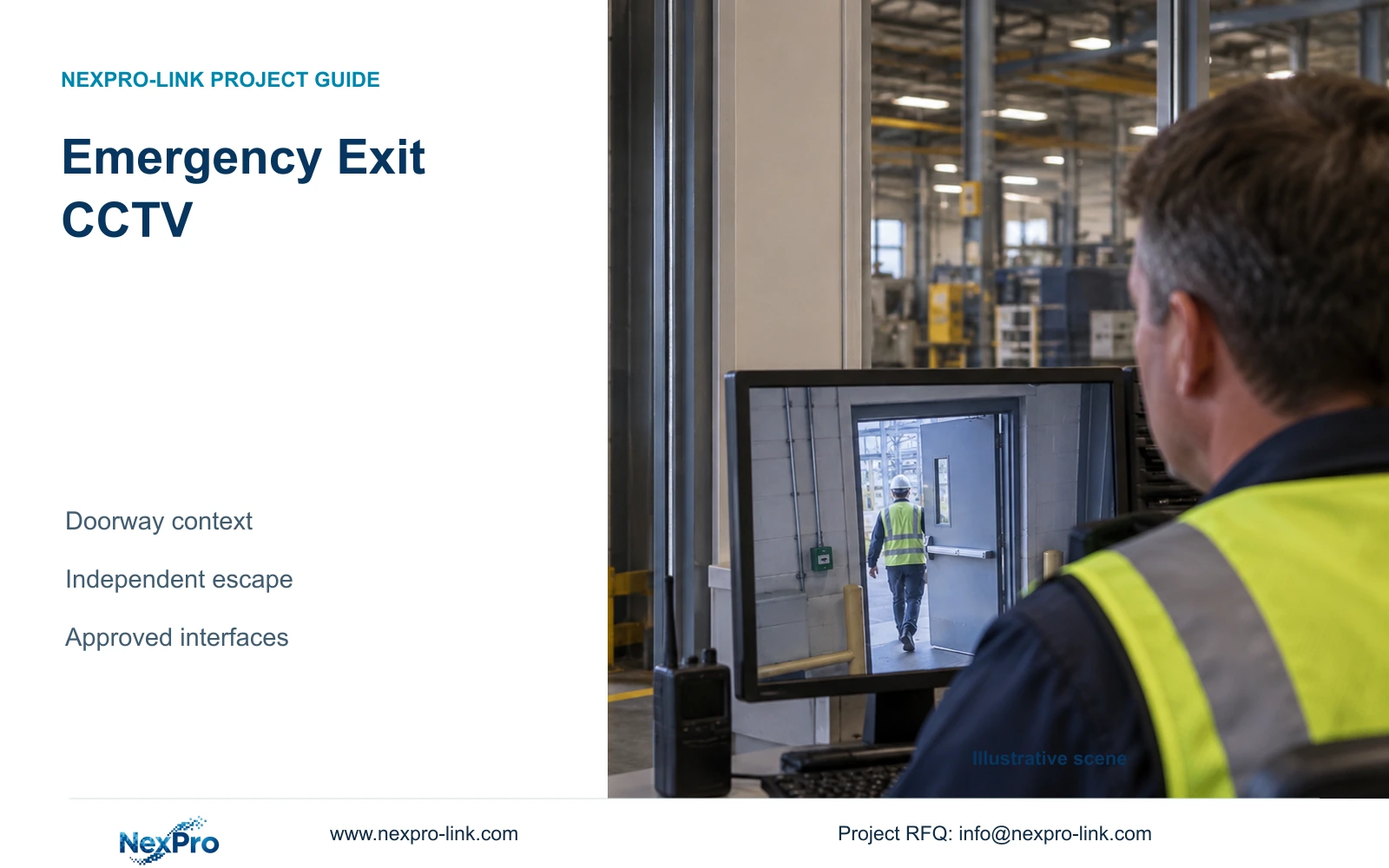
Emergency-exit CCTV can provide doorway context and authorized playback. Its procurement scope must keep escape hardware independent and make every alarm-to-video dependency explicit.
Section 01
Define doorway observation without adding a release dependency
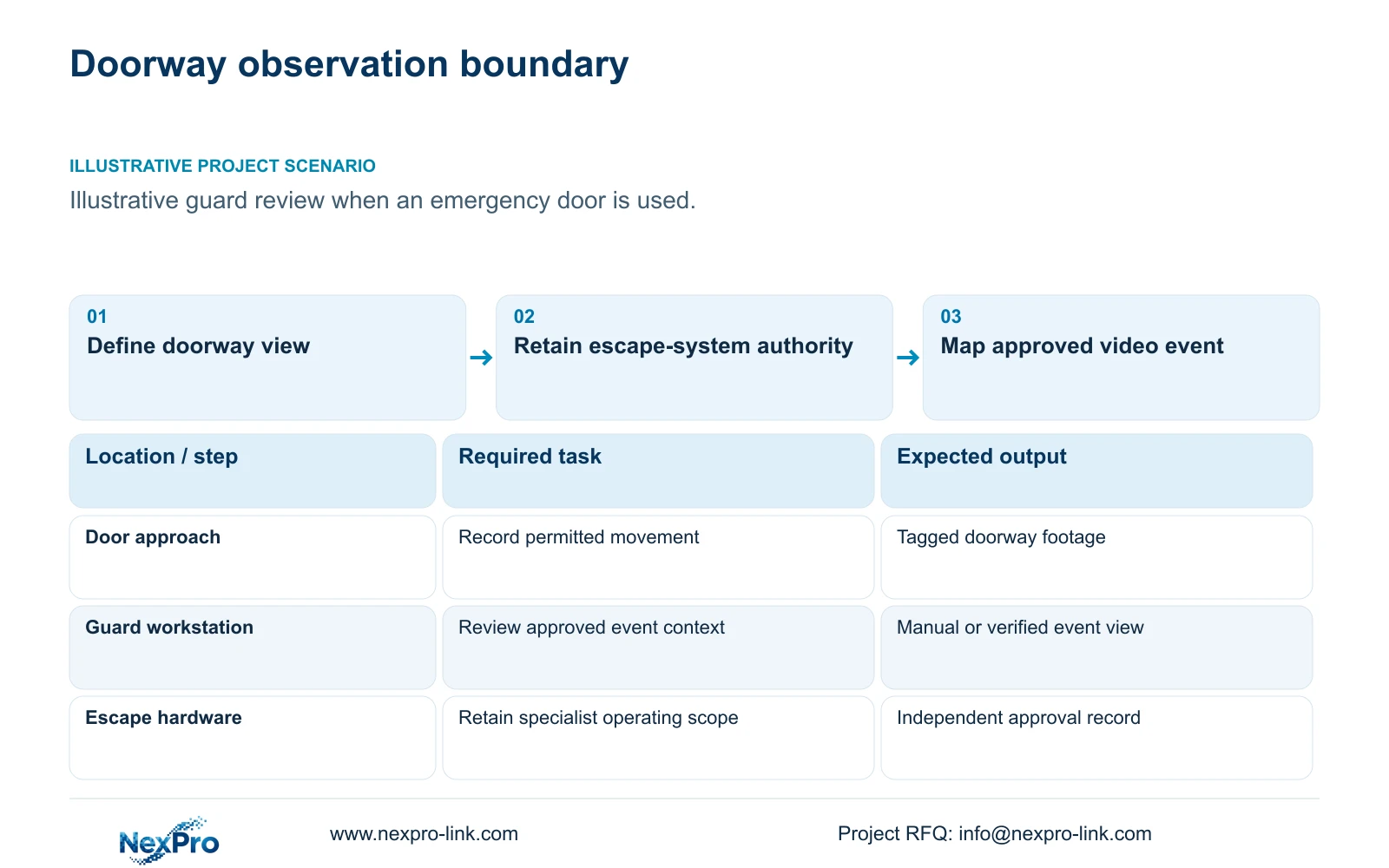
Factory emergency exits on CCTV should provide observation and approved event context while leaving escape hardware and fire interlocks under their independent design responsibility. Define what security staff need to see when the door is used. Do not make a camera, recorder, operator login or video confirmation part of the proposed escape-release path.
Illustrative project scenario: Security staff want a view when an emergency door is used. Assume an existing approved door arrangement, a nearby internal approach and a guard workstation capable of authorized playback. The CCTV task is to show the approach and doorway event. Automatic display of the corresponding view is considered separately from basic recording.
Give the door and its camera a stable identifier. Mark the permitted field of view, door swing and required event context on the layout. The owner should choose whether an internal view, external view or both answer the security question. A single camera label such as emergency exit does not specify which side of the threshold or which movement must remain visible.
Section 02
Retain independent ownership of escape hardware
The door schedule should identify retained locks, release arrangements and fire-system connections without redesigning them through the CCTV order. The responsible local specialists verify applicable requirements and approve any proposed interface affecting their systems. A camera supplier’s equipment coordination should not be treated as that approval.
Separate the power scopes. A general CCTV UPS may protect recording, camera-power switches and necessary link devices; it does not establish the correct power or outage behavior for escape hardware. If an additional approved interface needs power, list it with its own demand and owner. The electrical team should confirm which physical circuits are actually protected.
Keep mounts and cable routes clear of the agreed doorway operating space and maintenance access. The installation team should check representative door movement and image obstruction before acceptance. If a mounting position conflicts with the doorway arrangement, revise the CCTV position instead of asking the door team to compromise the approved function for a better camera angle.
Section 03
Name the owner of every alarm-to-video handoff
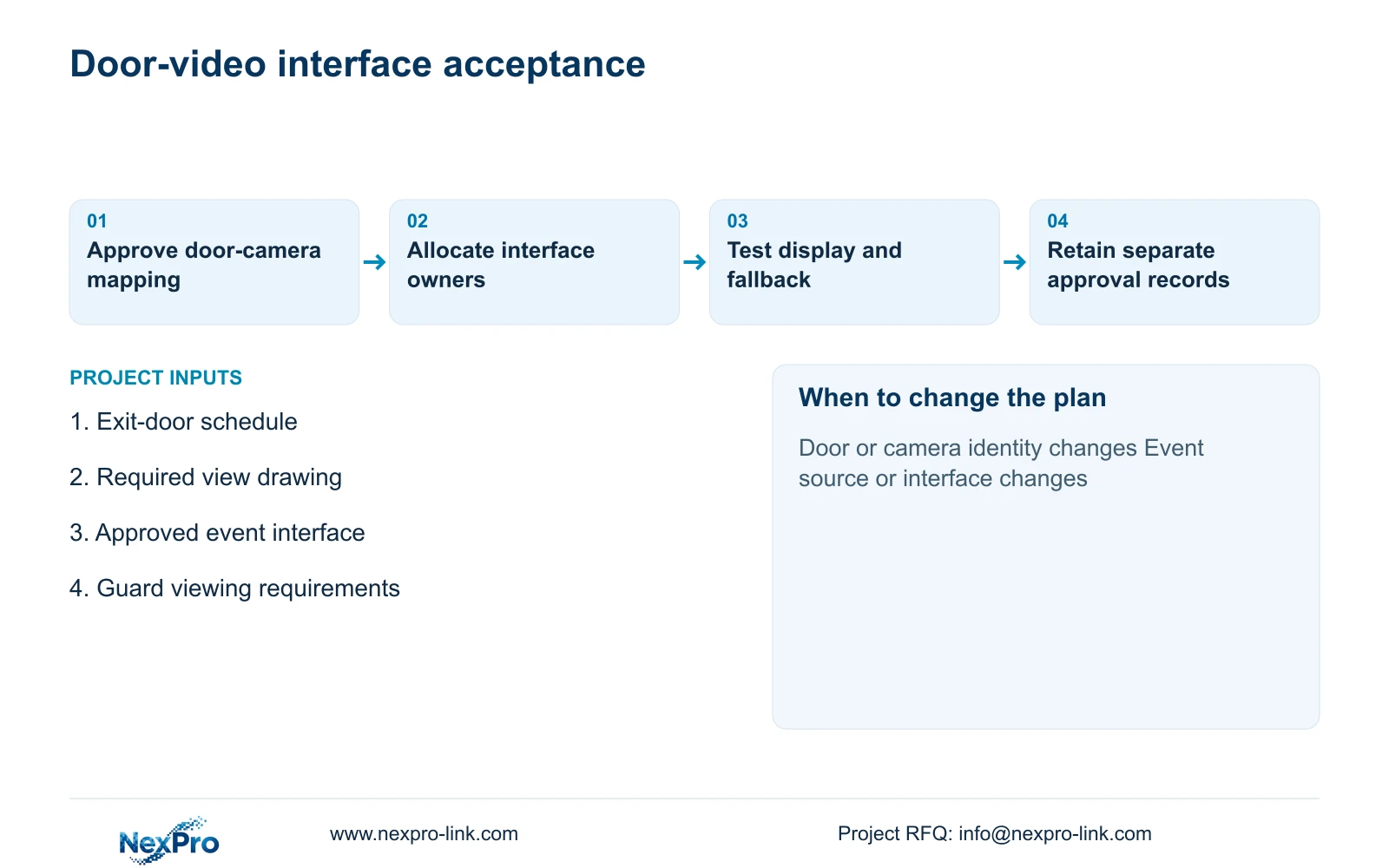
Basic recording can operate with a manual door-to-camera lookup. If the owner wants a door event to display video automatically, specify the approved event source, interface method, receiving system and operator response. Confirm exact model and firmware behavior. A camera’s network connection or general profile support does not prove that the proposed alarm workflow is available.
The event source owner verifies the output; the receiving-system integrator verifies the video action; the owner approves the guard response. Record who maintains the mapping after a camera replacement or software change. Keep event acknowledgment and reset behavior explicit so the quotation does not assume that closing a video window resets the separate source alarm.
Define an unavailable-interface response before selecting the option. Staff should know how to find the door’s local recording when automatic display is absent. Test that condition within the approved project procedure. The video branch can supply context, but its failure should not be introduced as a reason for the retained escape system to await security approval.
Section 04
Compare recording alone with an approved event-display addition
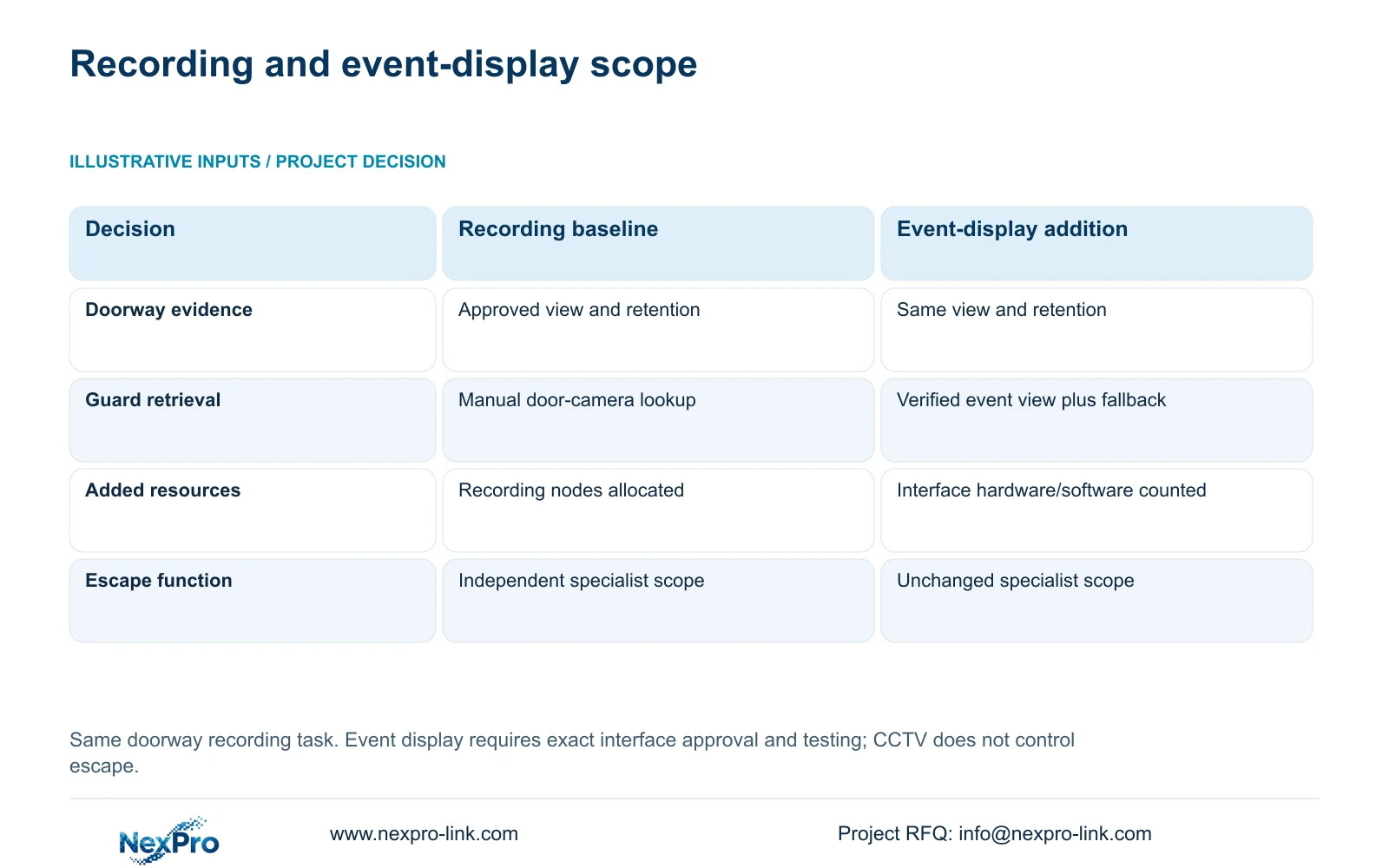
Hold the doorway observation and retention task constant when comparing options. Option A supplies a complete recording path and a tagged manual lookup. Option B retains that path and adds the verified event-display workflow. Assign supplied, retained, installer-provided and optional status to every item, with one responsible owner per interface.
The decisive difference is how the guard reaches the image. Option B adds interface configuration, possible hardware or software resources, testing and support responsibility. It does not create a better escape function and should not be sold on that basis. If automatic display is unnecessary or unsupported, Option A remains a usable security recording package.
CASE08 illustrates local recording across four independent 32-camera nodes. A door camera should be assigned to the correct building recorder, while shared fibre carries only the approved viewing traffic. The example’s 128-camera park total does not determine how many exit views this project needs. An operator display remains a client branch rather than a serial dependency in recording.
| Decision | Option A: recording | Option B: event display |
|---|---|---|
| Doorway evidence | Approved view and retention | Same view and retention |
| Equipment identity | Camera and door project tags | Same plus approved interface identity |
| Network and power | Camera and recording nodes allocated | Interface resources separately included |
| Guard workflow | Manual tagged playback lookup | Verified event-linked view plus fallback |
| Escape hardware | Retained independent specialist scope | Same independent specialist scope |
Section 05
Recommend the simplest workflow that meets guard needs
Recommend Option A where the task is retrospective investigation or a guard can use a clear manual lookup. Choose Option B when an approved live response requires automatic video context and the exact integration is demonstrated. Keep any mandatory existing platform or specialist interface in the comparison. Removing it to achieve a lower equipment price changes the operating scope.
For a suitable ordinary doorway position, NexPro-BL2812M55-5MP-DIC-AI is a candidate with listed 2880×1620 output and a 2.8–12mm motorized lens. Check the actual door width, backlighting and movement before accepting the image. Those specification fields do not establish a detection guarantee or prove an alarm-to-video interface.
Verify recorder and power resources independently of camera count. CASE08 assumes 128 Mbps input per 32-camera node and 41.472 TB for 30 days of continuous 4 Mbps recording per camera, against its 48.64 TB video budget. The case’s reserve is already included. Added interfaces or a longer retention requirement need a revised node allocation rather than an assumption that unused channels solve the change.
Section 06
Handover observation and specialist systems as separate records
The procurement package should join the door identifier, camera identifier, recorder channel and guard workflow in an interface schedule. Allocate cameras and recording resources as supplied or retained, local alignment and configuration as installer-provided, and any event display as a separately approved addition. Keep locks and fire interlocks on the responsible specialist’s schedule.
NexPro-Link can discuss camera and recorder matching, relevant technical documents and BOQ coordination for this observation scope. Project labels and packing can distinguish door-view equipment from other building units. Local installation and specialist door-system approvals should remain explicit quotation responsibilities; a single supply contact does not merge those obligations.
Acceptance should demonstrate the agreed doorway movement in recording, authorized playback and any approved event display. Include the fallback search when that display interface is unavailable. Repeat mapping checks after a renamed door, replacement camera or changed event source. Preserve separate specialist acceptance records without claiming that a successful video test validates escape-system behavior.
Section 07
Buyer questions
Can the guard acknowledge a door alarm from the video screen? Only if that exact action is part of a separately approved and tested interface. Video-window acknowledgment should not be assumed to reset the source alarm or change door behavior.
Does this package need a video wall? Not automatically. An existing authorized workstation may meet the observation task. Add display capacity only after defining simultaneous door views, operator use and the complete decoding path.
What if the existing platform cannot display the proposed camera? Verify the exact stream and client requirements, then price a supported alternative or an independent recording/viewing branch. Keep the approved doorway task and escape-system boundary unchanged.
Section 08
Define the doorway observation order
Send the exit-door schedule, required camera views, approved event-source/interface details and guard viewing requirements to info@nexpro-link.com for a recording and optional event-display scope.
Engineering references
These sources support the general planning principles. Always use the selected product's current datasheet and applicable project standards for final design.


