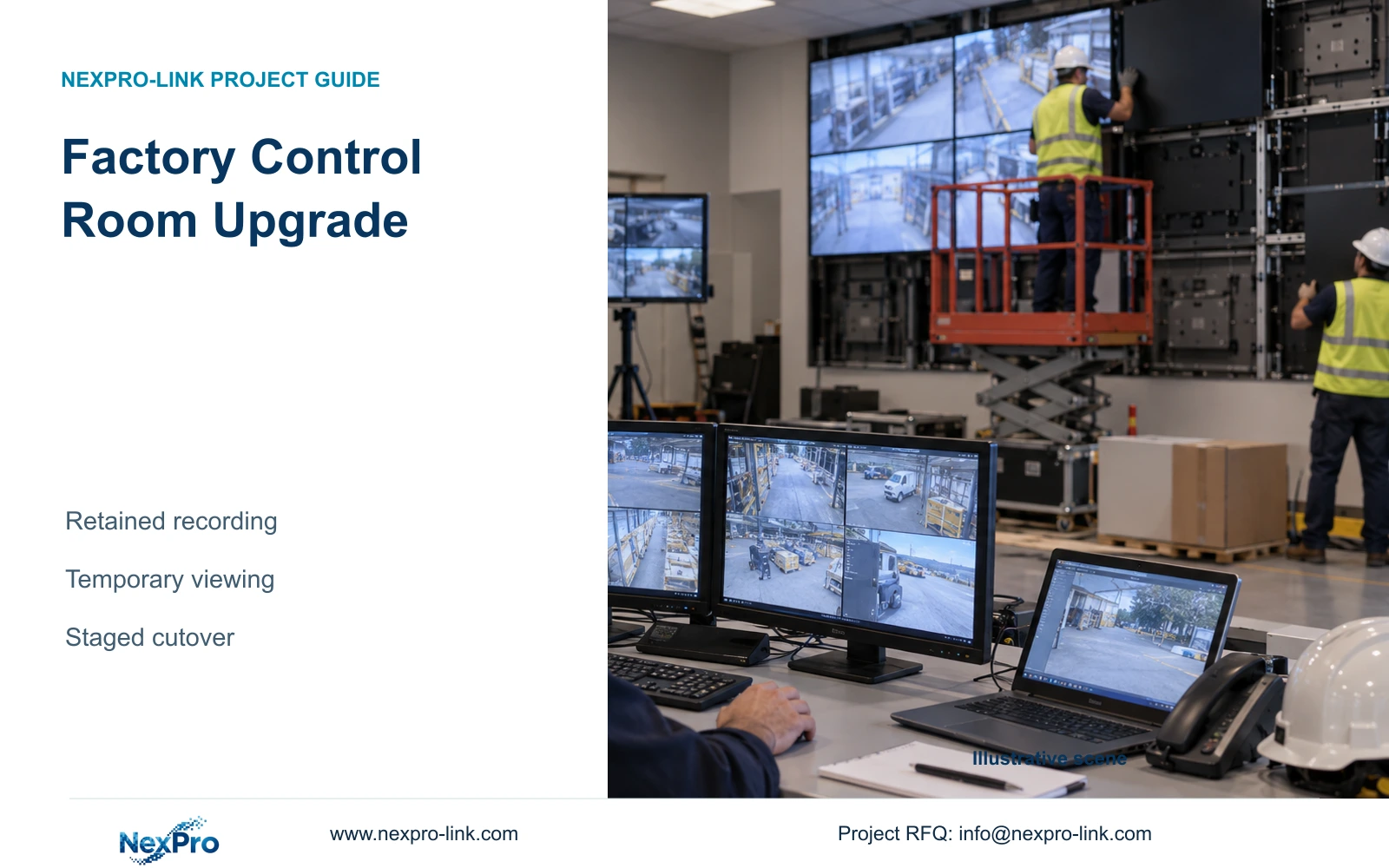
A monitoring-wall replacement can leave factory recording intact when the engineer maps shared power and network dependencies, stages the display path and verifies a temporary operator view.
Section 01
Define the recording path before disconnecting displays
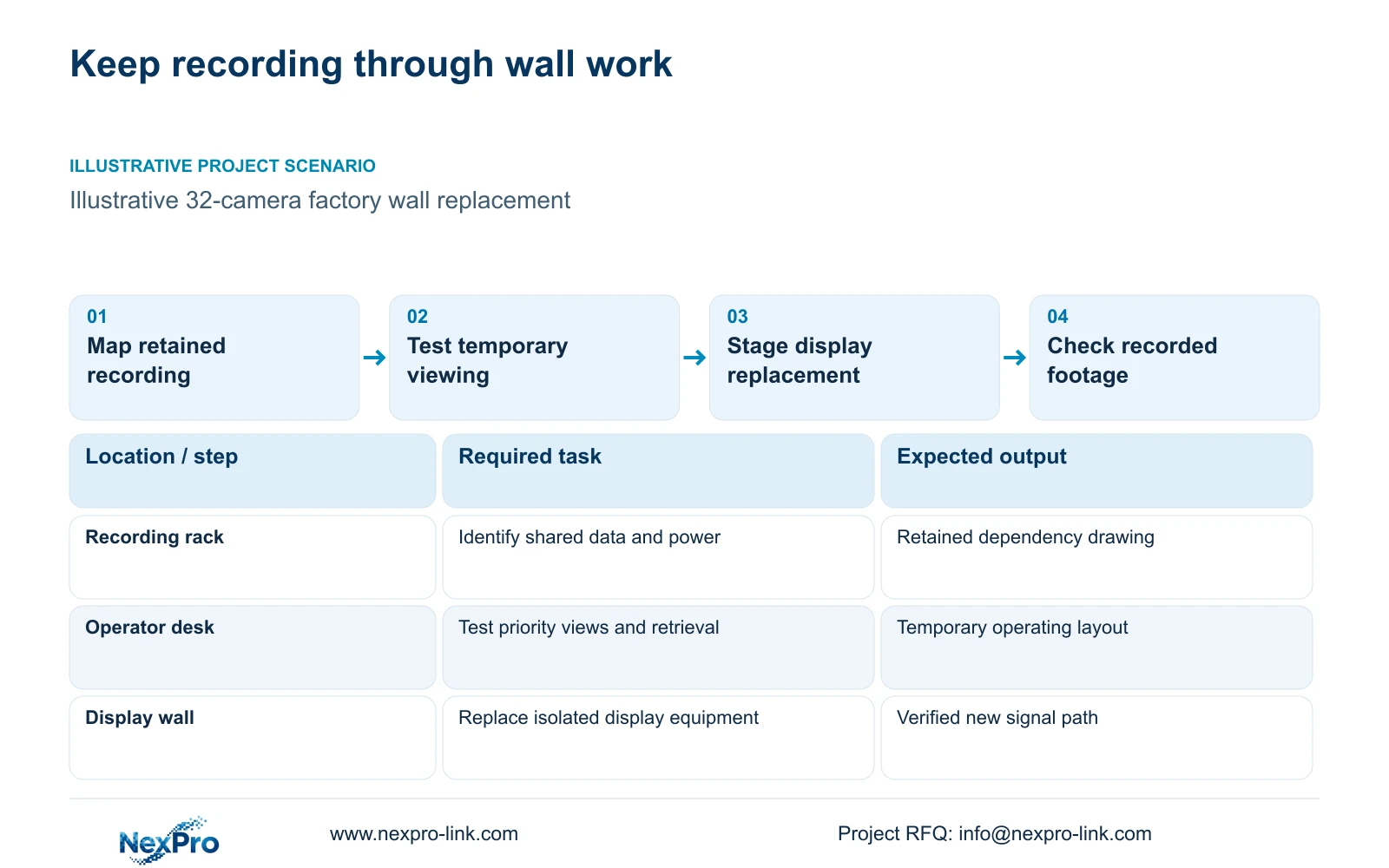
For a factory control room upgrade, retain the camera-to-recorder path and change the display system separately wherever the installed architecture permits. Map shared switches, power circuits and client equipment before approving removal. A blank monitoring wall alone does not establish whether recording has stopped; equally, a working recorder screen does not prove every camera remains connected.
Illustrative project scenario: The factory replaces a monitoring wall while security recording must continue. Use CASE01's hypothetical 32-camera CNC factory as the planning baseline, with local recording and a separate operator display. Assume the replacement requires work around the display mounts and signal cables. These are planning conditions, not a completed customer installation or a verified continuity result.
The engineer should identify each camera group, access switch, recorder, storage device and required network link on a retained-services drawing. Add the actual outlet or protected circuit serving each item. Mark equipment inside the construction area even when it is outside the display contract: a cable bundle or rack moved for access can introduce a recording interruption that the screen supplier never priced.
Section 02
Stage the new signal path alongside retained recording
Specify the new path from its source to its destination: camera or recorder stream, decoder or client, output connection, panel and operator control. Record the simultaneous windows, stream settings and playback tasks required during normal operation. The total recorded camera count does not define the decoder workload, particularly when live views and retrieved footage must appear together.
Prepare and test the display equipment without changing recorder firmware, camera addresses or recording profiles unless a documented interface requirement makes that necessary. If a new decoder needs network access, agree its addressing and permitted traffic with the network owner. Test the intended layout while the original operator view remains available, and include recording checks during the trial.
NexPro-Link lists NX-VP-5535 as a 55-inch, 1920×1080 LCD panel with a 3.5mm listed seam/bezel and 400nit typical brightness. NX-VD-4K16 is a modular network-decoding reference. Its name does not establish sixteen simultaneous 4K decodes. Obtain confirmation for the actual stream mix and outputs before treating either reference as the approved replacement configuration.
Section 03
Give operators a temporary view they can use
Agree a temporary operating layout with the security supervisor before taking down the wall. For the illustrative factory, prioritise gate activity, material-store access and dispatch, with a way to enlarge one selected view and retrieve an incident. Do not assume a small screen showing every camera at once provides the same working visibility as the removed wall.
Assign the local integrator responsibility for the temporary client and connections, and the owner responsibility for account permissions and the selected views. Verify live viewing, time-based retrieval and export using the intended operator account. Locate the temporary screen away from construction dust and blocked access, and document which views require manual selection during the reduced-display period.
CASE01 includes a hypothetical 40W retrieval display in its recording-priority load. It does not establish the demand of an additional workstation. If the temporary arrangement adds a computer, second monitor or network device, add those loads separately. Keeping the original display can simplify the transition, but its suitability still depends on supported decoding and the operator's actual task.
Section 04
Approve service work by its affected dependencies
Compare an unseparated replacement with a staged arrangement using the same required recording outcome. Trace each serviced item through its data and power dependencies, then identify the affected task. The table shows practical choices for this scenario; it assumes no automatic bypass, hot-swap support or guaranteed uninterrupted operation.
The decisive difference is whether the work can be confined to a verified display path. Removing a separately connected panel may leave recording available. Moving a shared switch or maintaining the UPS can affect camera power and recorder access together. A separate display cable cannot compensate for the loss of their shared electrical supply.
Define permitted interruptions and stop conditions in the work plan. If an essential camera disappears or recorded footage cannot be retrieved, pause the display change and investigate the retained path. Any UPS service requires supported equipment documentation and qualified local electrical procedures. This comparison supplies no live-work or bypass instructions.
| Service decision | Unseparated work | Verified staged work |
|---|---|---|
| Recording path | Shared items identified before shutdown | Retained path mapped and checked |
| Panel removal | Operator visibility may disappear | Temporary operator view already tested |
| Shared network equipment | Moving it may interrupt camera input | Retain it or approve a separate cutover |
| UPS maintenance | No bypass arrangement assumed | Supported service arrangement required |
| Acceptance | Interruption agreed before work | Recording and retrieval checked across change |
Section 05
Price the added display load separately
Prefer staged display replacement when the existing recorder meets the recording task and the new display interface can be qualified independently. Preserve recorder migration as a separate decision. Change that recommendation if the required platform, source format or simultaneous viewing workload cannot be supported by the retained equipment; price the resulting network and software changes explicitly.
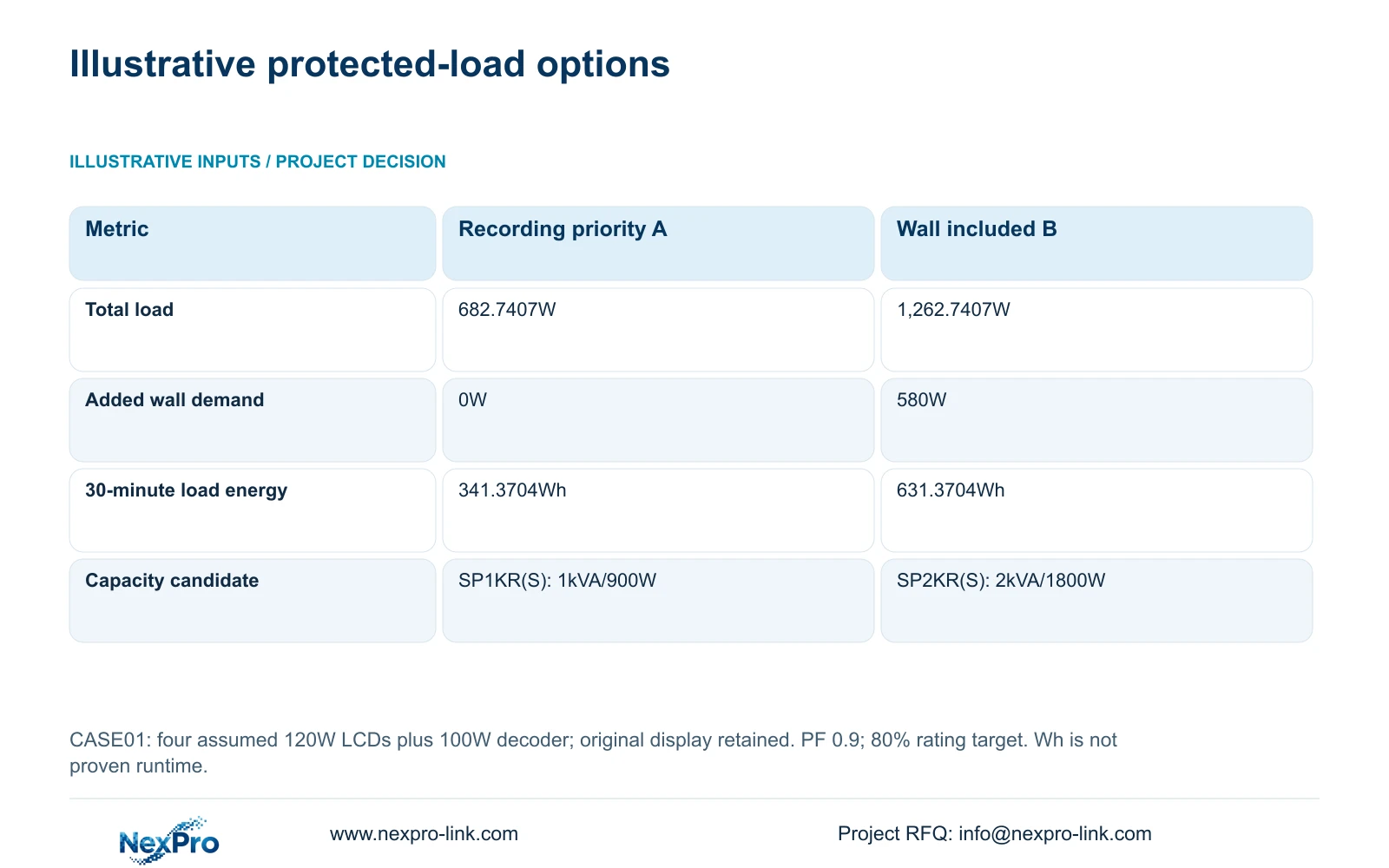
CASE01 provides an illustrative power comparison. Recording-priority option A is 682.7407W, including its original operating display. Option B retains that equipment and adds four LCD panels at an assumed 120W each plus decoder equipment at an assumed 100W. Added demand = 4 × 120W + 100W = 580W; total B demand = 1,262.7407W. These display assumptions are not published measured model consumption.
With an illustrative power factor of 0.9 and an 80% rating-utilisation target, required ratings follow W ≥ load/0.8 and VA ≥ load/(0.9 × 0.8). CASE01 identifies SP1KR(S), rated 1kVA/900W, and SP2KR(S), rated 2kVA/1800W, as capacity candidates for A and B respectively. At 30 minutes, load energy = W × 0.5h gives 341.3704Wh and 631.3704Wh. Neither figure proves runtime; the selected battery configuration and load-specific curve remain necessary.
Section 06
Separate equipment delivery from the site cutover
Issue the quotation schedule with retained recording equipment, new display equipment, temporary viewing and site work identified separately. Include mounting hardware, output cables, decoder configuration, operator-control arrangements and the power review. Compare suppliers against that same boundary. A proposal with fewer preparation or installation services is not automatically cheaper for the complete upgrade.
NexPro-Link's video-wall and BOQ support scope can help translate the accepted layout into model matching, equipment schedules and technical submittals. Project packing should identify panel positions and cable destinations so the installer can stage the replacement in sequence. Local installation, electrical changes and final acceptance need named project owners rather than an assumed one-stop responsibility.
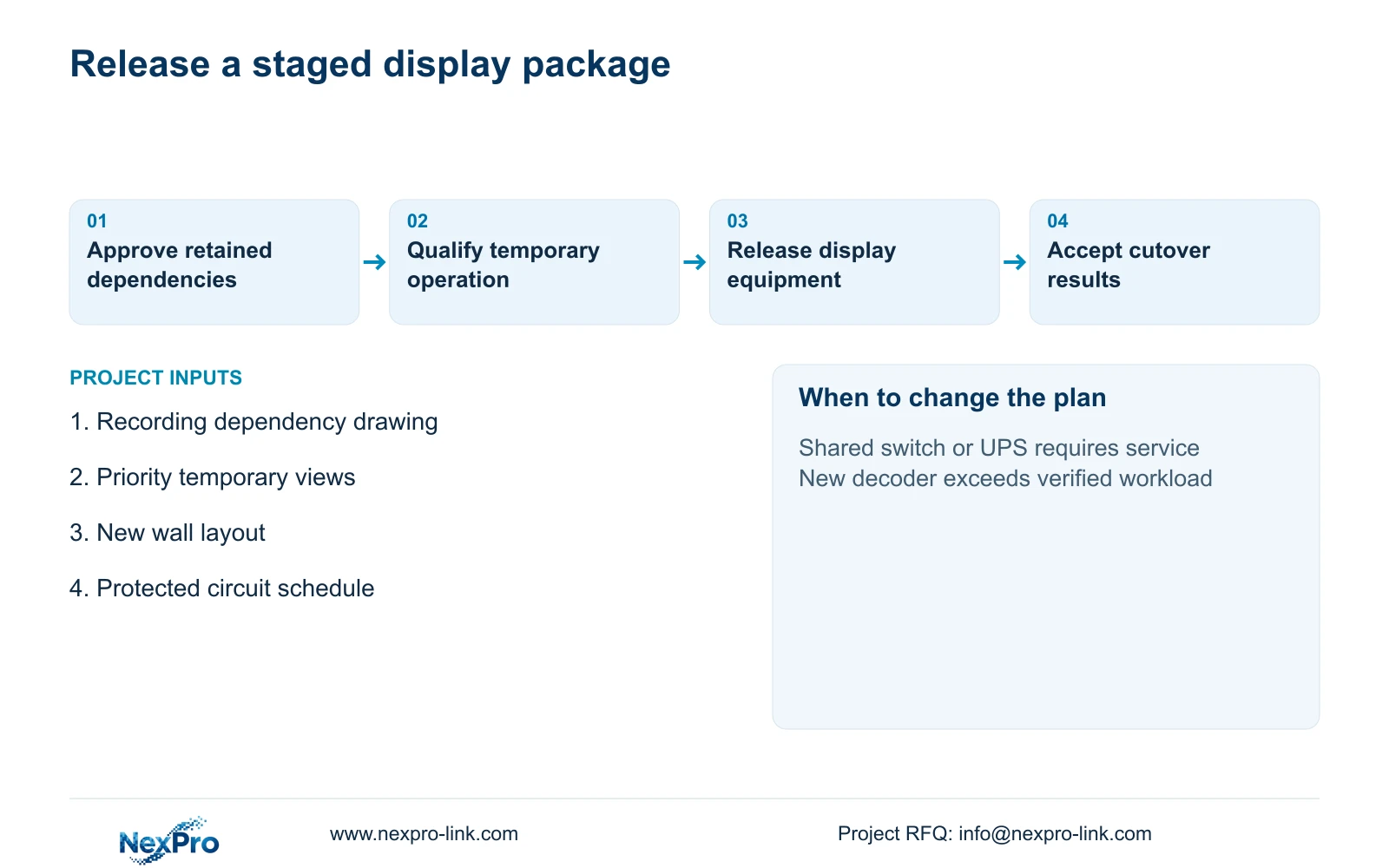
Make release conditional on a demonstrated temporary view and an agreed cutover plan. After replacement, check the requested layouts, operator retrieval and recording through the construction period. Keep the old display arrangement available until those checks pass where practical. This provides a clear rollback point without promising recovery features that the installed system has not established.
Section 07
Buyer questions
Should the wall replacement include new hard drives? Only if retention, disk condition or recorder support creates a separate storage requirement. Screen replacement alone does not change the recording budget. Keep any storage intervention outside the display cutover unless the owner approves the combined interruption.
Can temporary viewing use the recorder's local output? Potentially, if that output supports the agreed layout and retrieval task. Confirm it with the actual model and operator account. Avoid adding a client computer simply because the permanent wall uses network decoding.
What evidence should support a continuity claim? Use the dependency drawing, supported service arrangement and recorded footage checks across the work period. A redundant label, UPS rating or live-view screenshot alone does not demonstrate continued recording.
Section 08
Scope the display upgrade without losing recording
Send the recording dependency drawing, required temporary views, proposed wall layout and protected-power schedule to info@nexpro-link.com for a staged equipment and supply-scope discussion.
Engineering references
These sources support the general planning principles. Always use the selected product's current datasheet and applicable project standards for final design.