

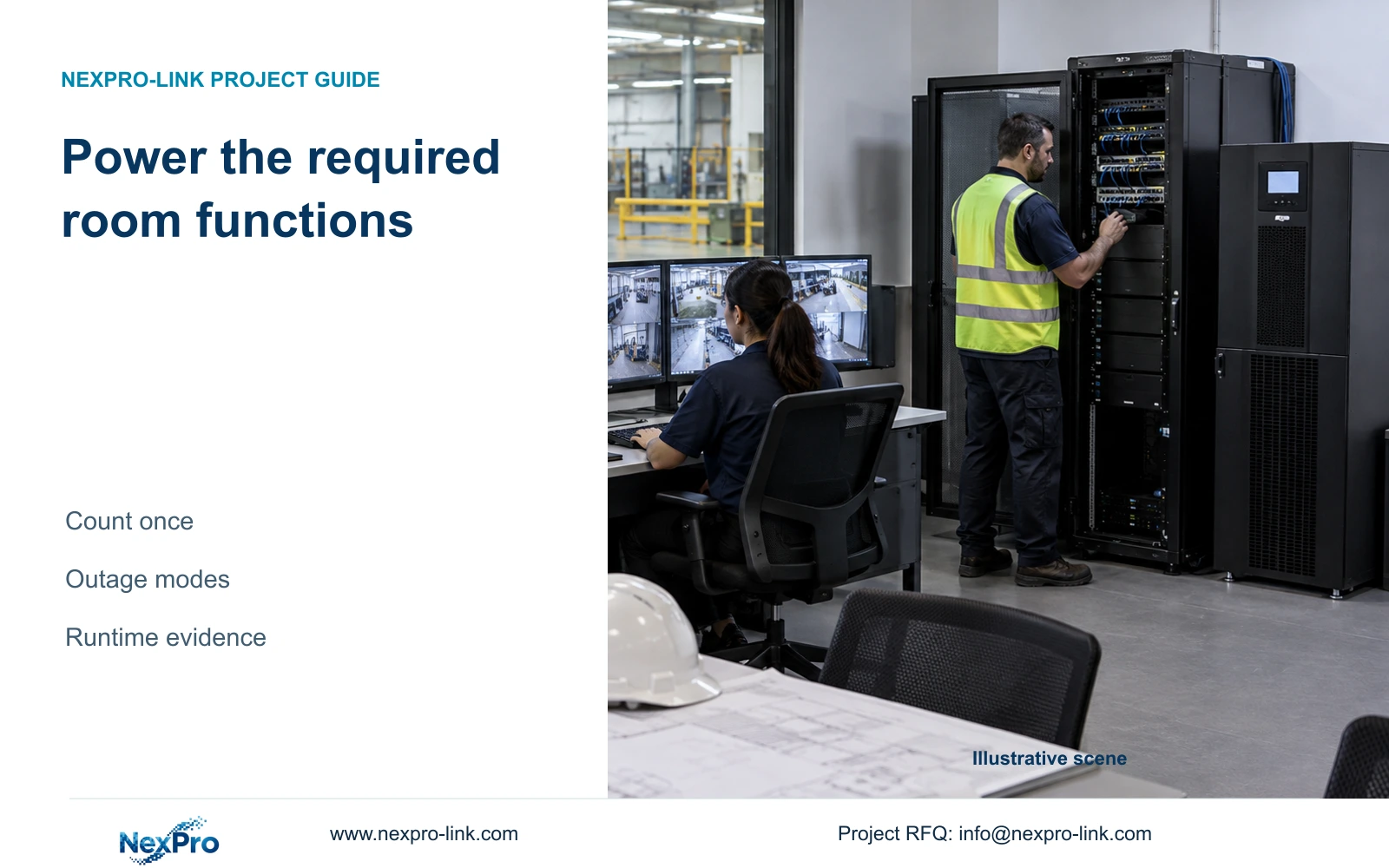
For an added operator desk, mark existing devices retained, devices removed and new devices supplied before revising the load. Trace each to its actual circuit and required outage mode.
Section 01
Count devices once and assign them to a power boundary
For an added operator desk, mark existing devices retained, devices removed and new devices supplied before revising the load. Trace each to its actual circuit and required outage mode. Do not hide the new client or monitor inside a prior rack total; neither a room label nor a historic teaching baseline accounts for it.
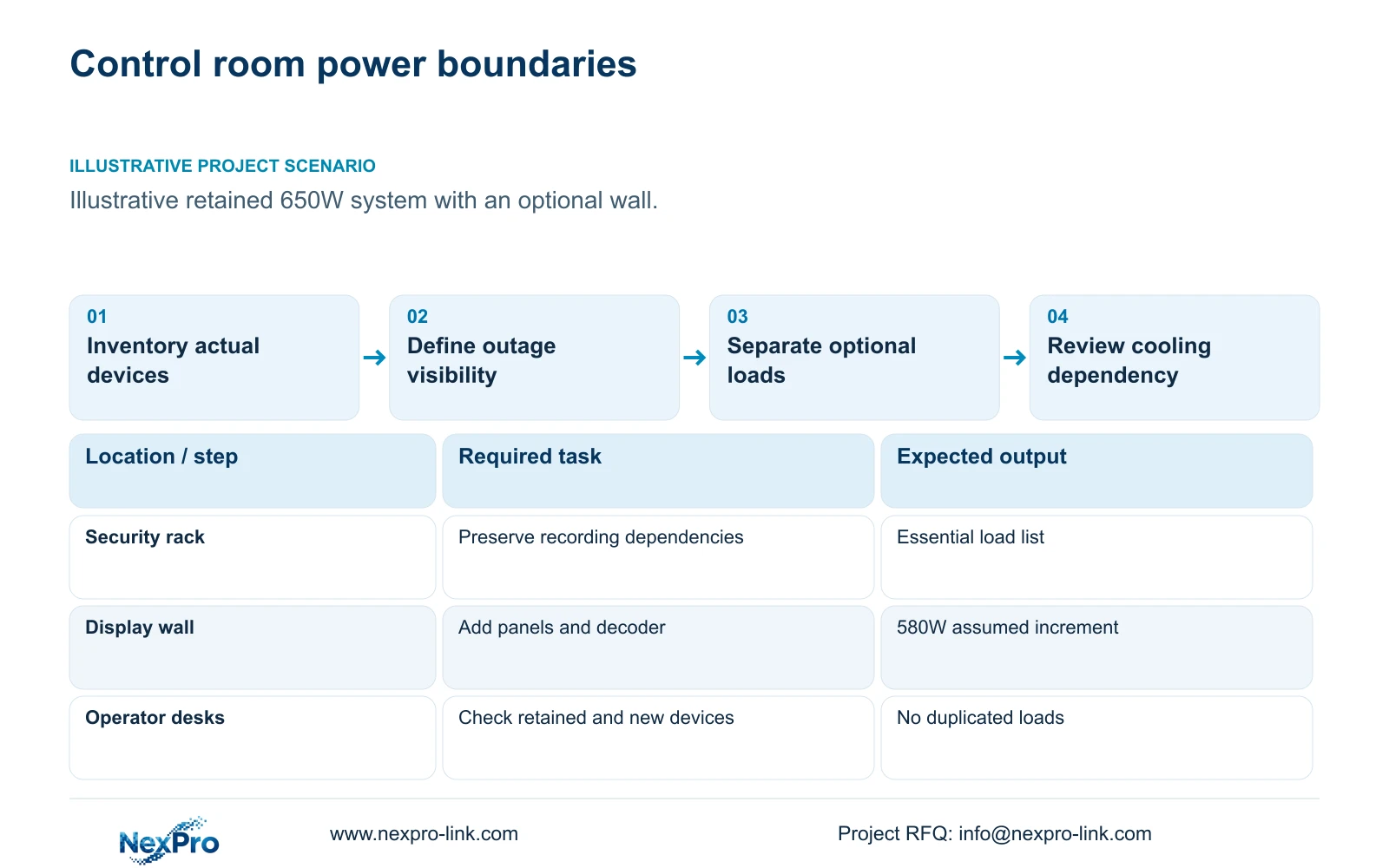
Build factory control room power from an actual device list, then identify which functions must survive an outage. Separate recording, viewing and building-service loads. Retain existing equipment in the calculation unless it is explicitly removed. A security-rack UPS should not be assumed to support air-conditioning, unrelated office devices or remote equipment outside its circuits.
Illustrative project scenario: The room adds displays and operator workstations to an existing camera system. The supplied teaching comparison assumes the existing protected system totals 650W and adds four panels at 120W each plus a 100W decoder. Original equipment remains in place, and the operating target is 30 minutes. These inputs are not measured product demands.
Before using that baseline for an order, obtain its component list and confirm whether all proposed workstations and desk monitors are included. If new seats are additional to the 650W inventory, add their actual loads separately. A rounded existing-system total is useful for illustrating a change but cannot establish the complete electrical scope of a real room.
Section 02
Distinguish normal operation from the required outage mode
Write two operating schedules. Normal mode can include the full wall, review stations and recording. Backup mode should identify the recorder, camera-power path, essential network equipment and the operator position needed during an outage. The owner must decide whether shared wall viewing remains essential or whether a smaller protected review point is sufficient.
If optional displays are excluded from backup, place them on an explicitly separate power boundary or specify a supported shedding arrangement. Do not assume the UPS or decoder provides automatic load shedding without confirmation. The local electrical contractor should translate the agreed schedule into circuits, outlets and distribution that can be inspected.
CASE01 illustrates why boundary definitions matter. Its complete PoE-switch AC demand already includes the assumed camera demand and conversion losses. Adding camera watts again would overstate the load. Conversely, protecting the recorder alone would omit the switches that keep cameras powered. Every essential service needs its complete power path accounted for at the actual supplying node.
Section 03
Keep cooling as a separate design dependency
Adding displays and workstations changes the room's heat-producing equipment. Ask the building-services designer to review the equipment arrangement, normal operating period and behavior when cooling is unavailable. A larger UPS battery does not establish how long the room remains suitable for equipment operation after the ventilation or cooling system stops.
Keep cooling equipment out of the small security-UPS calculation unless a separate design explicitly includes it. Identify who supplies the cooling load information, who approves the electrical source and who sets the outage response. The security equipment supplier can provide relevant selected-device inputs, while room heat management remains a building-services responsibility.
The supplied NX-VP-5535 reference is a 55-inch LCD, and NX-VD-4K16 is a decoder reference. Their assumed 120W and 100W teaching loads are not published performance measurements. Obtain actual load data for the ordered configurations and operating settings. Mounting and rack layouts must preserve the manufacturer's required ventilation and maintenance access.
Section 04
Calculate the wall increment and half-hour load energy
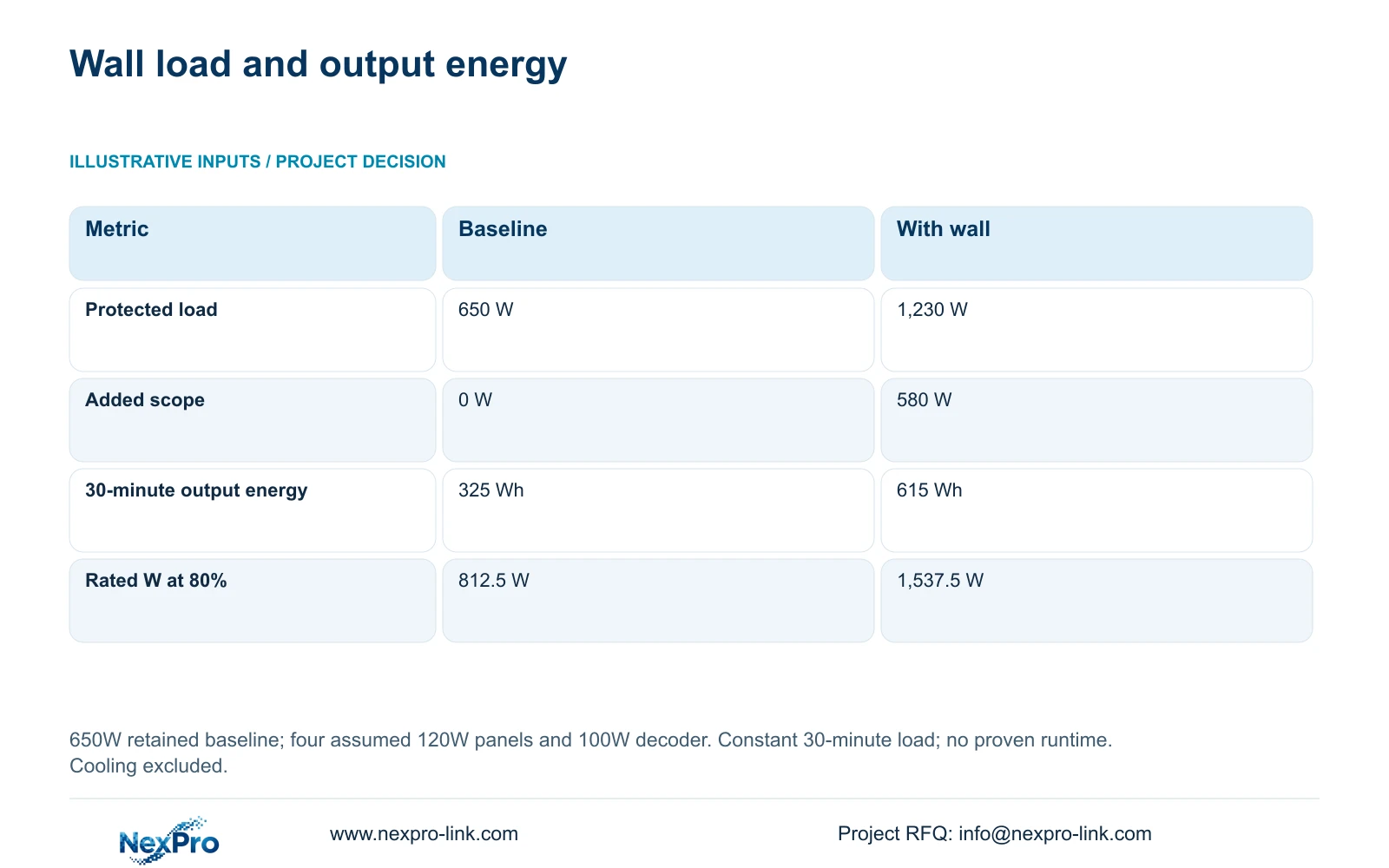
Using the supplied illustrative inputs, extra_W = 4 × 120W + 100W = 580W. The wall-inclusive load is total_W = 650W + 580W = 1,230W. Output-side energy for 30 minutes is output_Wh = total_W × 0.5h: 325Wh for the baseline and 615Wh with the wall.
At an 80% rated-watt loading target, minimum rated_W = load_W / 0.8. That gives 812.5W and 1,537.5W respectively. These are capacity requirements under the stated design assumption. Watt-hours at the load do not establish battery nameplate capacity or prove runtime; the selected UPS, battery configuration, conditions and discharge behavior need separate confirmation.
Keep this comparison distinct from CASE01's itemized system. CASE01 calculates 682.7407W without its optional wall and 1,262.7407W with it, giving 341.3704Wh and 631.3704Wh for 30 minutes. Both examples use the same 580W wall increment, but their base inventories differ. Do not add the 650W teaching baseline to CASE01 or substitute one total while retaining the other's label.
| Metric | Baseline protected | Baseline plus wall |
|---|---|---|
| Protected load | 650 W | 1,230 W |
| Added wall scope | 0 W | 580 W |
| 30-minute output energy | 325 Wh | 615 Wh |
| Minimum rated watts at 80% | 812.5 W | 1,537.5 W |
Section 05
Select capacity and runtime through separate checks
NexPro-Link lists SP1KR(S) at 1kVA/900W and SP2KR(S) at 2kVA/1800W. Their watt ratings make them capacity references for the teaching baseline and wall-inclusive cases respectively, subject to the other checks. Keep the quoted ratings separate from the assumed project demand. The larger capacity rating alone does not demonstrate the required 30-minute operation.
Check VA as well as watts. If the design adopts CASE01's assumed load power factor of 0.9 and the same 80% utilization target, required rated_VA = load_W / (0.9 × 0.8). The 650W and 1,230W loads require approximately 902.8VA and 1,708.3VA. Confirm actual power factor and the ordered input/output configuration before selection.
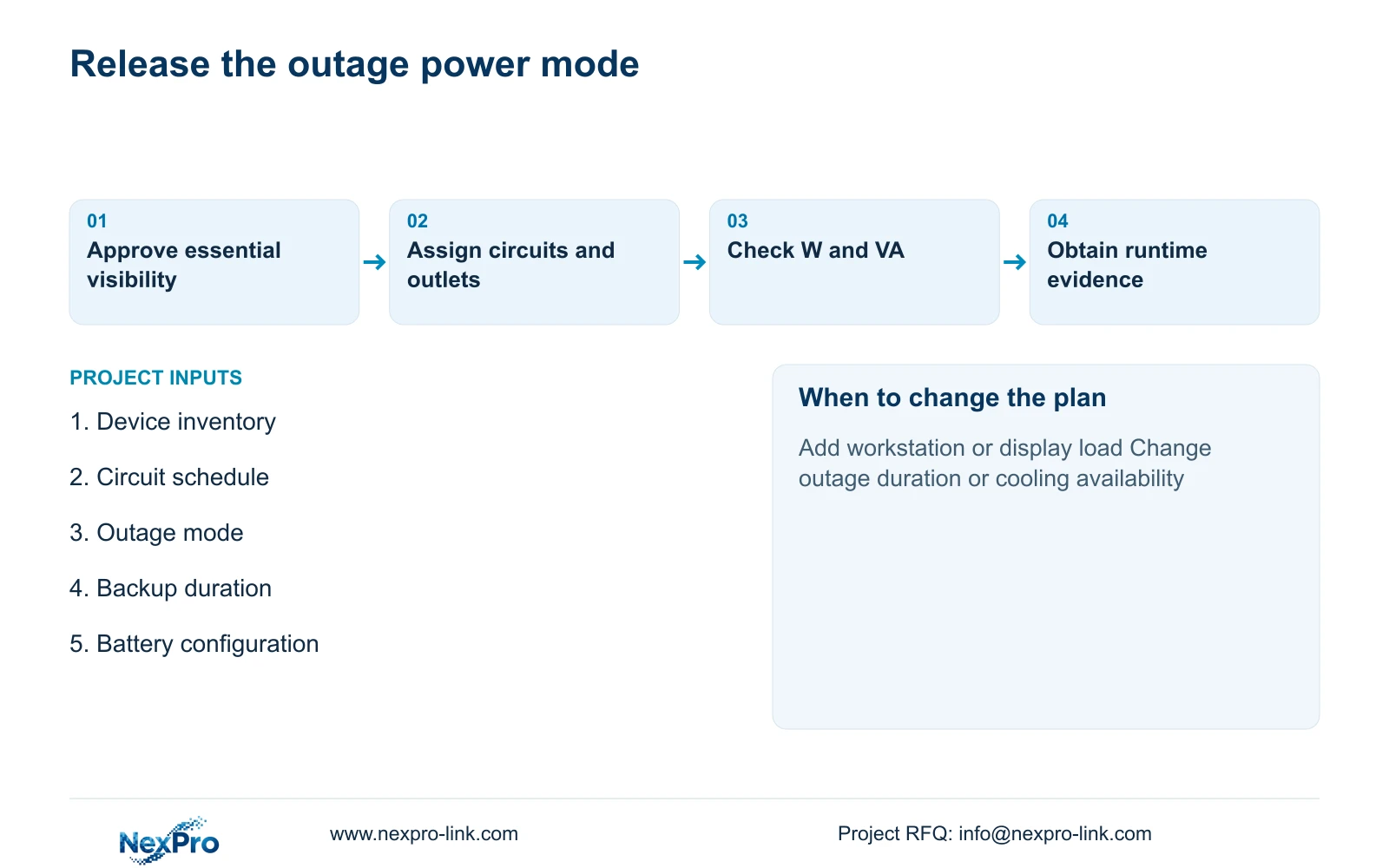
Recommend essential recording and necessary operator visibility on backup, with the wall included only when its outage task is justified. Request runtime evidence at the selected load and battery configuration. Do not transfer a default 960Wh field between variants. A change in workstation count, display demand or outage duration requires both the capacity and energy request to be revised.
Section 06
Issue a circuit-level supply and acceptance schedule
The final schedule should connect each device to its source circuit, outlet, normal demand and outage status. Mark retained equipment, added workstations, optional displays and locally provided distribution. Include the recorder and disk load, complete switch AC inputs and essential links. This provides a usable basis for equipment selection without making the UPS supplier responsible for an undefined building-service load.
NexPro-Link can discuss matching UPS capacity references and related display equipment, with technical documentation and BOQ coordination. The quotation should state the selected battery arrangement and the basis of any runtime offer. Local distribution, mounting and cooling work should have named responsibilities and separate scope rather than disappearing inside a general equipment package.
Acceptance should verify the intended outage mode, operator visibility and recording continuity, followed by controlled restoration of optional displays. Review the room conditions during that exercise within the approved project procedure. Keep actual load observations with the selected configuration so later workstation or panel additions are compared against evidence rather than the original rounded allowance.
Section 07
Buyer questions
Can new workstations be absorbed into the 650W baseline? Only if the baseline inventory already includes them. Otherwise, add their selected or measured demand and associated monitors before revising UPS capacity and the runtime request.
Is 615Wh the battery capacity to order? No. It is the illustrative energy delivered to a 1,230W load for half an hour. Battery and UPS losses, operating conditions and discharge limits require configuration-specific runtime evidence.
Can optional displays be removed from backup without affecting recording? Yes, when the recording and essential network paths remain independently powered. Confirm the actual wiring and any shared processing dependency before adopting that operating mode.
Section 08
Define the control room's protected load
Send your device-level load inventory, normal and outage operating modes, circuit boundary and required backup duration to info@nexpro-link.com to discuss UPS capacity and configuration-specific runtime requirements.
Engineering references
These sources support the general planning principles. Always use the selected product's current datasheet and applicable project standards for final design.


