For an intermittent fault, capture synchronized symptom, channel and power/link observations before an authorized change. Record whether replacement reproduces the original operating condition.
Section 01
Preserve the symptom before changing equipment
For an intermittent fault, capture synchronized symptom, channel and power/link observations before an authorized change. Record whether replacement reproduces the original operating condition. If the event does not recur, keep the diagnosis open rather than declaring the returned device innocent or defective. Remove credentials and unnecessary personal footage from routine support documents.
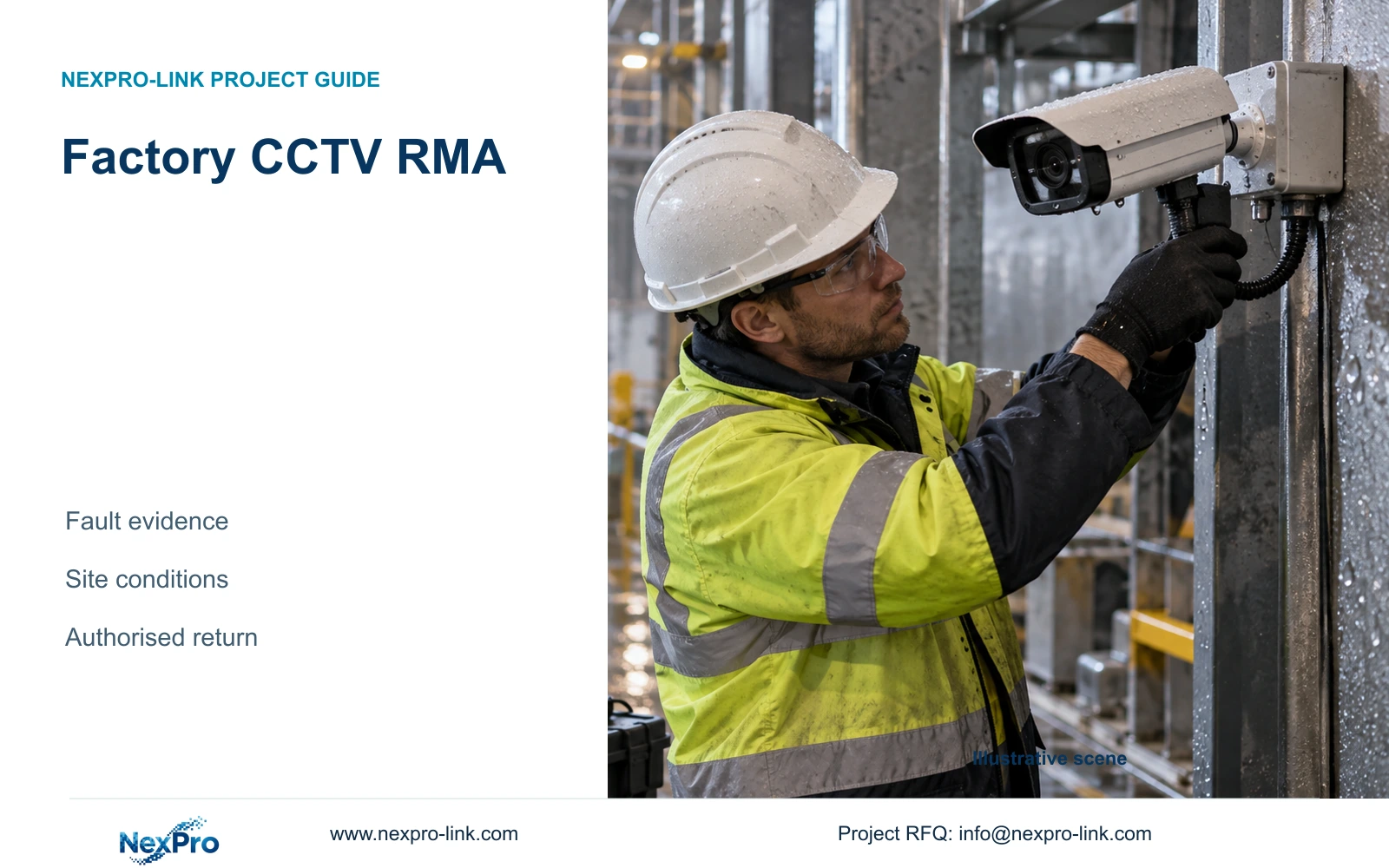
For a factory CCTV RMA, preserve the exact device identity, symptom and event time before deciding that the camera has a manufacturing fault. Missing live video, absent recording and poor night images can involve different parts of the system. A focused fault record helps the responsible parties choose an authorised check and determine whether a return is justified.
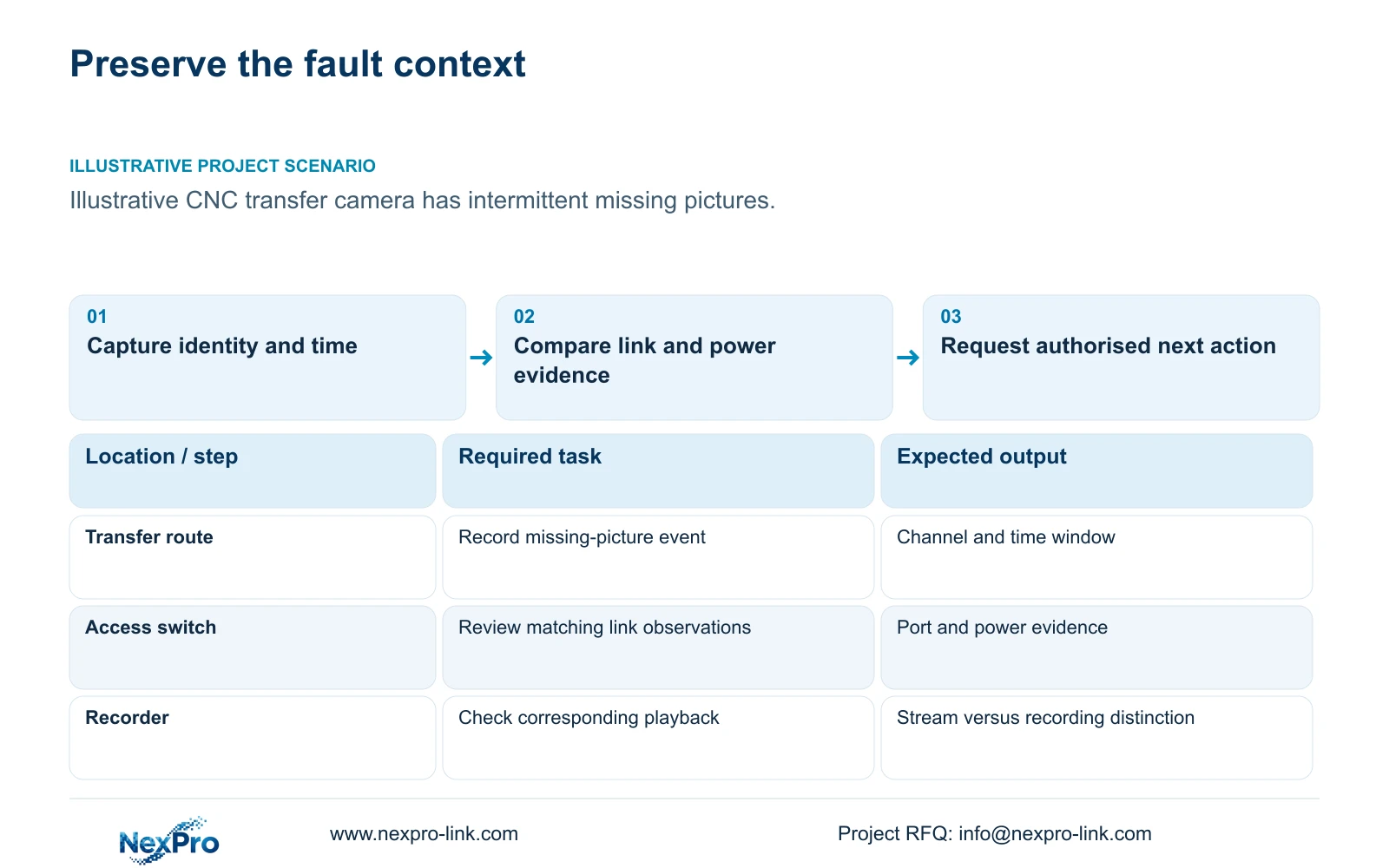
Illustrative project scenario: A camera has intermittent faults in a demanding plant location. Place this hypothetical camera on a permitted material-transfer route within the supplied 32-camera CNC reference. Assume an operator reports occasional missing pictures, but no cause has been established. The location and symptom are investigation assumptions, not evidence of an actual failure or product defect.
Record the project tag, exact model, serial number, firmware identity, recorder channel and affected time window. Describe what the operator saw and whether playback contains the event. Preserve relevant logs or an authorised excerpt before settings change. Keep passwords, device access details and sensitive factory footage out of public support posts; use an agreed private route for necessary evidence.
Section 02
Check the link and power path with controlled observations
Ask the local integrator to relate the event to the installed cable, switch port and power source. Review available link and PoE observations for the same time window, including whether other cameras in the group were affected. Several channels disappearing together gives a different investigation direction from one channel alone, but neither observation proves a cause without further checks.
The CNC reference uses illustrative cable lengths of 41–76 m for module-ended permanent links. Those planned lengths do not certify the installed links. Fluke Networks guidance distinguishes the typical 90 m permanent-link and 100 m complete-channel limits; the actual termination method and appropriate test must match the installed arrangement. Obtain the relevant test record rather than relying on route length alone.
The case's assumed 12 W camera demand is also unsuitable as fault evidence. Obtain the selected device's actual required operating-state demand and the switch's supported port and aggregate budget. If symptoms appear only when lighting changes, compare that state under authorised conditions. Site personnel should control safe access and any isolation; avoid uncontrolled swaps or resets that erase useful evidence.
Section 03
Agree the return route and continuity plan
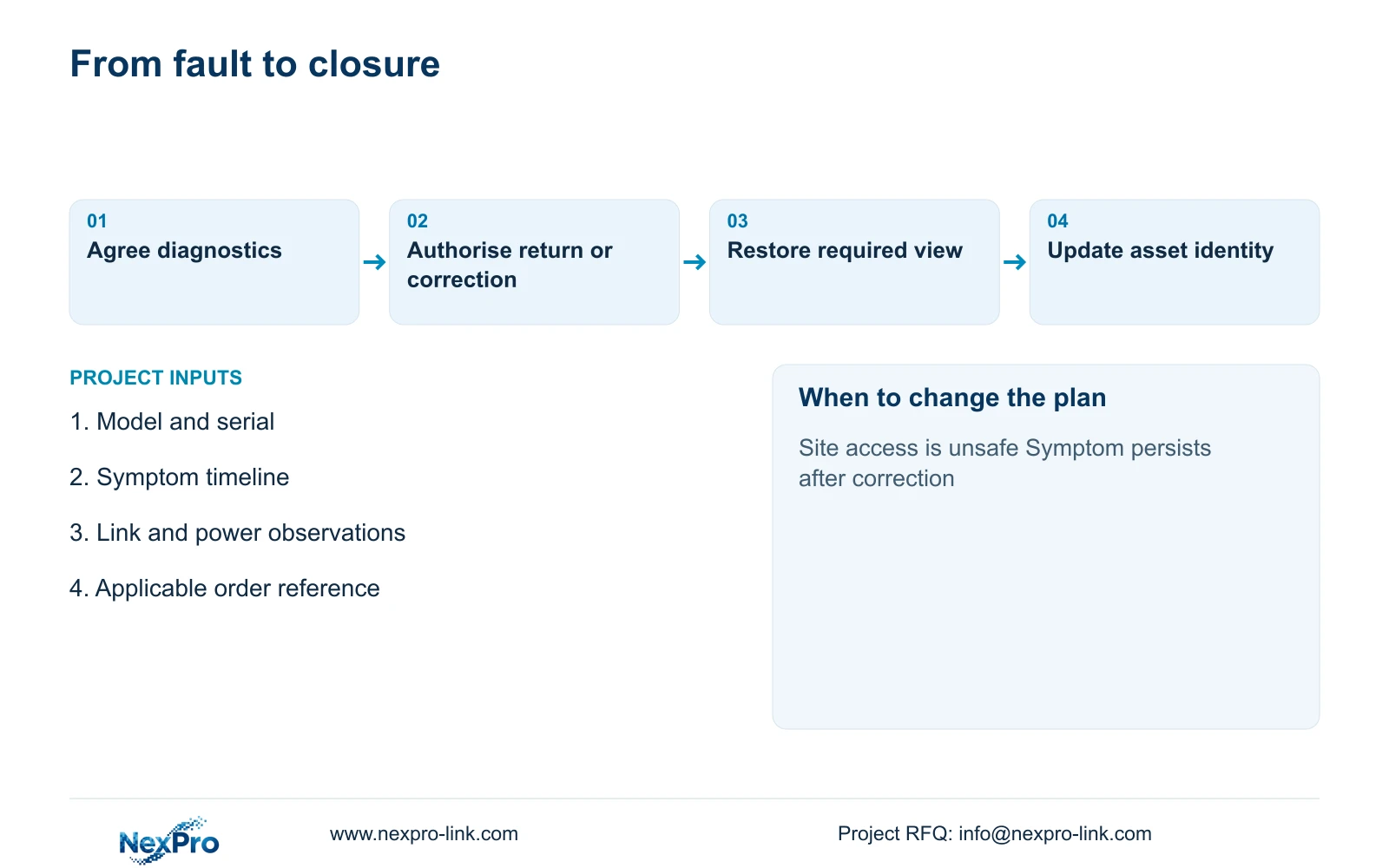
Request the supplier's authorised return process after assembling the fault record. Confirm the equipment identity, claim scope, supporting evidence, shipping destination and approval needed before dispatch. NexPro-Link's supplied policy provides an eligible-main-equipment warranty baseline, but it does not make every reported symptom a covered product defect or establish an unlimited onsite service obligation.
Assign the local contractor responsibility for agreed diagnosis, safe removal and reinstatement. State separately who supplies a temporary camera, packs the returned unit and pays each freight leg. If an inspection identifies a site condition, the team needs a correction route for that condition rather than an expectation that replacement hardware will solve it.
Protect recording continuity where the affected role is critical. A verified compatible spare may restore the view while the removed unit is assessed, but the substitution must be documented and accepted. Preserve the old serial, new serial, installation time and channel mapping so subsequent support work does not confuse the original fault with the spare's configuration.
Section 04
Use the symptom to select the next supported action
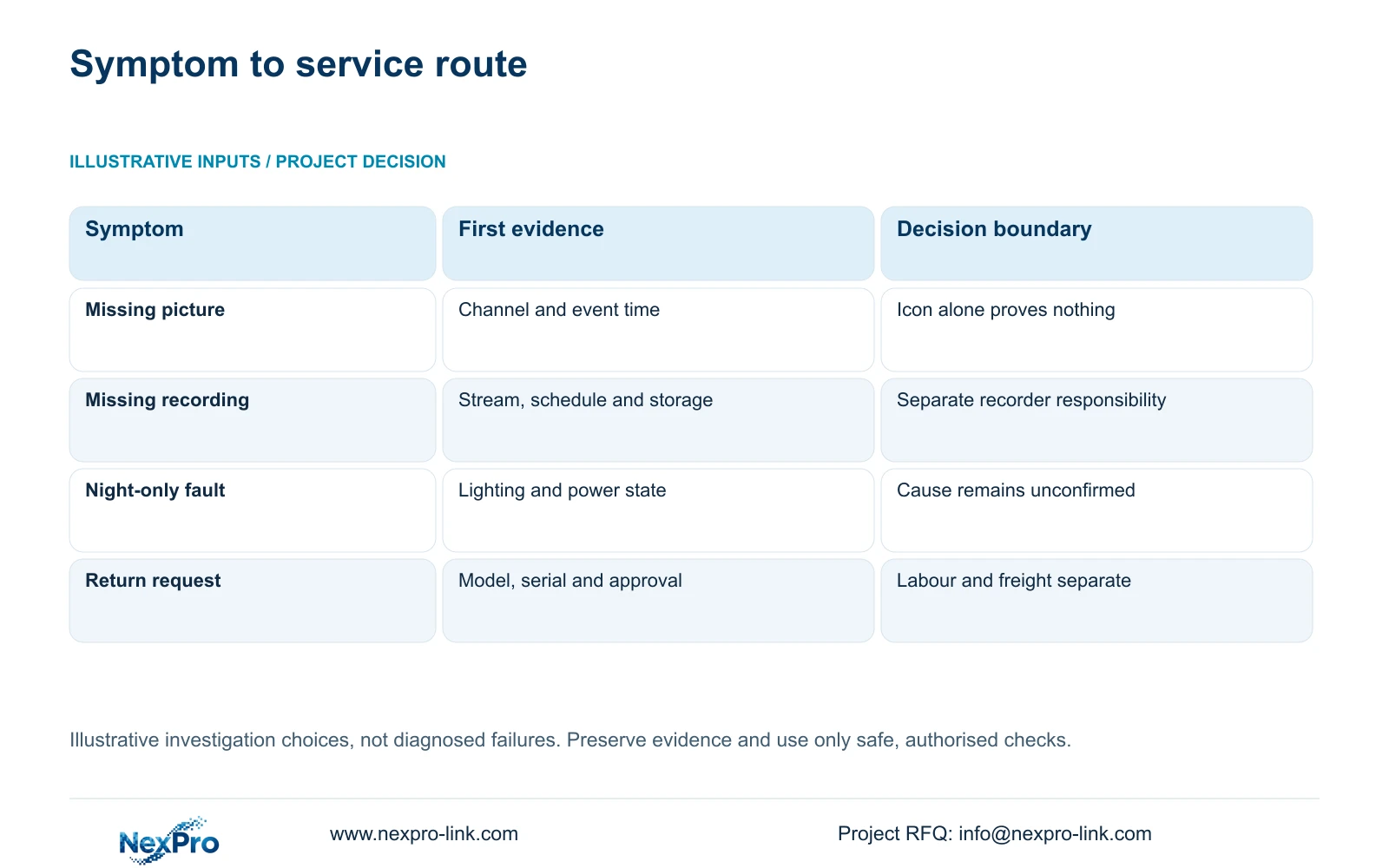
The comparison below is an illustrative investigation matrix, not a diagnosis or a set of failure probabilities. Its method separates symptom, observed evidence, responsible subsystem and next approved action. Each row changes what should be checked first and prevents a dashboard status from becoming the sole reason to ship a camera back.
The decisive distinction is between losing the camera stream and losing the recording outcome. If live video is present but no recent footage can be retrieved, examine the recorder's schedule, storage status and channel configuration alongside the event evidence. Replacing the camera without checking those conditions may leave the required recording task unresolved.
For night-only symptoms, document lighting behaviour, image settings and relevant power observations before assigning responsibility. For an approved return, retain the model and serial evidence plus the investigation history. An unsuccessful attempt to reproduce an intermittent symptom should remain in the record as an unresolved observation, not be converted into a clean bill of health.
| Symptom or decision | Evidence-led route | Avoid this assumption |
|---|---|---|
| Missing picture | Check exact channel and time | Dashboard icon proves camera defect |
| No recent recording | Separate stream, schedule and storage | Camera replacement restores all footage |
| Night-only problem | Compare lighting and power state | Night symptom proves hardware fault |
| Return decision | Confirm model, serial and RMA approval | Removal and freight are automatically included |
Section 05
Escalate according to impact and evidence
Prefer a short, controlled investigation with agreed responsibilities before returning ordinary equipment. Give the supplier enough evidence to propose a useful next step, while the local team determines whether the required observation remains available. The owner should decide whether temporary coverage is needed independently of the warranty assessment.
Change this approach when the site cannot safely perform a check, the symptom affects the whole recording node or the location requires specialist personnel. Do not open equipment or enter restricted production areas merely to complete a support checklist. Escalate the access constraint and arrange an approved intervention through the responsible local party.
Compare suppliers by the diagnostic and remedy scope they actually accept. Remote review, local attendance, advance replacement and freight can be separate services. NexPro-Link's equipment coordination can support model identification and a replacement proposal, but the project must still define local labour. No fault rate, restoration time or brand-level reliability advantage is established by this illustrative workflow.
Section 06
Close the fault with verified function and updated records
After an authorised repair, replacement or site correction, verify the original operating task. Check the required scene, live stream, recording and retrieval under the conditions associated with the symptom. If the problem appeared at night, a daytime bench picture alone does not close the incident. Record what was tested and what remains unverified.
Update the asset register and approved replacement schedule with the actual model, firmware and accessories used. Keep main equipment, disks, batteries and installation work under their applicable service entries. A recurring cable or power condition should feed back into the site maintenance plan; a confirmed product issue should retain its supplier assessment and remedy record.
Use the completed record to improve repeat supply without making unsupported generalisations. NexPro-Link's BOQ support can help document a technical deviation or revised equipment match when a replacement changes the configuration. Close the RMA administration separately from operational verification so a parcel delivered or a claim processed is not mistaken for restored factory recording.
Section 07
Buyer questions
Should we reset an intermittent camera before reporting it? Preserve the relevant evidence first and agree any configuration change with the responsible support party. A reset can remove useful context and is not a prerequisite assumed by this workflow.
What if the fault does not recur during a bench check? Keep the original symptom, operating state and unsuccessful reproduction attempt in the record. Ask for the next authorised observation; absence during one check does not explain the site event.
Can we send a complete factory recording archive as evidence? Usually a narrowly scoped, authorised excerpt and matching logs are more useful. Agree the secure transfer route and disclose only the information necessary for the investigation.
Section 08
Prepare a focused CCTV fault review
Send the model and serial identity, symptom timeline, authorised cable/power observations and applicable order reference to info@nexpro-link.com to discuss the appropriate support or return route. Do not include credentials.
Engineering references
These sources support the general planning principles. Always use the selected product's current datasheet and applicable project standards for final design.