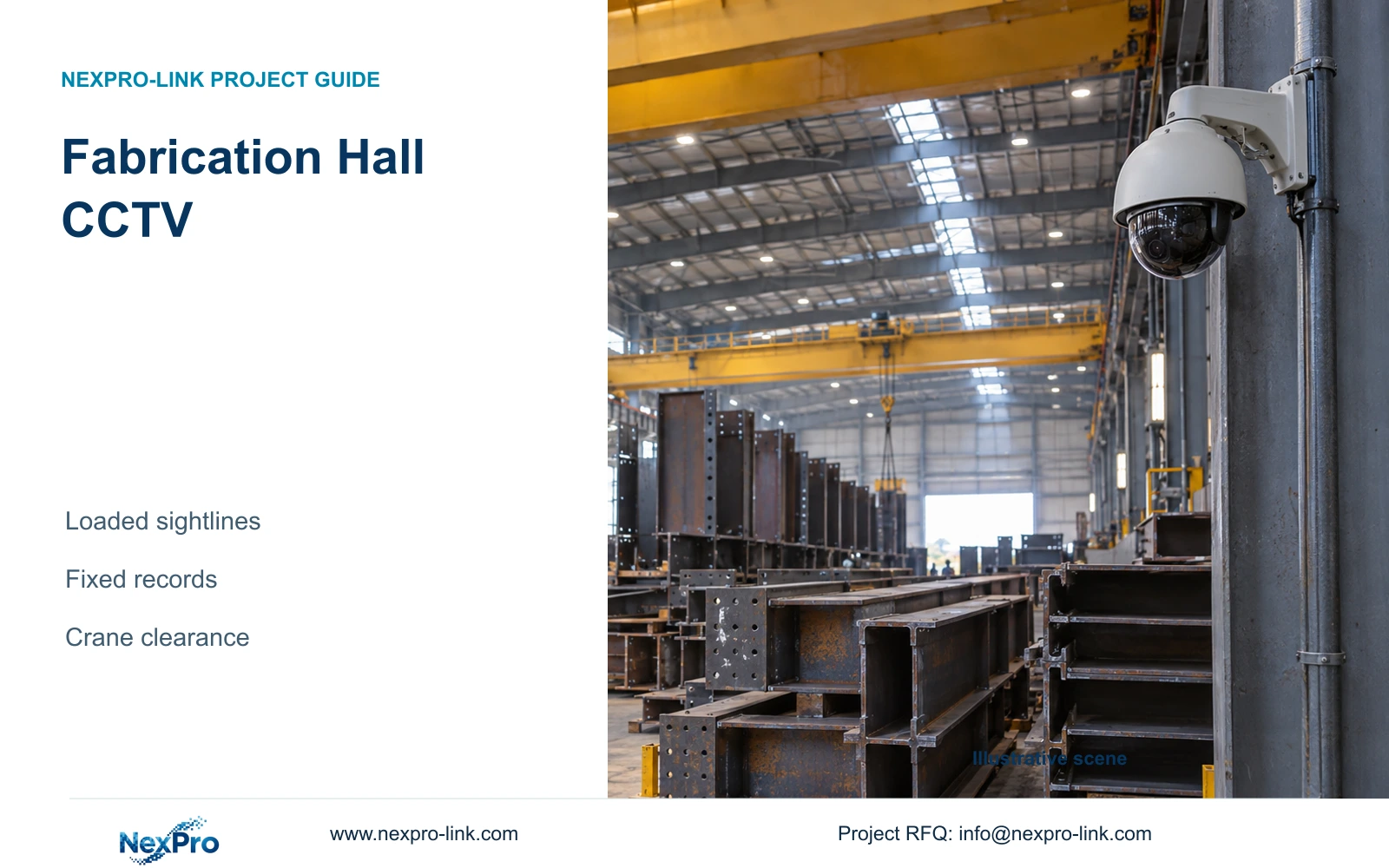
Fabrication hall camera positions must work with steel stacks and cranes in operation. Compare overview and detail geometry, preserve continuous critical views and coordinate safe mounting and cabling.
Section 01
Approve sightlines with the hall occupied
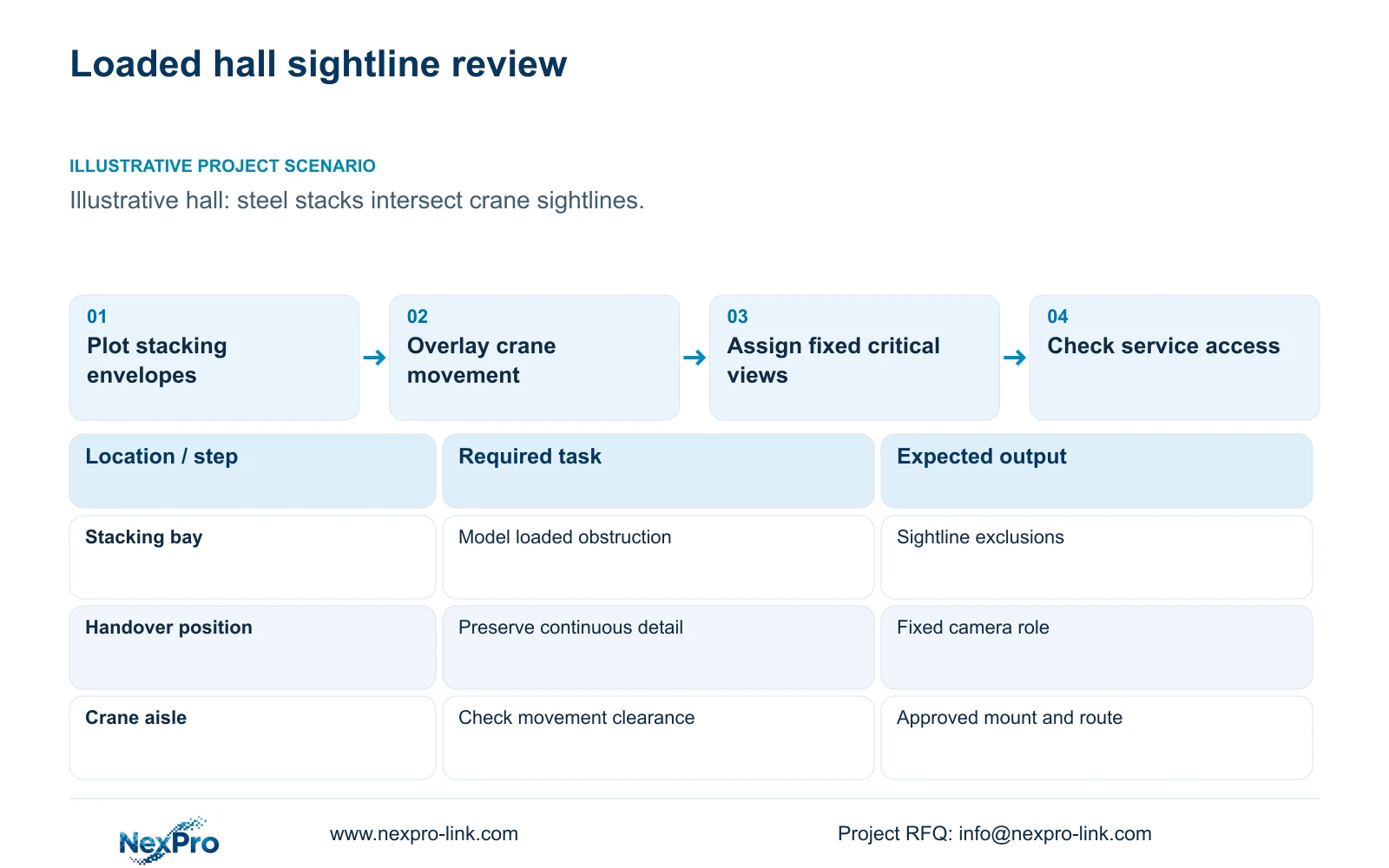
Fabrication hall CCTV should be designed against occupied, loaded conditions, with fixed views for positions that require continuous recording. Plot steel stacks, fabricated sections and crane movement before approving mounting points. A PTZ tour can support investigation, but while it looks elsewhere it cannot continuously record every critical position in the required detail.
Illustrative project scenario: Tall fabricated sections and crane paths change useful sightlines after installation. Assume the hall contains designated stacking bays beside material-transfer routes, with sections temporarily held near handover positions. These are planning assumptions, not an observed customer installation. The engineer must compare the clear hall with plausible loaded arrangements before selecting the camera schedule.
Obtain the permitted stacking envelope, crane travel envelope and handover locations from the production team. Draw target planes and obstructed zones on the same plan. Identify which movements need context and which positions need a closer record. Where the accepted view depends on a clear aisle or limited stack height, make that dependency visible to the owner rather than leaving it inside the camera drawing.
Section 02
Separate continuous critical views from operator inspection
Give material handover, store access and dispatch transitions their own fixed recording roles when simultaneous events matter. An overview can establish the route taken through the hall. A dedicated detail view can record the agreed handover action or identifier. Positioning two cameras together may leave both behind the same steel stack, so evaluate a genuinely different viewing angle before calling the second view additional coverage.
Use PTZ inspection only where the operator task justifies it, and retain the required fixed record underneath that workflow. A tour preset should be documented as intermittent observation. Its ability to look closely at one location does not prove that another location remained visible during the same interval. Independent viewpoints also do not establish recorder or power redundancy.
For suitable ordinary locations, NexPro-BL2812M55-5MP-DIC-AI and NexPro-DM2812M55-5MP-DIC-AI provide source-listed 2880×1620 output and 2.8–12mm motorized lenses. The latter remains the source Dome family; neither lens specification establishes PTZ movement. Evaluate the delivered recorded image with moving material, realistic lighting and the selected compression settings before accepting a role.
Section 03
Keep mounting and cable routes outside movement envelopes
Coordinate camera bodies, brackets, cable drops and access equipment with crane and material-handling clearances. A viewpoint that appears useful on a plan may require a support or service position inside the operating envelope. Choose a fixed building support with an approved maintenance approach where feasible, and have the responsible structural and crane teams confirm the arrangement before procurement.
Route data cabling along approved fixed containment, then measure the complete path to each access cabinet. Raising a camera can lengthen the route and make cleaning harder while still leaving the target hidden behind a tall section. Normal security cameras should remain outside unsuitable heat, contamination or chemical conditions. A housing rating alone cannot establish suitability beside every fabrication process.
The camera role schedule should identify the equipment supplied, retained or optional and the party responsible for each interface. Keep mounting approval separate from equipment selection. If a location can only be serviced during a planned shutdown, record that constraint alongside the cleaning and focus-check procedure so the operator can maintain the accepted view.
| Item | Required task | Supply status | Responsible party |
|---|---|---|---|
| Fixed handover view | Record the accepted transfer position continuously | New camera | Engineer specifies; supplier matches |
| Hall overview | Retain movement context around stacks | Retained if demonstrated suitable | Owner approves; installer verifies |
| PTZ inspection | Support operator-directed investigation | Optional | Owner defines operating need |
| Mounts and containment | Stay clear of crane and material envelopes | Local installation scope | Structural and crane teams approve |
Section 04
Trade horizontal coverage for detail deliberately
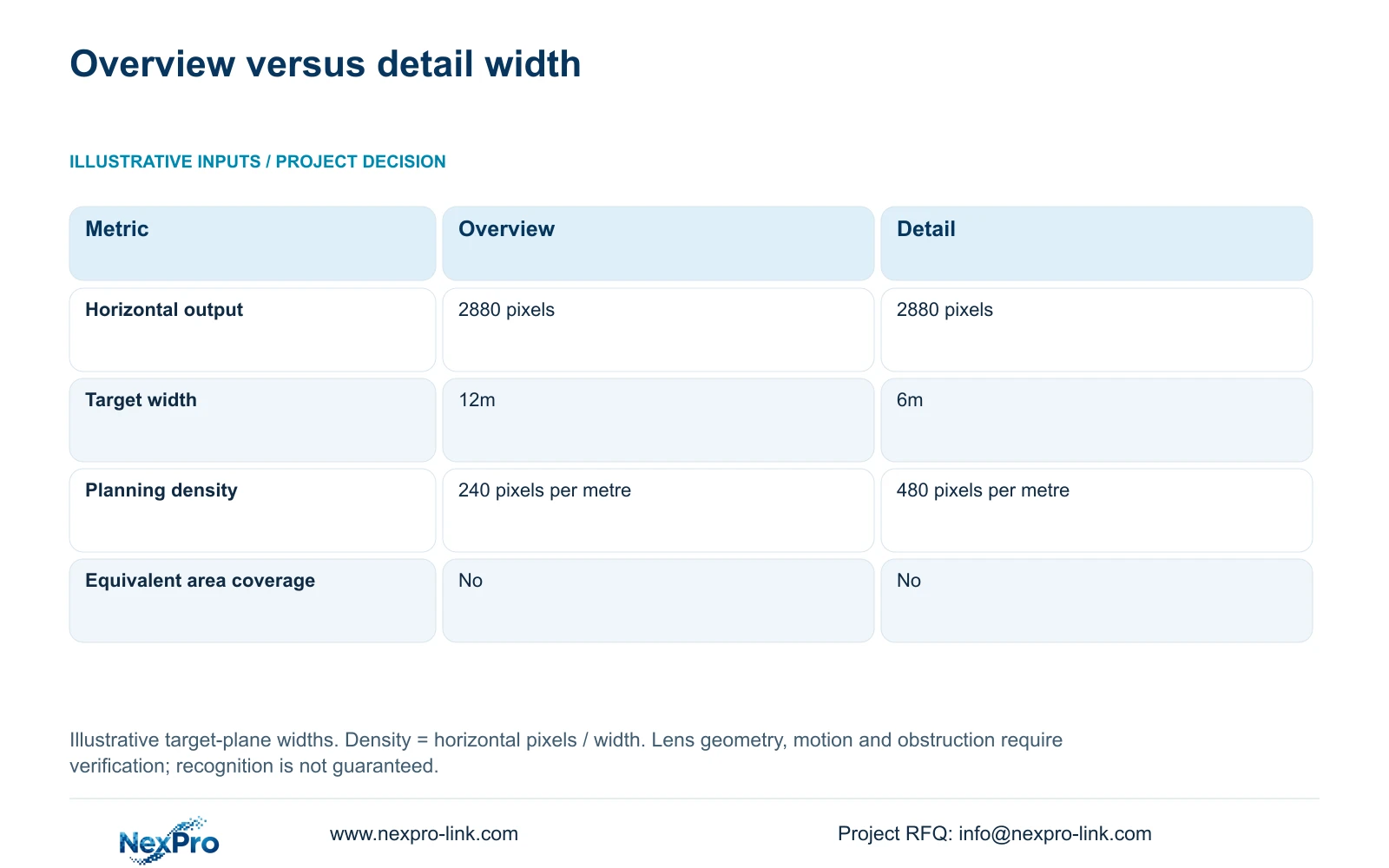
Use the supplied illustrative geometry to compare a broad view with a detail view. Both assume 2880 horizontal output pixels. Option A covers 12m at the target plane, while Option B covers 6m. The formula is planning_pixels_per_metre = horizontal_output_pixels / target_width_m. Thus 2880 / 12 = 240 pixels per metre and 2880 / 6 = 480 pixels per metre.
Narrowing the target width doubles the planning density while removing half the horizontal coverage. If the task requires the full 12m movement area and close handover detail, the 6m view cannot replace the overview on density alone. Retain the broader context and evaluate a separate detail view. Neither option represents equivalent area coverage.
The widths are assumed geometry, not guaranteed fields of view for a particular lens setting. Confirm distance, mounting angle and actual visible width at the required plane. Motion, light, compression and obstruction still affect the recording. More pixels across a steel stack do not reveal the transfer behind it, and this calculation assigns no universal recognition or DORI acceptance threshold.
| Input or decision | Option A: overview | Option B: detail |
|---|---|---|
| Horizontal output | 2880 pixels | 2880 pixels |
| Target-plane width | 12m | 6m |
| Planning density | 240 pixels per metre | 480 pixels per metre |
| Equivalent area coverage | No | No |
Section 05
Carry additional viewpoints into recording and power budgets
Recommend fixed critical views plus an overview where the wider transfer context is required. Add an alternate angle when loaded conditions obstruct that combination. Change the basis if the owner can relocate the handover area or enforce a stacking boundary that preserves the accepted view. Compare those operational choices with the equipment and installation changes before simply adding cameras.
CASE01 is an illustrative 32-camera factory baseline, including ten permitted machine-hall transfer views. At an assumed average 4 Mbps each, total recording input is 128 Mbps. Its 30-day continuous video volume is 32 × 4 × 10^6 × 86400 × 30 / 8 / 10^12 = 41.472 TB. Four 16 TB drives give a video budget of 64 × 0.95 × 0.80 = 48.64 TB, already allowing for formatting and reserve.
That baseline must be revised if extra viewpoints increase the schedule. The NexPro-NVR4449-4K has a listed 320 Mbps input and four SATA bays, but input capacity, supported recording modes and operator decoding need separate checks. Update per-switch power demand using actual selected-camera requirements. When complete switch AC load includes PoE, count it once in the UPS load list. Ordinary retrieval displays remain an option; a display wall requires its own viewing and power justification.
Section 06
Release a role-based package with loaded-condition checks
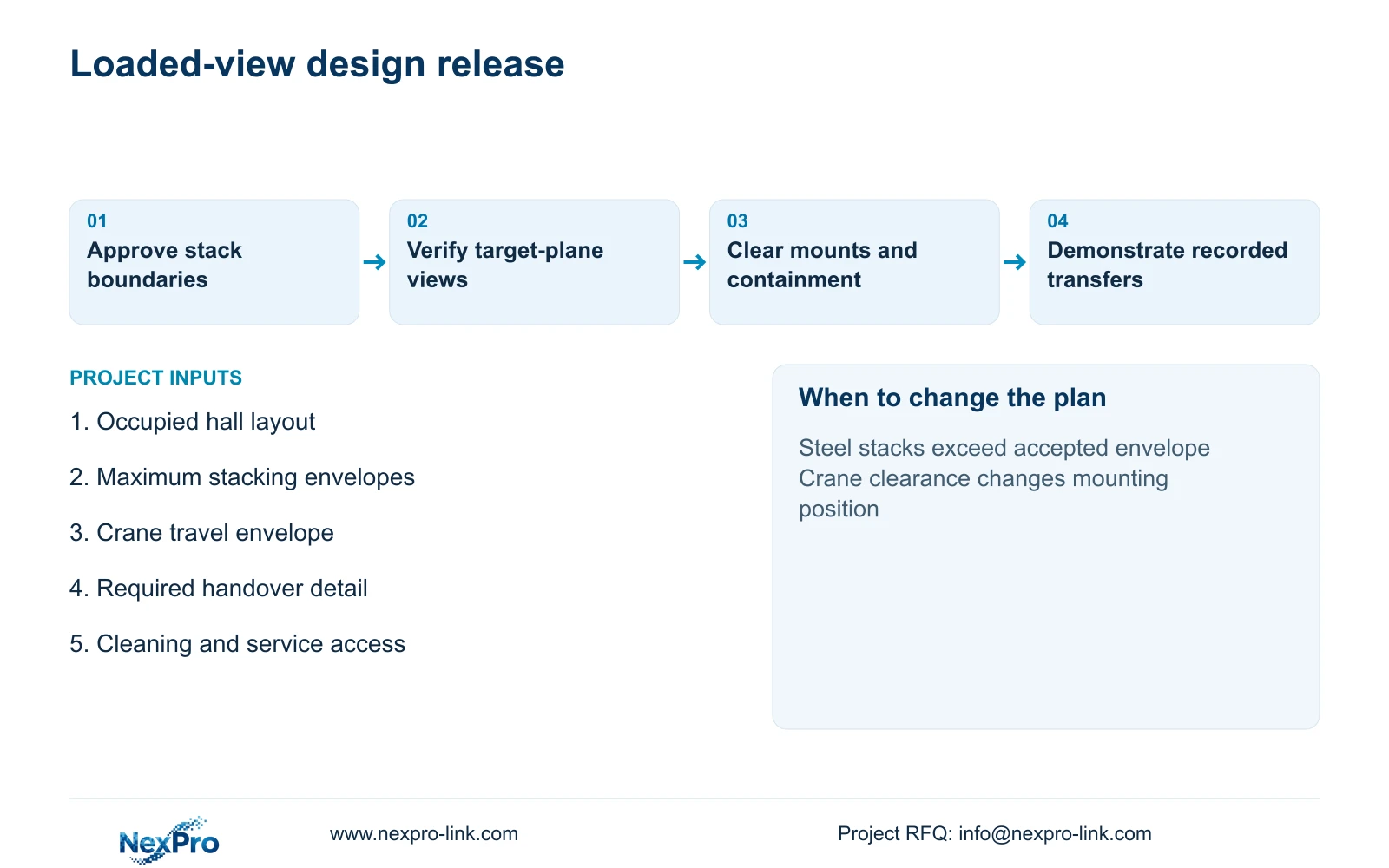
Issue a camera schedule containing the target plane, view purpose, stack envelope, mounting support, cable node and maintenance method. Attach the accepted loaded-condition drawing to the equipment list. The owner approves the observation outcome, the engineer resolves geometry and interfaces, and the local installer confirms access and installation details. Unresolved crane clearances should remain explicit release conditions.
NexPro-Link can use those inputs for model matching, technical submittals and coordinated equipment quotations. Location labels and project packing can distinguish overview, handover and alternate-angle units, including their assigned accessories. Separate supplier preparation from local bracket approval, containment construction and final aiming. A substituted lens or housing should trigger a review of the affected role.
For alternative brands, hold the occupied-hall tasks, retention and maintenance scope constant. Require exact model differences and demonstrations where image suitability remains uncertain. During acceptance, check recorded footage with representative stacks and crane movement, then retrieve the relevant sequence. Keep any residual blind zone on the handover drawing so later layout changes can be reviewed against a known baseline.
Section 07
Buyer questions
Can the hall be surveyed before the first steel stacks arrive? Yes, using agreed stacking envelopes and representative obstruction layouts. Keep those assumptions on the drawing and make loaded-condition verification an acceptance step. Empty-hall images alone should not close the coverage review.
Will mounting every camera higher solve stack obstruction? Height may improve some sightlines but can worsen the target angle and maintenance access. Compare a higher position with an alternate side view at the actual target plane before changing all mounts.
Does a tighter field of view reduce camera quantity? Only if the narrower view still covers every required task. A detail view may remove surrounding movement context and therefore require a retained overview. Quantity follows accepted coverage, not pixel density alone.
Can security footage verify weld quality or crane safety? This scope supports visual review of access and material movements. Weld inspection, machine vision and crane safety functions require separately specified systems and responsible specialists; ordinary CCTV should not be assigned those acceptance duties.
Section 08
Review your loaded-hall camera schedule
Send the hall plan with stacking envelopes, crane and material-transfer routes, required overview and detail tasks, and contamination and maintenance-access constraints to info@nexpro-link.com. NexPro-Link can discuss suitable camera roles, associated equipment and technical quotation inputs.
Engineering references
These sources support the general planning principles. Always use the selected product's current datasheet and applicable project standards for final design.