Rework-area CCTV should explain returned-unit custody without opening confidential bench work to unrestricted viewing. Use event references and tested permissions to control retrieval.
Section 01
Limit recording to approved custody and access tasks
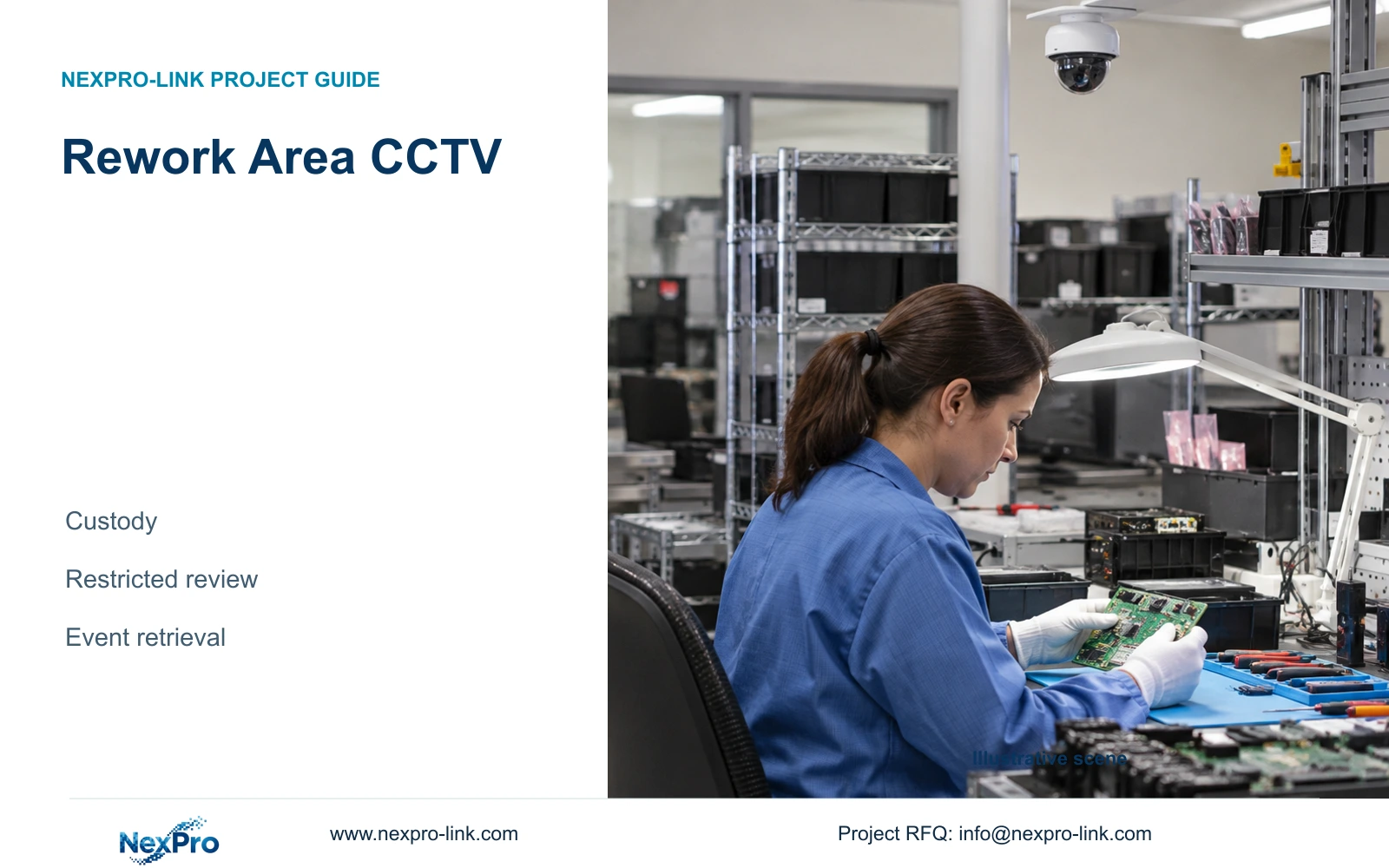
Electronics rework area CCTV should support custody and access review through an approved retrieval process. Define the purpose around returned-unit receipt, controlled storage and handover. Avoid turning a request for handling context into unrestricted observation of confidential bench work. The design engineer needs both an accepted view boundary and an access requirement before choosing the recording and client architecture.
Illustrative project scenario: An electronics contractor needs context around returned-unit handling without exposing unrelated production details. Assume units pass through receiving, a temporary holding position and a rework handover point. These are hypothetical planning locations. The owner should identify which exchanges need recording and which neighbouring work surfaces, screens or production activities should remain outside the approved view.
Prepare an observation schedule that states the review question beside each position. A suitable question is whether a returned unit reached the authorised handover point. Diagnosis, repair steps and test results belong in the rework record unless the owner approves a separate observation task. Facilities must also confirm clean/ESD installation constraints where the selected position approaches a controlled work area.
Section 02
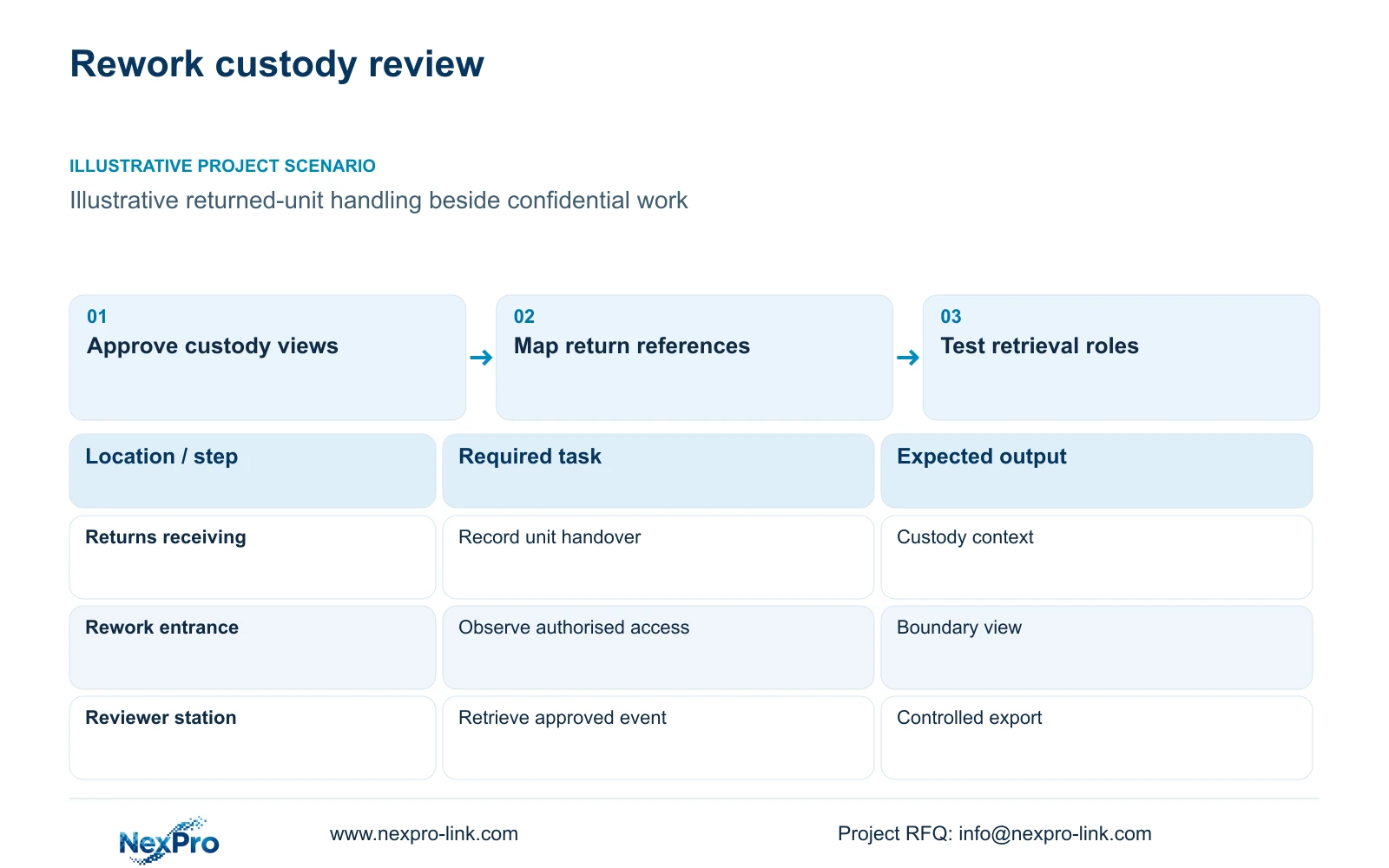
Use rework records to locate the relevant video
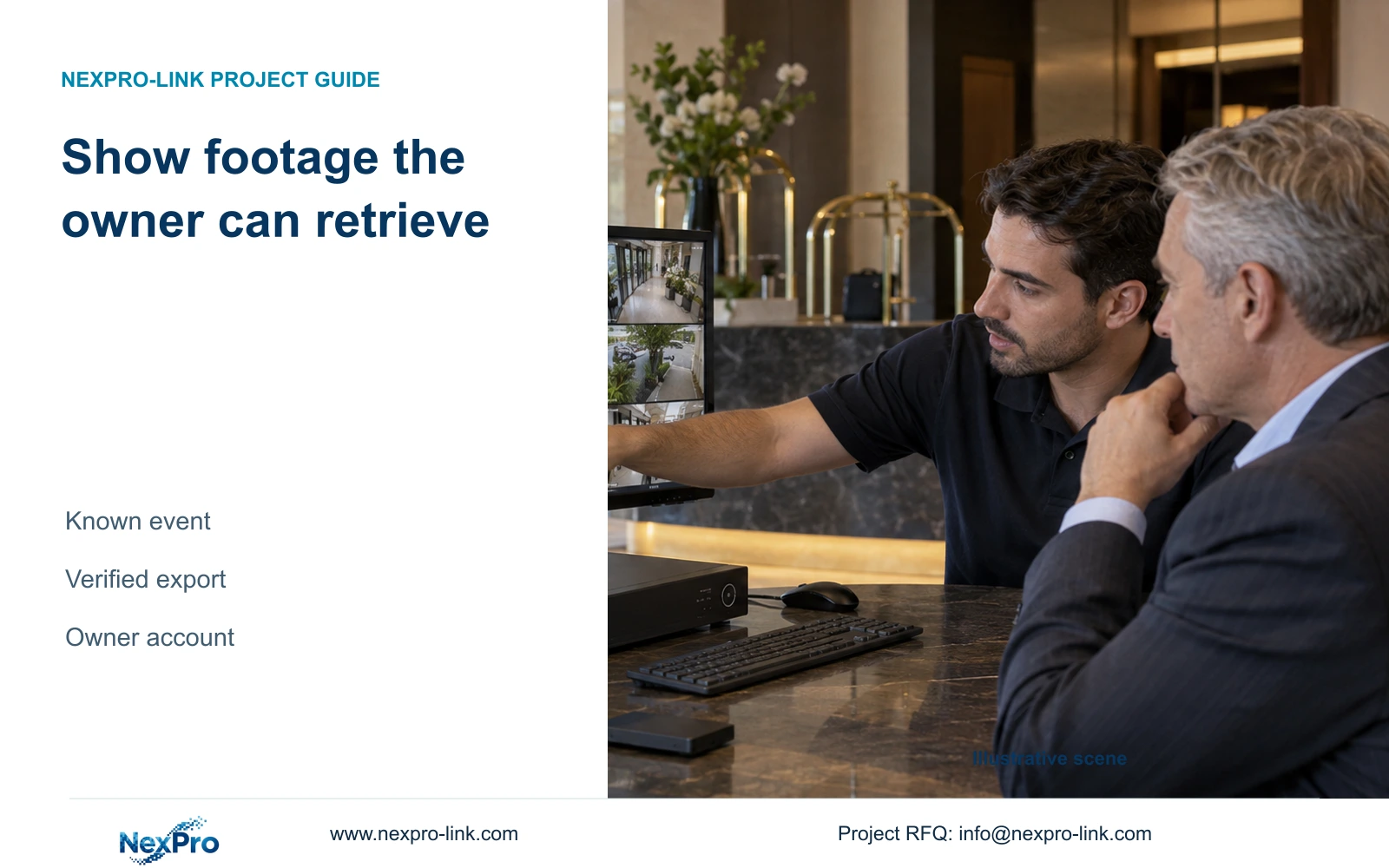
Keep returned-unit identity, diagnosis and disposition in the rework system. Video can show handling around a referenced event, but it cannot supply missing repair data. Agree a retrieval reference containing the job or return identifier, station, approximate time and required custody event. This gives the reviewer a reason to select particular cameras rather than exporting a broad room recording by default.
Create a station-to-camera map and verify its time relationship during commissioning. If the recorded timestamp differs from the business record, document the offset and correct the configuration where appropriate. Include adjacent transfer views when the event crosses a camera boundary. The selected interval must cover the complete approved event, including relevant approach and departure context.
A manual reference process can be a practical baseline. If automatic linking is requested, specify the actual interface, ownership and acceptance test as additional scope. No supplied camera or recorder field establishes native integration with a rework database. Keep that dependency visible in the quotation and ensure a missing interface does not prevent basic authorised retrieval.
Section 03
Test viewing and export permissions separately
Define which roles may see live views, search recordings, play back selected channels and export files. An illustrative operating split could allow a security operator to observe the entry route while a designated reviewer handles an approved custody request. State the intended restrictions as requirements; demonstrate that the exact recorder, client and firmware can enforce them before accepting the package.
Test with the intended user account, not an administrator account. Check channel browsing, saved layouts, playback, export and any remote-client access included in scope. A layout showing only approved channels does not prove that other channels are inaccessible. If the selected platform cannot enforce the required boundary, use a separately qualified access architecture or retain the mandated platform.
CASE02's two operator seats are a resource example, not two approved permission roles. For rework review, their location and screen visibility also matter. Keep confidential footage off a broadly visible display. Document who approves a request, who retrieves it and where an authorised copy is held, without claiming that a smaller selection establishes legal evidence status.
Section 04
Measure the selected export without shortening the event
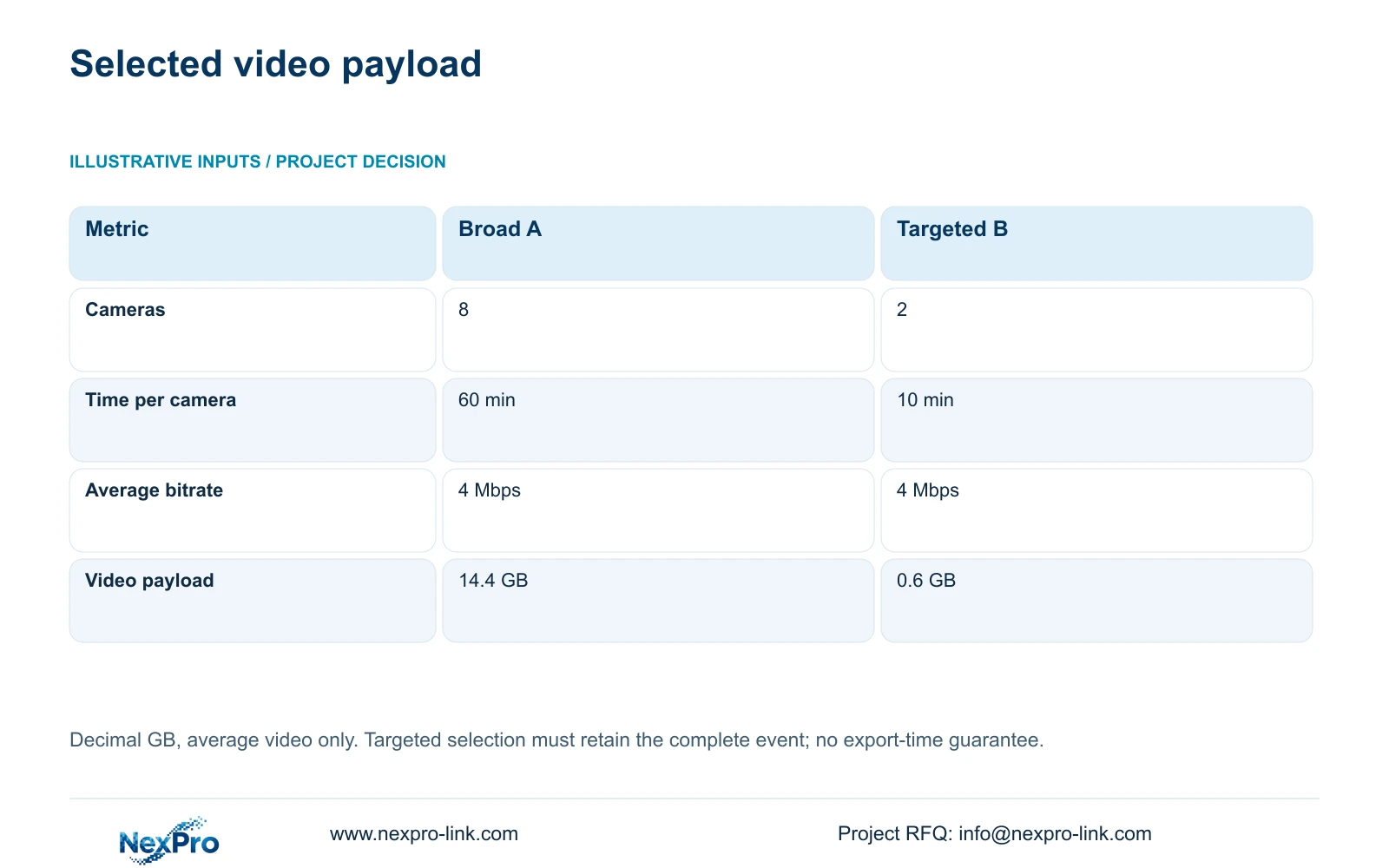
For an illustrative payload comparison, Option A selects eight cameras for 60 minutes each at an assumed average 4 Mbps. Option B selects two relevant cameras for 10 minutes each at the same bitrate. Using decimal GB, the formula is GB = cameras × Mbps × seconds / 8 / 1000. Option A is 8 × 4 × 3600 / 8 / 1000 = 14.4 GB; Option B is 2 × 4 × 600 / 8 / 1000 = 0.6 GB.
The decisive difference is the selected material, not a reduction in the local recording quality. A station-and-time reference can narrow unrelated footage while retaining the complete custody event. Option B is suitable only if those two cameras and that interval contain the required sequence. Expand the request when the route or event uncertainty makes the narrower selection incomplete.
These are average video payload estimates, not measured file sizes or export durations. Audio, packaging overhead and actual stream behaviour can affect the resulting file. The calculation does not prove staff-time savings. Keep request approval, playback completeness, export verification and subsequent handling as separate checks.
| Metric | Broad request A | Targeted request B |
|---|---|---|
| Selected cameras | 8 | 2 |
| Minutes per camera | 60 | 10 |
| Assumed average bitrate | 4 Mbps | 4 Mbps |
| Estimated video payload | 14.4 GB | 0.6 GB |
Section 05
Choose an architecture that can enforce the review boundary
Recommend custody-focused views with an event-reference process and tested retrieval permissions. Ordinary-area camera candidates such as NexPro-BL2812M55-5MP-DIC-AI retain the supplied 2880×1620 output and 2.8-12mm motorized lens fields for framing review. Camera resolution does not establish user permissions, confidential-area protection or clean/ESD installation approval.
CASE02 assumes 64 supported 5MP-class streams at 4 Mbps, continuous recording and a 30-day target. The resulting 82.944 TB video requirement is distinct from the 14.4 GB and 0.6 GB export examples. Narrowing an export does not reduce retained recording capacity. Confirm recording, concurrent playback and export behaviour on the selected hardware and client.
The NexPro-NVR8864-4K has published 64-channel, 320 Mbps input and eight SATA-bay references, but those fields do not establish every permission or decode workflow. If the owner requires functions beyond the demonstrated package, keep the necessary platform or integration scope. Protect the actual PoE and recording circuit with suitable backup power, and place retrieval displays on the authorised client branch.
Section 06
Deliver a repeatable request-to-export procedure
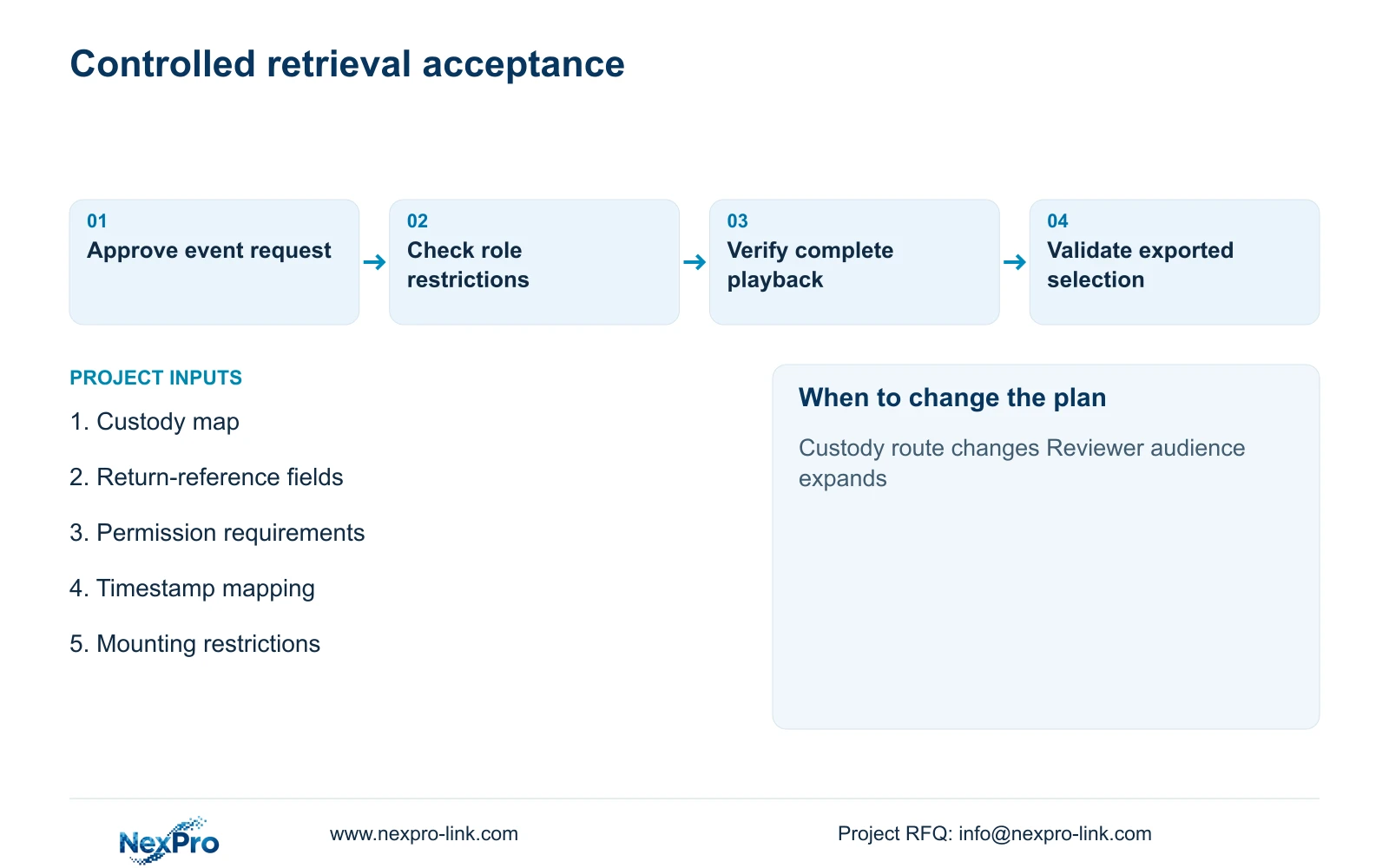
The acceptance pack should include approved view boundaries, role requirements, station mapping and a sample custody request. Demonstrate the full sequence from request approval to playback and verified export using the intended reviewer account. Include an unsuccessful access attempt to an excluded channel. Record the model, client and firmware used so later changes can be assessed against the accepted behaviour.
NexPro-Link's BOQ support can help document camera matching, recorder candidates and deviations, while its factory project scope supports the ordinary-room equipment package. Local installation, business-record integration and ownership of the retrieval policy remain separately assigned. Project labels can carry location identifiers without placing customer return data or confidential identifiers on public packaging.
Have the owner verify applicable local privacy, employment and record-handling requirements before operation. Reopen the review design when the room use, custody route or authorised audience changes. A working export demonstration is useful technical evidence, but it does not determine legal admissibility or authorise unrelated future viewing.
Section 07
Buyer questions
Does a targeted export mean we should record less? No. Recording retention and export selection are separate decisions. Keep the accepted recording scope, then select approved event material for a particular request.
What if the return record gives only an approximate time? Start with a wider authorised interval and inspect relevant transfer views. Narrow the export only after confirming the complete event; document uncertainty rather than assuming a precise ten-minute window.
Can an existing client be retained for restricted review? Yes, if the exact account and firmware demonstrate the required channel, playback and export restrictions. Retain necessary platform functions and document any gaps before changing hardware.
Section 08
Define your rework review boundary
Send the custody-route layout, sample retrieval-reference fields, viewing/export role requirements and clean/ESD mounting conditions to info@nexpro-link.com to discuss a controlled-review equipment scope.
Engineering references
These sources support the general planning principles. Always use the selected product's current datasheet and applicable project standards for final design.