Split an electronics CCTV release into ordinary receiving/store work and SMT-boundary work that needs facility permission. Track mounts, penetrations and maintenance access separately.
Section 01
Record access and handovers outside the process
Release electronics assembly CCTV in two work packages when controlled SMT-area conditions are unresolved. Receiving and component-store views can proceed only within their documented ordinary-area scope; mounts, cable penetrations or servicing that cross a clean/ESD boundary stay pending the facility's conditions. A camera mounted outside the room can still create controlled-area work. Use a crossing-and-permission schedule to decide what the installer may start, rather than approving every line from the camera model alone.
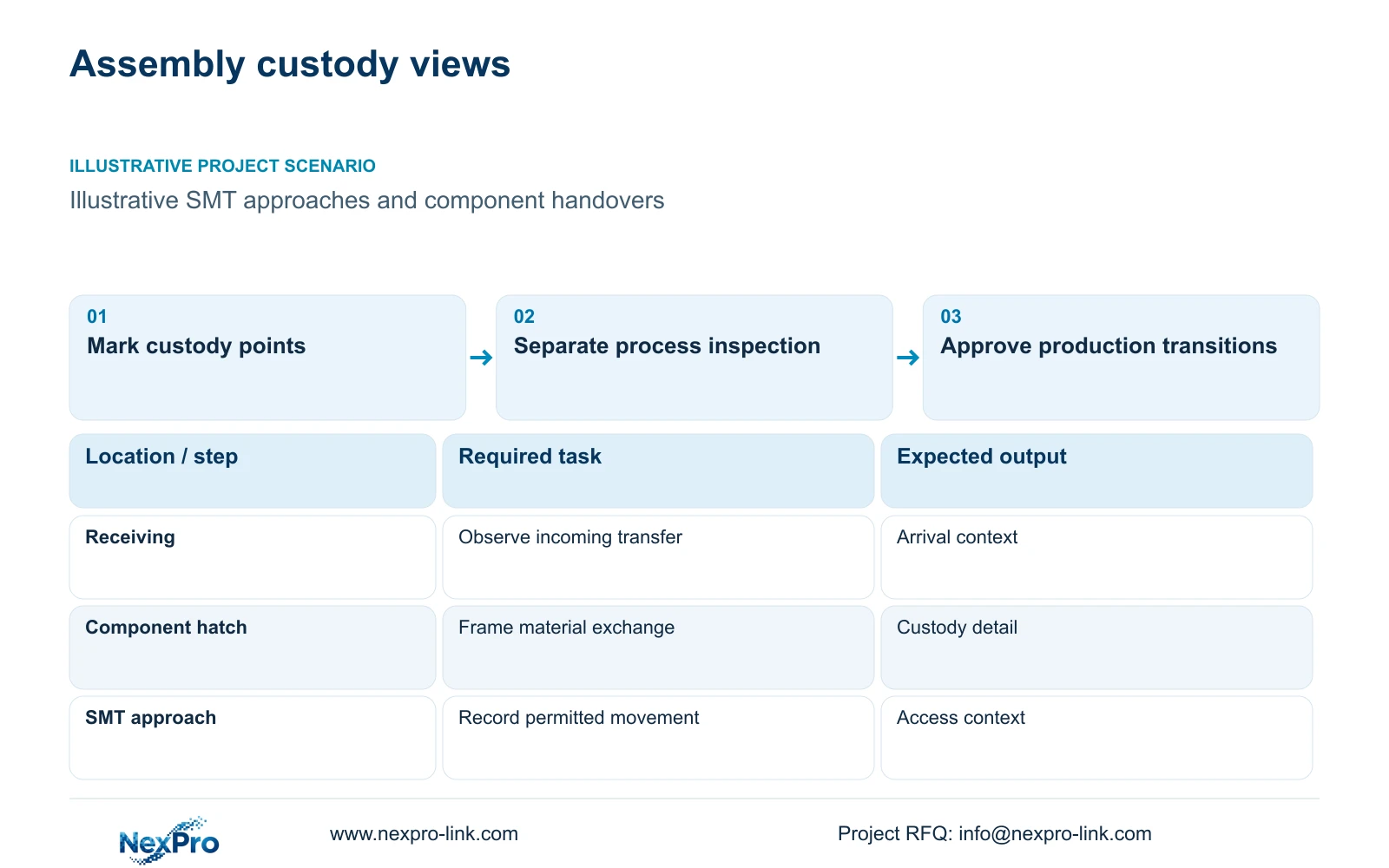
Illustrative project scenario: A factory requests coverage of material movement near SMT lines and secure component storage. Assume that receiving, component issue and packing take place in ordinary support areas, while entry into controlled production requires separate permission. These are planning assumptions, not a completed customer project. The first drawing should mark the receiving point, store doorway, handover position and SMT approach, with the required event written beside each view.
For every position, specify what must remain visible when doors open, carts queue or operators stand between the camera and material. Have operations approve the event boundary and facilities confirm the installation boundary. This separates a missing sightline from a missing process record and prevents both problems being assigned to a higher-resolution camera.
Section 02
Place detail where component custody changes
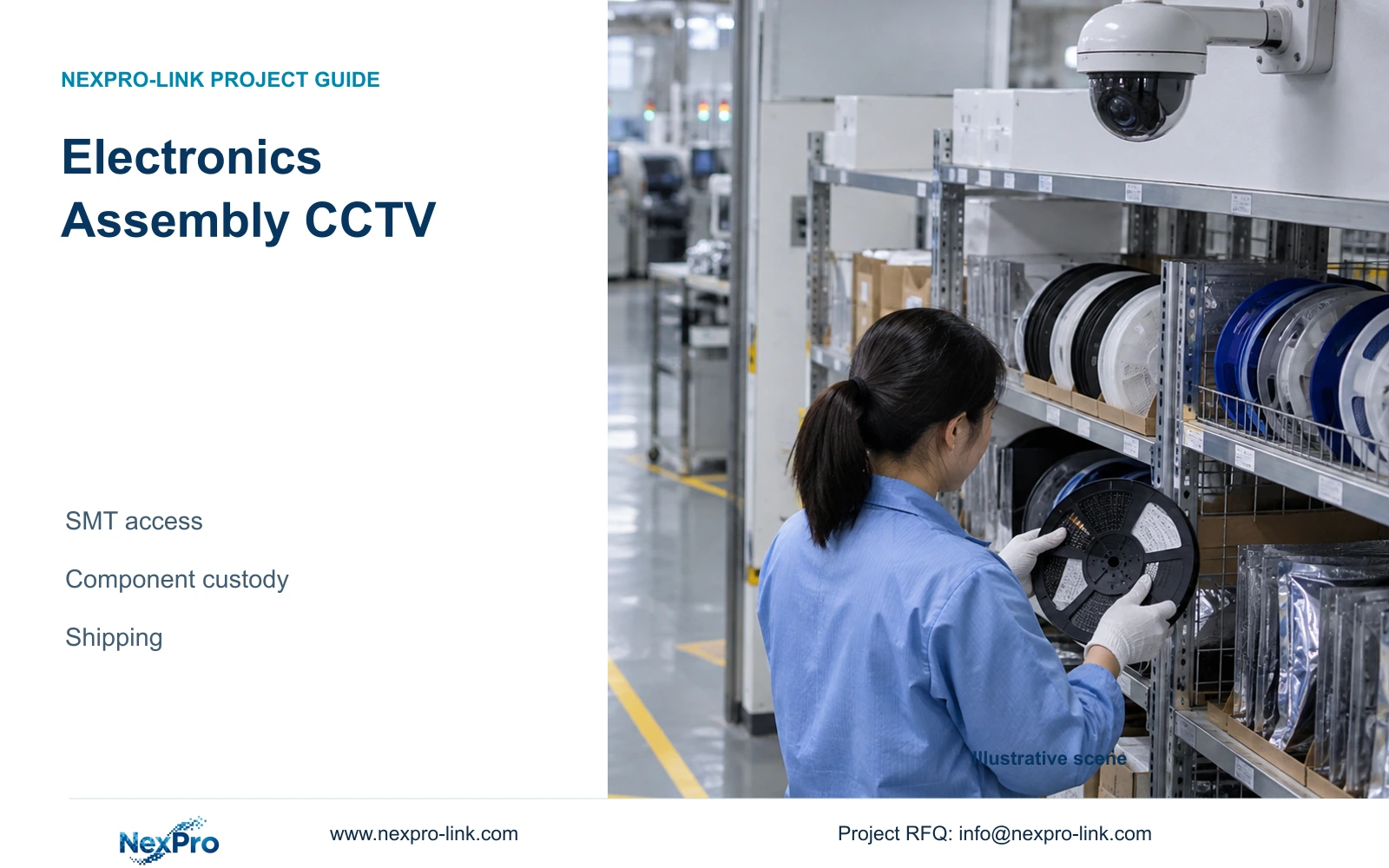
At a component store, the decisive location is often the point where a reel, tray or sealed container changes hands. Mark that position on the layout and ask the store supervisor to demonstrate the normal issue sequence. Include the operator's working position, the recipient's approach and any temporary staging surface. A doorway overview may establish entry while leaving the actual exchange hidden behind a counter or trolley.
Use a broad view where the task is to follow movement through staging. Add or reposition a dedicated detail view when the owner needs to review the exchange itself. Preserve the transaction reference in the stock system and associate it with the station and time. Security video can support the handling context without being expected to identify every printed component code.
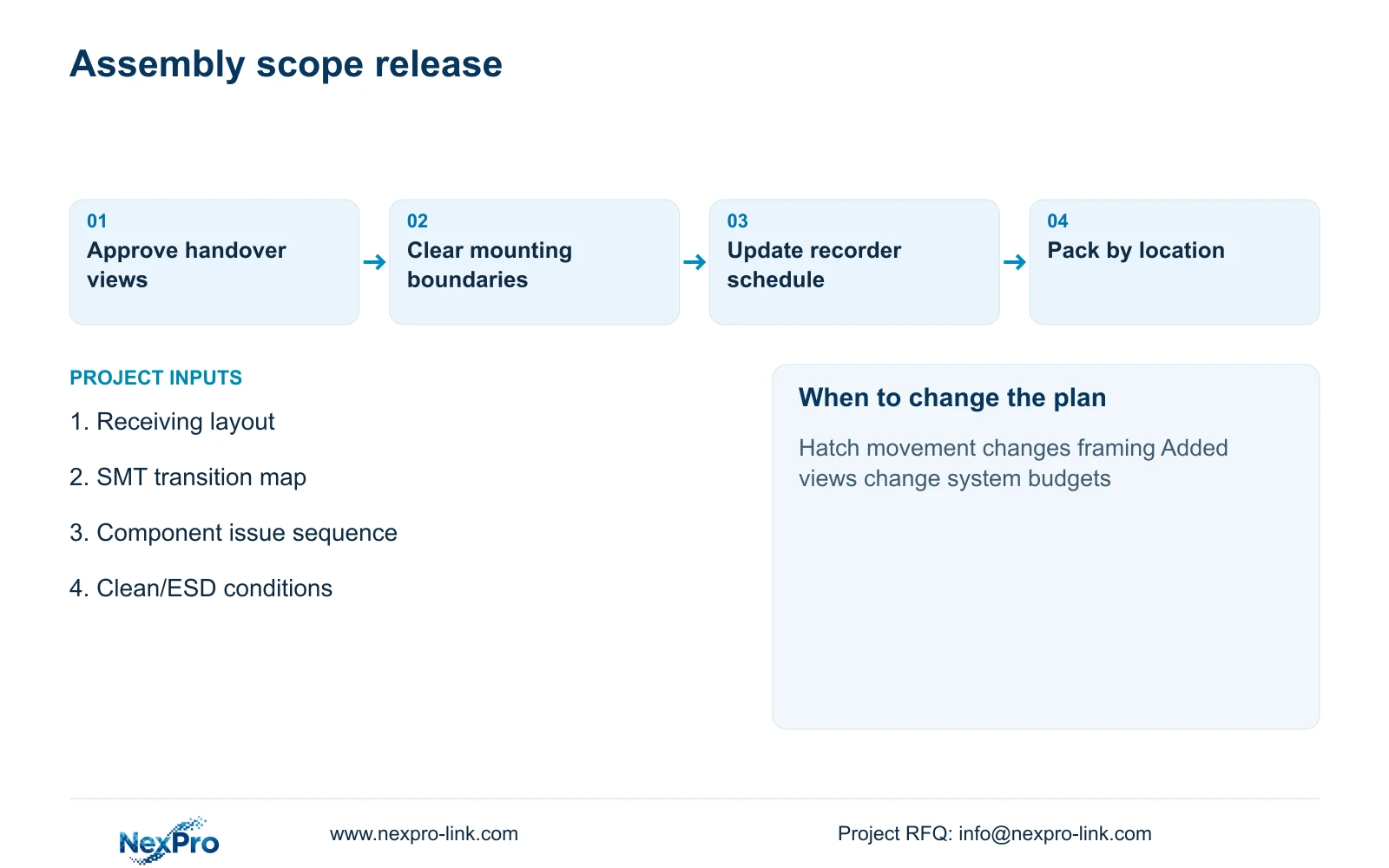
The cost schedule should distinguish a retained overview, a proposed detail camera and any mounting or cabling needed for the changed position. If the hatch moves, review the target width, camera angle and cable route together. A lens adjustment may resolve framing, but it cannot recover an exchange that now occurs behind a solid obstruction.
Section 03
Separate SMT-boundary permissions from ordinary work
A camera overlooking an SMT approach may be outside a controlled room while its bracket or cable crosses the room boundary. Obtain the site's clean/ESD installation conditions for the complete assembly, including mounts, penetrations, tools and later maintenance. Facilities should identify permitted fixing surfaces and service access; the production owner should approve any work affecting the controlled space.
The NexPro-BL2812M55-5MP-DIC-AI and source Dome model NexPro-DM2812M55-5MP-DIC-AI are ordinary-area candidates. Their supplied specifications retain the 5MP-family output of 2880×1620 and a 2.8-12mm motorized lens. Those fields help prepare an image trial. They do not establish cleanroom, ESD or semiconductor-process suitability, and housing shape does not establish an impact rating.
Keep the recorder, switches and batteries in a suitable accessible service room where the drawing permits. Assign the camera and approved accessories to equipment supply, the cable route and mounting method to the local installation scope, and controlled-area permission to the facility. Any specialist position should remain a separately qualified requirement rather than being absorbed into the ordinary camera list.
For each view, trace installation and later replacement routes, not only the camera's final position. The permission row should show who approves the fixing surface, who performs the penetration and how a technician reaches the connection. An ordinary camera datasheet cannot close these work-permit questions. If only the crossing is unresolved, retain that row as a dependency instead of stopping unrelated accepted receiving work or treating the full factory as approved.
| Condition / stage | Required input | Decision and evidence |
|---|---|---|
| Ordinary receiving/store view | Approved task, position and ordinary installation conditions | Release only this accepted work package |
| Cable or bracket crosses controlled space | Facility fixing, penetration and work-entry conditions | Hold the crossing until its responsible owner approves it |
| Later camera replacement | Permitted tools, access path and reinstatement responsibility | Include maintenance permission before accepting the installed assembly |
Section 04
Choose detail width without losing movement context
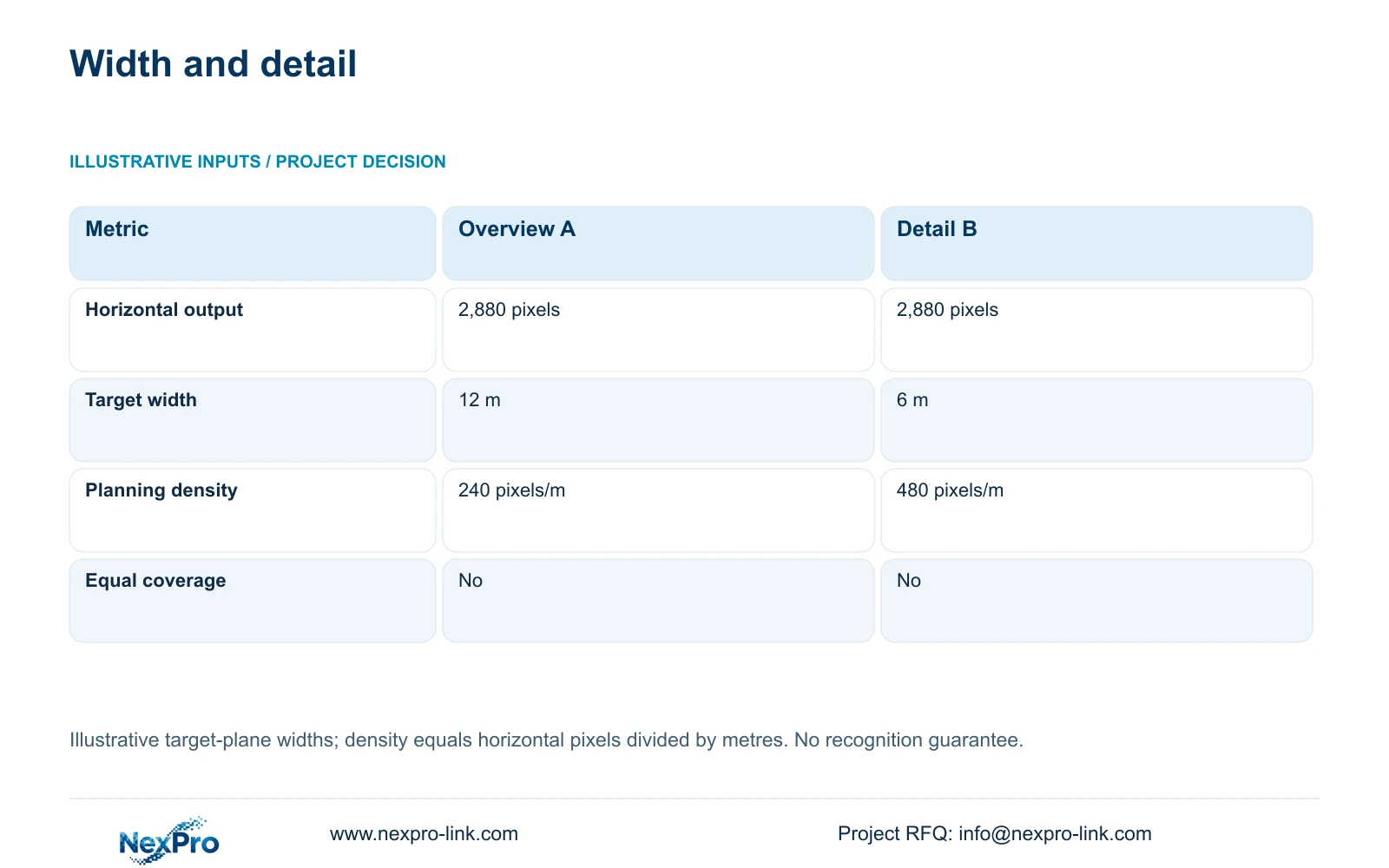
For an illustrative comparison, use one horizontal output of 2,880 pixels. Option A covers 12 m at the target plane; Option B covers 6 m. The formula is planning_pixels_per_metre = horizontal_output_pixels / target_width_m. Therefore, 2,880 / 12 = 240 pixels/m and 2,880 / 6 = 480 pixels/m. The widths are assumed geometry, not guaranteed fields of view from the lens specification.
The decisive difference is the loss of half the horizontal coverage when the view is tightened. Option B is a reasonable trial basis for a component exchange, while Option A retains more of the surrounding route. If both results are required, preserve an overview instead of treating the detail camera as an equivalent replacement. The comparison does not establish a universal recognition threshold.
Check the recorded exchange with representative packaging, normal movement and working lighting. Review the actual recording stream rather than only a live preview. Compression, exposure, angle and obscuration can remove useful detail even when the planning density looks sufficient. Use the trial outcome to approve the view or change its geometry.
| Metric | Overview A | Detail B |
|---|---|---|
| Horizontal output | 2,880 pixels | 2,880 pixels |
| Target width | 12 m | 6 m |
| Planning density | 240 pixels/m | 480 pixels/m |
| Equal area coverage | No | No |
Section 05
Carry added views into recording and power budgets
Recommend an ordinary-area package with task-specific framing at custody points and separate production permissions. CASE02 supplies an illustrative whole-system context: 64 views allocated across receiving, restricted-room approaches, staging, assembly transfers, packing/dispatch and shared routes. Its 64 streams at an assumed 4 Mbps produce 256 Mbps of recorder input. Adding a handover camera changes that schedule; it should not disappear into an uncosted spare channel.
CASE02 assumes supported 5MP-class recording modes and a NexPro-NVR8864-4K candidate. Its published 64-channel and 320 Mbps input references do not establish unrestricted 8MP recording or simultaneous decoding. At 30 days of continuous recording, the case requires 82.944 TB of video. The installed 128 TB raw capacity yields a 97.28 TB video budget after the stated 95% formatting allowance and 20% reserve, so the comparison is 82.944 TB against 97.28 TB.
Confirm camera power before matching PoE ports and switch budgets. Protect the actual camera supply, switching and recording path with backup power; do not count camera demand again when it is already included in complete switch AC input. Retain the case's two operator seats only if their tasks are required, and treat any display wall as a separate viewing option.
Section 06
Release an equipment schedule tied to accepted events
The RFQ schedule should identify each view by location, custody event, mounting boundary and recorder destination. Include the receiving-to-store route, the controlled SMT approach and the final shipping handover. Record which positions are approved, provisional or specialist. That gives suppliers a basis for model matching while keeping unresolved installation conditions visible.
NexPro-Link's Factory & Warehouse project supply and BOQ & Tender Support scopes provide relevant routes for equipment coordination and technical submittals. For this project, useful preparation includes matching approved views to camera candidates, identifying recording dependencies and packing units by location. OEM labels or packaging can follow the accepted location schedule without changing the technical acceptance criteria.
Before release, ask the local integrator to demonstrate one receiving event, one component issue and one shipping transfer through playback and export. Record the camera IDs and settings used. Compare alternative proposals against those same events, retention requirements and installation responsibilities. A brand change should preserve required integrations and controlled-area conditions rather than quietly narrowing the scope.
Section 07
Buyer questions
Can we quote the package before the SMT layout is final? Yes, if provisional views and installation boundaries are identified. Price the accepted receiving and store tasks separately from movable SMT approaches, then define which layout changes trigger revised mounts, cable routes or camera quantities.
Does motorized framing eliminate the need for a site trial? No. It provides an adjustment option within the listed lens range, but the required exchange still needs to be visible at the actual distance, angle and lighting. Approve recorded footage from the intended position.
Should component identification be included in the camera acceptance test? Include it only when the project explicitly requires it and a representative trial demonstrates the needed detail. Keep stock-system identifiers as the transaction source; ordinary security specifications do not establish automatic component-code reading.
Section 08
Define your assembly handover package
Send your receiving and SMT approach layout, component handover tasks, clean/ESD installation constraints and recording requirement to info@nexpro-link.com to discuss a coordinated ordinary-area equipment package.
Engineering references
These sources support the general planning principles. Always use the selected product's current datasheet and applicable project standards for final design.