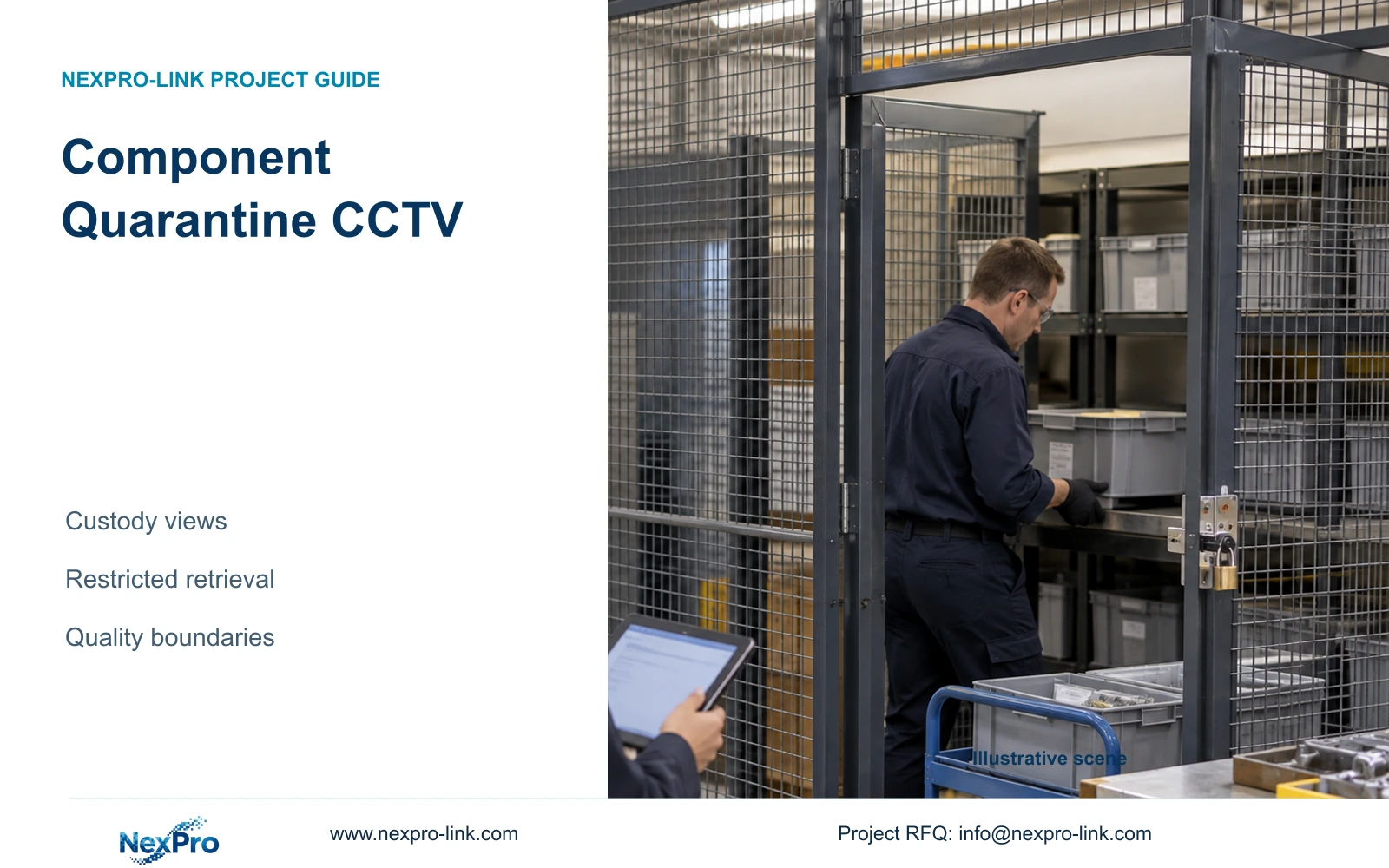
Component quarantine CCTV should document physical custody changes and support authorised investigation. A worked export comparison shows how camera and time selection affect payload without replacing quality disposition records.
Section 01
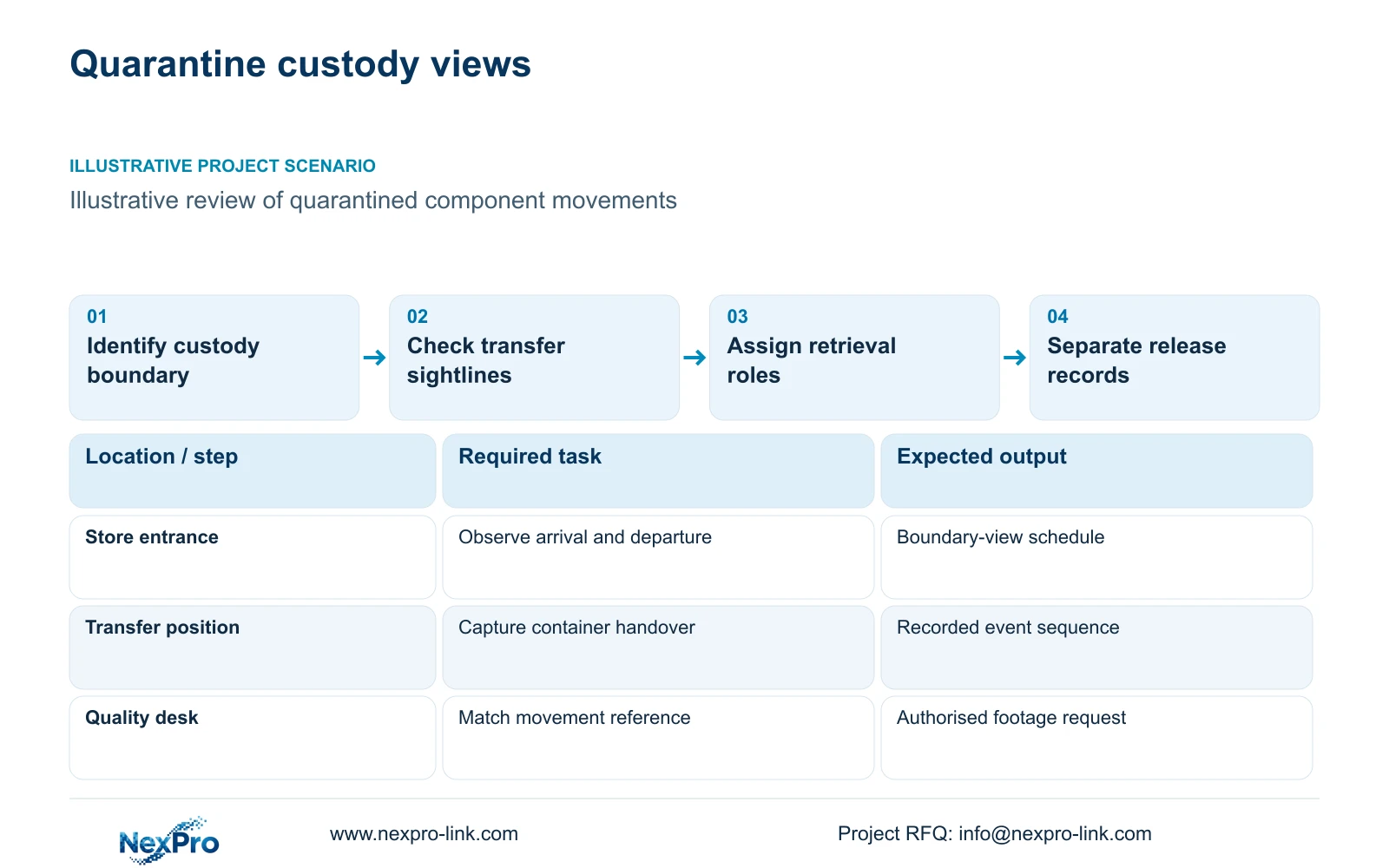
Place the views where physical custody changes
Component quarantine CCTV should show components crossing the physical custody boundary, with footage retrieval restricted to approved users. Start at receiving, quarantine entry and the authorised removal route. The footage should help establish what moved, through which opening and in whose presence. Product acceptance, rejection and release remain decisions recorded by the quality process. A camera overlooking every shelf can still miss the handover that matters if a loaded trolley blocks the doorway.
Illustrative project scenario: A quality team wants context when quarantined components are moved. Assume, for planning, that an automotive component store has a controlled entrance and a marked transfer position beside it. The engineer proposes an approach view and a handover view, then checks whether those positions cover movement during each shift. These are hypothetical design choices, not an installed client system or a demonstrated identification result.
Walk the route with stores and quality staff before fixing mounting positions. Record container height, transfer direction, forklift movement, door swing and where paperwork changes hands. Keep cameras clear of vehicle envelopes and maintenance access. If stock can leave through another opening, either include that boundary or state the coverage gap explicitly. The owner should approve the observed event before the engineer assigns camera quantities.
Section 02
Give investigators a defined retrieval route
Decide who requests footage, who searches it and who authorises export. For this scenario, a practical allocation is quality staff identifying the movement reference, an approved security operator retrieving the relevant views, and a nominated manager approving external sharing. This allocation must match the site's actual organisation. It avoids handing unrestricted recorder access to every person who needs occasional context about quarantined stock.
Write the retrieval request around a location, movement reference, approximate time and required event sequence. Include the shift and any known difference between the quality-system timestamp and recorder time. A transfer timestamp may describe an administrative entry rather than the physical movement. The operator therefore needs permission to expand the search window when the initial selection does not show arrival, handover and departure.
Separate account capabilities in the acceptance schedule: live viewing, playback, export and configuration changes are different tasks. Demonstrate the required restrictions on the selected model and firmware rather than assuming the interface provides them. Where an existing central platform controls access, retain that workflow until an alternative has been checked. An isolated new recorder may be technically workable but introduce another account and approval process.
Section 03
Keep the movement record and disposition authority separate
Produce two linked documents: a handover-view schedule and a process-interface list. The first identifies camera location, observed boundary, expected obstruction and acceptance scene. The second identifies the quality record used to initiate a search, the owner of that record and any proposed connection to the CCTV system. Begin with a manual reference between the movement record and footage unless a verified integration is genuinely required.
For example, the quality team retains responsibility for the quarantine status and release authorisation. The CCTV supplier supplies the agreed cameras and recording configuration. The local integrator installs and aligns the boundary views, while the owner approves accounts and retrieval procedures. Any automatic event transfer from production software stays a separately specified interface. This division prevents a camera quotation from silently acquiring responsibility for traceability-system validation.
NexPro-BL2812M55-5MP-DIC-AI and the source Dome model NexPro-DM2812M55-5MP-DIC-AI are ordinary-area candidates with 2.8–12mm motorized lenses. Their supplied 5MP specifications list 2880×1620 output and 25fps. Use those fields to develop the proposed view, then inspect representative containers under actual lighting. Neither the resolution label nor the housing establishes readable component labels, component inspection capability or safe robot control.
Section 04
Narrow the export only after the event is located
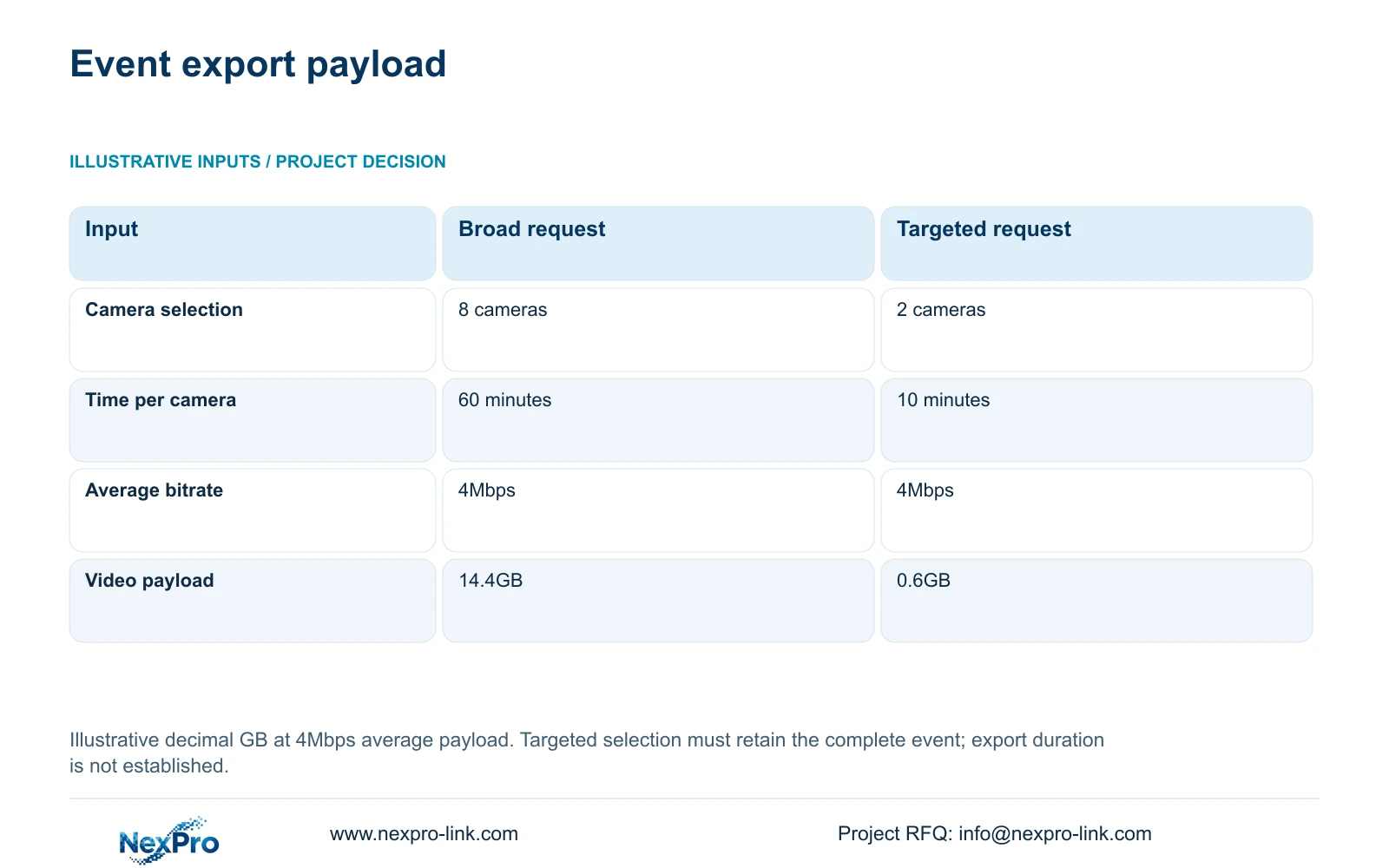
The illustrative broad request selects eight cameras for 60 minutes each at an assumed average payload bitrate of 4Mbps. The targeted request selects two relevant cameras for ten minutes each at the same bitrate. Using decimal units, GB = cameras × Mbps × seconds / 8 / 1000. The broad calculation is 8 × 4 × 3600 / 8 / 1000 = 14.4GB; the targeted calculation is 2 × 4 × 600 / 8 / 1000 = 0.6GB.
The decisive difference is the selected camera-time scope. The targeted request contains less unrelated material because the investigator has identified the relevant boundary and event window. It is appropriate only when both views retain the complete required movement. If a trolley waits outside quarantine before entering, or a second container follows later, expand the selection. Do not trim context merely to reach the smaller file estimate.
These figures estimate video payload, not guaranteed file size, export duration or staff-time savings. Actual bitrate variation, audio, packaging and the export format can change the delivered files. Keep the request, selected camera identifiers, start and end times, exporter and recipient together in the handling record. The smaller estimate also does not establish legal evidence status.
| Selection input | Broad request | Targeted request |
|---|---|---|
| Cameras selected | 8 | 2 |
| Time per camera | 60 minutes | 10 minutes |
| Average payload bitrate | 4Mbps | 4Mbps |
| Estimated video payload | 14.4GB | 0.6GB |
Section 05
Protect the recording path before adding display capacity
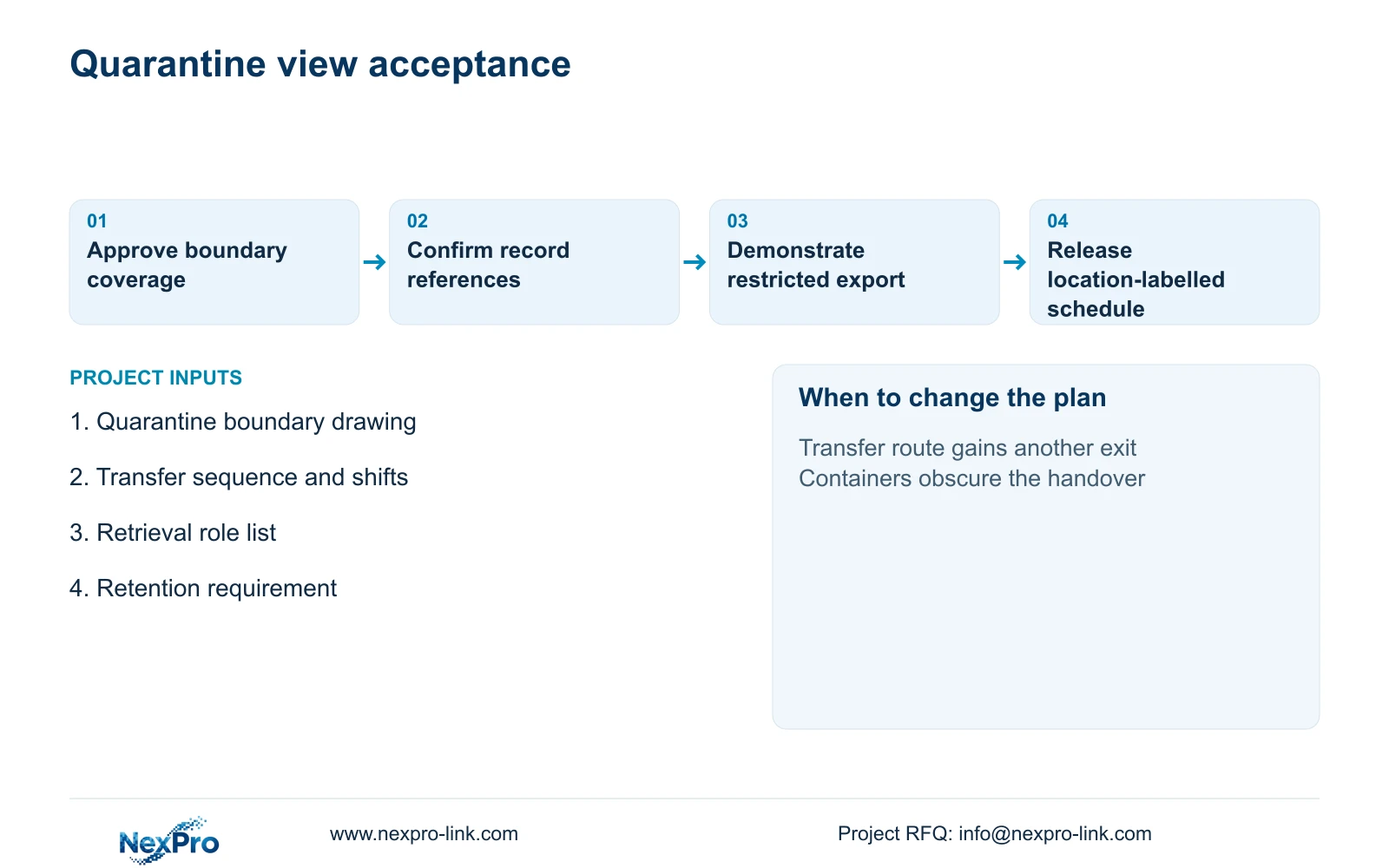
Use boundary-focused views with controlled retrieval as the preferred basis. Expand coverage when the movement route has unobserved branches, containers obscure the transfer, or several handovers occur simultaneously. Additional cameras then address a documented gap. A permanent video wall needs a separate operating justification; a playback station may meet this quality team's occasional investigation task without adding continuous display demand.
CASE01 provides a useful whole-system check, not a quarantine-specific camera count. Its illustrative 32 ordinary-area cameras record continuously at 4Mbps for 30 days: video_TB = 32 × 4 × 10^6 × 86400 × 30 / 8 / 10^12 = 41.472TB. Four 16TB drives provide 64TB raw and an illustrative recording budget of 64 × 0.95 × 0.80 = 48.64TB. Compare 41.472TB directly with that budget; the reserve is already included.
The NexPro-NVR4449-4K reference has 320Mbps input and four SATA bays, but recording capacity does not prove the required simultaneous playback or RAID capability. Check those separately. Protect the camera power path, access switching and recorder at their actual electrical node. When switch AC demand already includes PoE cameras, do not count them again. Longer routes, remote power nodes or changed retention require their own network, cabling and backup review.
Section 06
Make the quarantine event the acceptance demonstration
Ask the installer to demonstrate a representative transfer using the intended container and route. Review entry, handover and departure in recorded footage, including a plausible obstructed position. Check focus, timestamp alignment and whether the authorised user can find and export the sequence. Record any unresolved label-reading requirement as a view adjustment or a separate identification-system task.
The supply schedule should distinguish new boundary cameras, retained recording infrastructure, optional workstation changes and locally installed cabling. Include mounting accessories, termination method and the account configuration demonstration where required. NexPro-Link's BOQ support can help align model references, technical documents and quotation deviations with that schedule. Site installation and acceptance remain allocated to the project parties.
Release the equipment scope only after the stores team confirms the physical boundary and the quality team confirms the search reference. Project-labelled packing can carry the approved location identifiers into installation. If the quarantine area moves before shipment, revise the view schedule and affected equipment lines together so the delivered package still matches the custody route.
Section 07
Buyer questions
Can footage establish which batch was released? It may support the investigation if the container and movement can be associated with the batch record. Release status should still come from the authorised quality record. If readable batch identification is essential, specify and demonstrate that view separately.
Should recording stop when the quarantine store is empty? Only if the owner accepts the resulting coverage boundary. An empty-store setting can miss the arrival that begins a quarantine event. Define the operating schedule and check how recording resumes before adopting event-only or scheduled recording.
Can an existing mixed-brand recorder be retained? Potentially, after checking the exact camera stream, recorder firmware and required playback and export functions. Basic video connectivity alone is insufficient. Retention and account restrictions must also remain workable with the added views.
Section 08
Specify your quarantine handover views
Send your quarantine boundary drawing, component transfer sequence and shifts, authorised retrieval roles, and required retention period to info@nexpro-link.com. NexPro-Link can discuss the camera schedule and a separate process-interface list for quotation.
Engineering references
These sources support the general planning principles. Always use the selected product's current datasheet and applicable project standards for final design.