Accept a CNC material-transfer view by reconstructing arrival, loading handover and departure with the machine door and trolley in their normal positions. Keep inspection acceptance separate.
Section 01
Define the transfer event before selecting cameras
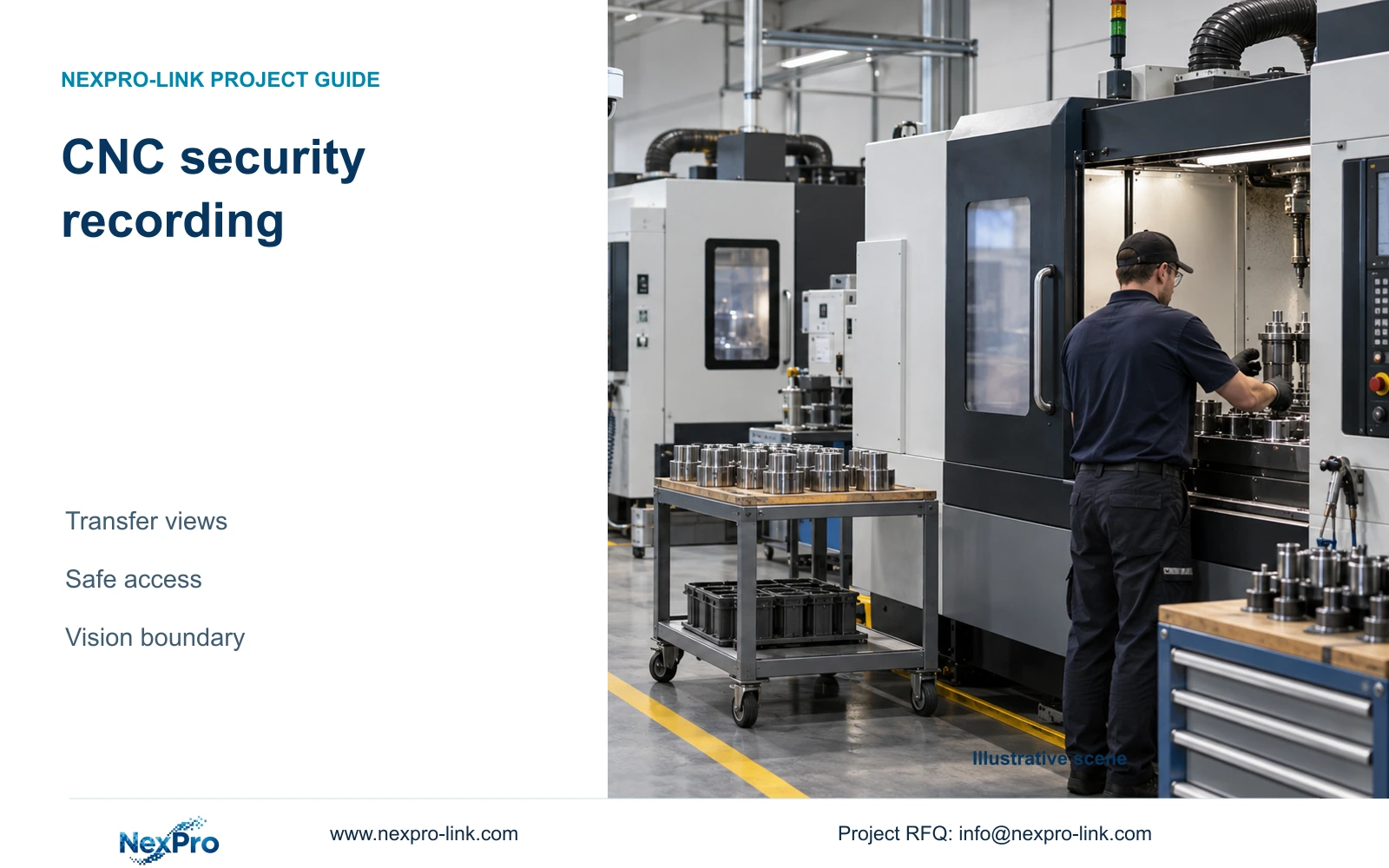
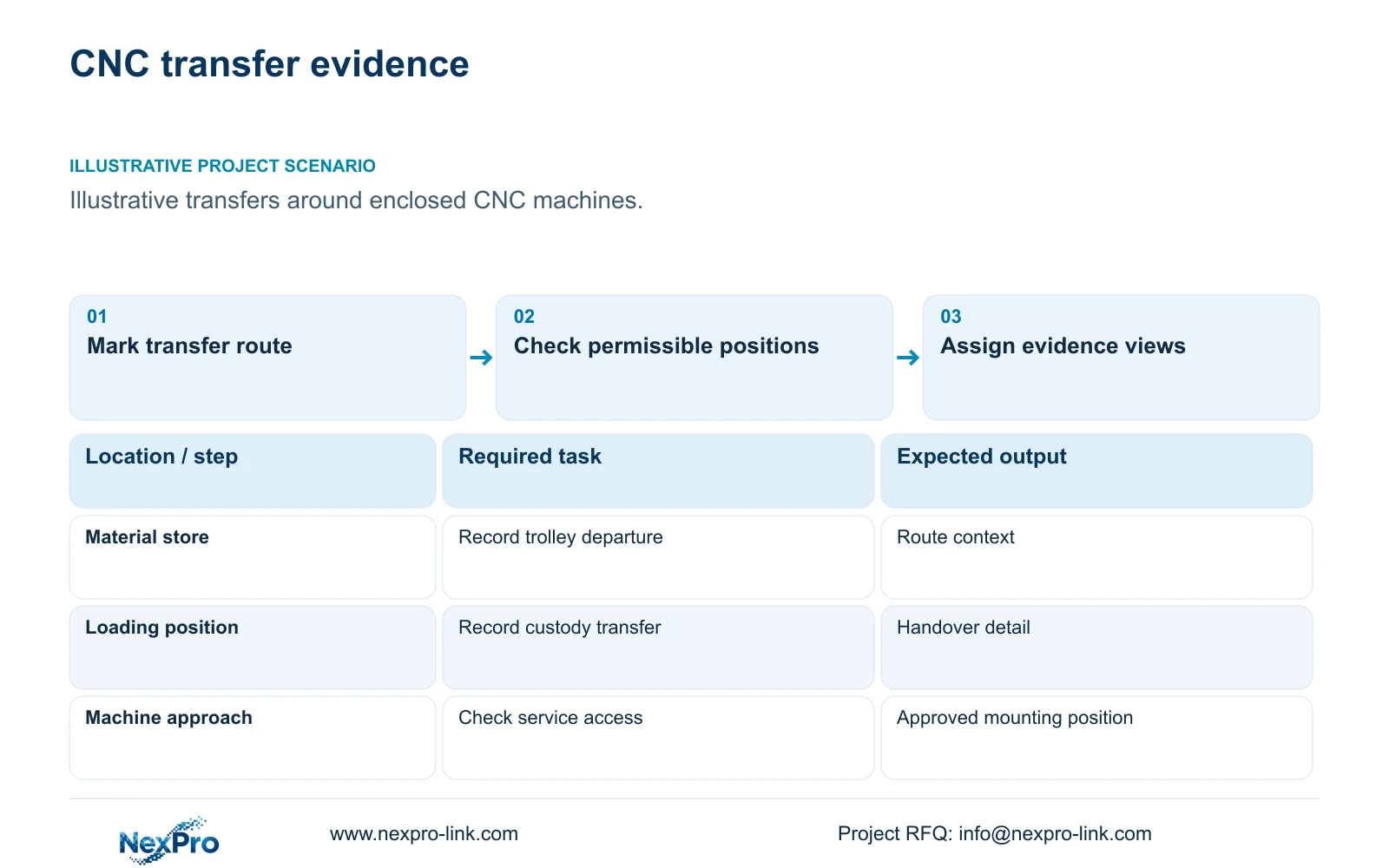
For a CNC material-transfer acceptance trial, record the trolley's arrival, the transfer at the permitted loading point and its departure as one traceable sequence. Use normal door, trolley and operator positions. If the transfer disappears behind a machine enclosure, preserve the route view and revise the approved handover angle before accepting the camera. The deliverable is a view-by-view acceptance record; tool measurement and machine inspection retain their separate specification.
Illustrative project scenario: A machining shop wants to review part transfers and material access around enclosed CNC machines. Assume the owner needs to follow a trolley from a material store to an approved loading position and confirm when custody changes. These are planning assumptions, not a completed installation. The enclosed cutting operation remains outside the security recording task.
Use CASE01 as a system context: its hypothetical 32 cameras include six material/tool-store views and ten permitted machine-hall transfer views. Those quantities describe different observation roles, not one camera per machine. Mark the start, handover and departure points on the layout, then identify where machine doors, parked trolleys or workers can interrupt the sequence.
Section 02
Choose a position that can be installed and serviced
Ask the machine owner and local installer to identify permissible mounting surfaces, maintenance access and cable routes before choosing a viewing angle. A position that looks useful on a drawing may require access through a guarded area or interfere with a machine door. Record these constraints against each camera ID so later installation work does not depend on an unapproved mounting assumption.
Compare an accessible side position with a high overview during representative loading. The side position may expose the handover surface more clearly, while the overview retains route context. Check coolant mist, nearby heat sources and moving equipment in both positions. Ordinary security equipment should remain outside unsuitable machine, chemical and thermal conditions; a closer image does not justify an unsuitable location.
The NexPro-BL2812M55-5MP-DIC-AI and source Dome model NexPro-DM2812M55-5MP-DIC-AI list a 2.8–12mm motorized lens, PoE and IP66. These fields support ordinary-area candidate selection. They do not establish coolant compatibility, impact protection or a permitted machine mounting arrangement. Confirm those missing conditions before releasing brackets and cable quantities.
Section 03
Build the CNC handover acceptance record
Write the security acceptance task as an observable sequence: a trolley arrives, an item passes across the loading position and the trolley leaves. State whether the owner needs to distinguish a container, a part family or a particular marking. Avoid a broad instruction such as 'see production clearly', which gives the supplier no testable image requirement and can conceal an inspection expectation.
An inspection requirement needs its own optics, lighting, triggering, calibration and acceptance criteria. The process engineer should own that specification. Keep the security camera role schedule focused on recorded movement, access and retrieval. If footage is also used for informal process review, describe that secondary use without assigning it dimensional accuracy or machine-safety responsibility.
For a practical handover schedule, designate the entrance overview as retained where suitable, the loading-point view as supplied and machine inspection as a separate specialist scope. The owner approves the evidence task, the engineer defines the view and the installer confirms mounting access. This division prevents a supplier's security quotation from silently absorbing an unresolved production-control requirement.
Run the sequence with the machine door in its normal loading state, then repeat with the trolley parked as it would be during work. Identify which part of the sequence each view proves. A camera may pass arrival and departure while failing the transfer, so an overall 'clear picture' tick cannot close all three tasks. This is a proposed acceptance method, not a report of a trial performed at a customer site.
| Condition / stage | Required input | Decision and evidence |
|---|---|---|
| Arrival at the loading point | Physical route and trolley stop position | Record the channel and a retrievable approach interval |
| Part crosses the handover plane | Door state, container and normal operator position | If hidden, revise the permitted angle; do not claim inspection detail |
| Trolley leaves after handover | Required departure route and allowed gap | Link departure to the same event before accepting the sequence |
Section 04
Compare target width before increasing resolution
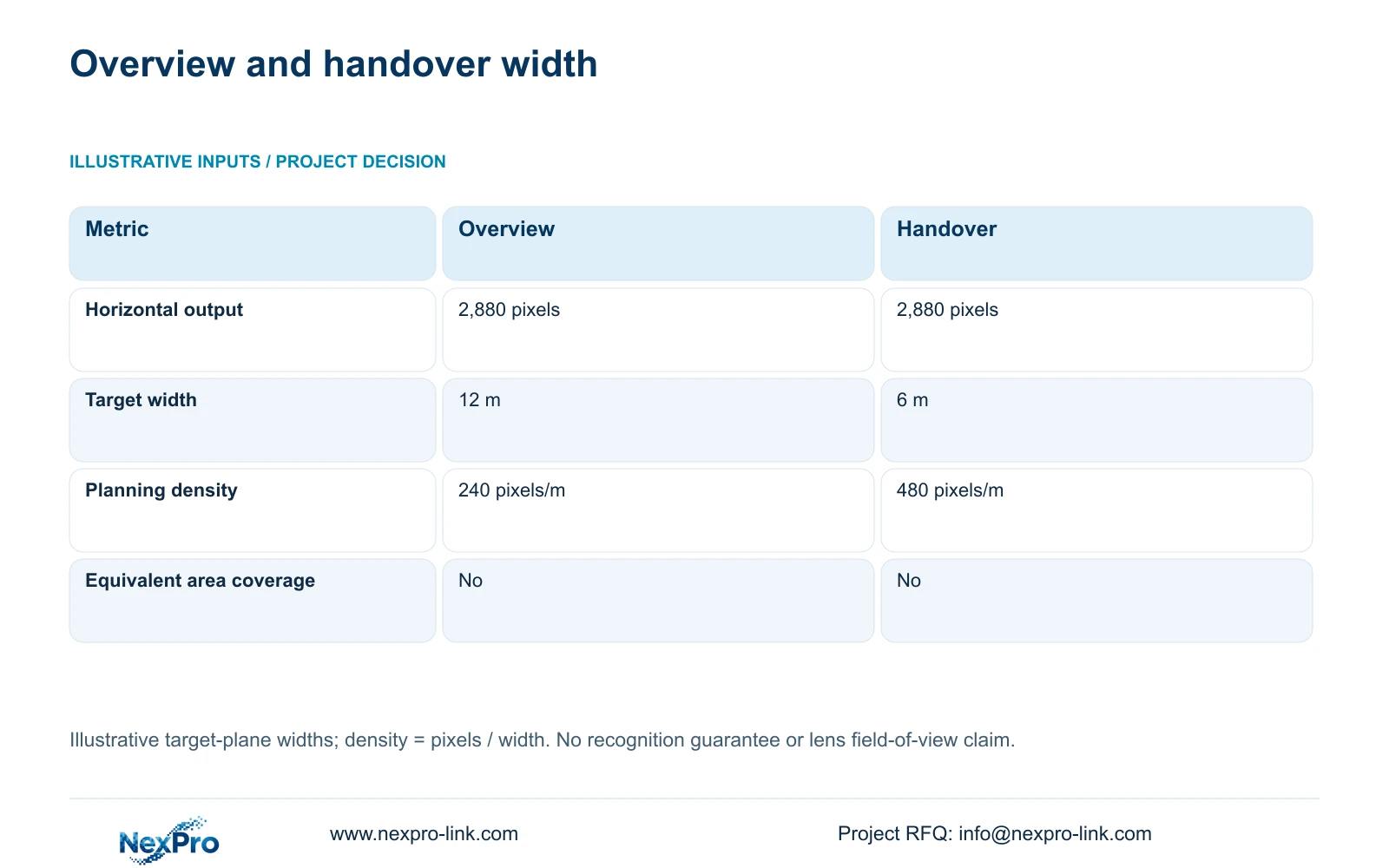
The supplied 5MP-family specification lists 2880×1620 as a main output field. Preserve that listed mode when using its 2,880 horizontal pixels for planning. In this illustrative comparison, Option A covers 12 m at the target plane and Option B covers 6 m. These widths are assumed geometry, not guaranteed fields of view from the lens specification.
The formula is planning_pixels_per_metre = horizontal_output_pixels / target_width_m. Option A therefore gives 2,880 / 12 = 240 pixels/m; Option B gives 2,880 / 6 = 480 pixels/m. The narrower view doubles the planning density while removing half the horizontal span. It cannot replace the wider route view if the owner needs both movement context and handover detail.
Use the calculation to decide whether two roles need separate cameras. A dedicated view can remain outside the machine hazard while concentrating on the approved handover plane. Pixel density alone does not guarantee recognition: angle, motion, lighting, compression and obstruction still determine usable footage. No universal acceptance threshold is assigned by this example.
| Planning input | Option A: overview | Option B: handover |
|---|---|---|
| Horizontal output | 2,880 pixels | 2,880 pixels |
| Target width | 12 m | 6 m |
| Planning density | 240 pixels/m | 480 pixels/m |
| Equivalent area coverage | No | No |
Section 05
Keep the overview and add detail only where needed
Start with the route overview and add a dedicated handover view where representative recordings fail the agreed task. Choose a single view only when it retains both the required context and distinguishable detail. Change that recommendation when normal working positions create persistent obstruction, the accessible angle misses the transfer, or environmental conditions rule out the ordinary candidate.
Carry an added view through the complete system. CASE01 assumes 32 streams at 4 Mbps each, producing 128 Mbps aggregate recording input. Its NexPro-NVR4449-4K candidate has a published 320 Mbps input reference and four SATA bays, but channel count does not prove every recording mode, simultaneous playback arrangement or RAID function. Recheck the actual stream and operator requirements after a model change.
Keep power and display decisions separate from the image path. Verify the selected camera's actual peak demand and switch port capability, then include the complete switch AC load in UPS sizing without counting the camera twice. An ordinary retrieval monitor may be sufficient. A display wall is an optional viewing branch and cannot repair an obscured recording.
Section 06
Release a camera role schedule with visible assumptions
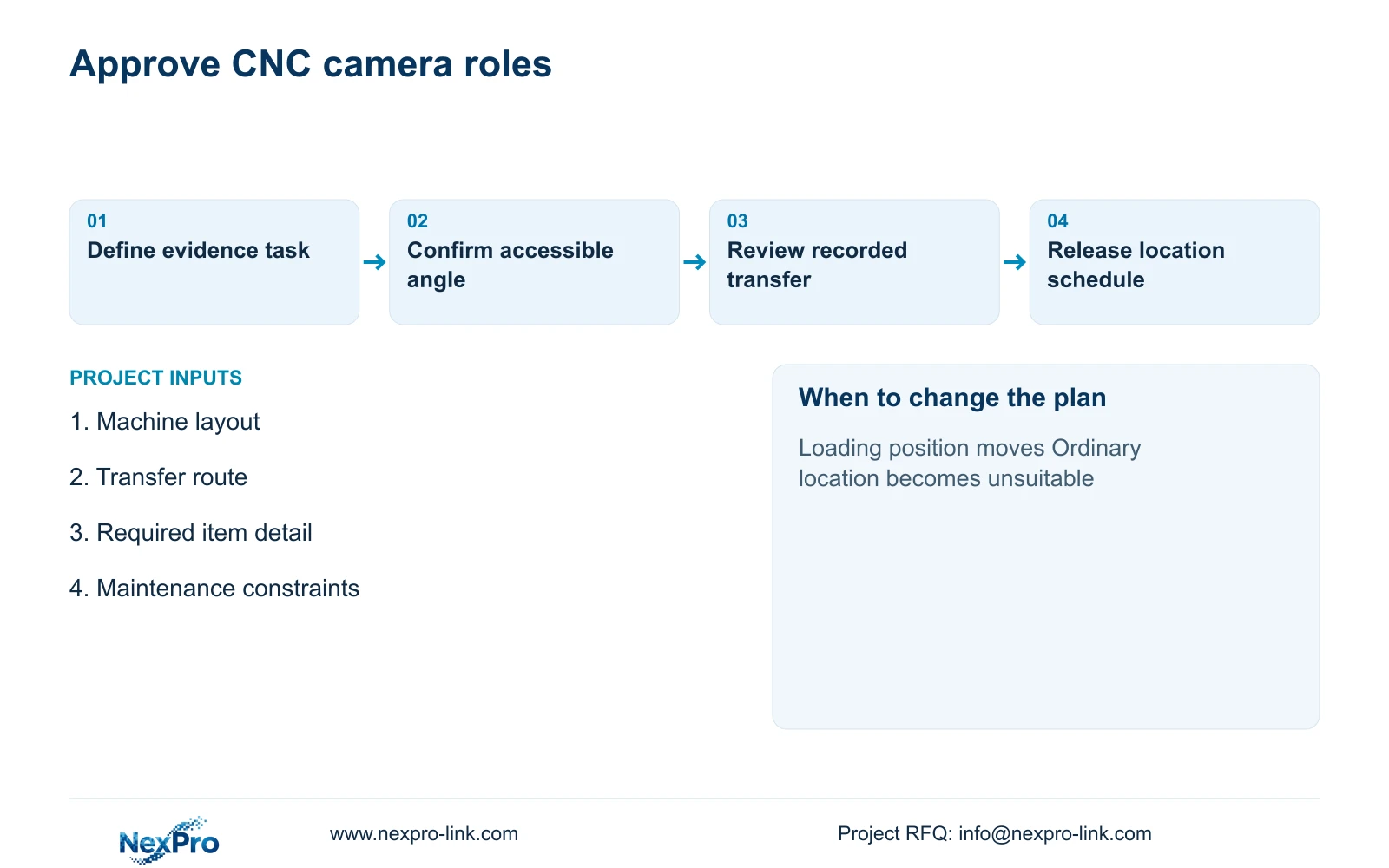
Prepare a schedule containing location ID, event, target plane, provisional mounting position, environmental exclusions and maintenance method. Attach representative images or annotated sightlines where available. Separate confirmed inputs from assumptions, particularly where the machine layout is unfinished. A changed loading position should trigger a view review before the supplier substitutes a different lens or housing.
For procurement, distinguish camera supply from brackets, terminations, cable routes and local installation. CASE01's assumed continuous links range from 41 to 76 m; a relocated view needs its own route measurement rather than inheriting an old length. Retention and backup objectives also remain project inputs. Higher image quality may require a revised bitrate and storage budget.
NexPro-Link can discuss model matching, coordinated equipment lists and technical submittals within its factory-project and BOQ support scope. Location labels and project packing can carry the approved camera IDs into delivery. Keep any mandatory brand, platform or specialist requirement visible in the deviation schedule, and assign final installation and observation approval to the responsible project team.
Section 07
Buyer questions
Can a motorized lens follow a trolley automatically? The listed motorized varifocal lens supports focal-length adjustment. It does not establish pan/tilt tracking. Use a fixed accepted view for the handover unless a separately specified tracking system is required.
What should a sample demonstration include? Use representative parts, containers and operator positions at the proposed target plane. Review the recorded export at the agreed settings, including normal obstruction and lighting, rather than approving a static live image alone.
Can an existing inspection camera also serve security? Only after its recording, access, retention and viewing workflow is verified. Inspection cameras may cover a narrow triggered task, so their availability should not be assumed to replace continuous route evidence.
Section 08
Request a CNC transfer-view scope
Send the machine layout, material-transfer route, required handover detail and mounting/maintenance constraints to info@nexpro-link.com for a camera role schedule and matching equipment discussion.
Engineering references
These sources support the general planning principles. Always use the selected product's current datasheet and applicable project standards for final design.