

Add a building recorder to a campus with consistent channel identities, a documented clock basis and tested operator tasks, without assuming centralized identity or viewing capacity.
Section 01
Make the new building recorder usable alongside existing devices
Add a campus recorder by giving its building and channels unambiguous identities, documenting its clock source and testing each operator's allowed tasks on that specific device. Record configuration backups against recorder identity and version, while keeping incident video backups separate. Specify simultaneous viewing demand independently from saved account count. Then demonstrate a cross-building retrieval task and identify who maintains each recorder and access path. The manual supports device-level controls, but it does not establish a centralized campus identity platform. Consistent records let security staff operate several devices without treating matching account names, shared networks or similar screens as proof of common permissions.
Section 02
Use unique building and channel references
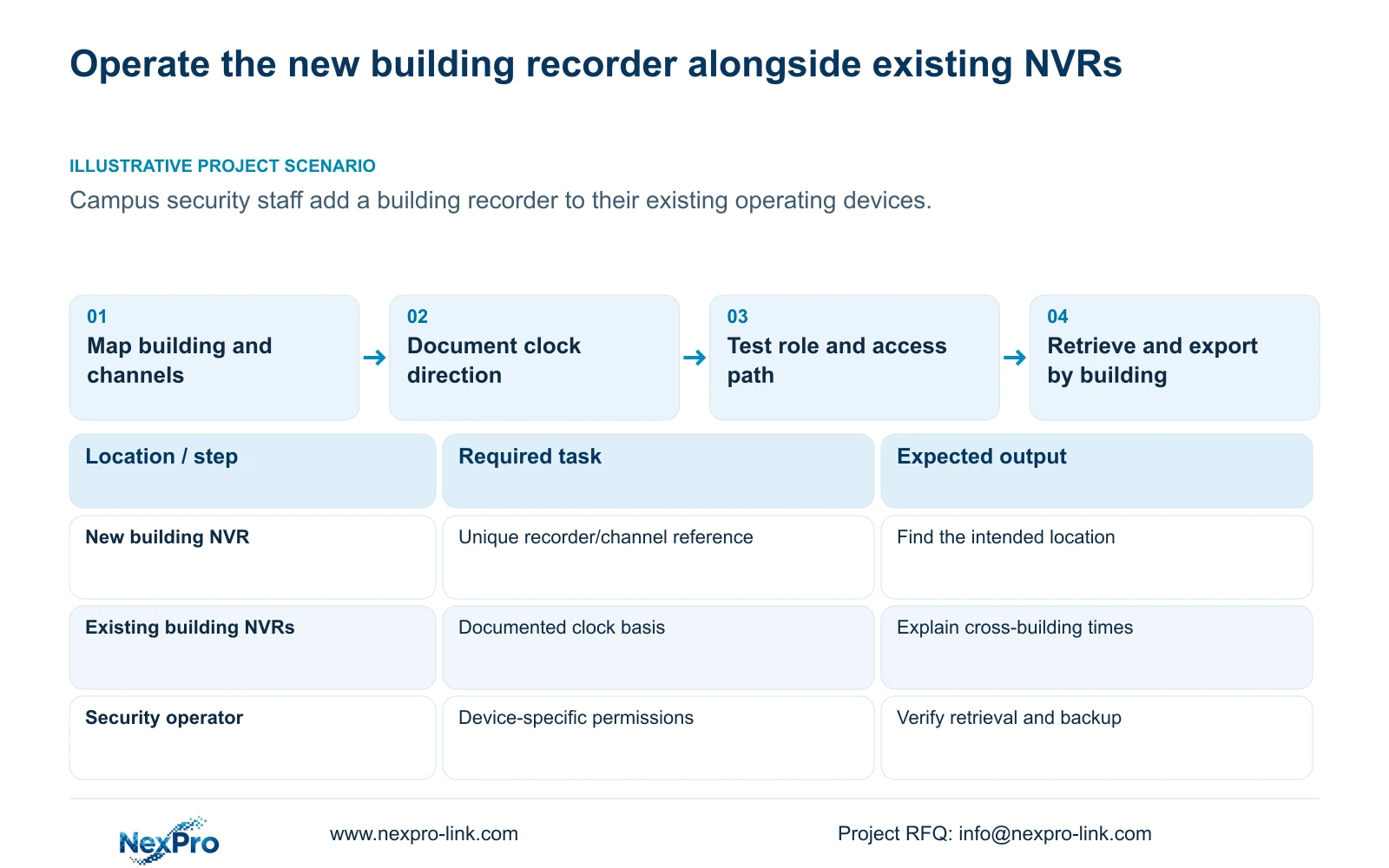
Assign a readable building reference to each recorder and use that reference with every channel entry. A label such as a building name plus location is more useful than repeating a generic entrance label across separate devices. Keep the drawing location, physical camera identity, IP address, recorder channel and displayed name in distinct fields.
Sections 4.3.1, 4.4.4 and 4.12.6 supply device, channel-name and OSD controls. They do not replace the campus camera register. Verify the displayed location against recorded scene content, and update the register after replacement or reordering. Security staff should be able to move from a reported building location to the correct recorder and recorded channel without relying on a familiar window position.
Section 03
Document time authority for each recorder
Record the time-zone and daylight-saving basis of the new recorder and compare it with existing devices. Document the source and synchronization direction for each associated camera. The manual provides IPC time controls and separate NVR network-time settings, including an IPC synchronization interval measured in hours.
Avoid enabling overlapping camera, recorder and PC mechanisms without identifying which one should control time. The manual does not establish every local NTP deployment. Check a recognizable event across the relevant cameras after configuration and preserve any observed differences.
If staff review footage from several buildings, include the applicable clock relationship in the review note. A matching current display does not establish historical alignment, especially when a device was corrected after the incident. Keep unresolved timing differences visible rather than presenting simultaneous playback as proof of synchronization.
Section 04
Test access by building, task and operating path
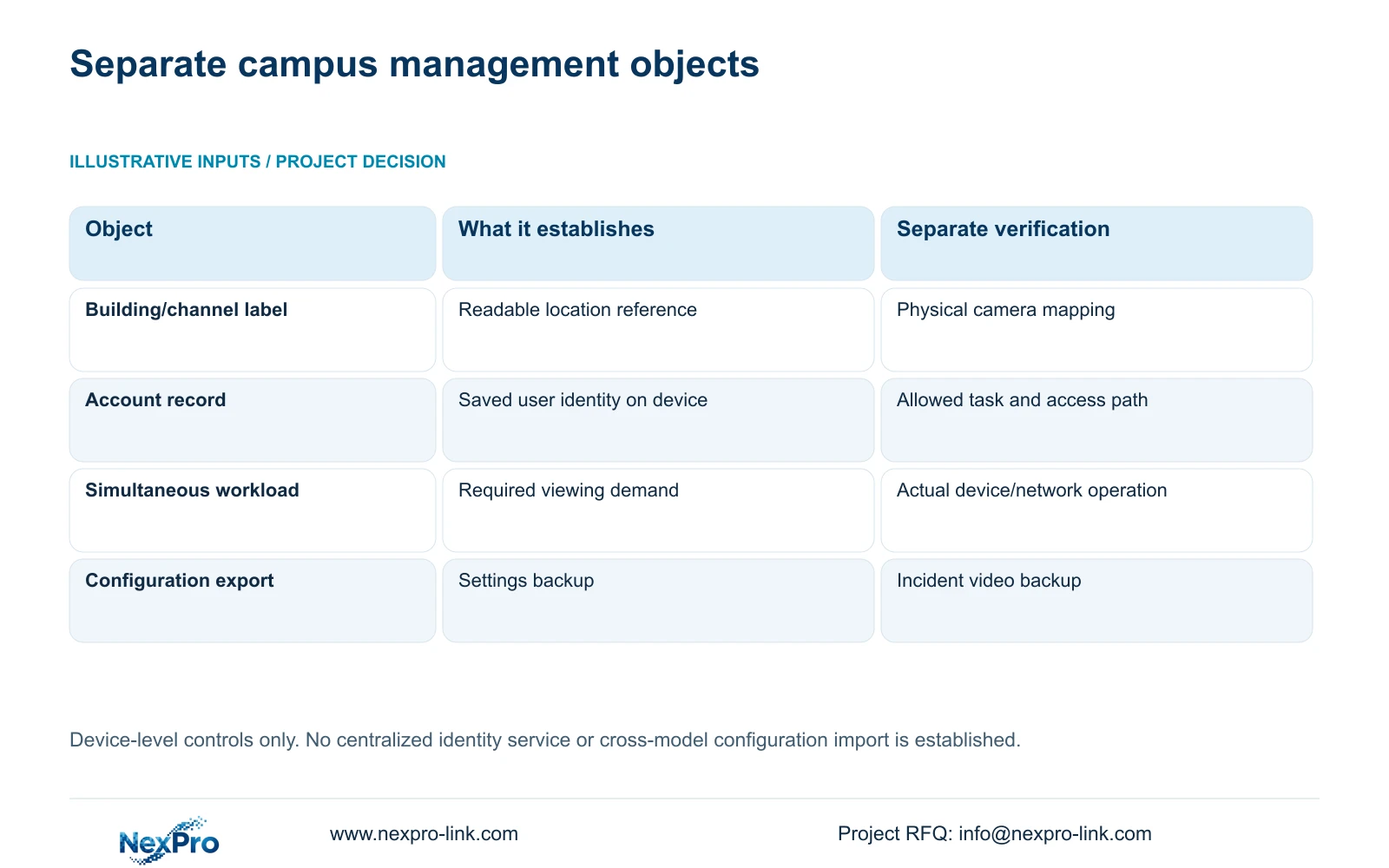
Build the permission record around the security role's actual work on each authorized recorder. Section 4.12.3 distinguishes local and network permissions and separates preview, playback, settings and other tasks. Local backup is a separate permission. An account working on an existing building recorder does not prove that its counterpart has the intended rights on the new device.
Test an allowed task and a prohibited task on the intended access path. For example, demonstrate required playback while confirming that settings excluded from the role remain unavailable. Repeat remote playback testing when it belongs to the role. If an expected task fails, check the device-specific account and permission assignment before expanding access.
The manual's remote-upgrade permission row has inconsistent descriptive text. Do not use that row alone to establish maintenance behavior. Keep the security operator's routine tasks distinct from separately authorized administration.
| Observation | Decision | Next action |
|---|---|---|
| The same entrance label appears on different recorders | Location reference is ambiguous | Add the building reference and verify the channel mapping |
| Local preview works; remote playback is denied | Access paths and task rights differ | Test the intended network permission on that recorder |
| Saved accounts exist but group viewing is untested | Concurrency remains unqualified | Define and test the simultaneous workload |
| A configuration export is present | Settings backup exists; incident preservation is separate | Identify the originating model/version and export required footage |
Section 05
Qualify simultaneous viewing independently from account count
The family overview in section 1.2 mentions up to 38 users within the manual's scope. That is an account-management description, not a tested promise of 38 simultaneous full-resolution viewing sessions. Actual viewing depends on the device, selected streams, permissions and network path.
Write a workload record for the campus: which operators connect at the same time, which recorders and channels they view, the stream types and whether playback occurs alongside live viewing. Test the required combination on the actual arrangement. Keep a single operator's successful login separate from acceptance of the full concurrent workload.
If the combined task fails, record which path or operation failed before changing several settings. A separate viewing arrangement or revised supported workload needs its own acceptance check. Adding another account does not, by itself, add decoding or network capacity.
Section 06
Associate each backup with its originating device
Configuration export, log export and video backup are separate workflows in sections 4.12.18 and 4.11.4. Name and store them as separate objects. Include the building, recorder identity, model, applicable version and export date in the backup register so staff can distinguish the new building's settings from older devices.
Confirm that the expected file is present and recognizable in the approved storage location. A configuration export is not a disk image and does not preserve incident footage. Export required video through the recording-backup workflow.
Do not assume a configuration file can be imported into every recorder merely because their menus resemble one another. Before a configuration restore, obtain authority, preserve relevant settings and footage, and confirm the target model, version and affected operating window. The manual does not provide a universal cross-model cloning guarantee.
Section 07
Demonstrate the cross-building task and support split
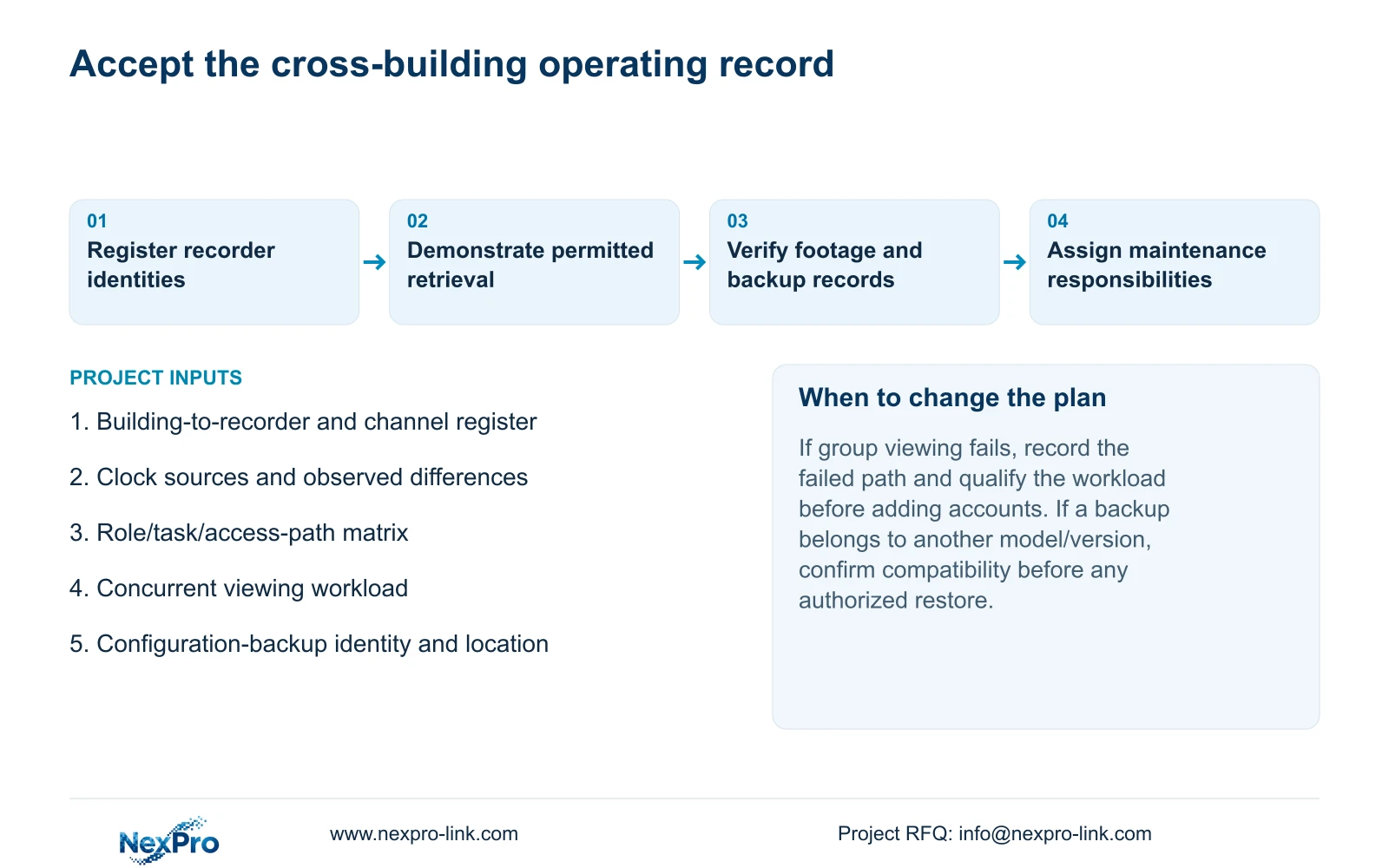
Have a security operator identify a permitted location, select its recorder, retrieve a known period and export a playable file. Repeat the relevant task on an existing device so the transition between buildings is part of the demonstration. Keep any historical clock differences with the retrieval instructions.
Deliver the device/version register, camera mapping, tested permissions and backup locations together. Name the parties responsible for recorder settings, camera maintenance, the viewing path and supplier enquiries. Transfer credentials through a controlled route rather than embedding them in general operating notes.
Separate receipt of the documentation from the operator's ability to repeat the task. Existing guidance on independent building handover provides infrastructure context; this acceptance record addresses ongoing device operation. NexPro-Link's BOQ and tender support can discuss the new building's equipment and responsibility boundary without implying centralized identity management.
Section 08
Apply the register to a new campus building
Illustrative project scenario: A campus adds a new building recorder while security staff continue using several existing devices. The new unit joins the operating register with its own identity, clock basis, permissions and backup record.
The private supplied NVR4.0 user manual CH_V2.4.doc identifies V2.2 in its body. Relevant sections are 1.2, 4.3.1, 4.4.4, 4.12.6, 4.4.2, 4.12.2, 4.12.3, 4.11, 4.12.18 and 4.12.17 through 4.12.19. Use the actual model and firmware; these device controls do not establish a campus-wide identity service.
Section 09
Do matching account names create shared permissions?
No centralized identity behavior is established here. Verify the intended account and allowed tasks on each authorized recorder and access path.
Section 10
Does a settings backup preserve campus incident video?
No. Export required footage separately and verify playback. Keep its channel and period references distinct from the configuration-backup record.
Section 11
Define the cross-building operating workload
Send the building-to-recorder task matrix, including simultaneous viewing needs, to info@nexpro-link.com for a scoped campus handover discussion.
Engineering references
These sources support the general planning principles. Always use the selected product's current datasheet and applicable project standards for final design.


