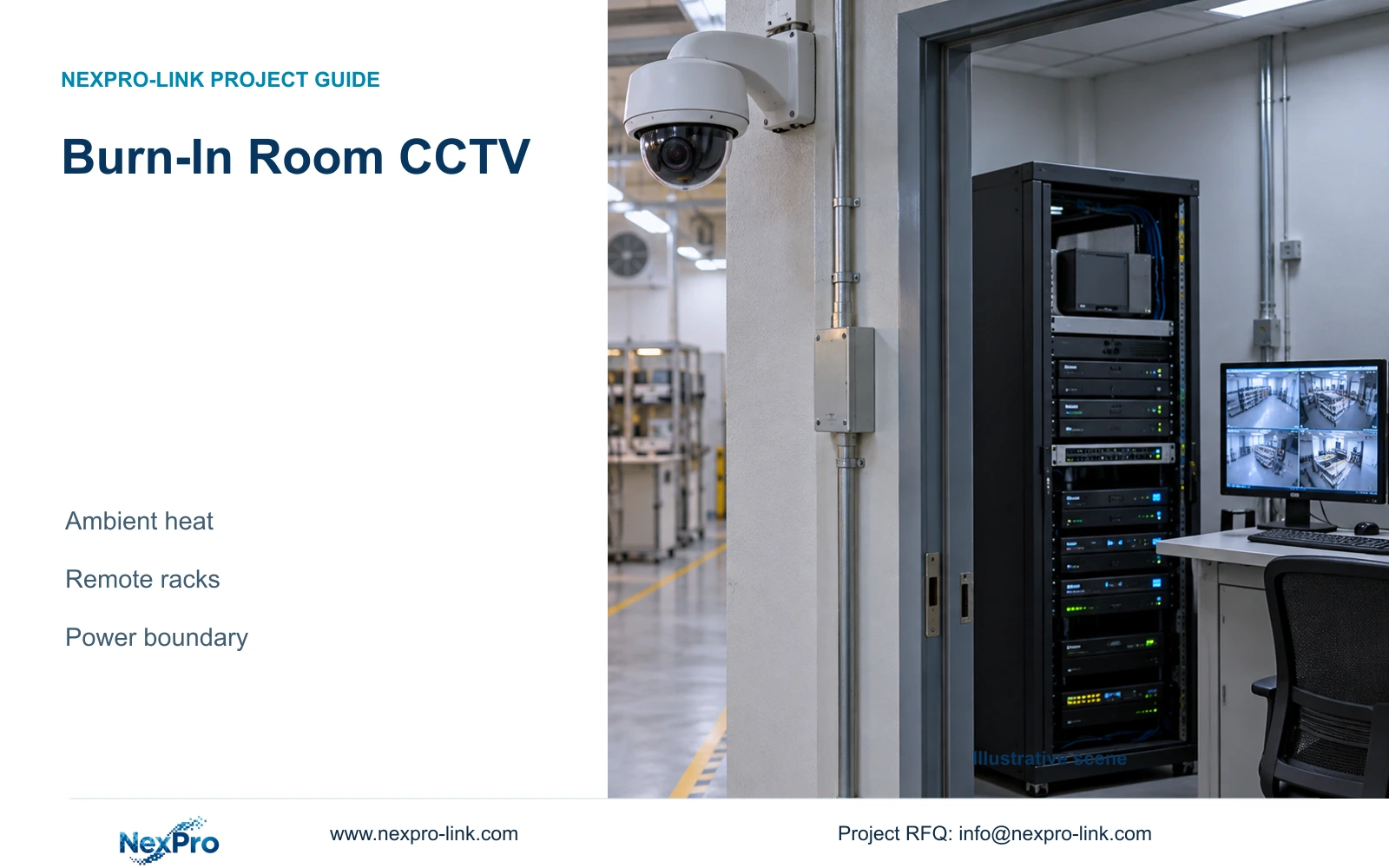
Burn-in room CCTV needs a defined environmental boundary and an independent power schedule. This guide compares remote-rack arrangements and the additional demand of an optional LCD wall.
Section 01
Separate security backup from the burn-in test supply
Size burn-in room CCTV backup independently from the appliance test load. Place ordinary recording, switching and battery equipment in a suitable service room, then identify which cameras and link devices that supply actually protects. For a quantity surveyor, the first deliverable is a circuit-based equipment schedule: security loads included, process loads excluded, and shared dependencies priced separately.
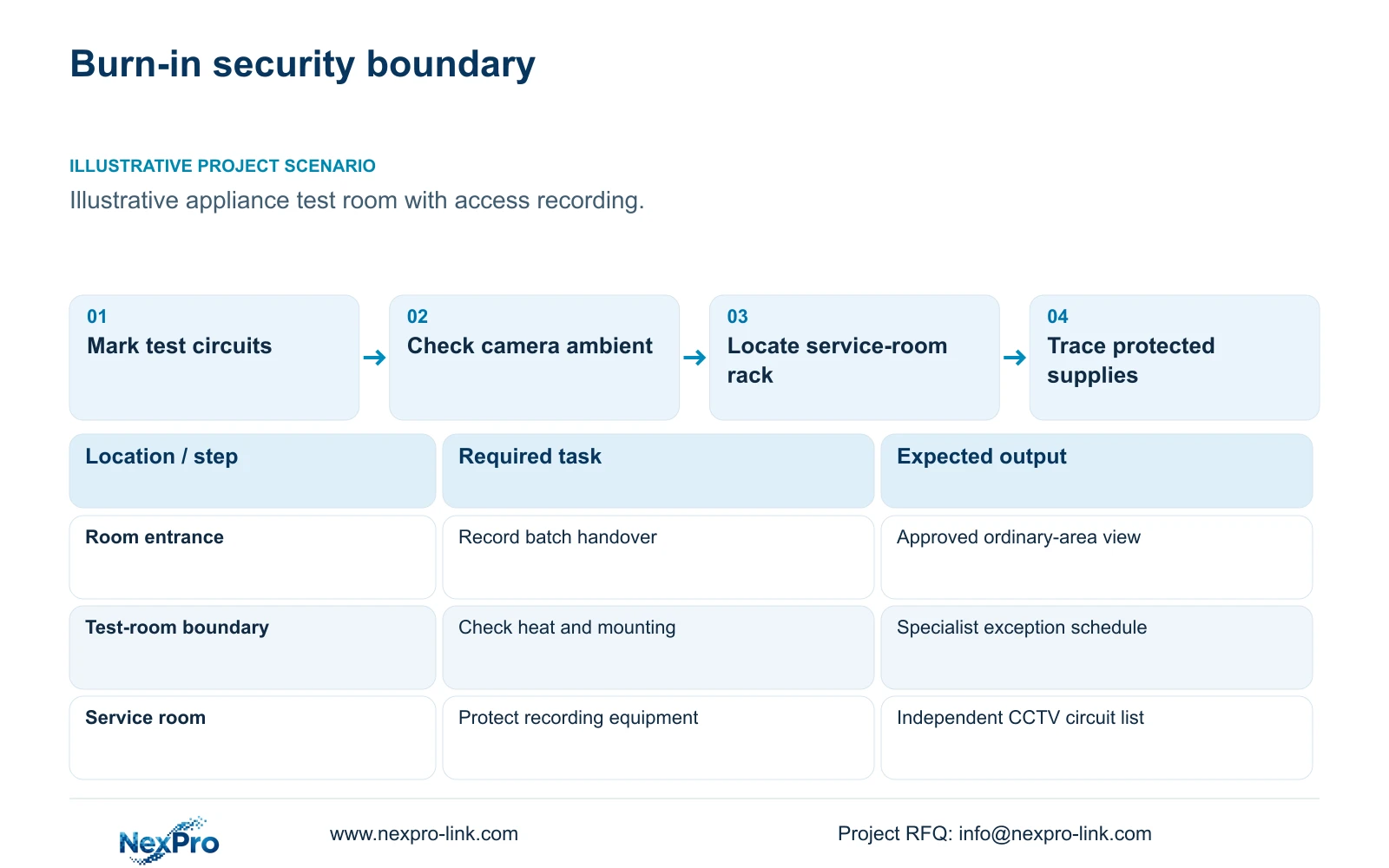
Illustrative project scenario: An appliance burn-in room contains high test loads while cameras only document access and handling. Assume the project needs views of the receiving approach, restricted-room entrance and batch transfer route. These are planning assumptions, not a completed installation. The security system should preserve the handling record during the agreed interruption period without taking responsibility for keeping appliance tests running.
Ask the process engineer to identify the test supply boundary and the electrical designer to mark the CCTV circuits. A nearby socket does not establish that the recorder, camera switches and remote cabinet share one protected source. If a transfer event needs two cameras, both supply paths belong in the review; backing only the recorder leaves an incomplete recording dependency.
Section 02
Select observation positions from local conditions
Record the ambient conditions at each proposed camera position during normal testing, maximum loading and foreseeable ventilation interruptions. Room temperature alone may miss the conditions near exhausts or heated racks. Include lighting, obstructions, maintenance access and any clean or ESD installation constraints. The engineer can then decide whether an ordinary approach view captures the required handover or whether an internal position needs separately qualified equipment.
The NexPro-BL2812M55-5MP-DIC-AI is an ordinary-area candidate with a listed operating range of -20 to +60°C, PoE and a 2.8–12mm motorized lens. Its 5MP-family specification lists 2880×1620 main output and 25fps@5MP. Those fields support model screening; they do not establish suitability beside a hot test fixture or compliance with cleanroom and ESD procedures.
Start with an entrance or transfer-route position where the environment fits the selected equipment. If the required handling event disappears behind a rack, assess another angle before adding an internal camera. A view through an observation window needs a sample check for reflections and lost detail. If no suitable ordinary position exists, retain the specialist requirement as a separate priced line.
Section 03
Keep the recording chain in a serviceable environment
Draw the data path from each camera through its access switch to the recorder, with authorized viewing as a separate branch. Locate the NVR, disks, UPS and relevant switches where their installation requirements can be met and maintenance can occur without entering the test room. If a local switch remains near the room, check its environment and AC source independently.
For the separate 32-camera teaching package, the NexPro-NVR4449-4K provides a recorder reference with 320Mbps input and four SATA bays, each listed up to 18TB. Confirm the selected recording modes and operating workload before approval. Its catalogue distinguishes 49×5MP and 9×4K summary modes; channel count does not establish simultaneous decoding or RAID support.
CASE02 supplies a larger context: 64 electronics-factory cameras at an assumed 4Mbps each create 256Mbps recorder input. Thirty days of continuous video require 82.944TB using cameras × Mbps × 10^6 × 86,400 × days ÷ 8 ÷ 10^12. Eight 16TB disks provide 128TB raw and a 97.28TB video budget after the illustrative 95% formatting factor and 20% reserve. That reserve is already included. Neither this storage arrangement nor its two operator seats belongs automatically in the smaller power example.
Section 04
Price the display wall as a separate protected option
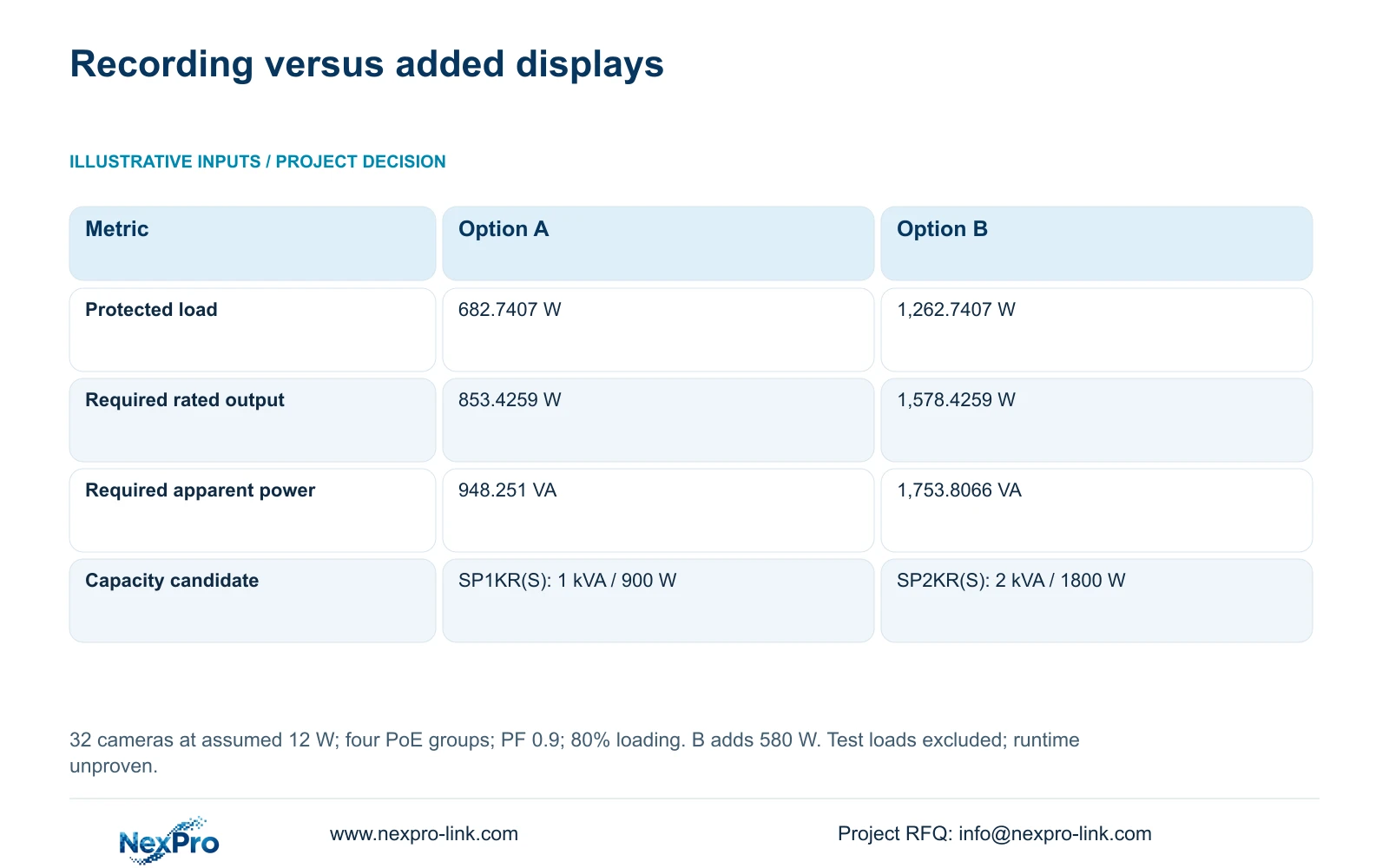
The illustrative power example contains 32 cameras in four eight-camera PoE groups, assuming 12W per camera, 90% cable delivery, 15W switch electronics and 90% AC conversion efficiency. Each complete switch input is ((8 × 12W ÷ 0.90) + 15W) ÷ 0.90 = 135.1852W. Add a 30W recorder, four 8W disks, 25W core, 15W router and 40W operator screen. Option A totals 682.7407W; camera demand is already inside the switch inputs.
Option B retains that equipment and adds four assumed 120W LCD panels plus a 100W decoder, producing 1,262.7407W. These are design inputs, not published measured consumption. The NX-VP-5535 is an LCD reference, not direct-view LED. Decoder concurrency must be qualified separately; the NX-VD-4K16 name alone cannot establish sixteen simultaneous 4K decodes.
With assumed aggregate power factor 0.9 and an 80% loading target, required UPS W = load W ÷ 0.8, and required UPS VA = load W ÷ (0.9 × 0.8). The decisive change is 580W of additional protected display demand, moving the capacity candidate from SP1KR(S) to SP2KR(S). Catalogue ratings are separate from these assumed loads. Battery configuration and runtime evidence remain necessary for either option.
| Metric | Option A: recording baseline | Option B: added LCD wall |
|---|---|---|
| Protected load | 682.7407 W | 1,262.7407 W |
| Required rated output | 853.4259 W | 1,578.4259 W |
| Required apparent-power rating | 948.251 VA | 1,753.8066 VA |
| Capacity candidate only | SP1KR(S): 1 kVA / 900 W | SP2KR(S): 2 kVA / 1800 W |
Section 05
Approve the recording baseline unless live supervision needs more
Choose Option A when the operating task is access review and handling retrieval at the existing screen. It keeps display expansion out of the initial protected load. Approve Option B when operators have a defined simultaneous-viewing task, together with the required layouts and decoding evidence. A wall panel count by itself does not explain what the operator needs to see during an outage.
Recalculate when an internal specialist camera, separate power supply, remote switch or additional viewing device enters the scope. A replacement with different power demand can change both PoE and UPS requirements. Longer cable routes may also change cabinet placement: check individual copper links and consider an appropriate backbone arrangement rather than assuming that moving the recorder solves every distance issue.
Compare supplier offers using the same environmental positions, recording period and protected operating task. Keep necessary specialist mounting, approved platform integration and local services in every offer. An ordinary camera package cannot be compared as equivalent to equipment carrying a required specialist scope. Without matched quotations, show quantity and responsibility differences rather than claiming savings.
Section 06
Issue a normal-room package with explicit installation exceptions
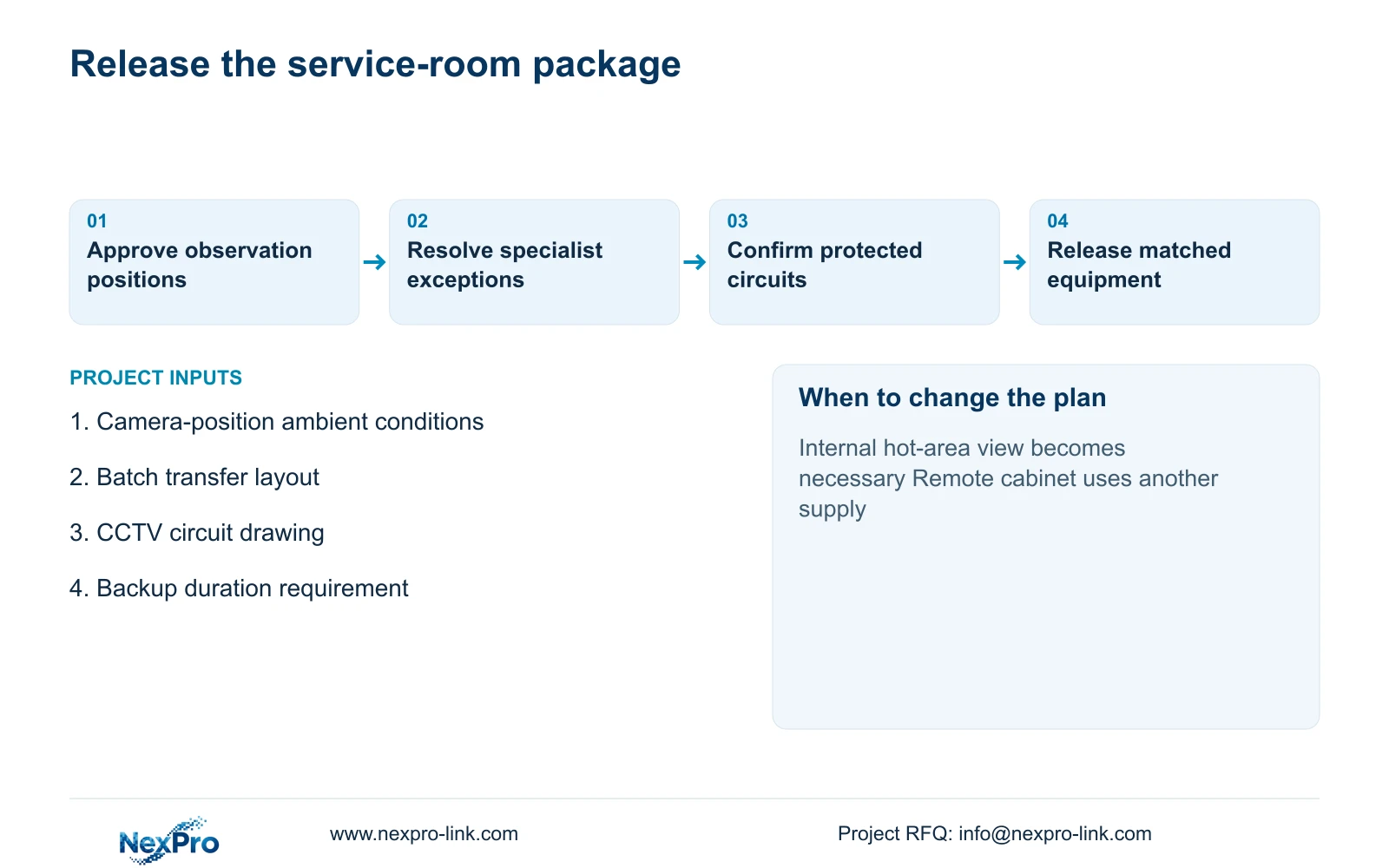
Separate the BOQ into ordinary camera positions, the service-room recording rack and any specialist room-side work. Give each item a location, required task and supply status. For example, camera and NVR selection can sit with the equipment supplier; protected circuit design and installation sit with the appointed electrical team; process-room mounting restrictions require the owner's relevant engineering approval.
Attach the power schedule to the circuit drawing so the installer can identify every protected outlet and remote node. Request exact camera peak demand, complete switch AC input and the selected UPS battery configuration before final sizing. Include mounting accessories, route-specific cable requirements and service access in the quotation. Unknown work should remain identified and priced later, rather than disappearing from the comparison.
NexPro-Link can discuss model matching, BOQ deviations, relevant technical documents and coordinated supply for this ordinary-area package. Project labels and packing can distinguish service-room equipment from items awaiting specialist approval. The release decision should depend on resolved locations and interfaces, with the local team retaining responsibility for installation and process-area acceptance.
Section 07
Buyer questions
Can CCTV footage establish whether an appliance passed burn-in? Access and handling footage can provide event context. Pass or fail decisions need the approved test records and process criteria. Do not specify ordinary security cameras as substitutes for test instrumentation or process validation.
Can the existing test-room UPS also supply the CCTV rack? Treat that as a separate engineering review. Confirm available W and VA, circuit reach, battery duty and the effect of adding security equipment to the test supply. The independent CCTV example does not establish spare capacity in an existing process UPS.
What evidence should support the requested backup time? Request a runtime curve or applicable test evidence for the exact UPS, battery arrangement and protected load, with the relevant operating conditions. A kVA rating or calculated load-side Wh cannot prove that the installation will achieve the requested duration.
Section 08
Define the burn-in room supply boundary
Send the room and transfer-route layout, camera-position ambient conditions, CCTV circuit drawing, and required backup time to info@nexpro-link.com for discussion of a normal-room equipment package and separately identified specialist mounting scope.
Engineering references
These sources support the general planning principles. Always use the selected product's current datasheet and applicable project standards for final design.