Create an adjacent-bay witness list for every shared node touched by the cutover. Check those unaffected views before and after each shared-path change, not only after the new bay works.
Section 01
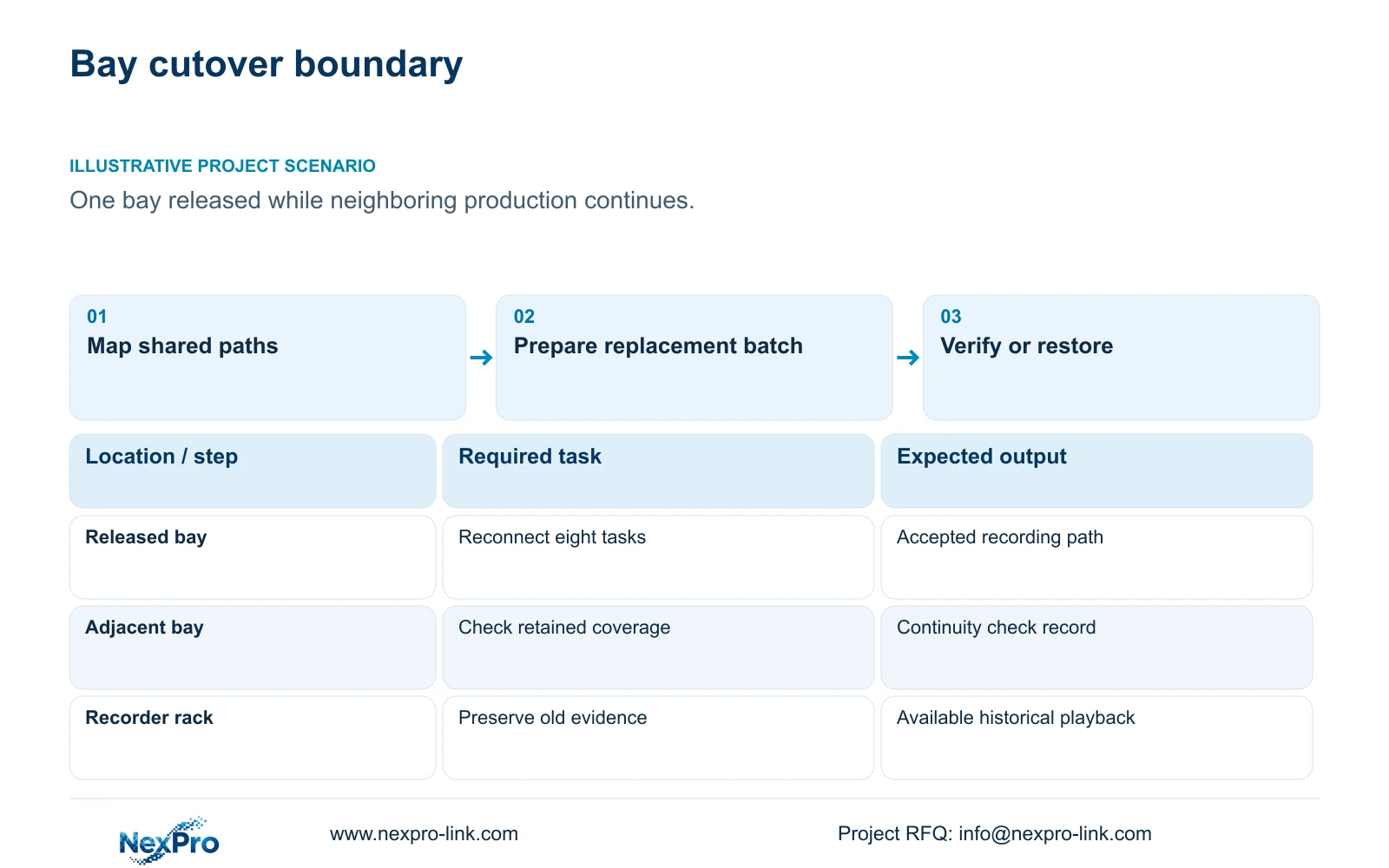
Define the bay cutover by its shared recording paths
Create an adjacent-bay witness list for every shared node touched by the cutover. Check those unaffected views before and after each shared-path change, not only after the new bay works. If a witness fails, pause subsequent shared work and follow the agreed restoration plan. This is a proposed dependency check, not a zero-downtime claim.
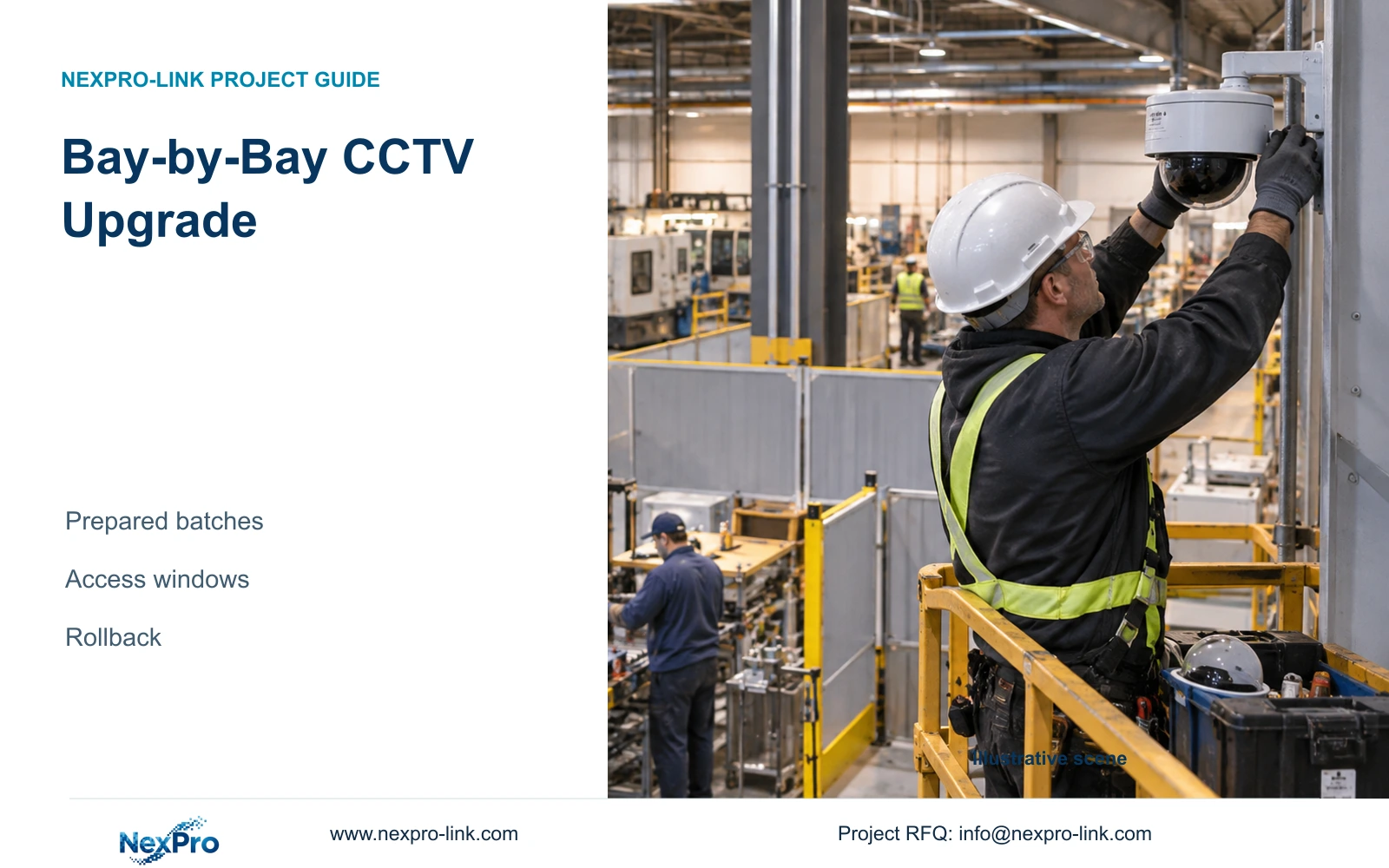
Upgrade brownfield factory CCTV one production bay at a time by identifying the complete recording path, preparing the replacement batch and setting a rollback decision before work starts. The work boundary must include shared switches, recorders and power circuits that could affect adjacent areas. A small camera replacement scope does not guarantee a small interruption.
Illustrative project scenario: A functioning plant allows one bay to be released for work while adjacent areas stay active. Assume the proposed work contains eight connection tasks within a six-hour access window. CASE09 supplies the broader hypothetical background of 20 retained cameras and 12 additions, but the eight-task window is a separate planning exercise.
Inventory camera identity, cable termination, switch port, recorder channel, stream mode and supply circuit for every affected view. Record which neighboring views use the same equipment. The installer should verify these relationships against current operation, while the owner identifies recordings that must remain accessible. An outdated drawing should remain marked provisional until the path is checked.
Section 02
Prepare replacement batches against the verified asset map
Move suitable configuration and identification work outside the production window. Match each replacement serial number to its bay task, approved network identity and intended recorder channel. Confirm firmware and required stream settings on the selected combination. Pack the relevant accessories with the camera so the installer can work from one labelled batch rather than resolve model differences beside an active line.
Bench preparation should demonstrate the actual recording and retrieval workflow. Where mixed devices are retained, ONVIF profile applicability needs checking for the device, client and firmware involved. Basic video connectivity does not prove that event search, audio or other required functions will transfer. Record unsupported functions as deviations before treating preparation as complete.
An ordinary-area NexPro-BL2812M55-5MP-DIC-AI candidate has a listed 2880×1620 output and 2.8–12mm motorized lens. These are selection inputs, not evidence that its final bay view is accepted. Leave alignment and recorded-scene verification in the site work package. If that work cannot fit the window, reduce the batch rather than remove acceptance.
Section 03
Set the restore point before disconnecting the old path
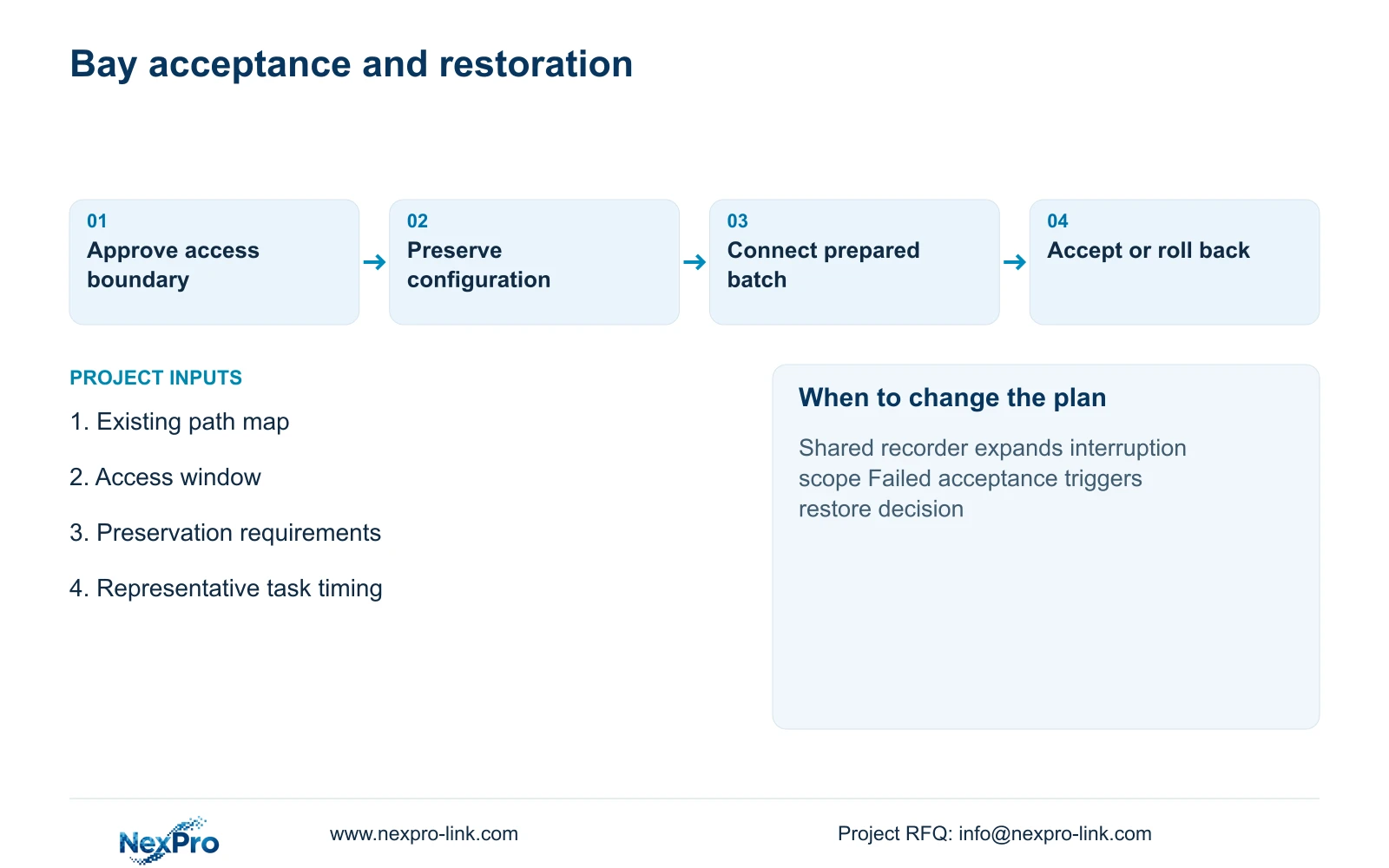
Write a cutover sequence with a named decision owner. It should identify the authorized start, affected devices, checks after reconnection and the point at which the team must restore the previous arrangement. Confirm that restoration is physically possible: preserve the relevant configuration, label old connections and retain serviceable equipment until the new bay is accepted.
The owner should decide which old recordings need preservation before any disk initialization, recorder replacement or account change. Keep access to the old system available through the transition, or verify an approved preservation arrangement. A new recorder showing live video cannot demonstrate that historical evidence remains retrievable.
Acceptance should cover the required scene, time reference, recording continuity, playback and export. Check adjacent retained views after the shared path has been touched. If a required function fails, the project manager should apply the agreed restore decision while sufficient access time remains. Continuous factory operation is a goal requiring site authorization, not a generic IP-upgrade promise.
Section 04
Calculate the window using connection work and protected allowances
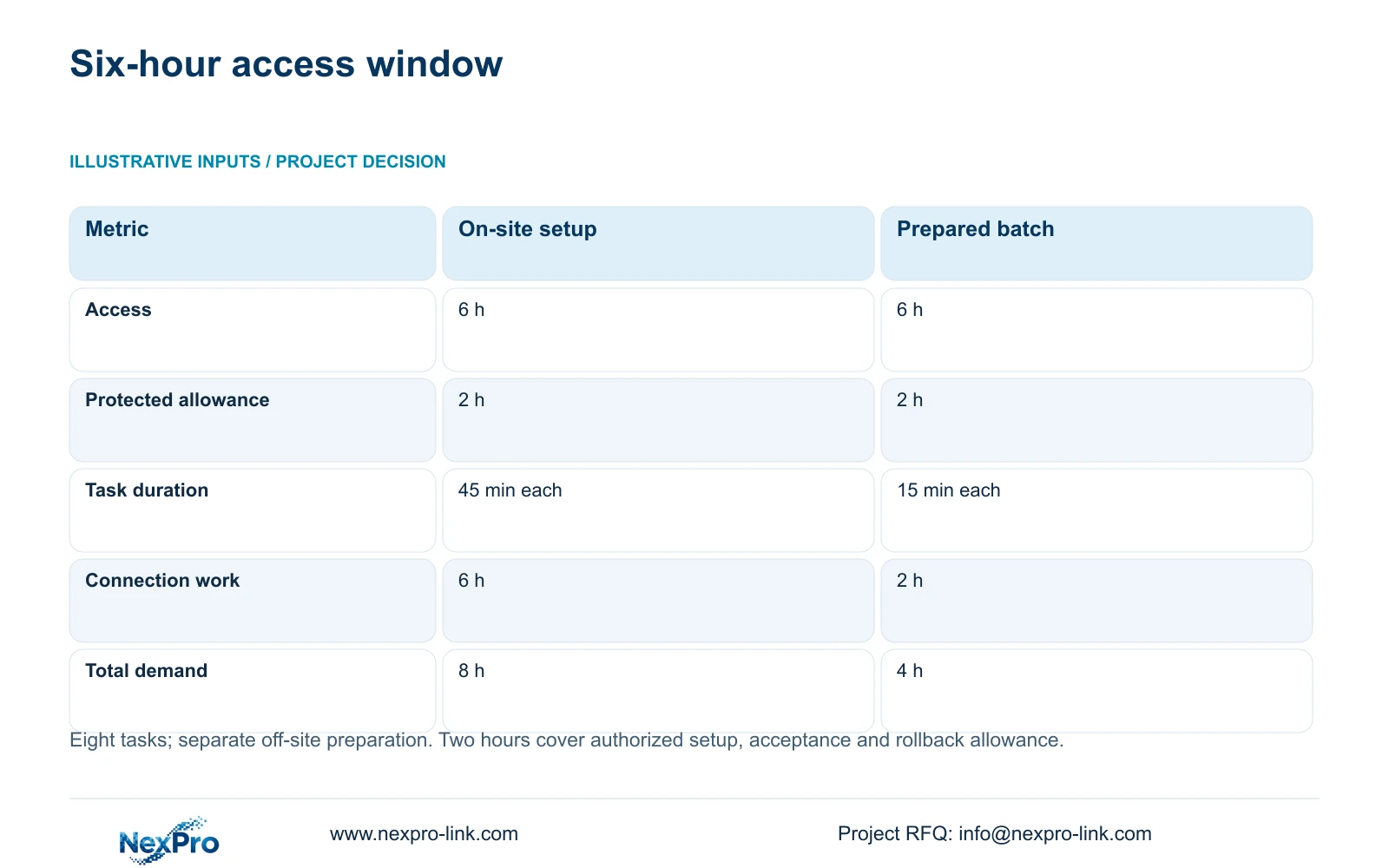
The illustrative access window is 6 hours, with 2 hours reserved for authorized setup, acceptance and rollback allowance. Available connection time is therefore 6 - 2 = 4 hours. For eight tasks, connection hours equal 8 × minutes per task / 60. At 45 minutes per task, the result is 6 hours; at 15 minutes after suitable off-site preparation, it is 2 hours.
Adding the same two-hour allowance gives total in-window demands of 8 hours and 4 hours. The first option exceeds the stated six-hour window by two hours. The prepared option fits under the declared assumptions. Its remaining time is not a reason to expand the batch automatically: unforeseen route, mounting or compatibility work may consume it.
The decisive difference is where the preparation work occurs. The shorter on-site task assumes that configuration, labels and suitable checks were completed separately. That labor and cost still belong in the project. Establish task durations through a representative trial and confirm the allowance with the local team before using this arithmetic to release production access.
| Metric | On-site preparation | Off-site prepared |
|---|---|---|
| Access window | 6 h | 6 h |
| Setup, checks and rollback allowance | 2 h | 2 h |
| Connection duration per task | 45 min | 15 min |
| Eight connection tasks | 6 h | 2 h |
| Total in-window demand | 8 h, does not fit | 4 h, fits assumptions |
Section 05
Retain equipment only after proving its next operating role
Prefer prepared, zone-sized cutovers when the affected paths are known and restoration can be completed within the approved window. Reduce the batch or create a separate migration phase when a shared recorder replacement would expose multiple bays. Compare alternative proposals using the same retained footage, accepted views and interruption boundary, including preparation and repeat visits.
CASE09's reuse baseline requires the 20 retained cameras to pass compatibility and condition checks. Its 12 new links total 742 m and have a feasible three-reel plan. If the old links cannot be retained, its full 32-link baseline becomes 1,872 m and seven reels. This makes testing a procurement decision as well as a commissioning task.
The same case assumes 128 Mbps and 41.472 TB of video for 30 days, with a 48.64 TB recording budget from four 16 TB drives after the stated allowances. Recheck actual streams before carrying that budget into a bay upgrade. NexPro-NVR4449-4K's channel count and disk bays do not establish RAID, decoding concurrency or mixed-device feature support.
Section 06
Quote the migration work separately from replacement hardware
The BOQ should distinguish new camera supply, retained equipment checks, off-site preparation, local installation, preservation work and rollback support. Assign the local installer responsibility for authorized access and physical reconnection. Assign the owner responsibility for the evidence-preservation decision and final bay acceptance. Missing responsibility should be resolved before the work window is booked.
NexPro-Link can discuss model matching, technical submittals and project-labelled preparation within its factory and BOQ support scope. A useful batch handoff includes exact models, serial-to-location mapping, firmware identity, approved settings and the deviations remaining for site verification. Factory preparation should not be represented as local installation or witnessed production-bay acceptance.
After each bay, capture the actual connection durations and the reasons for any variance. Update the next batch estimate without rewriting unaffected scope. Preserve the old configuration until the agreed acceptance and footage-access conditions are met. The resulting phase record gives the project manager a defensible basis for the next access request.
Section 07
Buyer questions
Can adding more installers make the eight-hour option fit? Possibly, but only if the tasks are genuinely independent and access allows concurrent work. Recalculate the sequence around shared switching, isolation and acceptance dependencies rather than dividing total labor hours by headcount.
When can old cameras be removed from the rollback stock? After the owner accepts the new bay and confirms the required historical-footage access. Keep removal and disposal decisions distinct from the first successful live view.
Should a firmware update be included in every cutover? Include it only when required by the approved configuration. An untested version change during a restricted window introduces another variable and should have its own verification and recovery basis.
Section 08
Prepare a bay-sized cutover package
Send the affected asset and connection map, permitted access window, required footage-preservation scope and bay commissioning sequence to info@nexpro-link.com to discuss prepared equipment batches and migration boundaries.
Engineering references
These sources support the general planning principles. Always use the selected product's current datasheet and applicable project standards for final design.