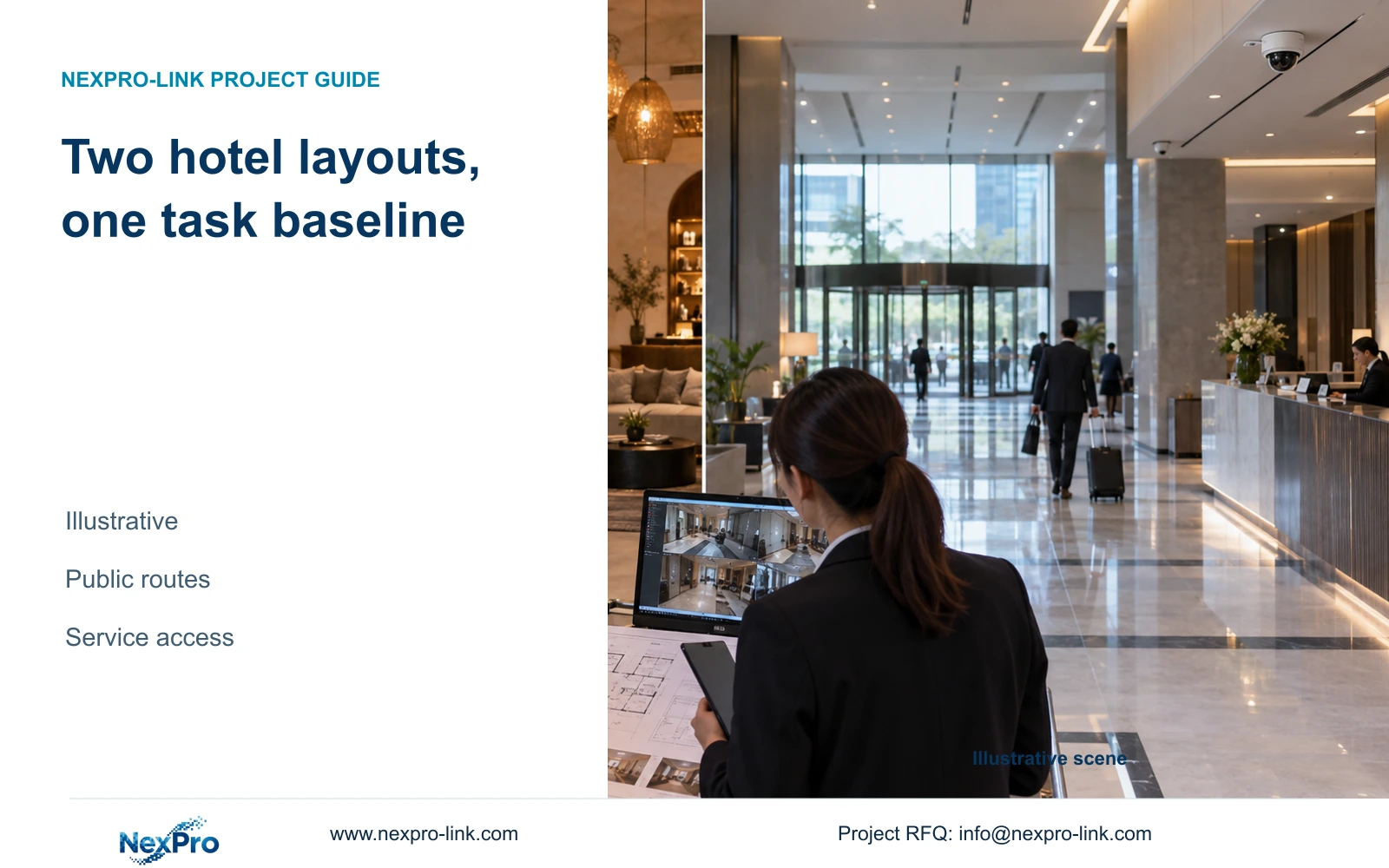
Use a common recording and operating baseline, then adapt camera positions, lenses and maintenance access to each hotel's public routes and interior constraints.
Section 01
Select permitted views and workable mounting positions
Adapt the camera layout to the architecture and operating routes; retain a common equipment core only where it satisfies both properties' tasks. A boutique or business hotel label does not justify an automatic resolution upgrade, camera reduction or different recorder. The decision should change when the actual view, installation access or operating requirement changes.
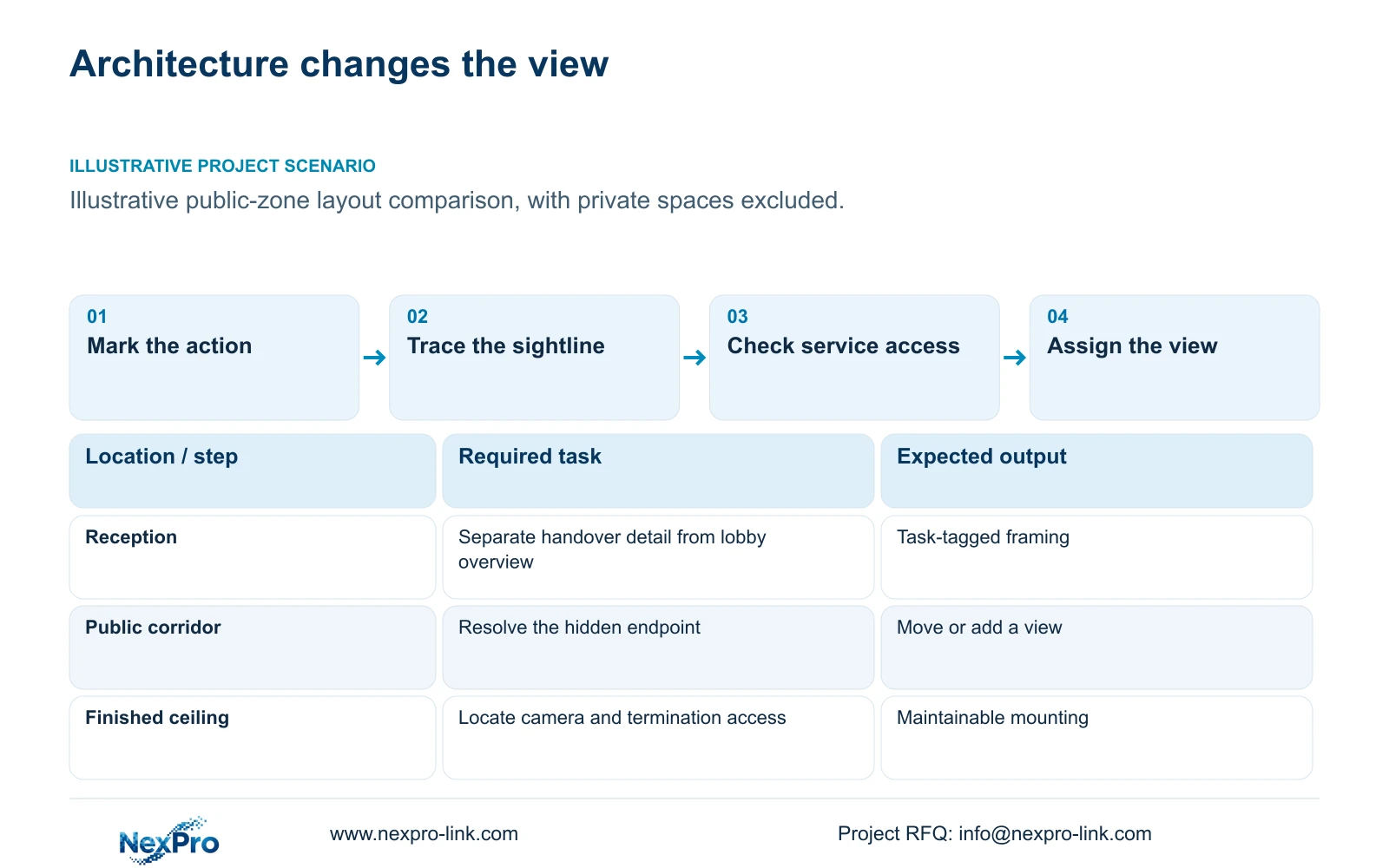
Begin with public entrances, reception handover points and circulation routes. Mark the action each view must retain, then identify permitted mounting positions. An entrance overview and a reception detail view can require different framing even when they occupy the same lobby. Combine tasks only where the proposed image preserves both.
On the architectural plan, distinguish a missing detail requirement from an obstructed sightline. More horizontal pixels can improve a geometric detail budget, but they cannot reveal a corridor endpoint hidden behind a wall. Decorative ceilings, signage and furniture should therefore enter the camera schedule as design constraints. Exclude guest-room interiors and unnecessary views through open room doors.
| Required task | Given information | Decision still needed |
|---|---|---|
| Reception handover | Desk and public approach shown | Separate detail view if overview loses the action |
| Corridor endpoint | Sightline interrupted by a corner | Move the position or allocate a separate view |
Section 02
Compare public movement patterns
Compare how people use the spaces, including arrivals, waiting and staff handovers. In an illustrative boutique layout, a furnished lounge may share the reception approach. An illustrative business property may separate reception from conference circulation. These are layout possibilities, not characteristics that every hotel in either category shares.
Give each route a target plane and an observation task. A wide lobby overview can show movement across the space while providing insufficient detail at a distant transaction point. Review crowded conditions and movable furniture as well as the empty architectural drawing. A view that works before furnishings arrive may need a different position afterward.
Record the consequence of each difference in the comparison schedule. A separate conference route may add a justified view; a clearer reception sightline may allow two compatible tasks to share one position. Neither result follows from the number of bedrooms. Compare the retained actions before comparing camera totals or unit prices.
| Item | Layout option A | Layout option B | Effect on the task |
|---|---|---|---|
| Reception approach | Shared with furnished lounge | Separate circulation route | Review obstruction and detail framing |
| Public corridor | Interrupted endpoint sightline | Continuous sightline | Separate view may be needed only in A |
Section 03
Review access for maintenance
Confirm how an installer will reach the camera, its termination and the associated network node after the interior is finished. A visually discreet position can create repeated access difficulties if a decorative panel blocks the connection. Compare moving the camera with providing a maintainable access arrangement before accepting the mounting detail.
The supplied DM2812M Series product PDF lists NexPro-DM2812M55-5MP-DIC-AI with a 2880×1620 main-stream mode and NexPro-DM2812M88-8MP-DIC-AI with 3840×2160 at 25 fps. Both list a 2.8-12 mm lens range. That range does not establish an exact field of view, and the Dome designation does not establish an IK impact rating.
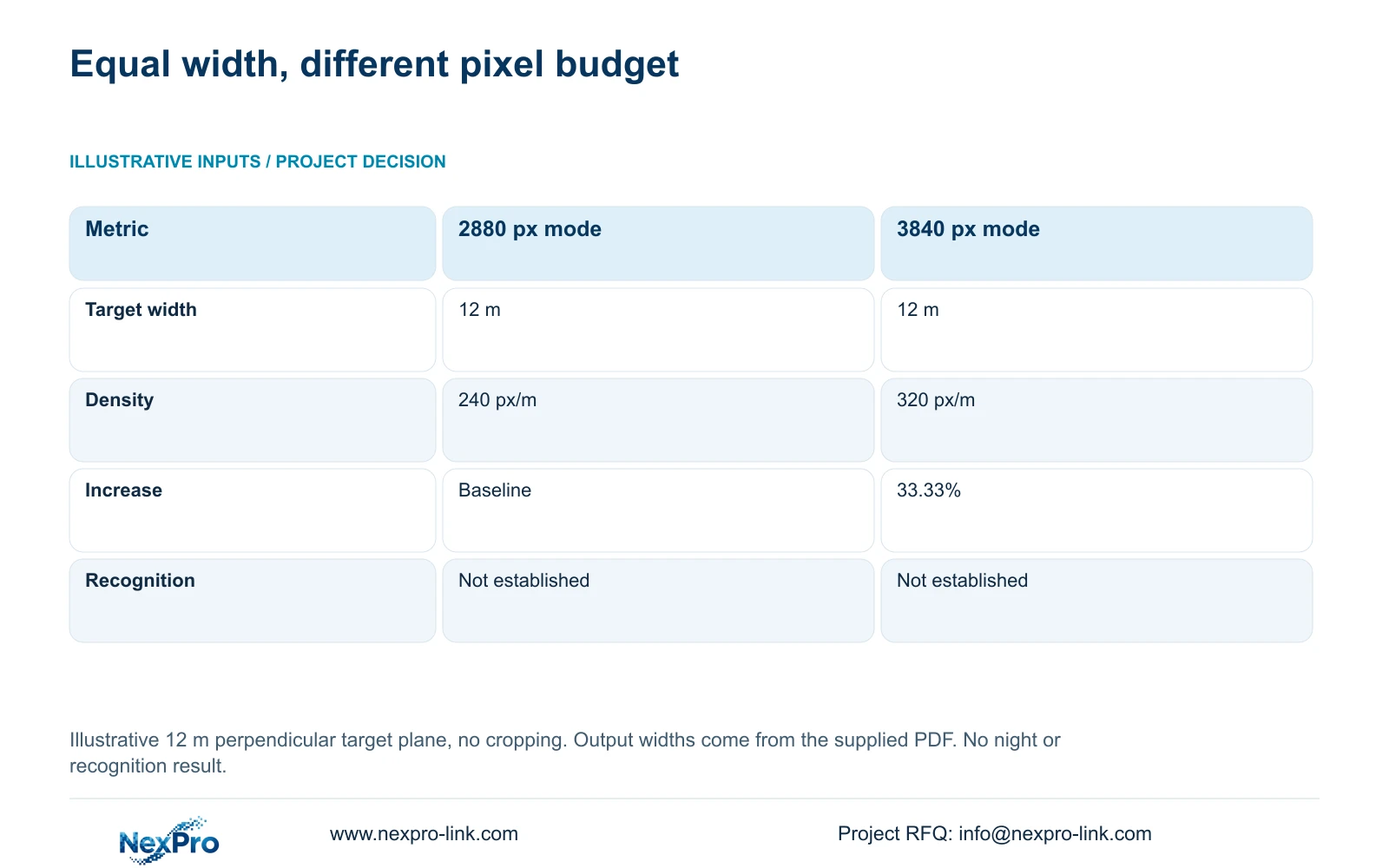
For the coverage comparison, use an illustrative perpendicular target plane 12 m wide, with no cropping. Planning pixel density equals horizontal output pixels divided by target width in metres. Keep the documented output dimensions separate from the assumed geometry. Lens adjustment can change framing, but it does not replace physical access for repair or prove that a moving target will be readable.
Section 04
Calculate task-level coverage
At the same assumed 12 m width, the documented output modes provide 240 and 320 planning pixels per metre. The increase is 33.33%. This comparison gives the project manager a way to discuss detail allocation without assigning a premium camera to every boutique hotel position.
Retain the 2880 px option where the agreed task can be demonstrated with that framing and lighting. Consider the 3840 px option where the task needs additional recorded detail at the same width, subject to verification of motion, exposure and recording mode. If obstruction causes the shortfall, reconsider the position or add a justified view instead of relying on resolution.
The separate CASE01 teaching reference assigns 32 views to public-zone tasks in a 100-room city hotel. It is not a count template for either hotel category. Carry accepted task IDs into a Camera Schedule, then derive storage, PoE grouping and cable quantities from that schedule.
| Metric / condition | 2880 px output | 3840 px output |
|---|---|---|
| Output width | 2880 px | 3840 px |
| Assumed target width | 12 m | 12 m |
| Planning pixel density | 240 px/m | 320 px/m |
| Increase relative to 2880 px | Baseline | 33.33% |
| Not established | Recognition or night performance | Recognition or night performance |
Section 05
Normalize the equipment scope
Compare proposals against the same recording, retrieval and outage requirements. A smaller camera package is an equivalent alternative only if it preserves the accepted views. Include mounting accessories, accessible terminations and local installation work where those items are required by the selected interior arrangement.
Keep replacement compatibility in the scope. Similar housings do not establish equivalent lenses, power requirements or firmware behaviour. Record exact model identities and the supported replacement task, particularly where one hotel uses a different lens or lighting mode. A spare can support restoration only if someone can reach and configure the affected position.
Separate equipment coverage from maintenance attendance. The supplied policy record describes a 24-month limited hardware baseline from receipt for applicable main equipment, subject to controlling written terms. Batteries, disks, cable and OEM scope require their own treatment. Neither that baseline nor continuing technical support establishes free local labour or travel.
| Retained outcome | Extra scope | Buy when | Counter-condition |
|---|---|---|---|
| Usable corridor view | Separate camera position | An accepted task remains occluded | Moving the existing position preserves all tasks |
| Maintainable reception view | Access arrangement | Finished surfaces block service access | Existing access is suitable |
Section 06
Choose a repeatable core and local options
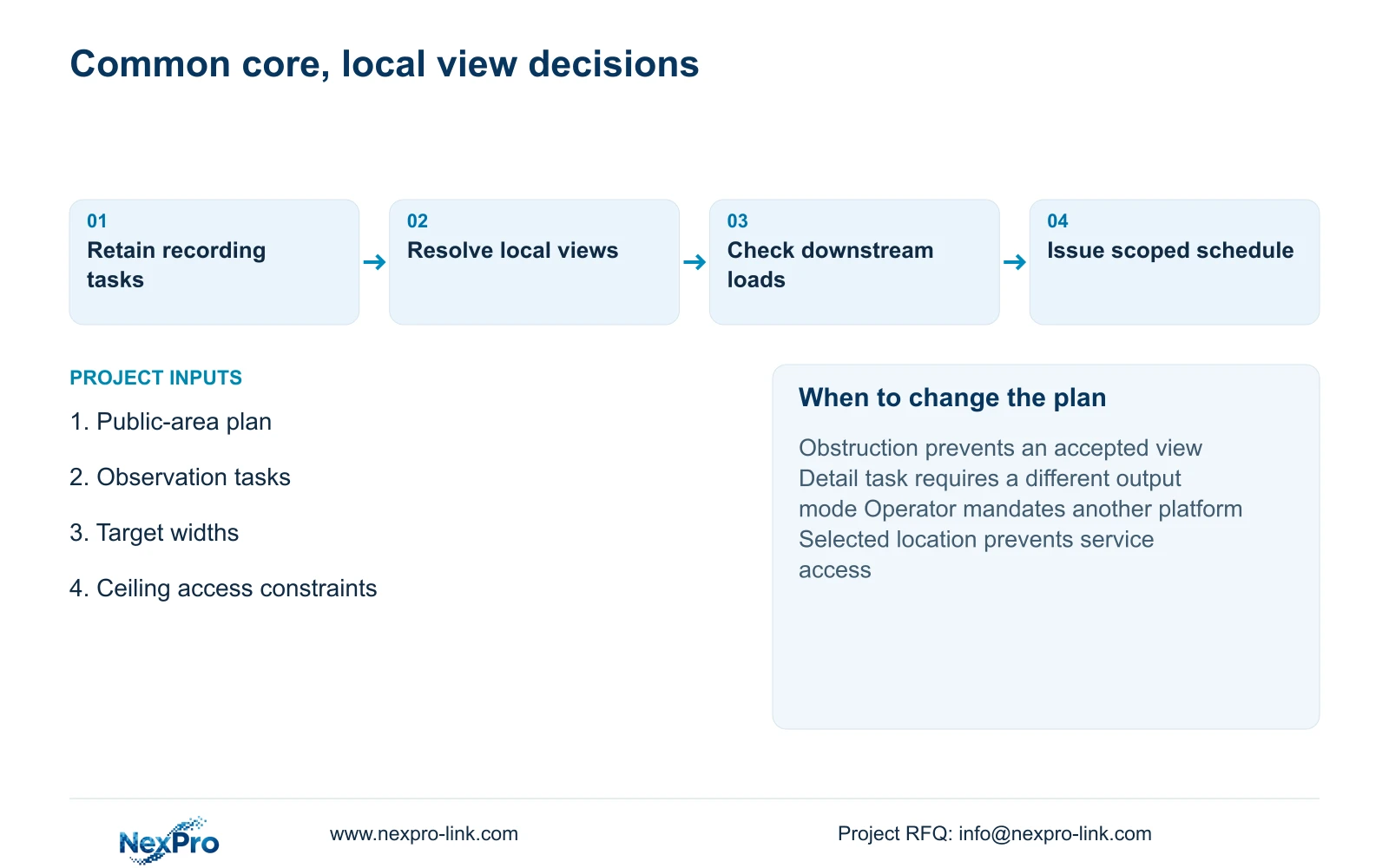
Standardize the recording workflow, equipment identification and proposal structure where the properties share requirements. Keep camera position, lens framing and equipment-room access as local decisions. This creates a repeatable procurement baseline without making every public space use the same camera arrangement.
Reconfigure the core when an operator mandates a different platform, the required recording mode exceeds its capability, or an environmental condition falls outside the selected model's documented scope. Changes should identify the affected task and downstream network, storage or power consequence. A local aesthetic preference can change mounting details without changing every subsystem.
Send the public-area plan, intended observation tasks and ceiling or service-access constraints to info@nexpro-link.com. Include any mandatory operator platform and the delivery destination. NexPro-Link's hotel project and BOQ support can help map models and coordinated supply items; its CCTV manufacturing core and supporting equipment supply do not imply that all products are made together or include local installation.
Section 07
Buyer questions
Can two hotels with the same room count use one camera quantity? Only after their public-zone task schedules support it. Use room count as background. Identify each entrance, handover point and corridor endpoint, then retain the views needed under the actual layout.
Does motorized zoom remove the need for ceiling access? No. It can assist framing adjustment within the supported lens range, but replacement and termination work still need physical access. Include the service route in the mounting decision.
Can NexPro-Link compare layouts before the drawings are complete? An initial comparison can use the available public-area plan and stated constraints. Mark provisional views clearly, so subsequent furniture or ceiling changes can be traced without treating the first schedule as a final installation design.
Engineering references
These sources support the general planning principles. Always use the selected product's current datasheet and applicable project standards for final design.