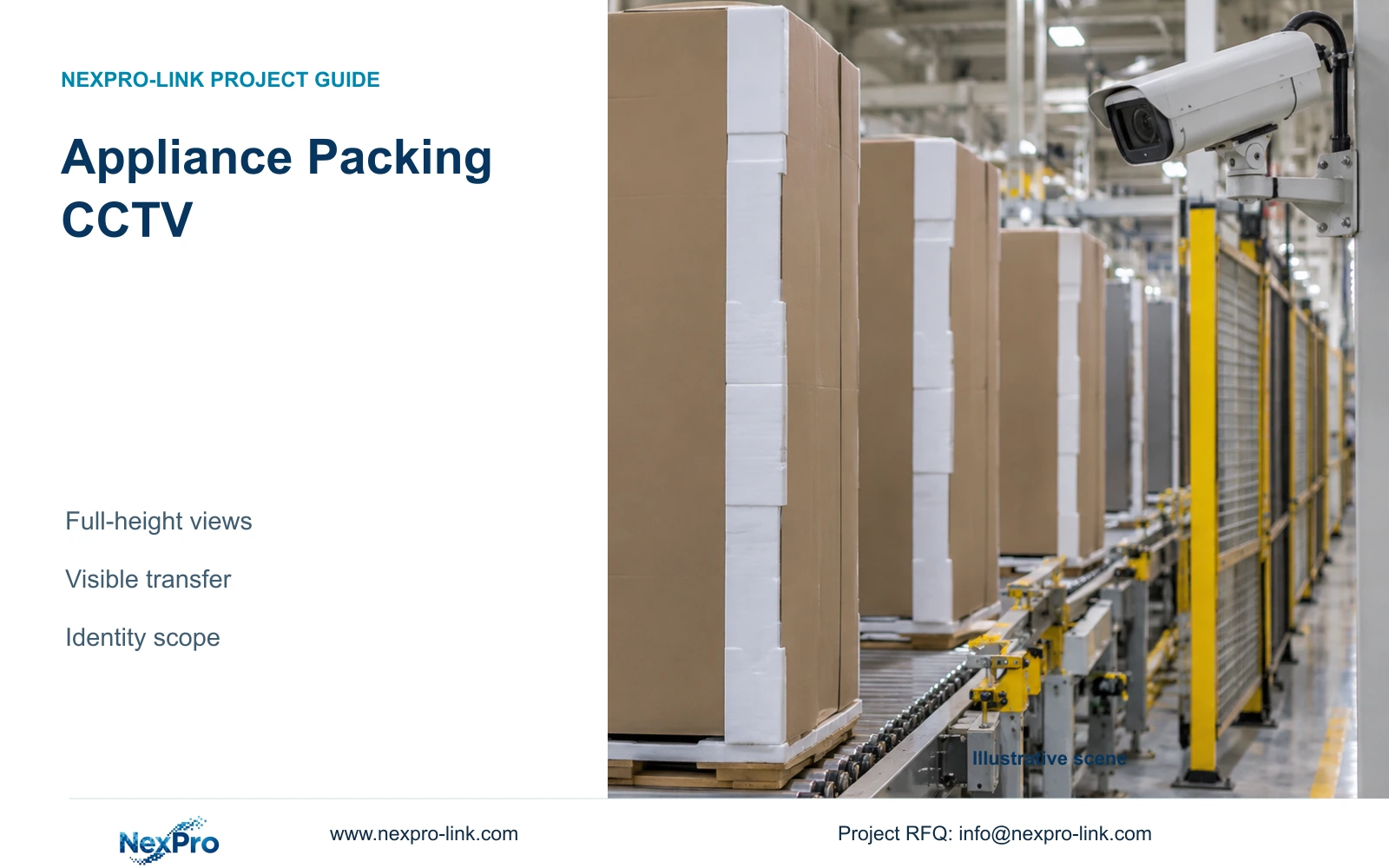
Full-height appliances can hide the packing event even in a sharp image. Select the visible transfer first, then coordinate overview footage, identification records and installation.
Section 01
Select positions with full-height products present
Appliance assembly CCTV should be positioned to retain the required packing transfer when full-height products are on the line. Establish the visible event before selecting image resolution. A camera with an unobstructed view of an empty conveyor may lose the operator's actions once a refrigerator reaches the station. General security CCTV also should not be specified as a guaranteed barcode reader.
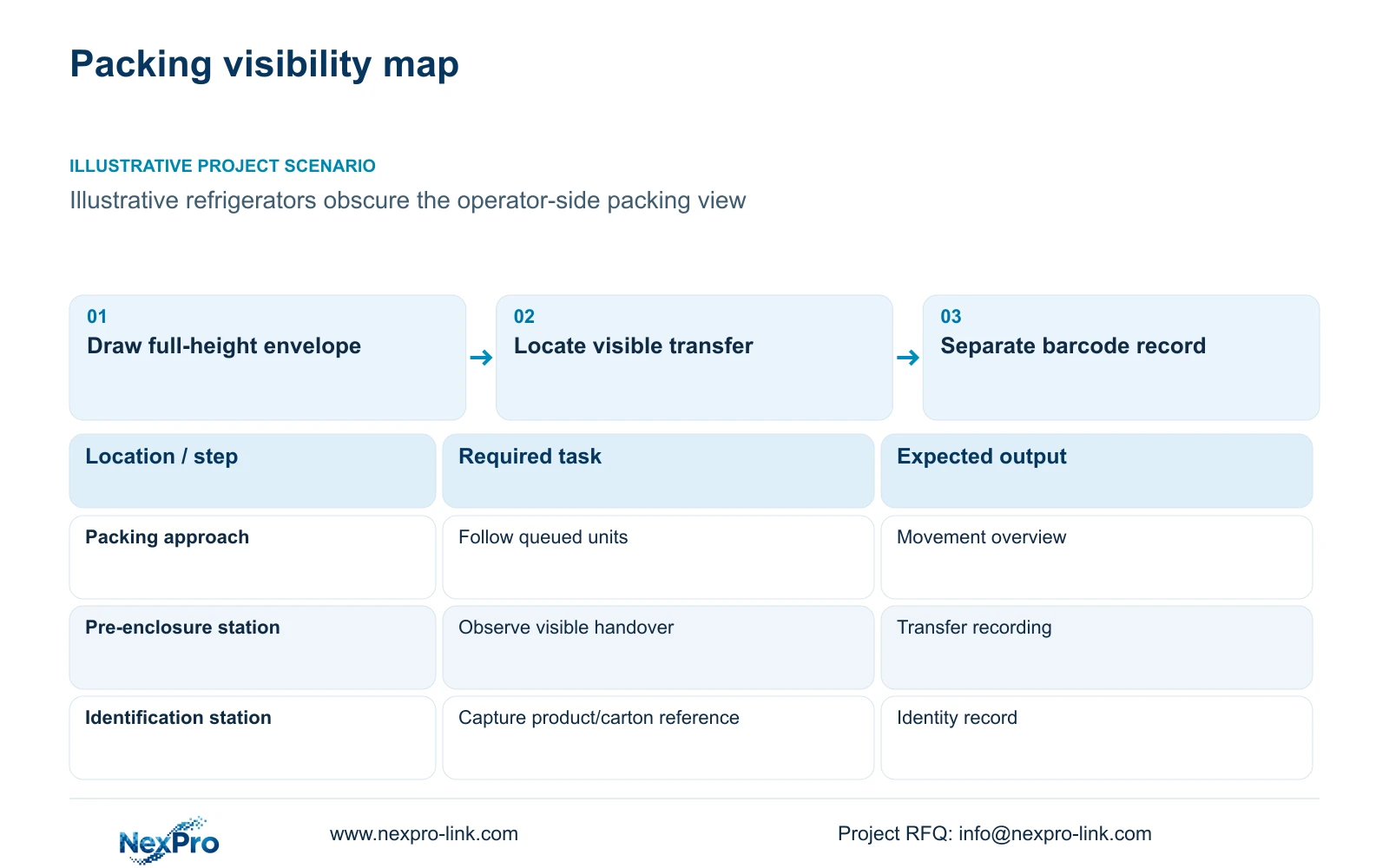
Illustrative project scenario: Refrigerators passing through final packing hide the operator side of the line. Assume the project needs context around the last visible handover before the product is enclosed and moved towards dispatch. Product dimensions, packing equipment and camera positions remain unverified planning inputs. This example does not claim an installed appliance-factory result.
Obtain elevations as well as a floor plan. Mark the tallest product and its packaging envelope, normal queue positions, operator working areas and overhead equipment. The project manager should have operations identify the event that must remain visible. Ask the engineer to assess candidate views with products present rather than approve a position from the empty-room drawing.
Section 02
Observe the last visible transfer before enclosure
Follow the unit through the packing sequence and mark the point where its handling becomes hidden by a carton, wrapping or another product. Place the evidence task at a visible transfer before that point where appropriate. Specify whether the owner needs to see placement, operator handover or movement out of the station. These are different acceptance tasks and may require different angles.
Compare a side position with an elevated position using the same representative transfer. Raising the camera may reduce one obstruction while making the important hand movement harder to see. A second angle is justified when it preserves a required event that the first view consistently loses. It should be priced with its mounting, recording and cable dependencies.
Include temporary packing materials and adjacent queued units in the trial. Record the accepted camera position against the line layout so later changes to a guard, packing fixture or staging area trigger review. If no general-security position can preserve the requested process detail, revise the task or retain a dedicated technical system requirement instead of promising visibility through the product.
Section 03
Keep barcode identity separate from handling context
Use the plant's identification record to establish which appliance or carton passed the packing station. Video supplies context around its handling. Agree a station identifier, transaction timestamp and product or carton reference that can guide retrieval. A wide packing view may show the sequence while leaving the barcode too small, angled or covered for reliable reading.
If barcode capture is required, assign it to a defined scanner or separately qualified capture workflow. State who supplies that function, who maintains the record and how the reviewer links it to camera footage. An interface to production software should remain a named project item; a security-camera quotation does not establish that integration automatically.
The ordinary NexPro-BL2812M55-5MP-DIC-AI and source Dome NexPro-DM2812M55-5MP-DIC-AI list 2880×1620 output and a 2.8-12mm motorized lens. Those fields support framing trials for suitable locations. Neither model reference establishes barcode recognition, process inspection or suitability for a restricted clean/ESD assembly area. Keep any such location condition in the installation schedule.
Section 04
Tighten the visible event without discarding the route
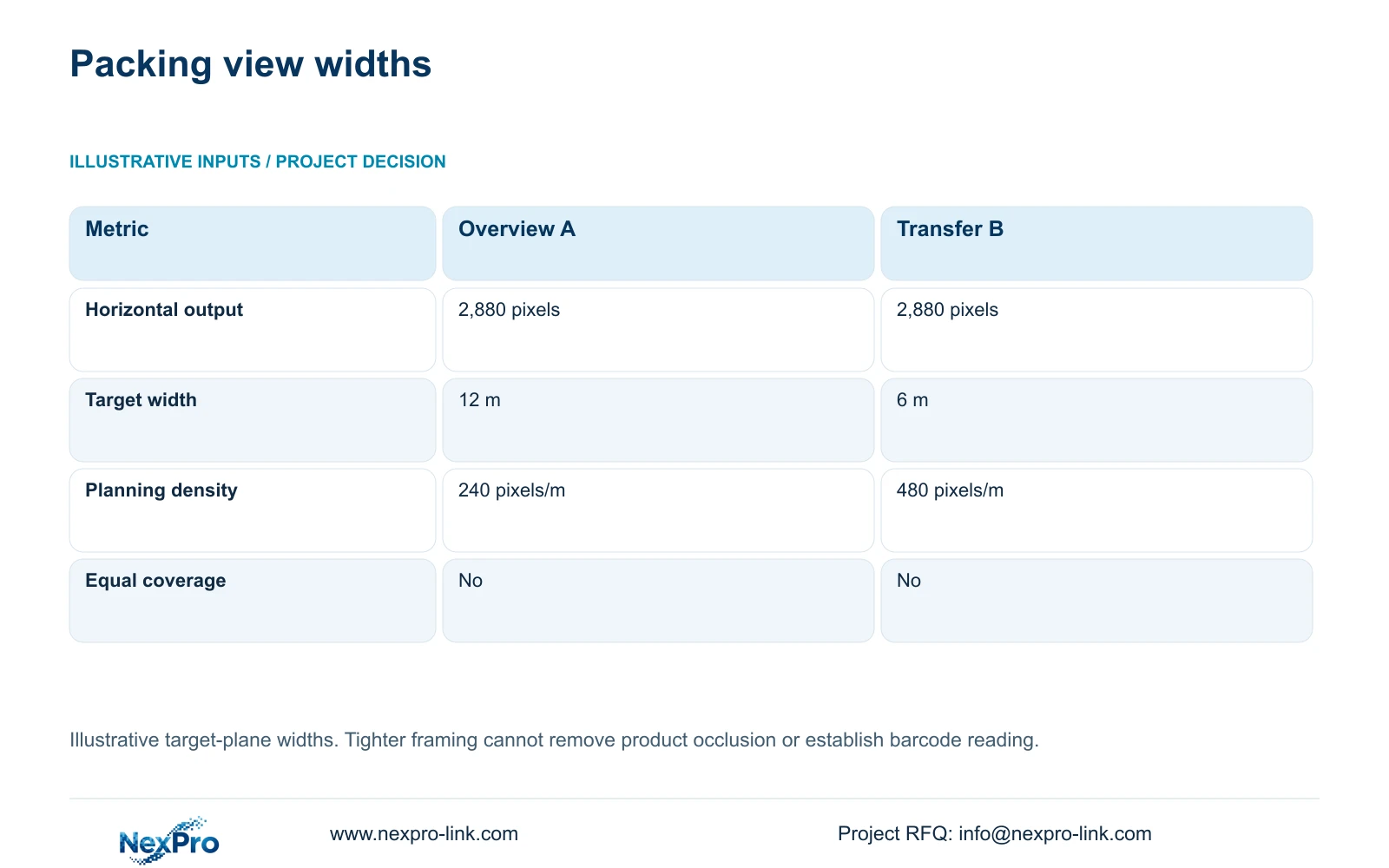
Use an illustrative horizontal output of 2,880 pixels to compare two widths at the target plane. Option A spans 12 m around the packing route; Option B spans 6 m around the selected transfer. The formula planning_pixels_per_metre = horizontal_output_pixels / target_width_m produces 2,880 / 12 = 240 pixels/m and 2,880 / 6 = 480 pixels/m.
Option B doubles the planning density while covering half the horizontal width. That difference can justify a dedicated transfer view, but it does not remove a refrigerator blocking the event. Resolve position and sightline first. Retain an overview where the owner also needs to follow the unit's arrival, queue or dispatch direction. The two options do not provide equivalent area coverage.
These widths are assumed geometry rather than guaranteed lens fields of view. Trial the accepted position with moving full-height units, working lighting and the intended recording settings. Check exposure, motion and compression alongside detail. No universal recognition threshold or guaranteed barcode-reading result follows from the calculated pixel density.
| Metric | Route overview A | Transfer detail B |
|---|---|---|
| Horizontal output | 2,880 pixels | 2,880 pixels |
| Target width | 12 m | 6 m |
| Planning density | 240 pixels/m | 480 pixels/m |
| Equivalent coverage | No | No |
Section 05
Carry visibility changes into the full package
Recommend a visible transfer position, retained route context and a separate product-identification record. The main trade-off is between moving an existing view and adding a second task-specific view. Moving may preserve camera quantity while losing another accepted task. Adding preserves both tasks but introduces recorder, power, cable and service requirements that the cost schedule must show.
CASE02 is an illustrative electronics-factory reference with 12 packing/dispatch views within 64 total cameras. Its allocation is useful for identifying a packing branch, not for determining appliance-plant quantities. The full example assumes 4 Mbps per stream, supported 5MP-class modes and 30 days of continuous recording. Do not transfer those assumptions to changed views without checking the actual stream schedule.
Place the recording path through suitable access switches and the recorder, with authorised displays as a separate branch. Backup power must reach the actual switches and recording equipment; an optional display does not need to be placed in series with recording. Measure each revised cable route and obtain mounting approval. If line access is restricted, include the installation and maintenance window in the comparison.
Section 06
Approve packing evidence using a representative sequence
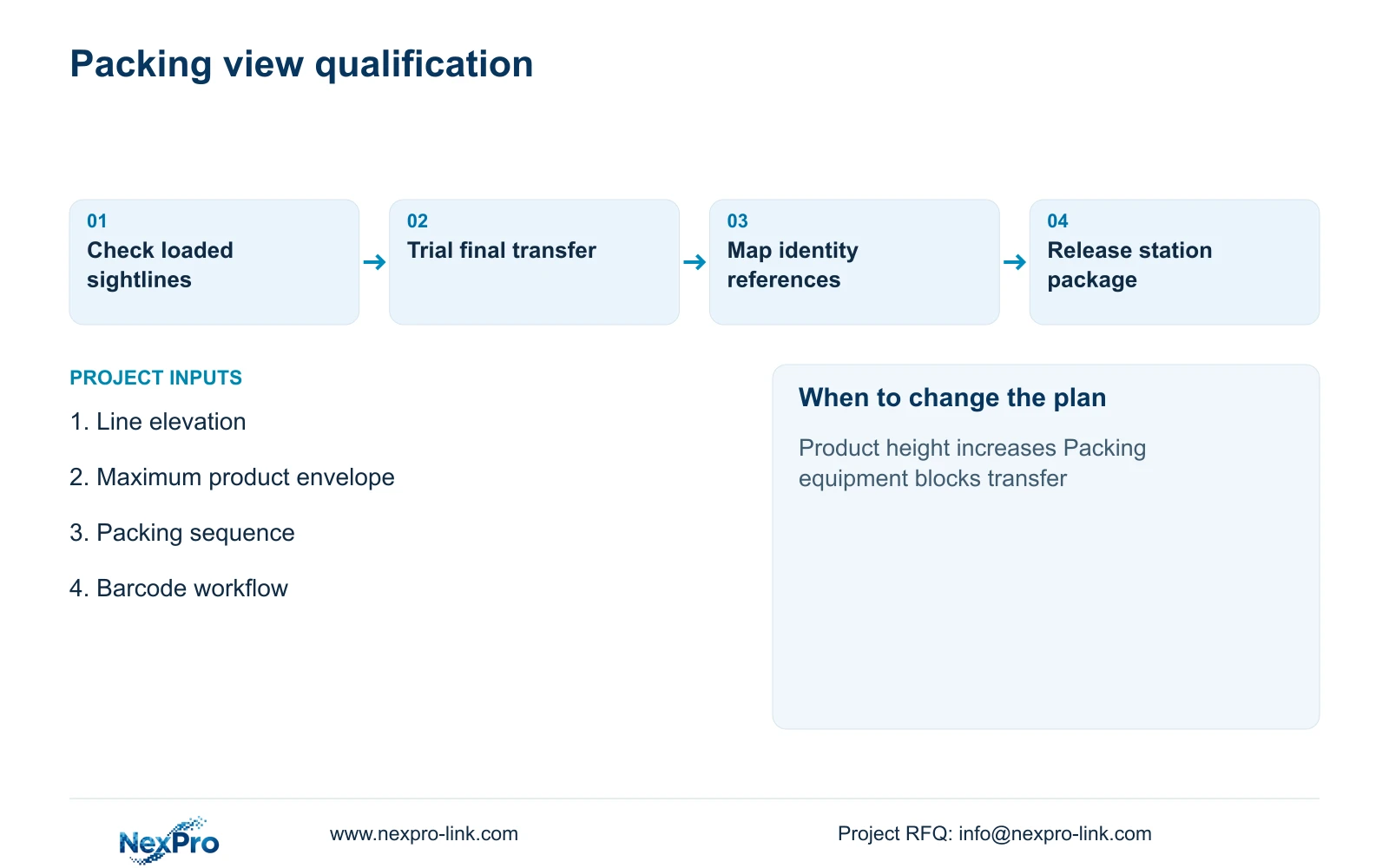
Release the equipment scope with a marked line elevation, event description and representative acceptance sequence. Identify supplied cameras, retained overview equipment, separate identification systems and local mounting work. List any special material or access restrictions affecting the assembly. A view ID should describe the station and task so the dispatch reviewer can locate it without interpreting the installation drawing.
NexPro-Link's factory project supply and BOQ support scopes can help convert accepted ordinary-area tasks into camera candidates, equipment lists and technical submittals. Project packing can distinguish overview units from transfer-detail units and associate them with their location records. Local mounting design, scanner integration and production permission should remain assigned to the relevant project parties.
At commissioning, begin with an identification reference, retrieve the corresponding recorded transfer and continue into the route overview. Check the result with the tallest intended product and realistic queues. Approve the outcome and settings together. Any later product-height or packing-equipment change should reopen the sightline check before the old acceptance is assumed to remain valid.
Section 07
Buyer questions
Should every packing camera be mounted higher? No. Height changes the viewing angle and may hide the handover behind the product top or packing equipment. Compare candidate positions with the actual full-height product and required event.
Can a packing camera prove carton contents? Only the visible accepted sequence can be reviewed. A view of a sealed carton cannot establish hidden contents. Keep product-to-carton identity in the identification record and define any pre-sealing observation separately.
What changes require another visibility trial? Changes to product height, queue arrangement, operator position, cartons, wrapping equipment or camera mounts can alter the accepted sightline. Review the affected station and associated route context.
Section 08
Review your packing sightlines
Email the packing layout and elevations, maximum product/packaging envelope, required visible transfer and identification workflow to info@nexpro-link.com to discuss suitable camera and supply options.
Engineering references
These sources support the general planning principles. Always use the selected product's current datasheet and applicable project standards for final design.