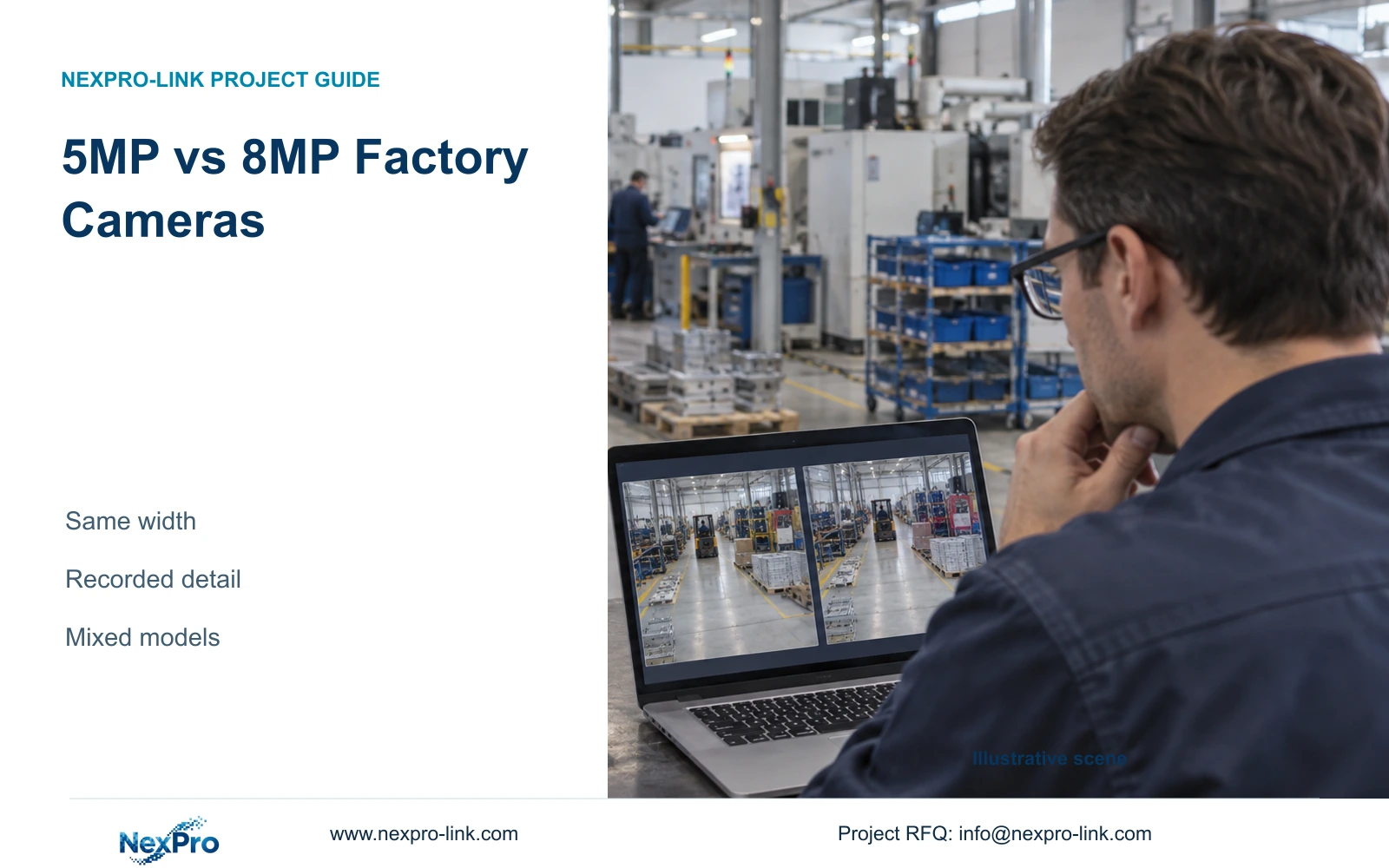
A fair factory camera comparison holds the target width constant, uses the listed output dimensions and checks recorded moving detail before approving an upgrade.
Section 01
Choose by recorded detail at the required width
Compare 5MP-family and 8MP factory cameras using their actual recorded output dimensions at the same target width. Then check whether the recording preserves the detail the owner needs under representative movement and lighting. The supplied 5MP-family specification lists 2880×1620; retain that field instead of substituting another resolution associated with the marketing label.
Illustrative project scenario: An engineer is selecting documented 5MP-family and 8MP varifocal cameras for ordinary areas of a new CNC factory. The supplied reference design contains 32 views covering gates, stores, permitted material transfers, common routes, dispatch and equipment-room approaches. Assume a six-metre transfer boundary needs comparison before the camera schedule is frozen. These are planning conditions, not a completed installation.
The BL2812M bullet specification lists the 5MP-family model with a 1/2.7-inch CMOS sensor and the 8MP model with a 1/1.8-inch CMOS sensor. Both have a documented 2.8-12 mm motorized lens range. These fields identify candidates; they do not establish comparative night performance or a guaranteed recognition distance.
Section 02
Keep the target plane and camera position comparable
Mark the target plane on the drawing, including its width, distance from the proposed camera and height of the relevant object. A six-metre doorway and a six-metre floor strip are different geometries. An oblique view can leave the far end of a transfer boundary less useful than the near end, even when the overall image appears sharp.
For the sample comparison, keep the camera position, target movement and lighting state consistent. Adjust each lens to include the same boundary rather than using identical focal-length settings as proof of equal coverage. Confirm the resulting view from recorded footage. Matching lens ranges alone does not establish matching fields of view across different sensor formats.
If narrowing the image improves detail, record what leaves the frame. A close view of the transfer point may omit the approach route needed to explain the event. The engineer should preserve that context through another approved view before treating a tighter image as an equivalent replacement.
Section 03
Assign resolution to the task before pricing
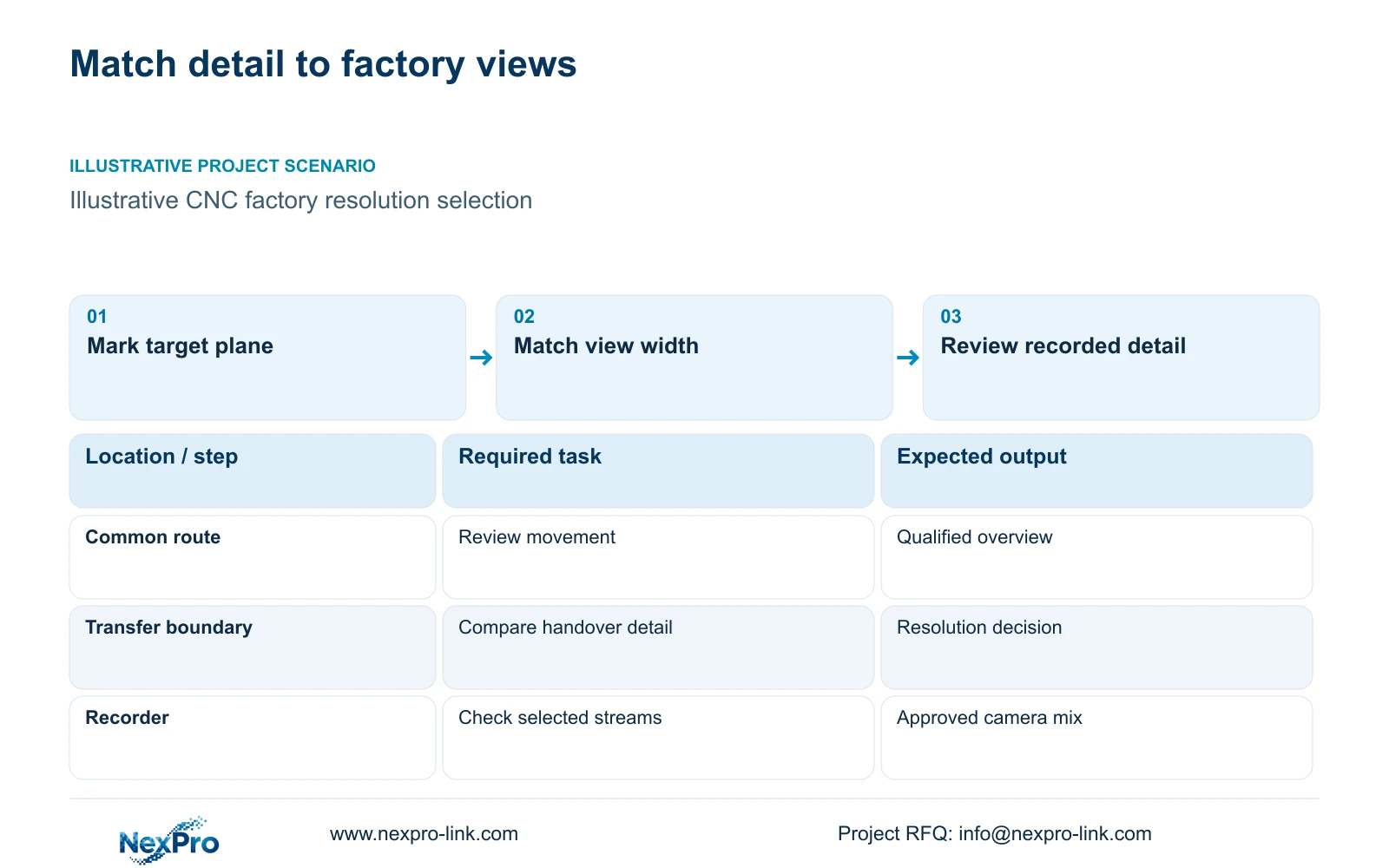
Build the mixed-model schedule around the recorded question at each location. A common-route view may need movement sequence, while a store issue counter may need closer handover detail. Specify the accepted width and evidence task beside the model, so procurement can distinguish an intentional selection from an unexplained substitution.
The owner defines the required evidence, the engineer qualifies the view and the local installer confirms mounting feasibility. Procurement then requests prices for the accepted configuration. Separate camera price, mounting accessories, sample evaluation and any recorder or storage change. An unknown supporting cost should remain an open quotation item.
NexPro-Link's BOQ and Tender Support scope includes model matching, technical submittals, deviations and quotation coordination. Use that scope to produce a schedule showing supplied cameras, retained infrastructure and optional upgrades. A uniform 8MP offer should explain its contribution at each view rather than assume every location benefits equally.
| Location | Required task | Scope | Responsible party |
|---|---|---|---|
| Common route | Movement sequence | 5MP-family candidate | Engineer qualifies recording |
| Transfer boundary | Closer handover detail | 8MP option pending trial | Owner approves evidence |
| Camera mount | Preserve agreed view | Local installation | Installer confirms geometry |
Section 04
Read the horizontal-density difference correctly
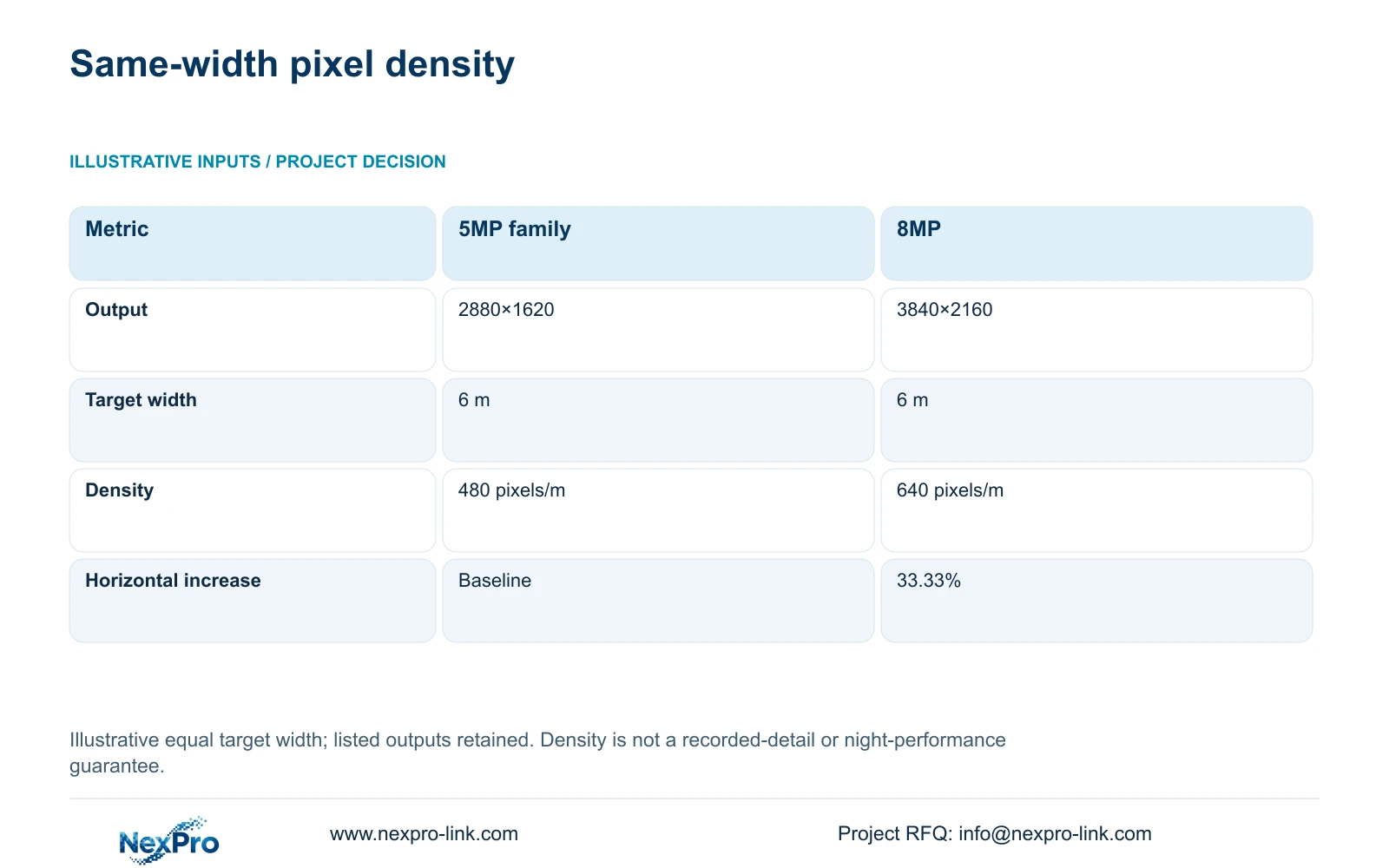
For this illustrative calculation, both images cover a six-metre target plane. Planning pixels per metre equal horizontal output pixels divided by target width: ppm = horizontal_pixels / 6 m. The listed widths produce 2880 / 6 = 480 pixels/m and 3840 / 6 = 640 pixels/m.
The relative increase is (3840 / 2880 - 1) × 100 = 33.33%. That is the decisive arithmetic difference at the same width. Dividing the 8MP and 5MP family labels would suggest a different percentage, but those labels are not the horizontal dimensions used here.
The extra sampling may justify testing the 8MP option where small recorded detail matters. It does not guarantee 33.33% more usable detail, a 60% improvement or better night footage. Focus, exposure, compression and obstruction still affect the result. Review the exported recording at its native dimensions, with the playback method recorded.
| Metric | 5MP-family output | 8MP output |
|---|---|---|
| Listed dimensions | 2880×1620 | 3840×2160 |
| Horizontal pixels | 2880 | 3840 |
| Target width | 6 m | 6 m |
| Planning density | 480 pixels/m | 640 pixels/m |
Section 05
Approve the camera mix with its recording consequences
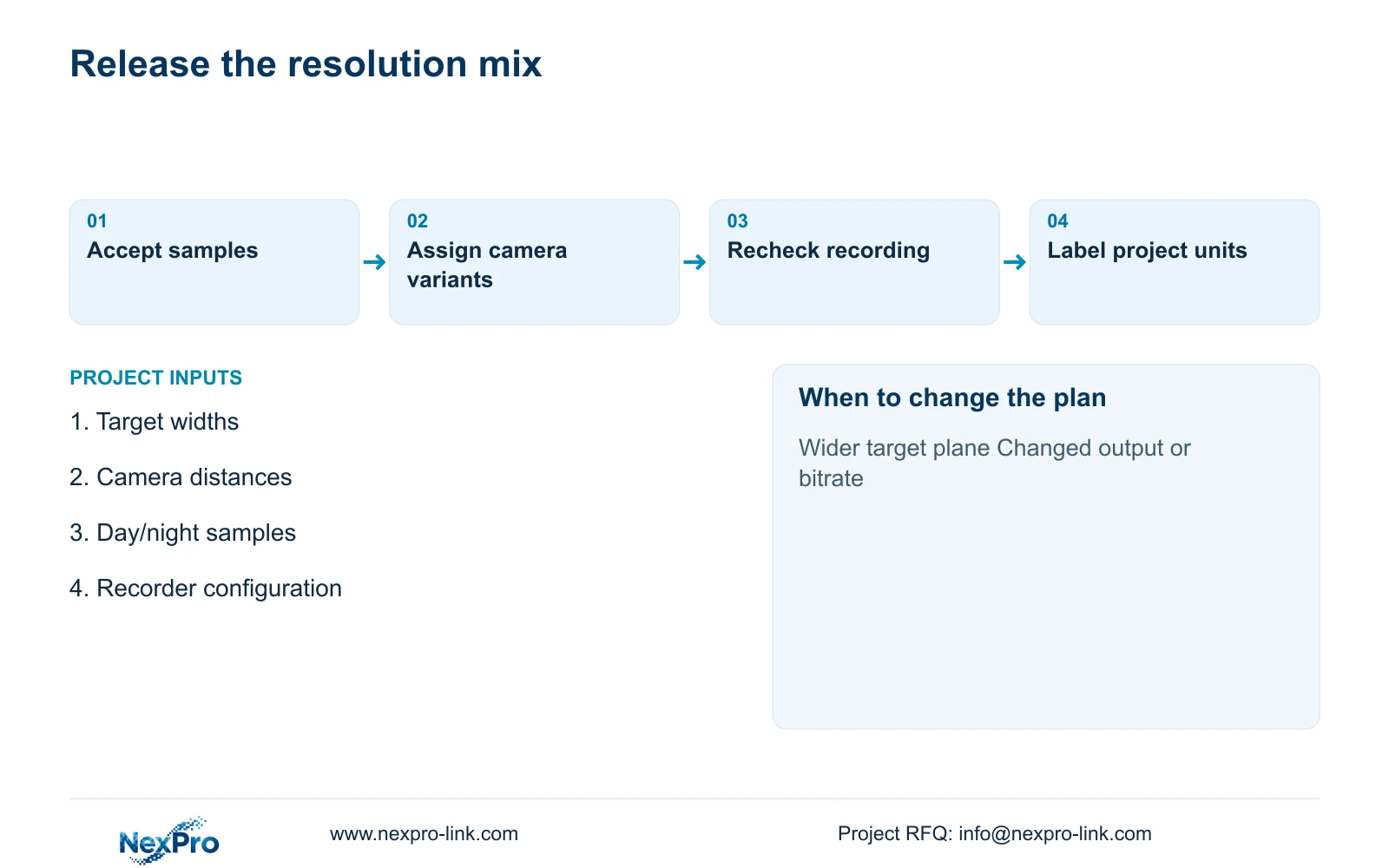
Prefer the lower-resolution candidate where it passes the agreed recorded-image task, and qualify the 8MP candidate at locations where the additional sampling is useful. Change that recommendation if the accepted width increases, the target becomes smaller or the trial shows insufficient detail. A failed night sample may require a lighting or exposure change rather than a resolution change.
The 32-camera reference assumes supported 5MP-class streams averaging 4 Mbps each, giving 128 Mbps total input. Its 30-day video demand is 41.472 TB. Four 16 TB drives provide a 48.64 TB illustrative video budget after the supplied 95% formatting factor and 20% reserve. That reserve is already included.
An 8MP substitution requires a revised stream and recording check. The NexPro-NVR4449-4K has a published 320 Mbps input reference and four SATA bays, but bandwidth headroom does not prove support for every mixed-resolution mode or simultaneous decode task. Keep recording qualification separate from live display and playback qualification.
Section 06
Release a schedule that preserves the accepted view
Before ordering, attach the accepted sample reference to each critical camera entry. Record model, selected output, frame rate, compression settings, target width and relevant lighting condition. This gives the installer a commissioning target and prevents a lower-bandwidth viewing stream from becoming the unintended acceptance basis.
Ask competing suppliers to quote the same evidence tasks, retention period and preparation scope. Preserve any required platform integration or environmental qualification. Without matched quotations and recordings, the comparison supports a selection process rather than a whole-brand performance verdict.
NexPro-Link can discuss the qualified camera mix, corresponding equipment list and technical documents within its factory project supply scope. Project-labelled packing can keep the selected variants associated with their locations. Final mounting, site tuning and acceptance remain assigned to the project team, with unresolved view conditions visible in the release record.
Section 07
Buyer questions
Should every sample be viewed on a 4K monitor? Use a playback method that allows inspection of native recorded pixels without hidden scaling. A suitable monitor or a documented crop can serve that purpose. Also check the normal operator layout, because a multi-camera screen may conceal detail available in the recording.
Can an 8MP camera retain the existing 4 Mbps allowance? Treat that as a proposed encoding setting, not a proven image-quality result. Test the actual scene at that setting and measure recording demand. Keep the existing allowance only if the accepted evidence remains usable.
Section 08
Request a task-based resolution comparison
Send your target widths and distances, representative day/night images, required recorded-detail tasks and proposed recorder configuration to info@nexpro-link.com for a qualified mixed-model camera schedule.
Engineering references
These sources support the general planning principles. Always use the selected product's current datasheet and applicable project standards for final design.