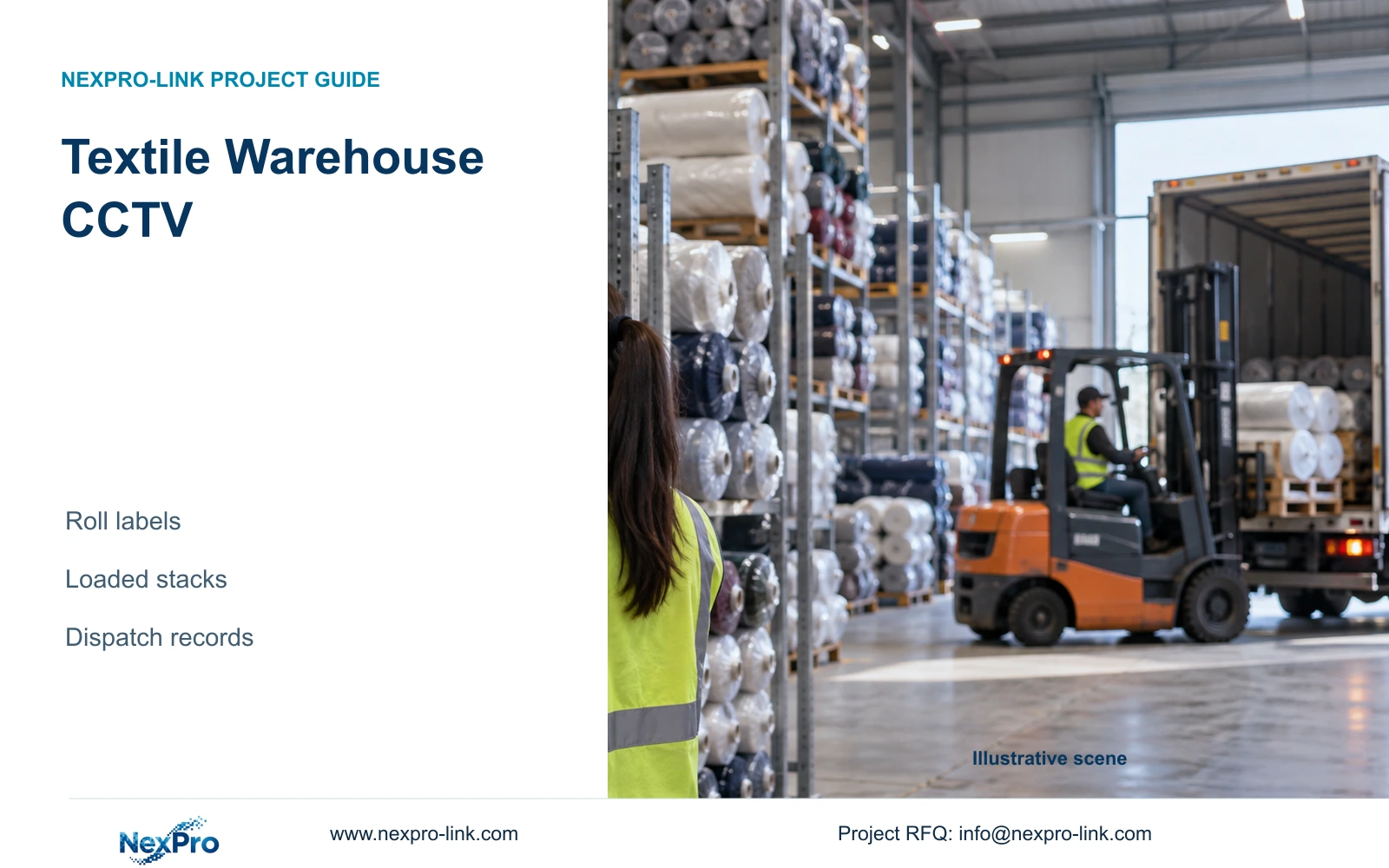
Keep fabric-roll identity in stock records, validate readable label fields at a controlled transfer point and preserve movement context around changing warehouse stacks.
Section 01
Define where a roll label must be readable
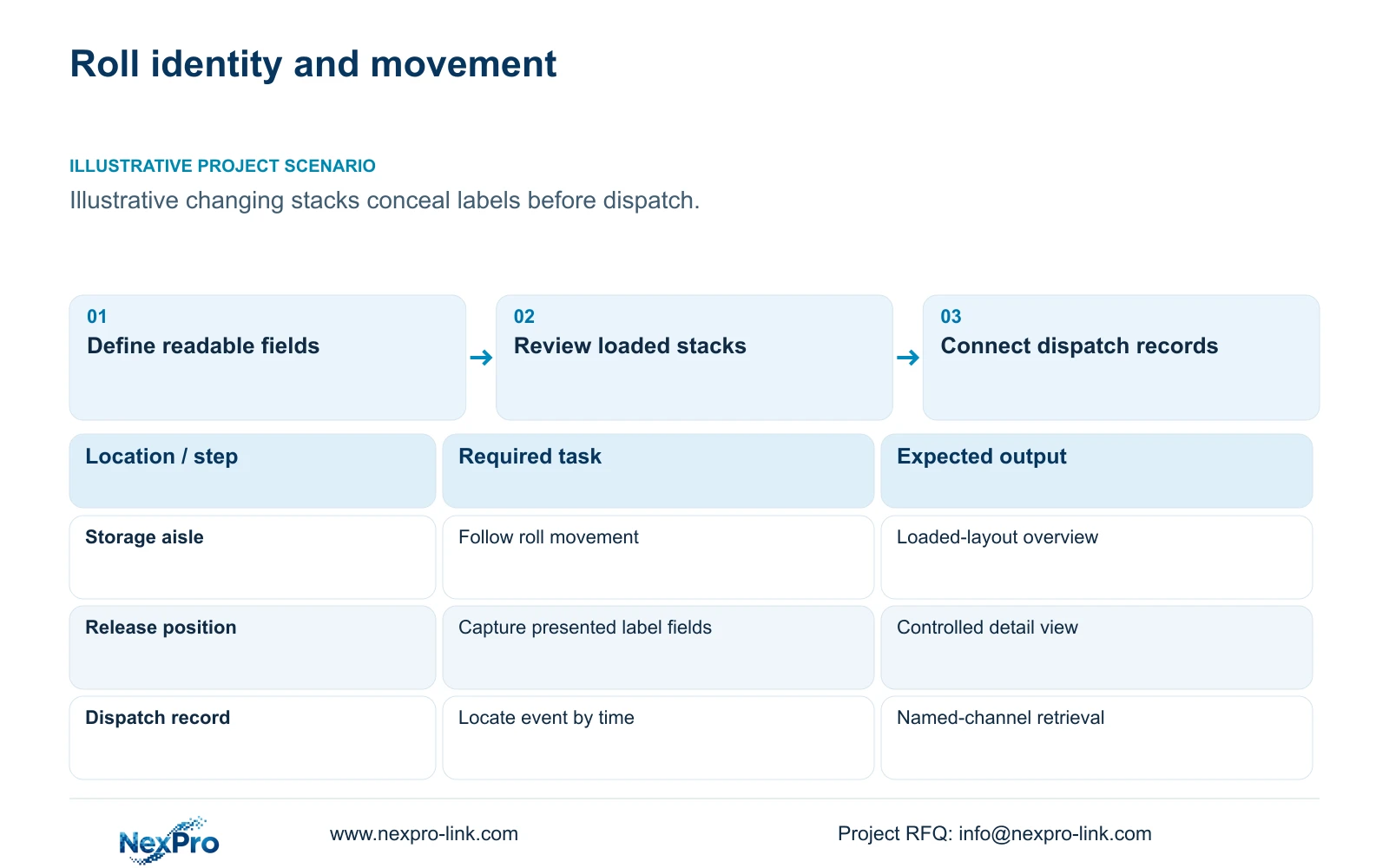
In a textile finished goods warehouse, use the stock system for roll identity and specify a close camera view for any label fields the owner needs to read. Decide where the label will be presented, its orientation and the movement condition before selecting the camera. A distant overview can explain movement while failing to show a label obscured by another roll. Validate the loaded warehouse, not only an empty-room preview.
Illustrative project scenario: Fabric rolls are stored in changing stacks that obscure labels from a distant camera. Assume outgoing rolls pass through a defined staging or release position before dispatch. The proposed detail view checks agreed visible fields there, while an overview follows movement through the aisle. This planning assumption does not establish a label-reading result or an automatic link to the stock system.
Obtain representative labels and identify the fields relevant to review, such as an existing roll reference. Mark the reading plane on the drawing and explain when the field is expected to face the camera. If the normal workflow never exposes it, agree a presentation arrangement or retain stock records as the identity source without promising readable CCTV text.
Section 02
Review sightlines with full-height storage
Overlay maximum intended stack heights and occupied storage footprints on the warehouse plan. Check the approach to dispatch with rolls and handling equipment in representative positions. A raised camera may see over some stacks while looking at labels from an unfavorable angle. A lower detail view may improve the presentation plane but become blocked by a trolley or adjacent stock.
Divide the required evidence into aisle context and controlled label detail. Keep the overview on the route that remains useful when stacks change, and place detail where presentation can be repeated. Do not infer that a tighter view reduces the number of cameras needed for both tasks. An extra detail camera introduces its own mount, cable, recording and service requirements.
Review lint, humidity, cleaning access and night-shift lighting at both positions. Optical surfaces and connection points need reachable maintenance arrangements. A stack plan change should trigger a sightline review even when camera quantity remains unchanged. Ask the warehouse team to identify temporary overflow storage too, since a nominally clear transfer corridor may be occupied during busy dispatch periods.
Section 03
Connect dispatch references to named video views
Build retrieval around the stock or dispatch record's location and time. Give the staging detail and route overview stable task names, and map each to a recorder channel. Dispatch staff provide the outgoing reference and approximate event time; the reviewer then locates the relevant interval. This operational connection requires no assumed optical-character recognition, barcode decoding or native warehouse-system integration.
The role-based camera map should distinguish supplied detail cameras, retained suitable overviews and optional second angles. Assign stock-record ownership to warehouse operations, viewpoint design to the engineer and playback/export demonstration to the installer. The owner approves who can review and export recordings. Carry those roles into the handover rather than leaving them implicit in an equipment list.
Run a retrieval test using a representative outgoing record. Review the interval before the roll reaches staging, its presentation and its departure, then reopen the export on the agreed review device. Check clock alignment and channel naming. If automatic linkage is required, specify the interface and responsible provider separately; the manual workflow should not be represented as a built-in product feature.
Section 04
Calculate the coverage sacrificed for more detail
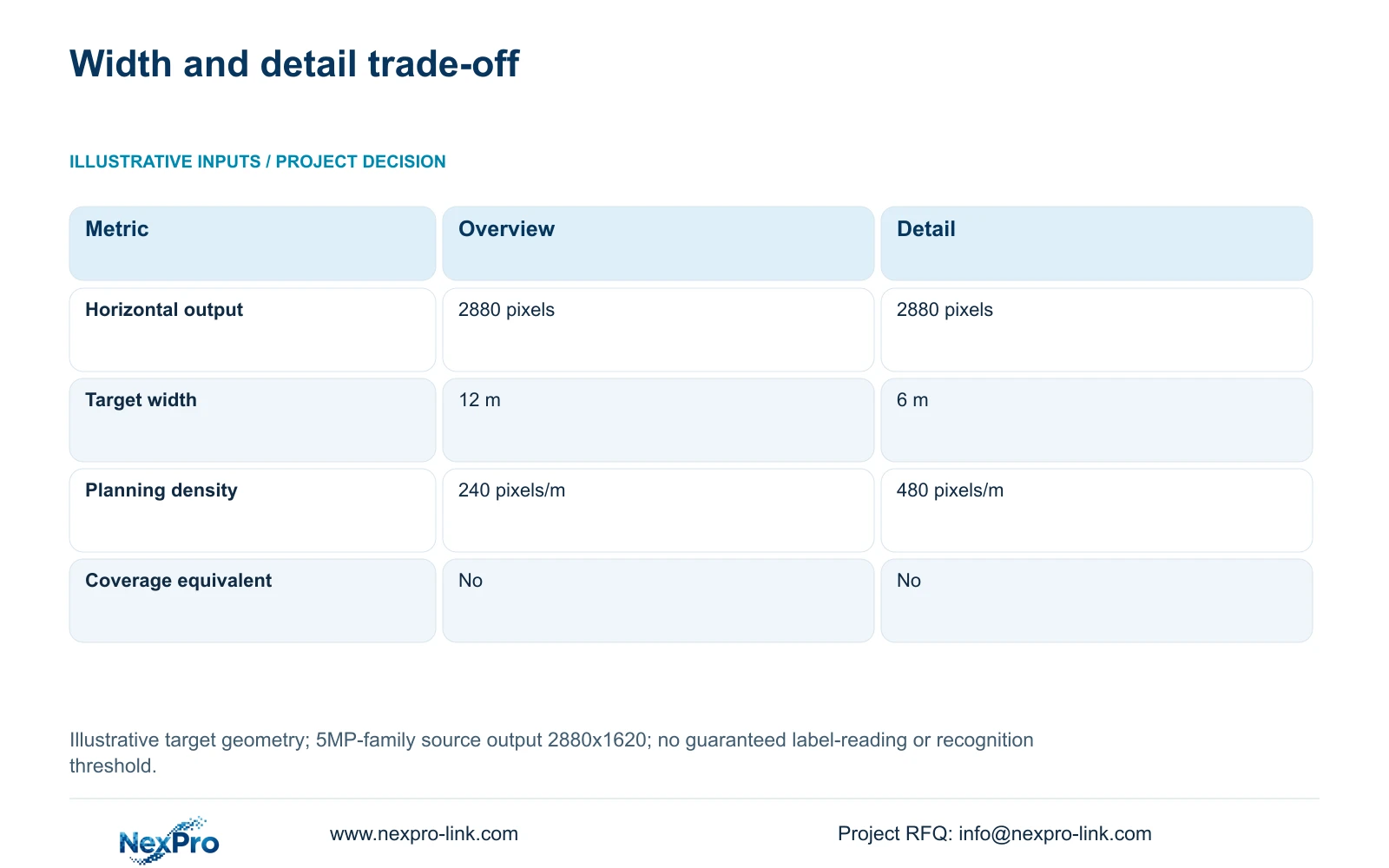
The illustrative geometry uses one horizontal output of 2880 pixels. Option A covers 12 m at the target plane; Option B covers 6 m. Calculate planning_pixels_per_metre = horizontal_output_pixels / target_width_m. The resulting densities are 2880 / 12 = 240 pixels/m and 2880 / 6 = 480 pixels/m. These widths are planning assumptions, not guaranteed fields of view from a particular lens setting.
Narrowing the target width doubles the calculated horizontal density while removing half the horizontal coverage. The two options are therefore not area-coverage equivalents. Choose the narrower view when the detail task needs it, and retain a separate overview if the 12 m movement context is still required. The arithmetic cannot demonstrate that fewer cameras will satisfy the combined tasks.
The source 5MP-family field remains 2880x1620. Neither calculated density guarantees readable labels or recognition. Label size and orientation, motion, lighting, lens performance, compression and obscuration remain relevant. Record the actual loaded release sequence and inspect the required fields in playback and export. Do not replace that acceptance task with an unsupported universal pixel-density threshold.
| Metric | Overview option | Detail option |
|---|---|---|
| Horizontal output | 2880 pixels | 2880 pixels |
| Illustrative target width | 12 m | 6 m |
| Planning density | 240 pixels/m | 480 pixels/m |
| Horizontal coverage equivalent | No | No |
| Primary role | Movement context | Agreed label detail |
Section 05
Retain overview while qualifying the detail package
Recommend a controlled release detail view backed by suitable aisle context and stock records. The NexPro-BL2812M55-5MP-DIC-AI and source Dome-family NexPro-DM2812M55-5MP-DIC-AI list 2880x1620 output and 2.8 to 12mm motorized lenses. They are ordinary-area candidates for framing trials. Their specifications do not establish roll-label reading at the warehouse's actual distance or a peak power value for PoE budgeting.
CASE04 provides a separate 80-camera campus reference with four local 20-camera recording nodes. Its stores/dispatch node illustrates local recording with authorized retrieval across the backbone. At the stated 4 Mbps average and 30-day schedule, each node has 25.92 TB video against a 36.48 TB video budget. That budget already includes the example formatting and free-space allowances; no second reserve should be added.
Any new detail position needs its own recorder-mode, storage and access-power checks. The NexPro-NVR4449-4K source lists 320 Mbps input and four SATA bays up to 18 TB per drive, without establishing RAID or full simultaneous decode. Keep UPS protection on the actual local electrical chain, and use a suitable review screen for retrieval. A wall display is an optional simultaneous-viewing decision.
Section 06
Make loaded-warehouse testing part of procurement
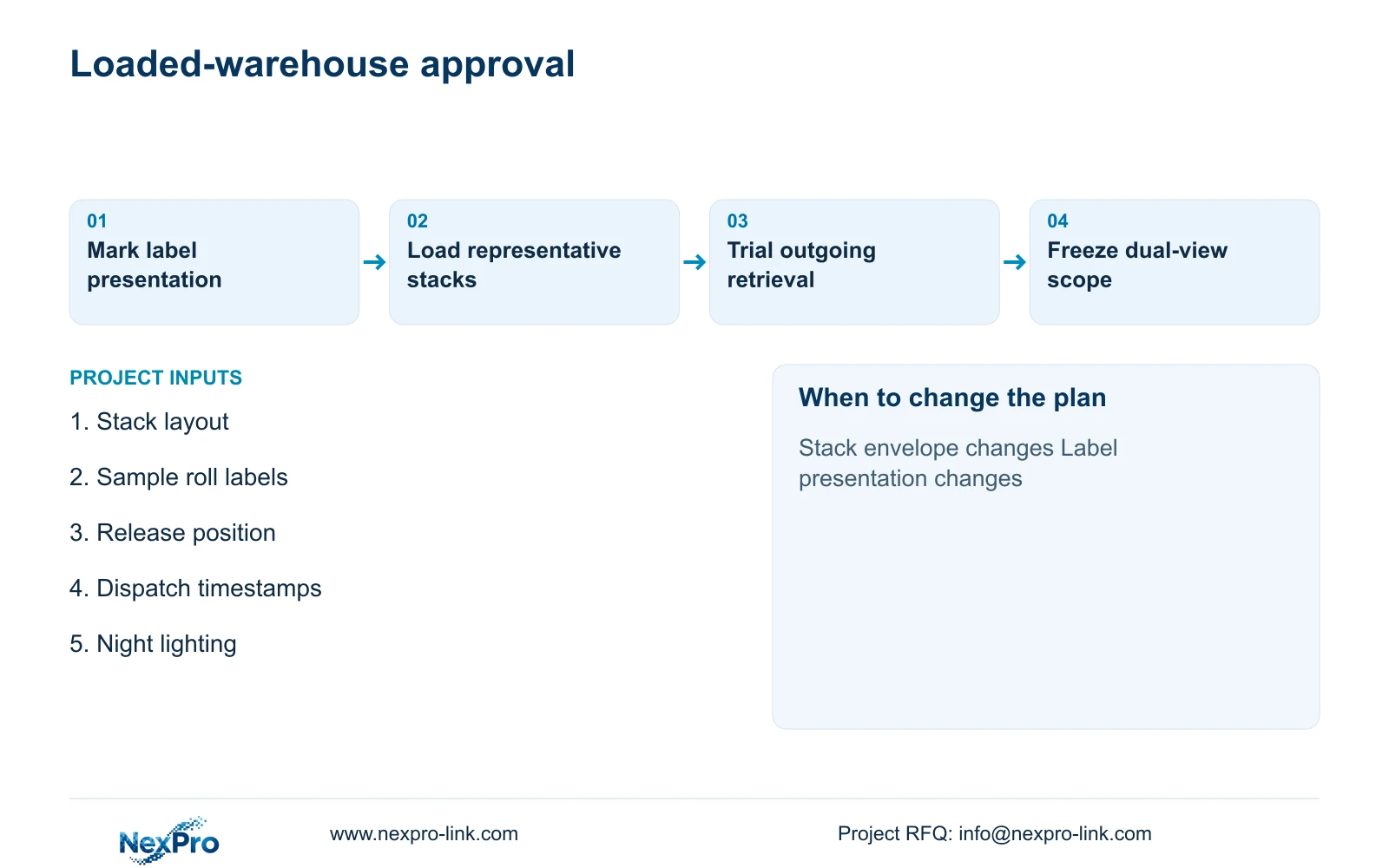
Issue the stack plan, release position and sample label fields with the camera schedule. Define the representative loading and lighting conditions used for acceptance, including temporary staging where it affects the sightline. Separate new detail equipment from retained overview equipment, and include mounts, measured cable routes, terminations and local commissioning. Suppliers should quote the same label and movement tasks.
NexPro-Link's Factory & Warehouse project supply and BOQ & Tender Support scopes can help translate that brief into candidate models, technical documentation and a coordinated equipment list. Location-labelled packing should distinguish staging detail from aisle overview. Keep stock-system interfaces, local installation and final field acceptance assigned to their actual providers. Record the accepted geometry and loaded-layout evidence so later stack changes can be reviewed against a clear baseline.
Section 07
Buyer questions
What if roll labels face inward after stacking? No camera can recover a label hidden inside the stack. Use the stock records for identity and, where required, capture the agreed field at an earlier exposed presentation or outgoing transfer point.
Can a stock-system timestamp locate video without integration? Yes, a defined manual workflow can use location and time references, provided clocks and camera names are checked. Automatic record-to-video linkage needs a separately specified and verified interface.
When should a loaded-layout test be repeated? Repeat the relevant test when stack height, storage footprint, release position, label format or lighting changes the accepted evidence task. Unaffected views can retain their existing approval.
Section 08
Specify your roll-label and dispatch views
Send the loaded stack layout, sample roll labels and required fields, outgoing transfer route, and night-lighting and retention requirements to info@nexpro-link.com for an overview-and-detail equipment discussion.
Engineering references
These sources support the general planning principles. Always use the selected product's current datasheet and applicable project standards for final design.