Demonstrate the proposed reduced display mode with the actual retained signal path and operator task. Record which panel, decoder/client and controls remain powered.
Section 01
Put the wall on backup only for a defined operating task
Demonstrate the proposed reduced display mode with the actual retained signal path and operator task. Record which panel, decoder/client and controls remain powered. If required information disappears, revise the protected scope before pricing runtime. Do not assume that unused wall panels can be shed by an undocumented UPS outlet feature.
A factory video wall should be on backup when the outage operating task requires that display and its complete signal path. Protect essential recording first, then calculate the wall's incremental load and energy before connecting it to the same UPS. Where one protected operator screen supports the task, the full wall can remain outside the essential backup scope.
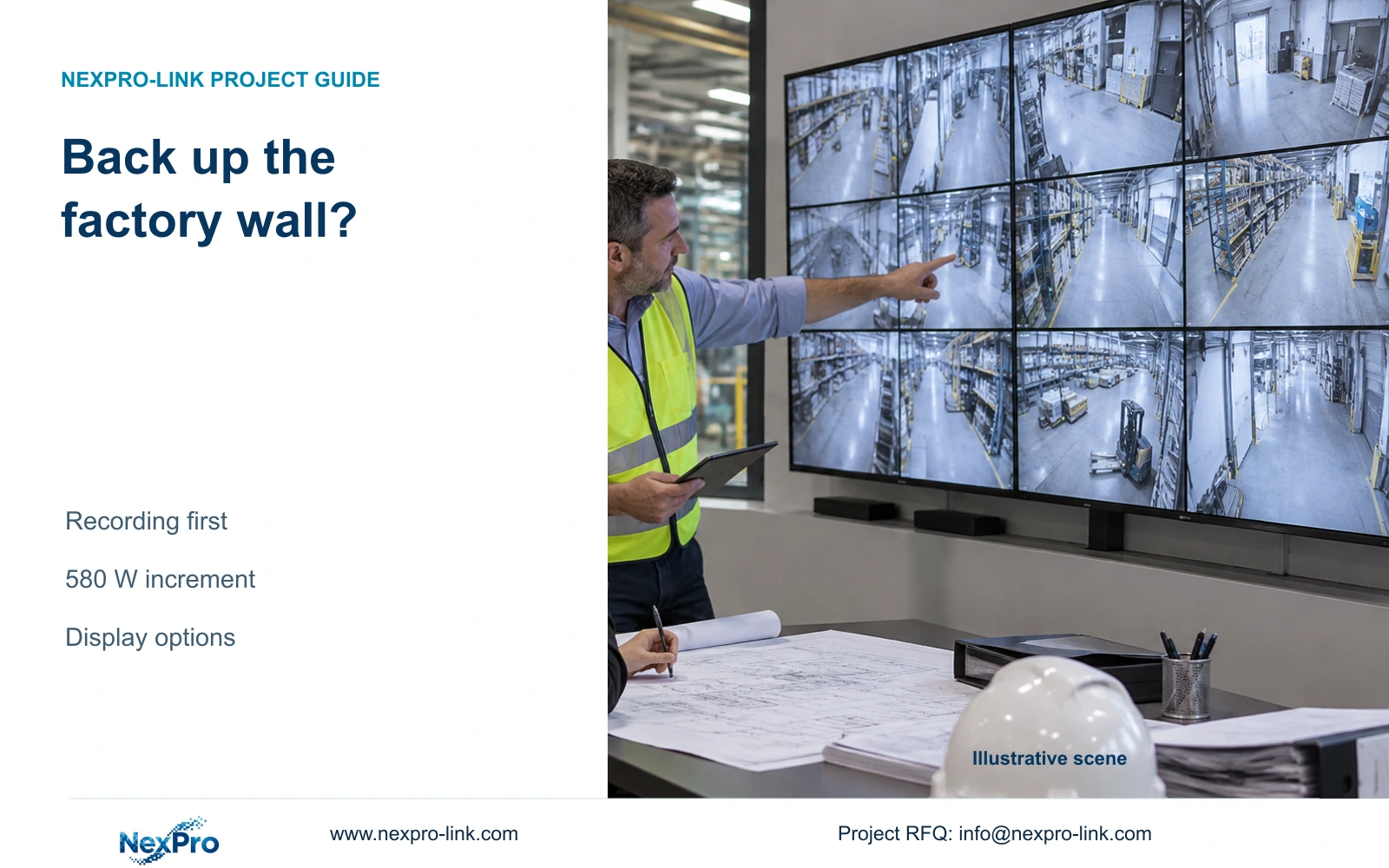
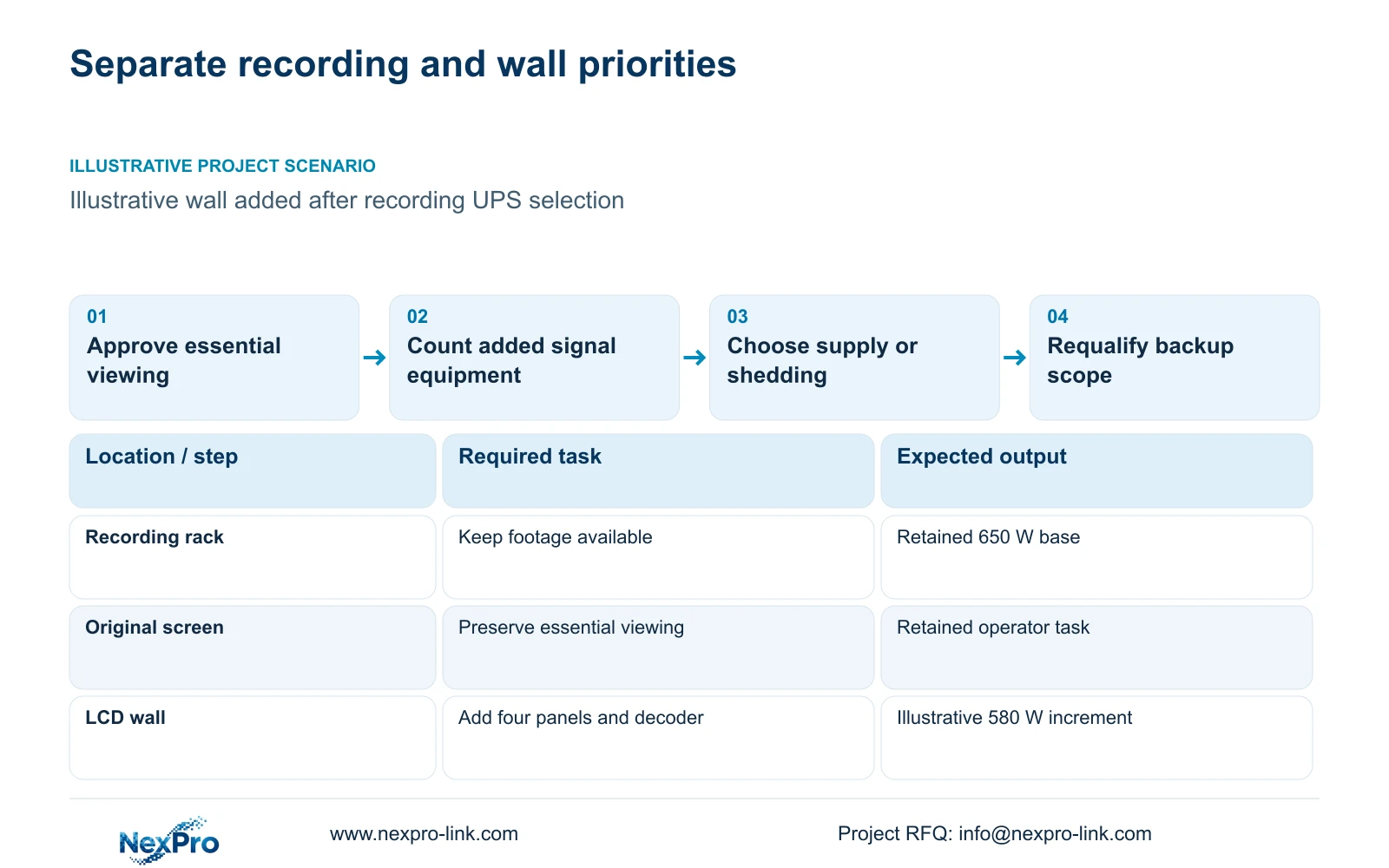
Illustrative project scenario: An owner adds a wall after the recording UPS has been selected. Assume the existing protected service draws 650 W and retains its original operator equipment. The proposed wall adds four LCD panels and a decoder for a 30-minute outage objective. These are planning assumptions, not a completed factory installation.
Use the supplied CNC factory reference to identify which views matter during loss of mains: gates, material transfers and dispatch may need different operator layouts. Ask guards whether they must see all wall views simultaneously or can use a smaller screen. Record the accepted viewing task before treating the new display as an essential load.
Section 02
Count the whole added display path
The supplied illustration assumes four panels at 120 W each and a decoder at 100 W. The added scope is extra_W = 4 × 120 + 100 = 580 W. Retain the original equipment in the base load; the new wall does not automatically replace the existing screen or its protected function.
The NX-VP-5535 reference is a 55-inch 1920×1080 LCD with listed 3.5 mm seam/bezel and 400 nit typical brightness. It is not a direct-view LED screen. The assumed 120 W is not a published measured consumption field. NX-VD-4K16 is a decoder reference, and its name does not establish sixteen simultaneous 4K streams or the assumed 100 W demand.
Confirm the actual decoder, display inputs, required layouts and any additional powered processing equipment. Check the accepted signal path under the chosen streams separately from power sizing. Cooling and local electrical protection remain separate design scopes; the illustrative 580 W addition does not size the room's cooling system or its distribution accessories.
Section 03
Choose shared backup, separate backup or display shedding
Shared backup places the approved wall and recording chain on one sized configuration. It simplifies the common protected supply boundary, but the wall consumes energy from the same battery service. Separate display backup can make the two operating scopes clearer, while still requiring the wall's decoder and necessary network path to remain available.
Display shedding keeps optional wall loads off backup during an outage while preserving recording and the essential operator screen. If automatic shedding is proposed, identify supported control equipment and verify its behavior. Do not assume the selected UPS has independently controlled outlets or that a decoder can be removed without affecting required viewing.
Assign the owner to approve lost or retained display functions, the engineer to define circuits and signal dependencies, and the supplier to identify compatible equipment. A manual instruction to unplug the wall is not equivalent to a supported automatic method. The chosen approach belongs in the electrical schedule and operator procedure before installation.
Section 04
Show the extra capacity and half-hour energy explicitly
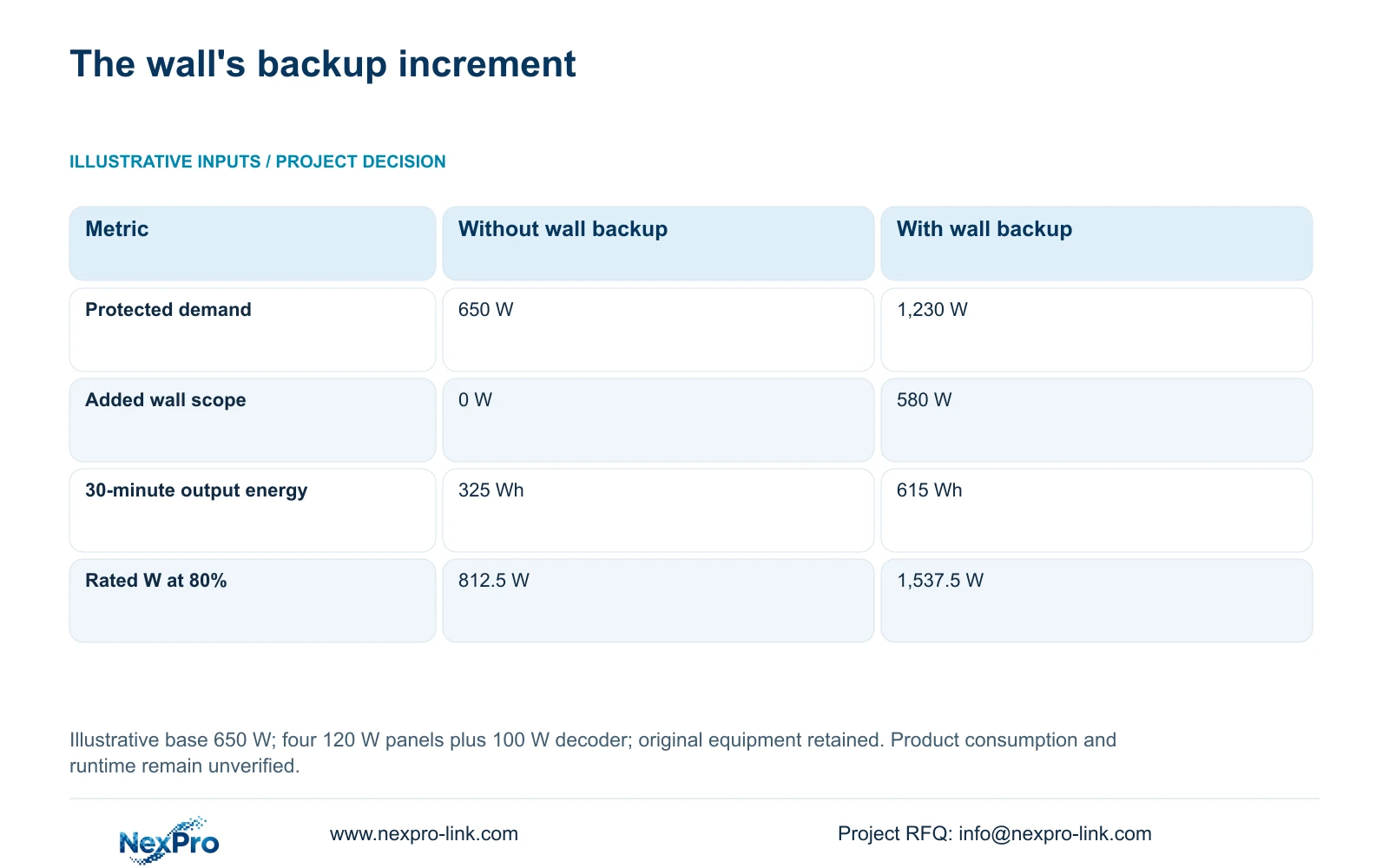
For this independent module, total_W = base_W + extra_W = 650 + 580 = 1,230 W. At 30 minutes, output_Wh = total_W × 0.5 gives 325 Wh without the wall and 615 Wh with it. The wall therefore adds 290 Wh of required delivered energy over the half-hour interval.
At an illustrative 80% output-loading target, required rated watts are 650/0.8 = 812.5 W and 1,230/0.8 = 1,537.5 W. The decisive difference is substantial additional demand while the original recording scope stays unchanged. These watt thresholds are not a complete selection because the actual aggregate VA requirement and supported battery configuration still need checking.
CASE01 uses a different base: 682.7407 W recording-first and 1,262.7407 W with the same 580 W addition. Its 30-minute load-side energy is 341.3704 Wh and 631.3704 Wh. Keep those values separate from the 650 W module. The consistent increment supports the method, but the totals cannot be interchanged.
| Metric | Recording-first A | Wall-backed B |
|---|---|---|
| Protected load | 650 W | 1,230 W |
| Added display load | 0 W | 580 W |
| 30-minute output energy | 325 Wh | 615 Wh |
| Rated W at 80% loading | 812.5 W | 1,537.5 W |
Section 05
Retain the smaller essential view unless the wall earns its scope
For the stated late addition, recommend preserving recording-first backup and the original essential screen while keeping the optional wall outside that battery scope. Change the recommendation when guards require the full wall layout to complete the approved outage task. Then qualify either a larger shared configuration or a separately backed-up display path.
The published SP1KR(S) reference is 1 kVA/900 W and SP2KR(S) is 2 kVA/1800 W. The illustration shows why adding a wall can move the watt-capacity candidate, but neither rating proves 30 minutes. A replacement UPS also needs a compatible battery arrangement, VA check and approved electrical connections.
Compare the alternatives on retained operator functions, required duration and complete installation scope. Include distribution, supported shedding equipment where used, and display commissioning. No supplied quotation establishes a price advantage. A wall can have a justified role in normal operations while remaining optional during outages; that distinction should be visible in the owner's acceptance criteria.
Section 06
Release the wall as a controlled change to power and viewing
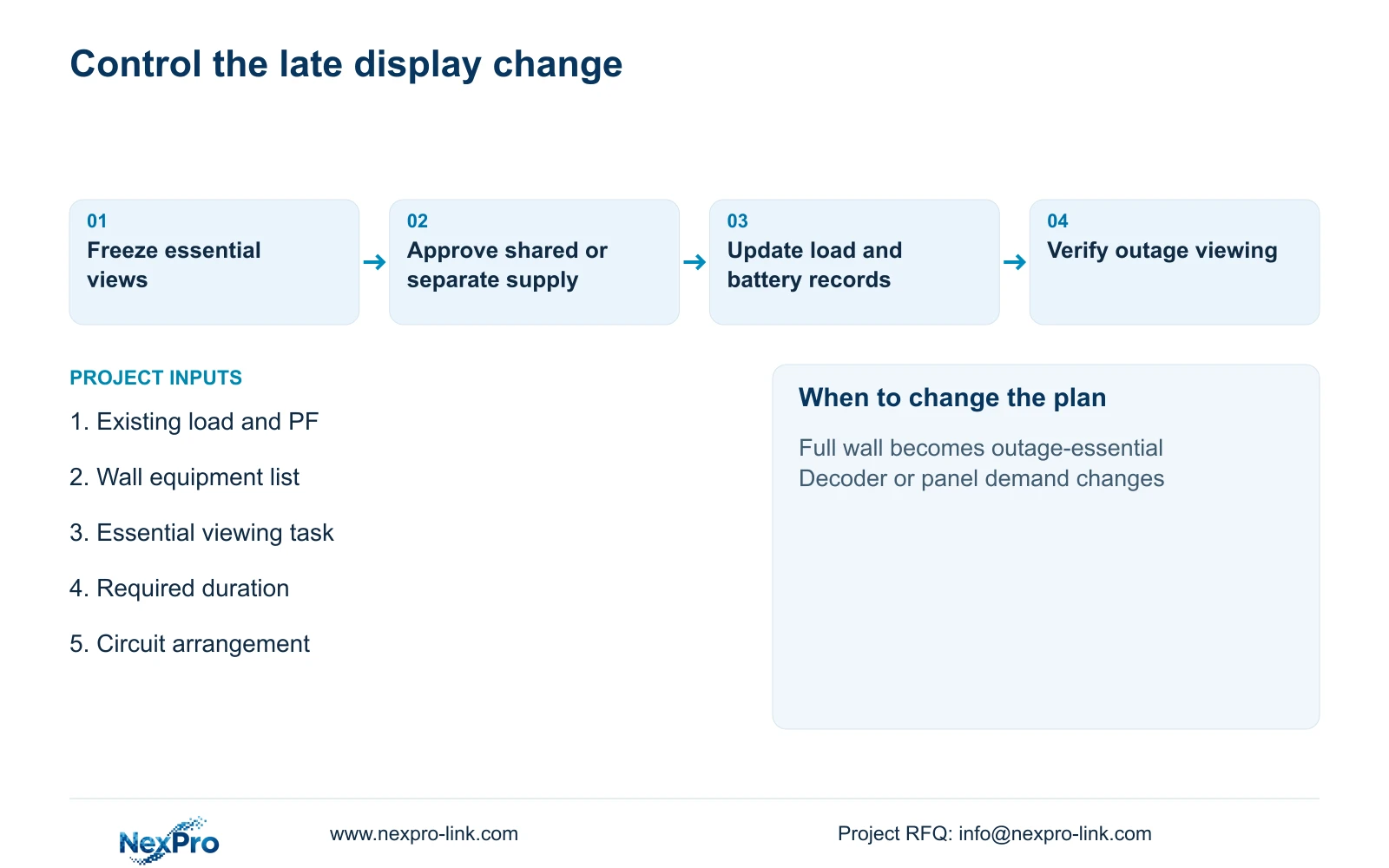
Record the approved change against the original load schedule. Identify retained recording devices, added panels and decoder, proposed power source, required duration and actual demand evidence. If only the wall quotation is revised, the existing UPS and battery documentation may still describe the smaller service.
During a site-approved outage test, confirm saved footage continues and the chosen essential viewing method remains usable. For shedding, verify that the wall turns off without removing required recording or network equipment. For separate backup, verify the complete wall signal path rather than testing illuminated panels with no live video.
NexPro-Link can discuss LCD wall, decoder and UPS equipment coordination with the technical submittal through its project supply scope. Local installation, room services and acceptance remain assigned to the project team. Keeping display and recording priorities explicit lets procurement add the wall without silently reducing the protection already approved for essential footage.
Section 07
Buyer questions
Does turning off the wall stop local recording? It should not in a design where recording and display are separate services. Confirm the actual wiring and signal dependencies, especially if shared equipment or outlets are involved.
Can only part of the wall remain backed up? Yes, if the supported display and decoder arrangement provides the approved essential views. Define the exact remaining equipment and recalculate demand rather than assuming a proportional reduction.
Will a larger UPS preserve the original runtime automatically? No. The battery configuration must be qualified at the revised complete load. A higher W or VA rating only addresses output capacity.
Section 08
Review the wall's backup scope before connection
Send your existing protected-load schedule with PF, wall/decoder equipment list, essential outage viewing task and required duration to info@nexpro-link.com for a shared or separate backup comparison.
Engineering references
These sources support the general planning principles. Always use the selected product's current datasheet and applicable project standards for final design.