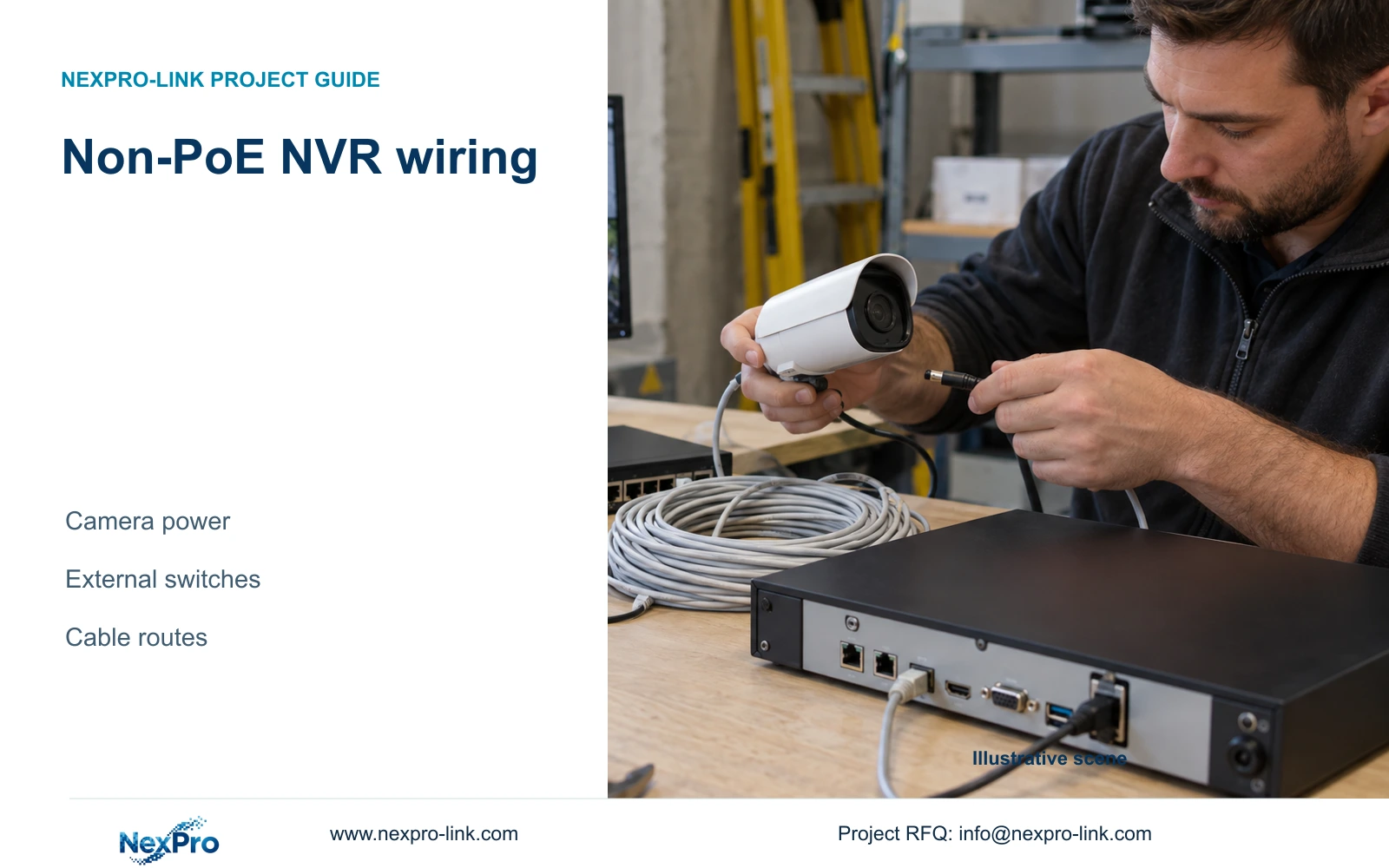
A non-PoE recorder needs a separate camera-power arrangement. Draw the data links and power sources before ordering switches, adapters, cable or backup power so the recording path has no missing dependency.
Section 01
Build the camera-power arrangement around the recorder
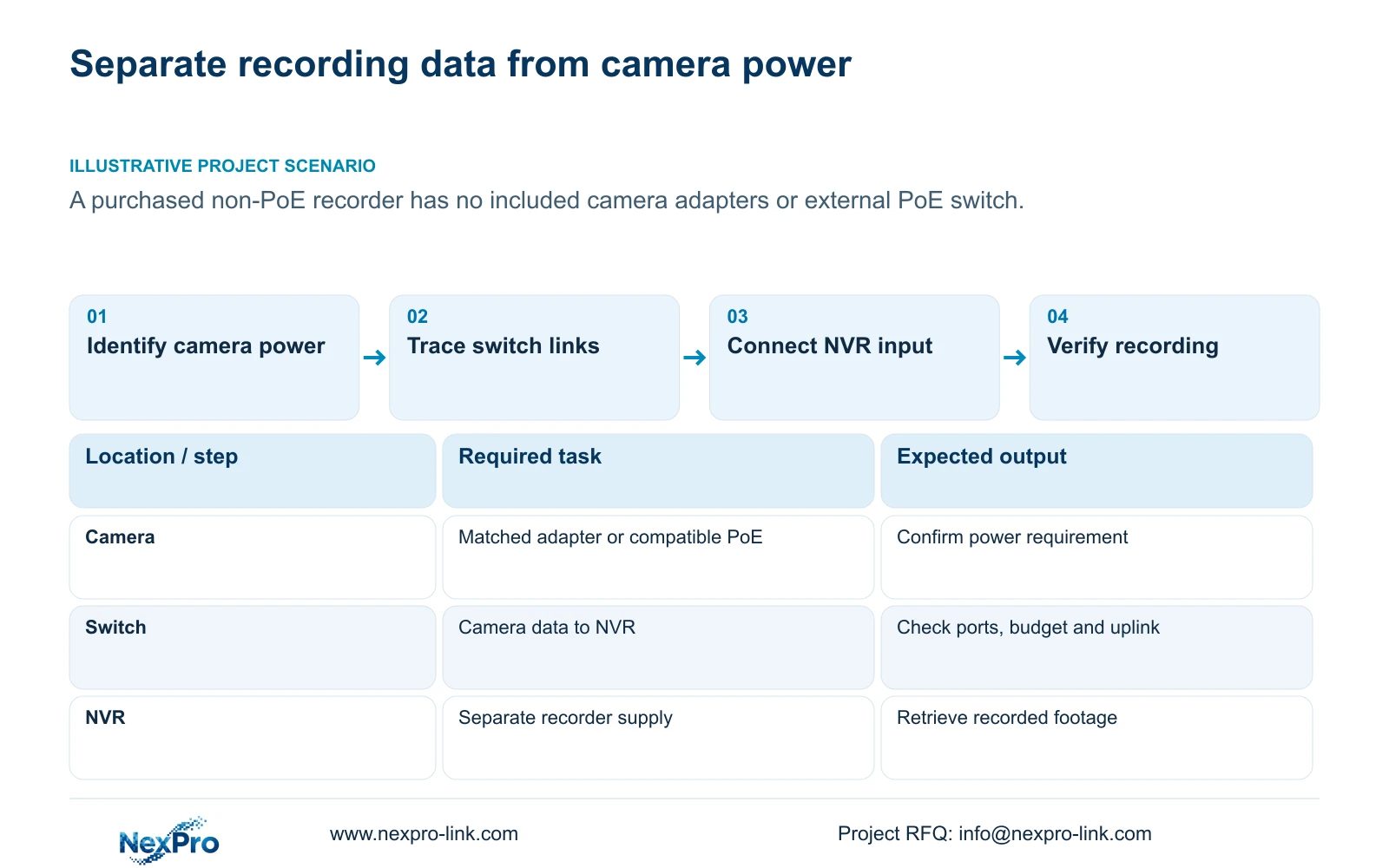
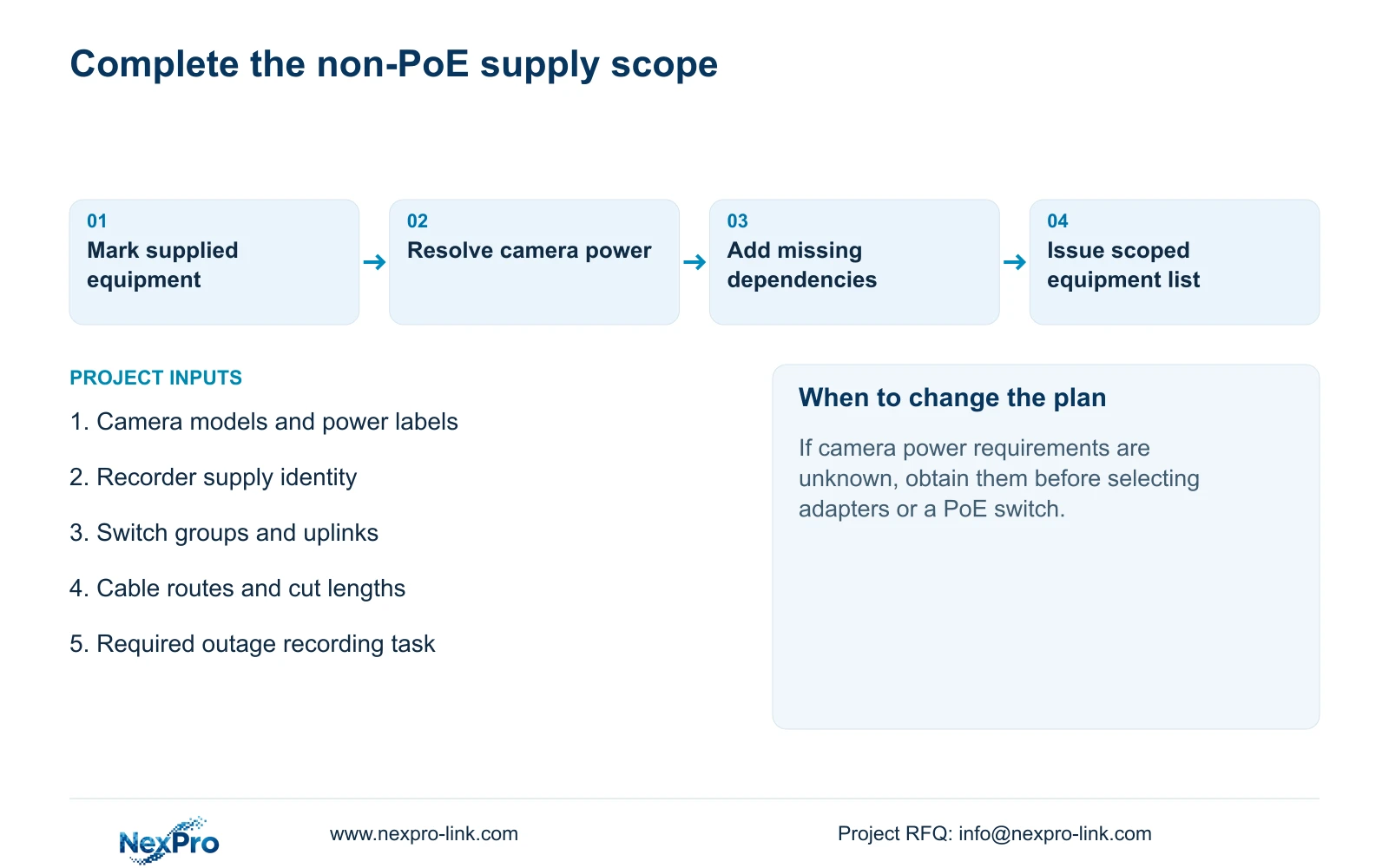
A non-PoE NVR can record cameras through an external network switch, but its ordinary LAN connection does not supply camera power in the manual's non-PoE arrangement. Each camera needs a suitable separate supply or a compatible external PoE power source. Before buying missing accessories, draw the camera-to-switch-to-recorder data path and mark the power source for every device. Check adapter labels, individual PoE port capability and the switch's total budget separately. Then include the actual cable routes and any required backup-power dependencies. This defines what the purchased recorder can do and which additional items are necessary to complete the intended recording system.
Section 02
Mark the equipment and connection boundaries
Section 3.3.1 of NVR4.0 user manual CH_V2.4.doc shows the non-PoE recorder connected through a switch, with the camera powered separately. Its filename identifies V2.4 while the body identifies V2.2. Use the section and the actual equipment identity when applying the diagram.
Draw data connections between the cameras, switch and recorder. Add camera supplies, the switch supply and the recorder supply as separate power connections. Mark the monitor and mouse according to their roles; neither establishes that the cameras receive power.
If the cameras will use PoE, replace the separate camera-power arrangement only with equipment whose documented power method matches those cameras. Confirm the switch or other power-sourcing device explicitly. A normal recorder network socket cannot be treated as a PoE output because it accepts the same cable connector.
Section 03
Read the supply labels before connecting equipment
The manual's section 3.1 recommends the supplied adapter and requires operation within the equipment's power range. A connector that fits does not establish the correct voltage, polarity or current capability. Compare the device and adapter labels, and keep the supply identity beside the corresponding equipment item.
Apply the same check to each separately powered camera. Do not assign a familiar voltage or wattage to the entire project. When a label is missing or the adapter identity is uncertain, obtain the matching specification before connection.
Sections 5.3, questions 3 and 4, also make power relevant to startup and disk symptoms. Record whether instability appeared with the intended disks or peripherals connected. That observation helps define the supply condition to investigate; it does not justify replacing an adapter with an unverified higher-voltage unit.
Section 04
Check each external PoE group
An external PoE design needs both a port check and an aggregate power check. List the actual maximum powered-device demand for every camera in each switch group. Compare each device with the port's supported power method and capability, then compare the group's requirement with the switch's available total budget.
Include the applicable cable-loss allowance and explain any reserve. Without actual device requirements, the group remains unresolved. This source pack supplies no camera-power figures for this topology, so no assumed wattage can become a NexPro-Link camera specification.
Evaluate data capacity alongside power. A suitable powered port does not establish that its link or the shared uplink can carry the proposed traffic. Keep the power and traffic decisions in separate fields so a switch with enough sockets is not accepted before either requirement has been checked.
| Project condition | Required check | Next action |
|---|---|---|
| Cameras use separate adapters | Device and adapter labels match. | Include each supply and its installation responsibility. |
| Cameras use external PoE | Per-port capability and group budget suit the actual devices. | Select the documented power source for each group. |
| Ports are available but power is unresolved | Port quantity does not establish power capability. | Hold switch selection until device requirements are known. |
| NVR alone has backup power | Camera supplies or necessary switches may still stop. | Extend protection to the required recording dependencies. |
Section 05
Plan routes and continuous cable cuts
Draw the actual camera drops and switch uplinks, including route and termination allowances. The manual's general long-cable wording in section 1.1 supplies no universal distance, cable-grade or power-budget conditions. It cannot establish unrestricted reach for ordinary CAT6.
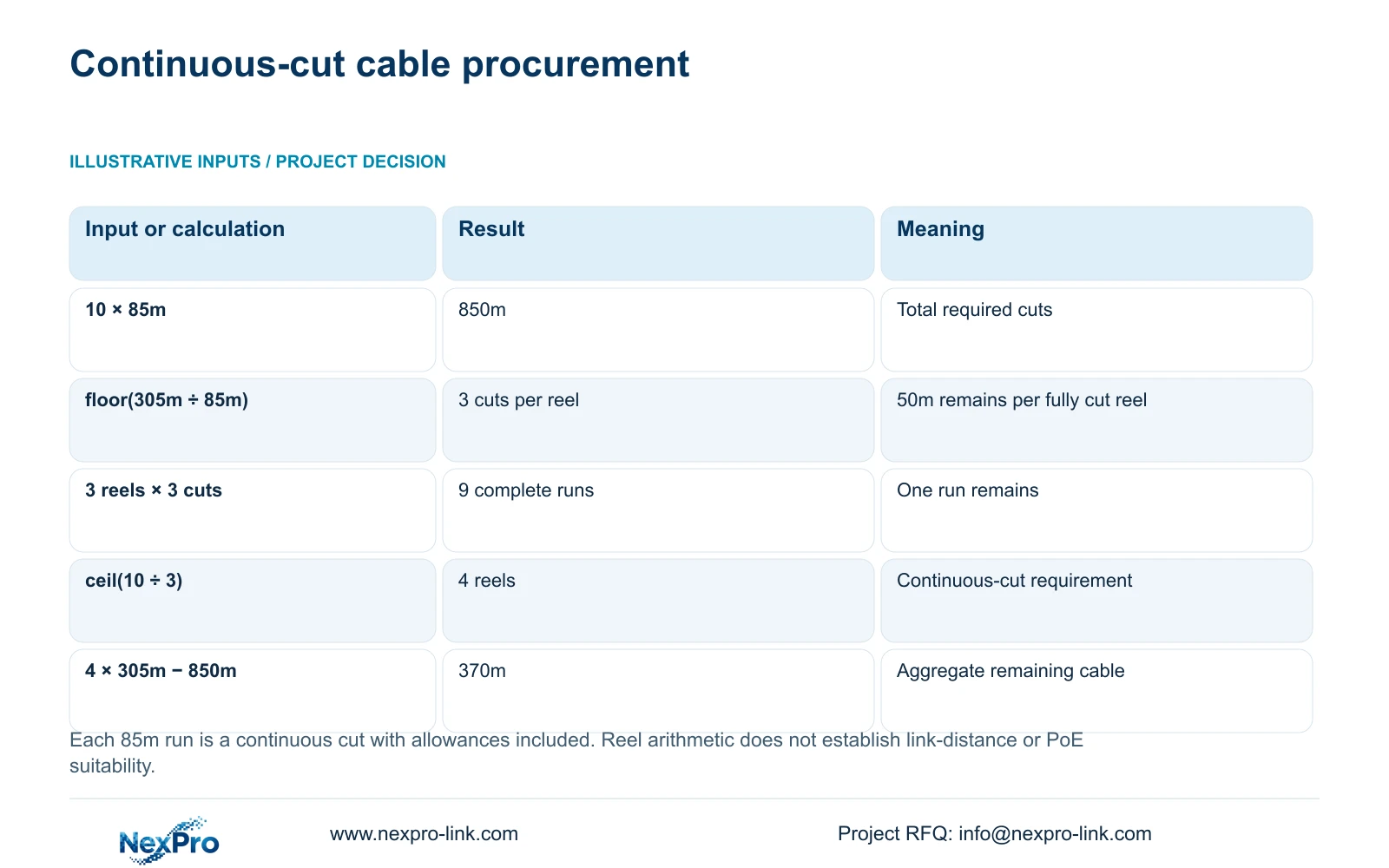
The supplied cutting example uses ten continuous runs of 85m and reels of 305m. Total run length = 10 × 85m = 850m. A total-length calculation gives ceil(850m ÷ 305m) = 3 reels, but that does not produce enough continuous cuts.
Cuts per reel = floor(305m ÷ 85m) = 3. Those cuts consume 3 × 85m = 255m and leave 305m − 255m = 50m. Three reels therefore provide 3 × 3 = 9 complete runs. Required reels = ceil(10 ÷ 3) = 4. Four reels supply 4 × 305m = 1220m, leaving 1220m − 850m = 370m after the specified cuts.
This procurement result assumes each 85m cut already includes the required allowances and must remain continuous. Different final lengths require a revised cutting plan. The arithmetic establishes reel quantity, not electrical or network suitability for the route.
Section 06
Protect the dependencies needed during an outage
Trace the recording path from each camera's power source through the necessary switches to the NVR. A powered recorder cannot retain new footage from cameras that have lost power or from a data path that has stopped. Include a display only when continued operator viewing belongs to the outage objective.
Count each electrical load once. A PoE switch's measured AC input may already include its powered cameras; adding their endpoint demand again would duplicate part of the load. Keep UPS watt capacity, apparent-power capacity in VA and required runtime in minutes as separate requirements.
Backup-power planning is an engineering extension to the topology. The NVR manual supplies no UPS runtime table. A candidate UPS rating therefore cannot establish the required recording duration without the actual protected load and battery arrangement.
Section 07
Turn the missing dependencies into supply items
Illustrative project scenario: A contractor has purchased a recorder but discovers the camera adapters and PoE switch were not included. The first decision is whether the cameras will use matched local supplies or compatible external PoE. The revised scope then identifies the required switches, power sources and cable routes.
Separate items already supplied, items still required and work assigned to the site team. Keep the recording and playback task and retention target with the equipment schedule because they constrain recorder and disk selection. NexPro-Link's BOQ and tender support can support this equipment discussion without implying that all local installation work is included.
Section 08
Buyer questions
Does a free switch port prove another camera can be added? No. Its power capability, remaining group budget and traffic conditions still need checking.
Must both camera adapters and PoE be purchased? Select the supported power arrangement for the actual cameras. Do not include both as mandatory camera-power items without a stated reason.
Does the cable example validate an 85m link? No. It demonstrates continuous-cut procurement; the installed link needs its own applicable conditions.
Section 09
Provide the missing power information
Send NexPro-Link the camera models, their documented power requirements and a simple camera-to-switch-to-recorder sketch at info@nexpro-link.com.
Engineering references
These sources support the general planning principles. Always use the selected product's current datasheet and applicable project standards for final design.