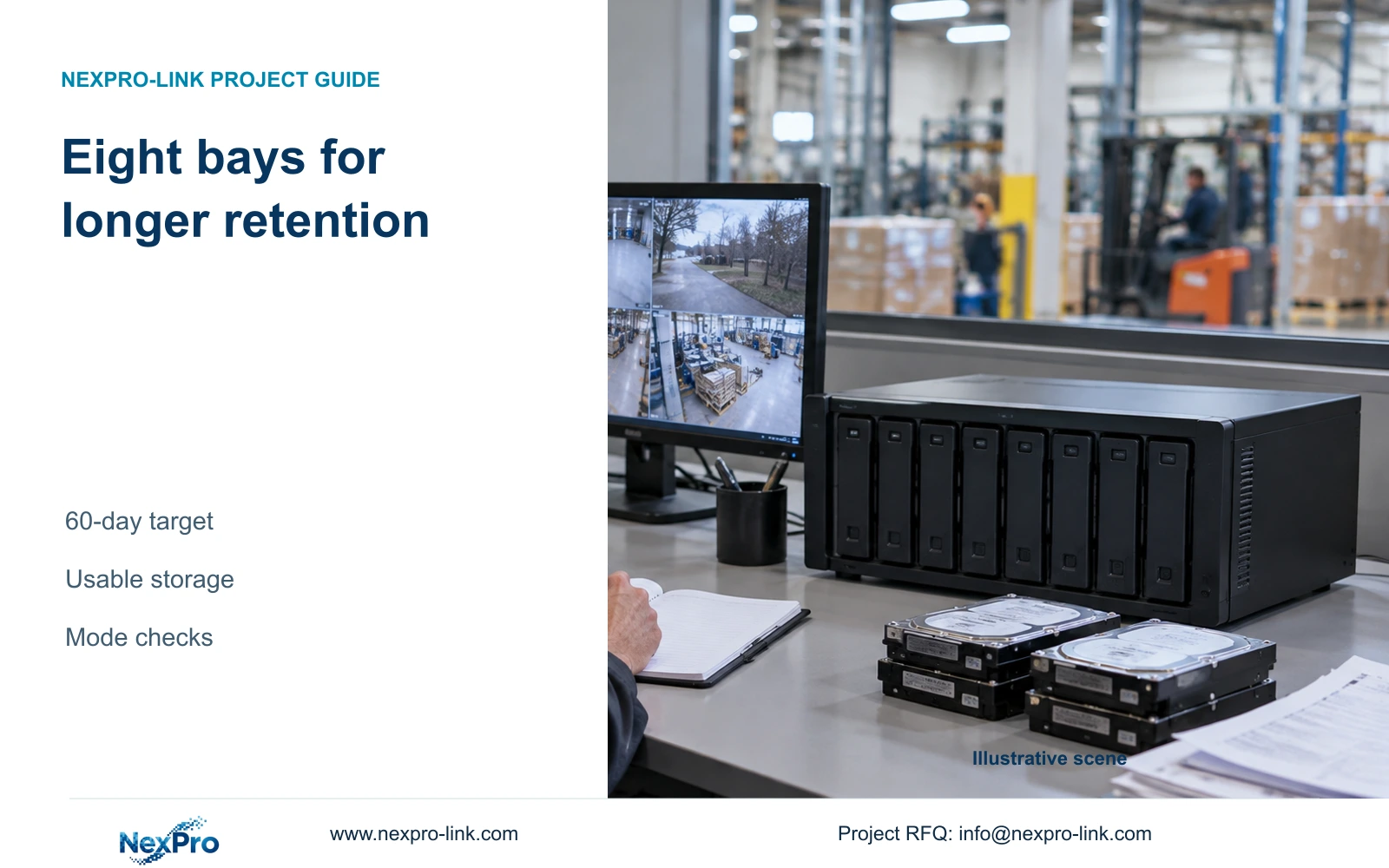
Longer retention can justify an eight-bay recorder even when camera positions stay unchanged. Compare usable disk space before paying for additional channels.
Section 01
Let the retention requirement justify the larger chassis
Select the NexPro-NVR8864-4K when the required disk arrangement makes an eight-bay chassis useful, even if the factory does not need more cameras. Its catalogue lists 64 channels, 320 Mbps input, eight SATA bays with up to 18 TB per drive and dual Gigabit LAN. Capacity planning must still separate stream modes, usable storage and concurrent operator work.
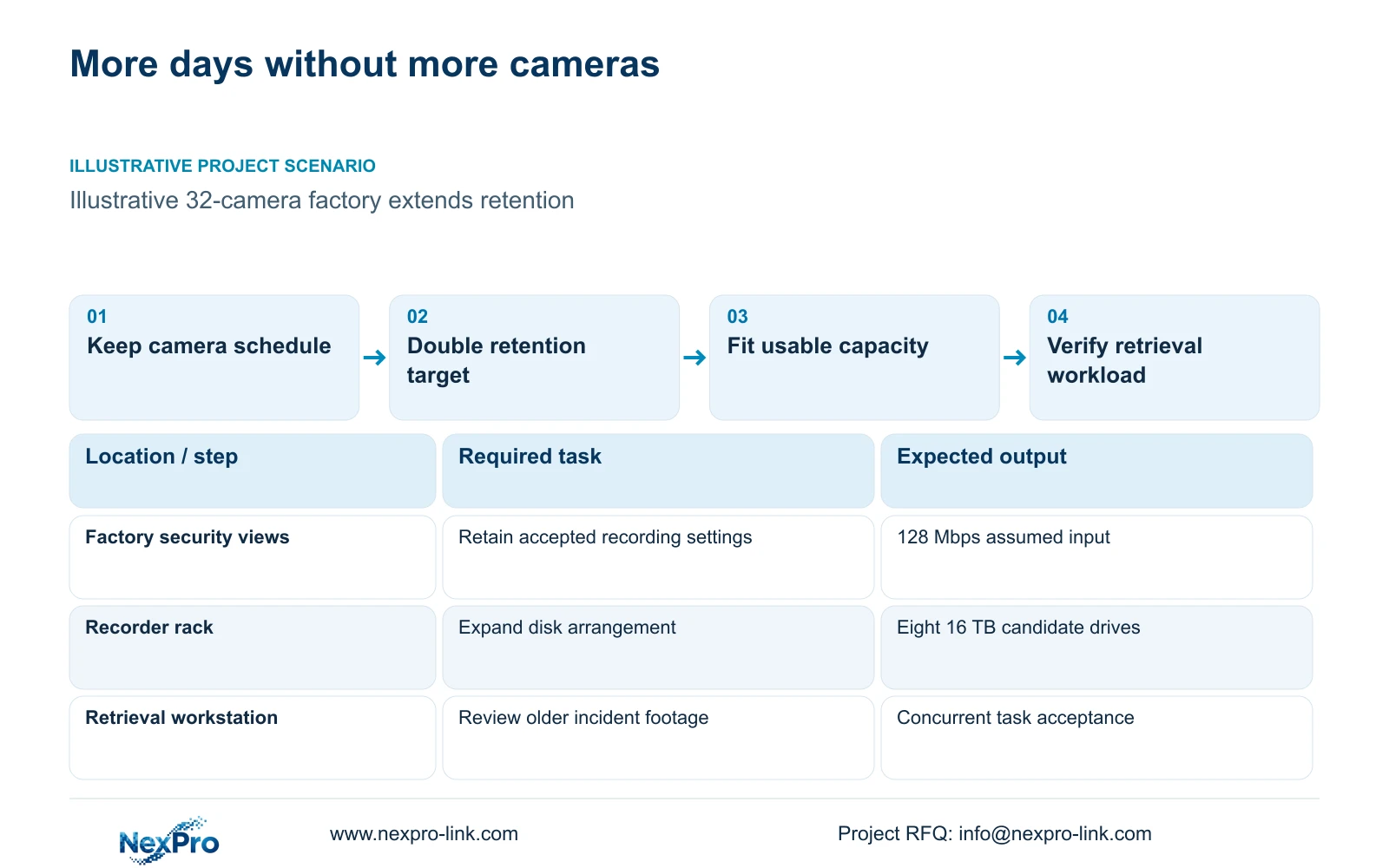
Illustrative project scenario: A medium CNC factory wants to extend retention from 30 to 60 days without adding camera positions. Use CASE01's 32 ordinary-security views and assumed 4 Mbps average streams as the baseline. The longer duration is a planning alternative, not an operating result or a stated legal requirement.
The four-bay CASE01 arrangement is adequate for its illustrative 30-day video demand but cannot accommodate the 60-day demand at unchanged settings. This gives the owner a clear reason to examine an eight-bay chassis. Approving extra channels without an accompanying disk plan would leave the actual retention problem unresolved.
Section 02
Keep the camera outputs within the published mode scope
The NVR8864 summary distinguishes 64×5MP from 16×4K. Preserve those mode references in the submittal; the 64-channel catalogue count does not establish 64 simultaneous 8MP streams. In this example, the 32 cameras remain assumed within supported 5MP-class modes. Any higher-resolution replacement needs a separate response for the proposed combination.
Include resolution, frame rate, codec and stream settings alongside each camera ID. Where the supplied 5MP family is selected, its listed output is 2880×1620. Keep that exact source field so the engineer and supplier discuss the same stream. The final mode approval should identify the intended recorder firmware rather than rely on a family-level description.
Average recorder input remains 32×4 = 128 Mbps for both retention choices. The published 320 Mbps input reference is unchanged by adding bays. Use representative or configured peak rates for input acceptance and keep live viewing or export requirements separate. More disk positions increase available storage options; they do not create a new bandwidth rating.
Section 03
Verify playback while the factory continues recording
Describe how older footage will be used before selecting operator resources. A longer retention period may be purchased to retrieve an event discovered weeks later. Define which users can search it, how many related cameras they need to replay and whether another operator must maintain the live overview during that work.
Give the supplier an acceptance sequence: maintain all agreed recording streams, open the required live layout, retrieve an earlier interval and export the authorised clip. Verify the resulting files on the intended recipient workstation. These tests establish the project workflow more directly than an unsupported assumption about full-resolution simultaneous decoding.
Keep client and display hardware in their own scope. A retrieval workstation may meet the task without a permanent wall. If a wall is justified, confirm its decoder formats and concurrency separately. Eight recording bays do not establish additional display windows, all-4K decoding or a particular VMS integration.
Section 04
Compare the same video demand with four and eight drive positions
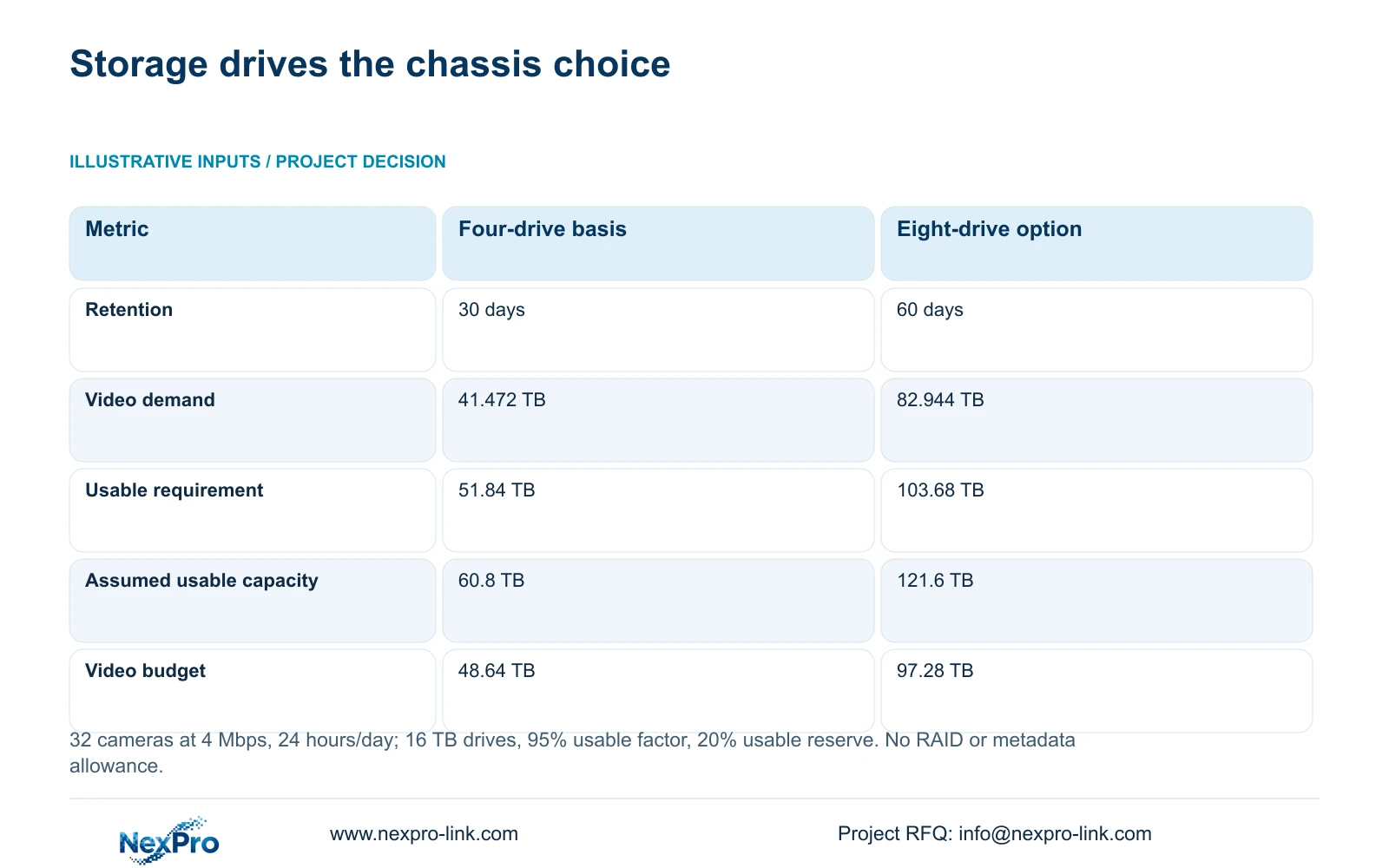
The illustrative calculation uses 32 cameras at an average 4 Mbps each, recording 24 hours/day. Video_TB = n × Mbps × 10^6 × 86400 × days / 8 / 10^12 yields 41.472 TB for 30 days and 82.944 TB for 60 days. With 20% of usable space kept free, required_usable_TB = video_TB / 0.8 gives 51.84 and 103.68 TB.
CASE01's four 16 TB drives provide 64 TB raw, 60.8 TB usable at the assumed 95% factor and 48.64 TB of video budget. An illustrative eight-drive extension using the same 16 TB size provides 128 TB raw, 121.6 TB usable and 97.28 TB of video budget. That budget exceeds the 82.944 TB demand for 60 days under these assumptions.
The table explains why eight bays matter here: the camera schedule and input stay constant, while the disk arrangement can meet the longer target. The proposed eight-drive arrangement requires compatible drive and firmware confirmation. Audio and extra metadata are excluded; no RAID, parity or hot-spare capacity is assumed.
| Metric | 30-day four-drive basis | 60-day eight-drive option |
|---|---|---|
| Camera input | 32×4 Mbps = 128 Mbps | 32×4 Mbps = 128 Mbps |
| Video demand | 41.472 TB | 82.944 TB |
| Required usable capacity | 51.84 TB | 103.68 TB |
| Drive arrangement | 4×16 TB | 8×16 TB |
| Raw / assumed usable | 64 / 60.8 TB | 128 / 121.6 TB |
| Video budget after reserve | 48.64 TB | 97.28 TB |
Section 05
Buy the longer-retention arrangement with its operating consequences
For the stated 60-day objective, prefer the eight-bay candidate with a documented disk arrangement that meets the usable requirement. The illustrative eight 16 TB option provides a clear capacity basis. If the owner keeps 30 days and has no other storage reason to expand, retain the smaller candidate and compare actual quotations before spending on unused capability.
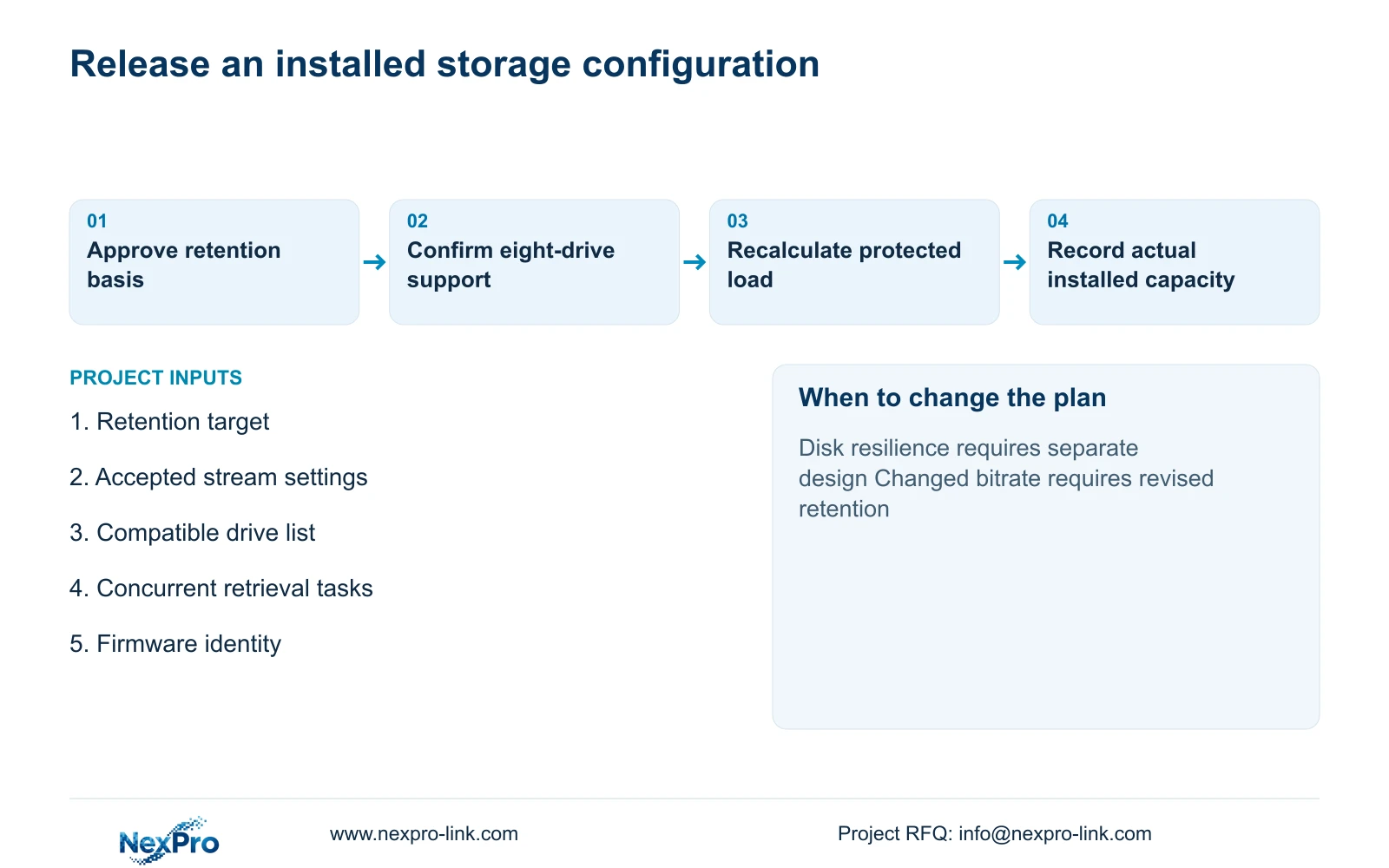
Adding drives changes the rack's power and maintenance scope. Recalculate the protected load from the selected recorder and actual drive information rather than copying CASE01's four-drive UPS result. Identify who can access and replace disks, how recording faults are noticed and what the owner accepts during service.
If disk-failure tolerance becomes mandatory, reopen the architecture decision. Eight disks do not automatically provide redundancy, and a supported protective arrangement may reduce usable capacity. Keep footage preservation and archive requirements separate as well. A larger retention store does not replace an authorised process for copying a selected incident before routine overwrite.
Section 06
Order a defined storage arrangement rather than an empty chassis
The equipment schedule should identify the chassis, installed drive quantity, exact drive models, usable capacity basis and accepted retention settings. Add a recorder and client capacity comparison with firmware scope, including supported camera combinations and operator tests. An offer for an eight-bay chassis without disks is a different supply boundary from a ready-to-configure recording package.
NexPro-Link's BOQ support can coordinate those differences and prepare the relevant technical submittal. Keep optional drives, retained operator devices and local installation items visible. Where preparation or project packing is requested, use the accepted drive and location schedule so the supplied hardware can be reconciled with the installation plan.
At handover, record actual installed capacity and verify retention progressively under the accepted recording settings. A short demonstration cannot establish 60 days of recorded history. If image settings, camera quantities or storage protection later change, update the calculation and the operating record together rather than leaving the original duration claim attached to a different configuration.
Section 07
Buyer questions
Must all eight bays be populated when ordering? No. The installed arrangement should meet the current retention requirement and supported drive constraints. Quote planned future additions separately, including the conditions under which they can be installed and configured.
Does an eight-bay recorder improve image quality? Additional bays provide storage options. Image quality depends on the accepted camera, scene and recording settings. Retention can increase without changing those settings, as in this example.
Can the four-drive UPS estimate be reused after storage expansion? Recalculate it. The selected recorder and additional drives change protected demand. Use actual device information and the chosen UPS battery configuration; neither drive count nor load energy alone proves runtime.
Section 08
Define the longer-retention package
Send your camera output schedule, retention and recording-hours target, proposed drive arrangement, and concurrent retrieval tasks to info@nexpro-link.com for a NexPro-Link eight-bay storage and client comparison.
Engineering references
These sources support the general planning principles. Always use the selected product's current datasheet and applicable project standards for final design.