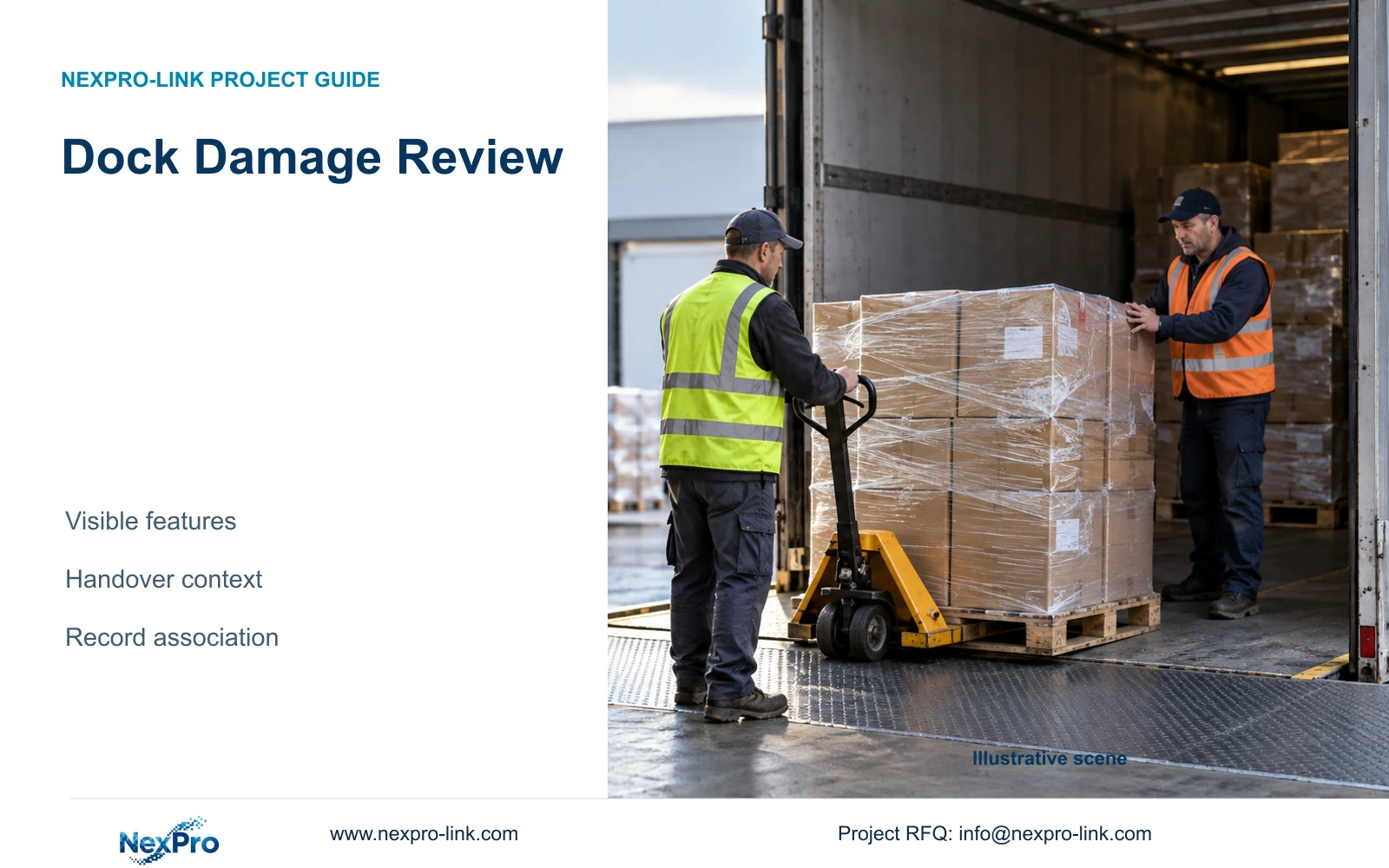
Useful dock footage shows defined package features before and after handover. It can support a damage review, but cannot reveal hidden surfaces or decide responsibility alone.
Section 01
Define the package features the recording must show
For loading dock claims, specify close, unobstructed views of the package features relevant to the review and retain the associated commercial records. CCTV can document visible condition and handling at a defined time. It cannot show a hidden surface, establish internal condition through packaging or independently decide responsibility for a claim.
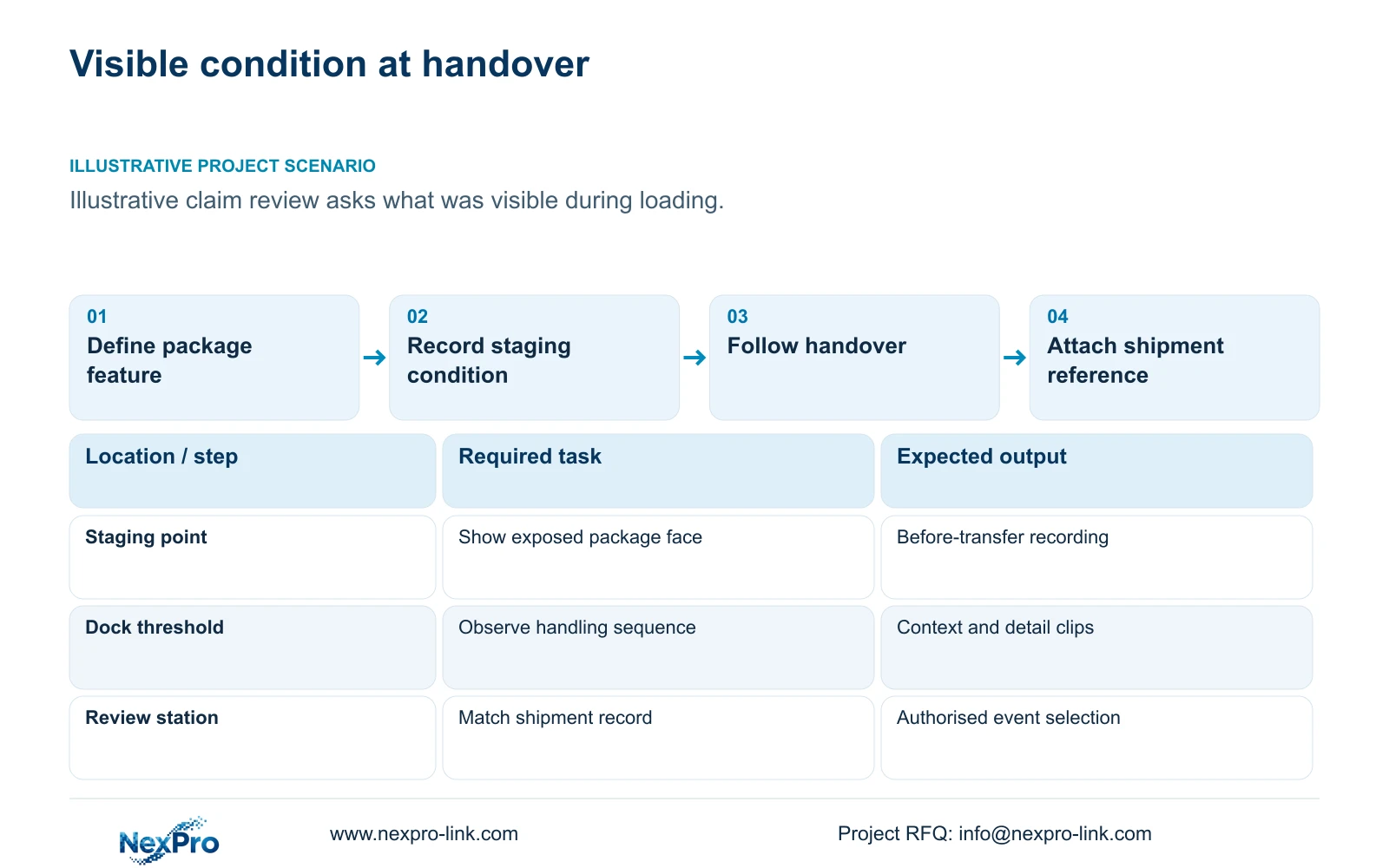
Illustrative project scenario: A freight claim depends on whether package damage was visible at loading. Assume cartons move from a staging position to a vehicle through a dock handover point. The engineer needs to show an exposed corner, wrapping condition or another agreed external feature before it disappears behind the forklift or inside the load.
Ask the owner to define the feature and supply a representative package with an agreed visible condition for a trial. Record the package dimensions, face orientation, viewing distance and movement route. Add loaded-rack obstructions, cold-zone boundaries and network-room locations where they affect the design. A broad statement such as show damage does not tell the engineer which surface must be visible or what sample the buyer will accept.
Section 02
Record both sides of the operational handover
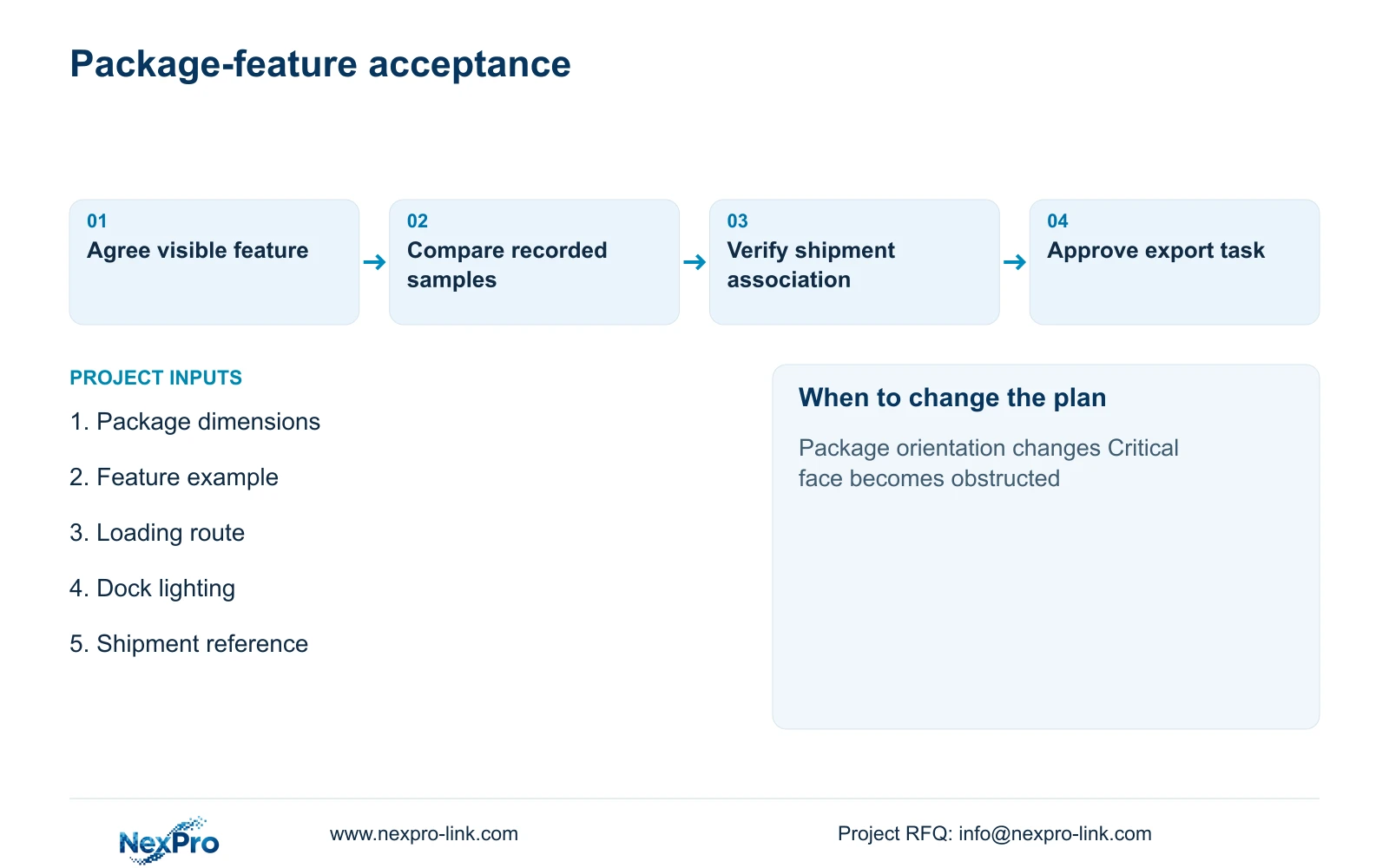
Mark the last visible staging position and the transfer into the vehicle, then identify which camera records each interval. Include approach, handling and departure context around the selected moment. If a load rotates during transfer, test whether the relevant face stays visible or becomes visible from another angle.
Use stable dock and camera IDs so the investigator can connect the sequence without guessing from channel thumbnails. Agree a known time convention between video and shipping records, including any observed offset. A continuous view of one surface is helpful, but it should not be described as coverage of the entire package when another face remains hidden.
Where an overview shows the handling sequence and a close view shows the feature, preserve both roles. The overview may reveal an obstruction or explain why the close view briefly loses the load. If the critical condition is only visible before or after the transfer, record that limitation in the acceptance sheet rather than implying the footage captures the exact moment of change.
Section 03
Attach shipment identity to the video selection
The shipment record should provide the load identity, dock reference and event time used to locate footage. Include packing or dispatch documents and authorised condition photographs where available. Similar cartons passing the same camera do not become uniquely identified simply because their movement is recorded.
Use a controlled review record containing the shipment reference, selected camera IDs, interval, time basis and person responsible for selection. Preserve the original exported material according to the owner's procedure and identify any shortened review copy separately. These are practical handling records, not a statement of legal admissibility or a legal chain-of-custody conclusion.
Assign responsibilities before an incident: operations provides the shipping reference, security retrieves authorised footage and the claims team interprets it alongside commercial records. A manual association may be sufficient. If the buyer requires automatic shipment search, state the interface, software and validation scope separately rather than assuming every camera or NVR supports it.
Section 04
Use output width to compare potential recorded detail
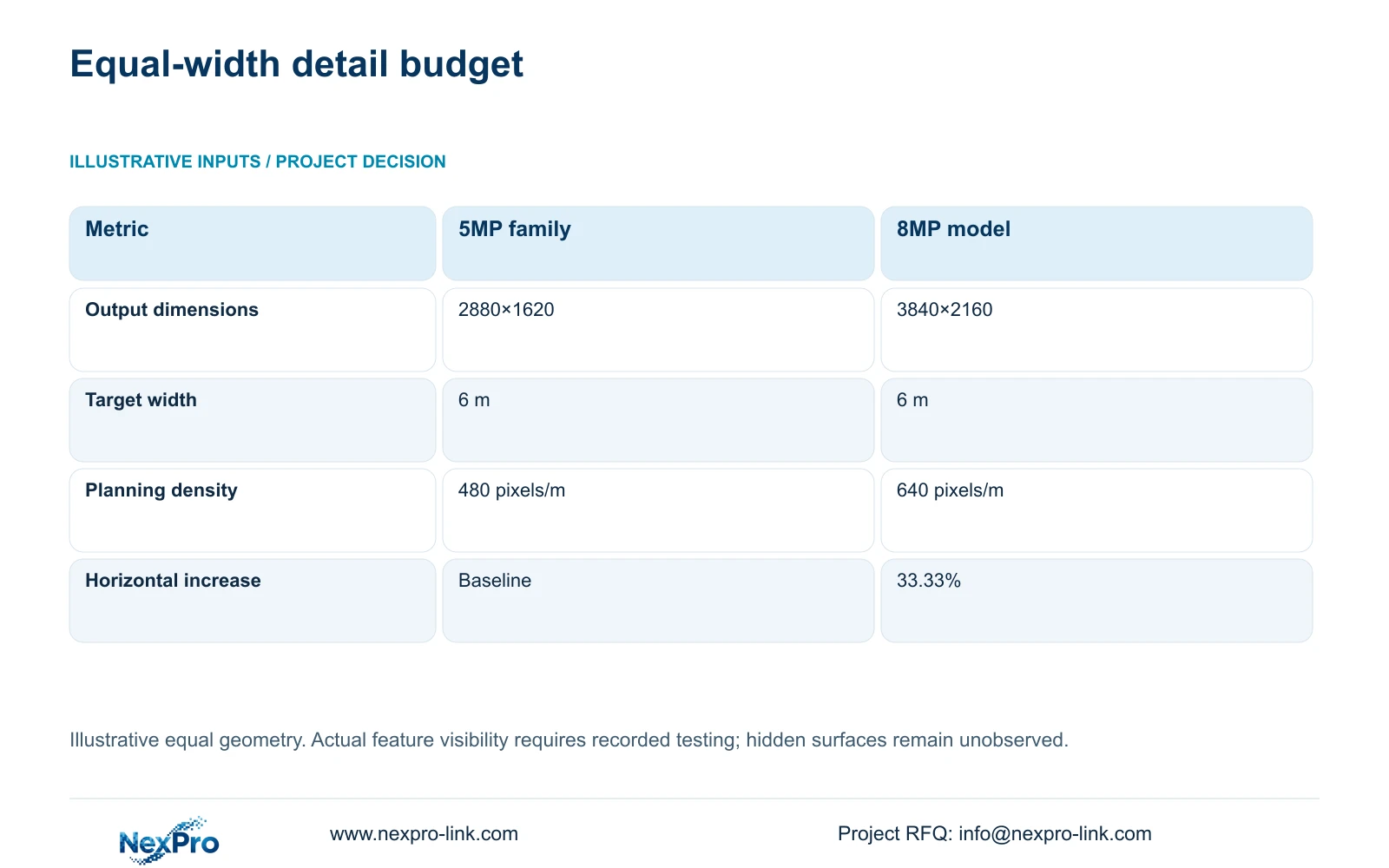
The source BL2812M series lists 2880×1620 output for its 5MP family and 3840×2160 for the 8MP model. At the supplied illustrative 6 m target width, ppm = horizontal_pixels / 6 gives 480 pixels per metre and 640 pixels per metre. Keep the target at the same plane for this arithmetic; different distances or viewing angles create a different comparison.
Relative increase = (3840 / 2880 - 1) × 100 = 33.33% in horizontal planning density. That is the decisive source-derived difference. The family labels do not demonstrate a 60% improvement in damage visibility, and the calculation establishes no comparative night performance. Exposure, focus, package contrast, compression and motion still determine what an investigator can see.
Both listed bullet references offer 2.8–12 mm motorized lenses. Use the field-of-view adjustment to frame the agreed feature while preserving enough context to associate it with the load. Compare recorded samples of the same package movement, including normal wrapping reflections and dock lighting. Approve the actual visible feature; do not infer a universal damage-detection threshold from pixels per metre alone.
| Metric | 5MP-family candidate | 8MP candidate |
|---|---|---|
| Output dimensions | 2880×1620 | 3840×2160 |
| Horizontal pixels | 2,880 | 3,840 |
| Target width | 6 m | 6 m |
| Planning density | 480 pixels/m | 640 pixels/m |
Section 05
Buy close evidence where it answers the claim question
Prefer task-specific close views at the agreed handover boundary, supported by enough overview to explain movement. Use an 8MP candidate where the recorded trial demonstrates additional useful detail. Retain a suitable lower-output camera where it meets the accepted feature task. If no camera position sees the relevant face, revise the handling or inspection arrangement rather than buying resolution without a sightline.
CASE06 illustrates four dispatch views within a 24-camera cold-chain package, including 16 ordinary and eight specialist cold-area positions. It assumes 4 Mbps per stream, 60-day recording and supported 5MP-class modes. Any higher-output redesign needs new stream and capacity checks. Recording input, storage and simultaneous playback remain separate requirements.
The same boundary applies to dock power and access. Include complete switch AC demand, recorder and required review equipment in the protected-load schedule, without double-counting PoE cameras. Keep specialist cold-zone selection intact if the view crosses into an unsuitable environment. A normal review monitor can meet the claim-retrieval task; a wall should be optional unless a separate operating requirement justifies it.
Section 06
Put the visible-feature trial into the supplier comparison
Require each bidder to show how its proposed camera, lens, mount and recording settings capture the same feature on the same route. Include the test package, lighting states, expected obstructions and export method in the comparison. A difference in camera price is difficult to interpret when one offer includes a detail position and another includes only a general dock overview.
NexPro-Link can discuss camera matching and technical-submittal deviations through its BOQ support scope. The coordinated schedule should name the close and context views, their accessories, recording assumptions and local installation responsibilities. Project labels should retain those roles so similar camera units are not exchanged during installation without a view review.
At handover, replay the representative package sequence, export the accepted interval and check it on the intended review device. Record surfaces that remain hidden and changes that reopen the design, such as different package sizes or a new loading route. The result is a defined observation capability that supports the owner's review process without promising how a commercial dispute will be resolved.
Section 07
Buyer questions
Does a clear carton exterior prove that the contents were undamaged? No. The recording supports observations about visible external condition. Internal condition requires other appropriate inspection and commercial records.
Can a still frame replace the full loading clip? A still can illustrate a visible feature, but retain the authorised sequence needed to understand identity, timing and handling. A selected frame may omit relevant context.
Should supplier acceptance depend on winning a future claim? Use an observable technical task, such as showing an agreed package feature during a representative transfer. A claim outcome depends on material beyond the CCTV equipment and should not be used as a camera performance test.
Section 08
Specify the dock detail you need to review
Email representative package features, the loading-route drawing, a shipment record example, and expected dock lighting conditions to info@nexpro-link.com. NexPro-Link can discuss close-view and context-view equipment with a practical recorded acceptance task.
Engineering references
These sources support the general planning principles. Always use the selected product's current datasheet and applicable project standards for final design.