A factory camera BOQ needs more than shape, megapixels and an IP rating. Define the recorded task, exact model fields, interfaces and ownership of missing inputs.
Section 01
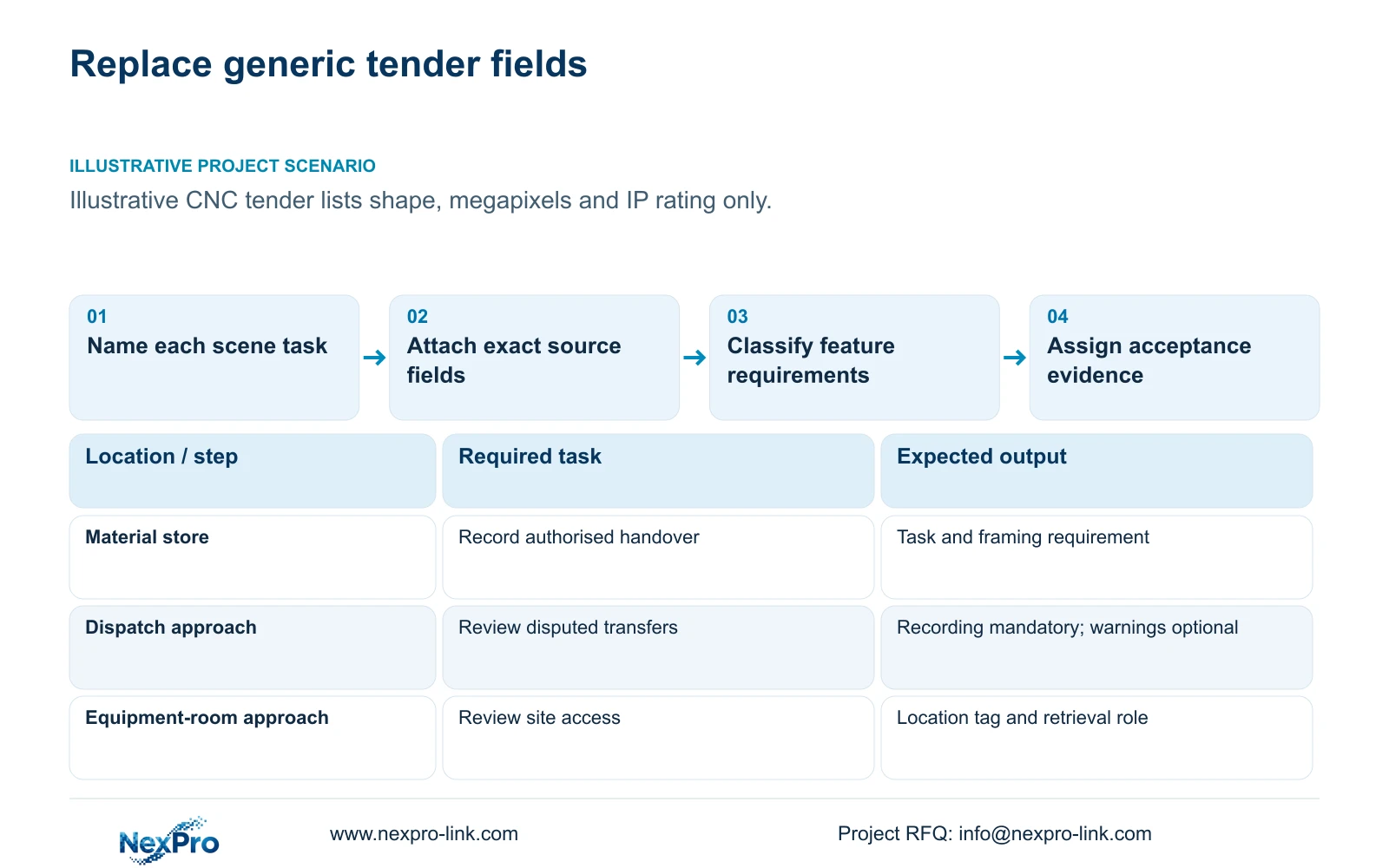
Specify the scene task before choosing mandatory fields
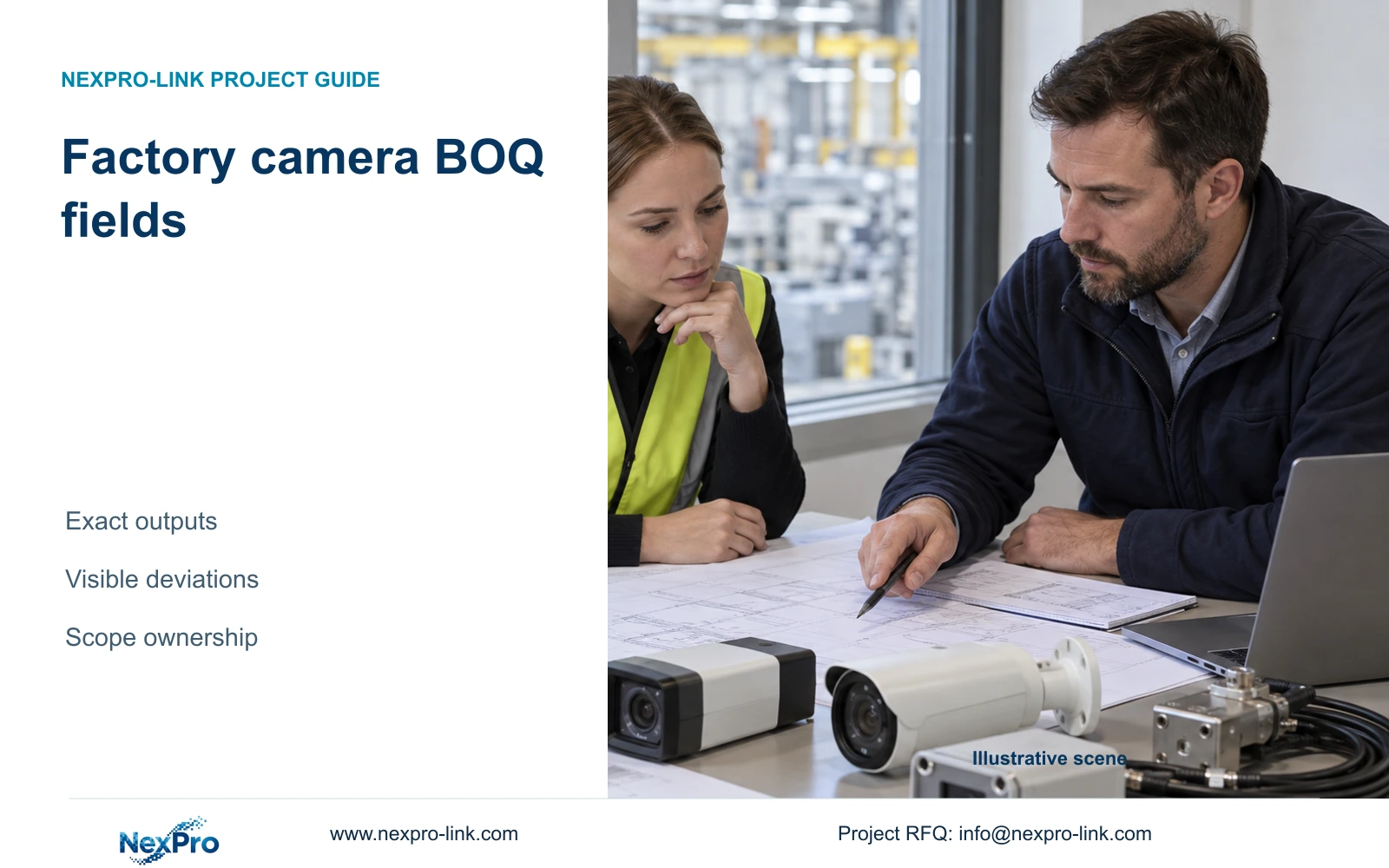
Factory camera specifications that belong in the BOQ are the fields that constrain the installation and required recorded outcome. Include the location task, viewing geometry, operating conditions, exact output and lens, recording interface, power requirement and acceptance method. Keep model-specific deviations visible. Features without a defined owner task should be optional, while missing data should remain an open item rather than an invented standard value.
Illustrative project scenario: A tender currently lists only camera shape, megapixels and a generic IP rating. Apply this problem to the supplied 32-camera new CNC factory reference, which covers gates, material/tool stores, permitted machine-hall transfers, common routes, dispatch and equipment-room approaches. Assume the engineer is revising the tender before bids are compared. The reference concerns access and material-transfer evidence, not machine vision or safety control.
Begin each camera row with a location tag and a sentence stating the task. A store handover needs different evidence from a gate overview even when both use the same camera family. Add target width and distance, likely obstructions, representative lighting and maintenance access. These inputs let bidders propose suitable equipment and give the owner a basis for accepting the recorded result.
Section 02
Record exact image outputs and lens capabilities
State the proposed recording output in pixels alongside the product family description. The NexPro-BL2812M55-5MP-DIC-AI source lists 2880×1620 within its 5MP family, 25fps@5MP and a 2.8–12 mm motorized lens. Preserve those fields as listed. The NexPro-DM2812M55-5MP-DIC-AI source also lists 2880×1620 and a 2.8–12 mm motorized lens; its Dome naming does not establish an impact rating.
For a position needing a different output, the BL8 reference lists 3840×2160@25fps and a 2.8–12 mm motorized lens. Treat that as a candidate for review rather than a compulsory upgrade across the factory. Require bidders to identify the settings proposed for each scene, including frame rate, compression and bitrate assumptions. Published output capability and an accepted site image are separate records.
Describe the required view width and target plane even when a lens range is specified. The lens field alone cannot tell the installer what to frame. Include an alignment responsibility and a recorded-image acceptance task, such as showing an authorised transfer at the store boundary. If a revised layout changes the view, review the camera setting and recording demand together instead of leaving the original BOQ untouched.
Section 03
Make features mandatory only when they support an approved task
Classify requirements as mandatory, optional or awaiting confirmation. Recording the agreed scene, retrieving footage through approved accounts and meeting the documented installation environment belong in the mandatory scope. Two-way audio, active warnings or additional analytics need an identified workflow and an owner decision. A feature already present in a candidate camera does not require the project to enable it.
For a dispatch position, for example, assume the owner wants video review after a disputed transfer but has not approved an audible warning procedure. Specify the recording task as mandatory and price warning configuration separately if requested. The engineer defines the task, the owner approves its use and the supplier declares supported functions. Human/vehicle classification must not be described as plate identification.
Environmental fields should follow the actual position. The BL5 source lists PoE, IP66 and a temperature range of -20 to +60°C, but supplies no maximum power or IK rating. Keep those gaps visible in the submittal. Do not infer washdown, hazardous-area or vibration suitability from housing shape. Where the site calls for specialist protection, retain a separate qualified requirement rather than extending ordinary camera specifications.
Section 04
Separate the operating package from added integration
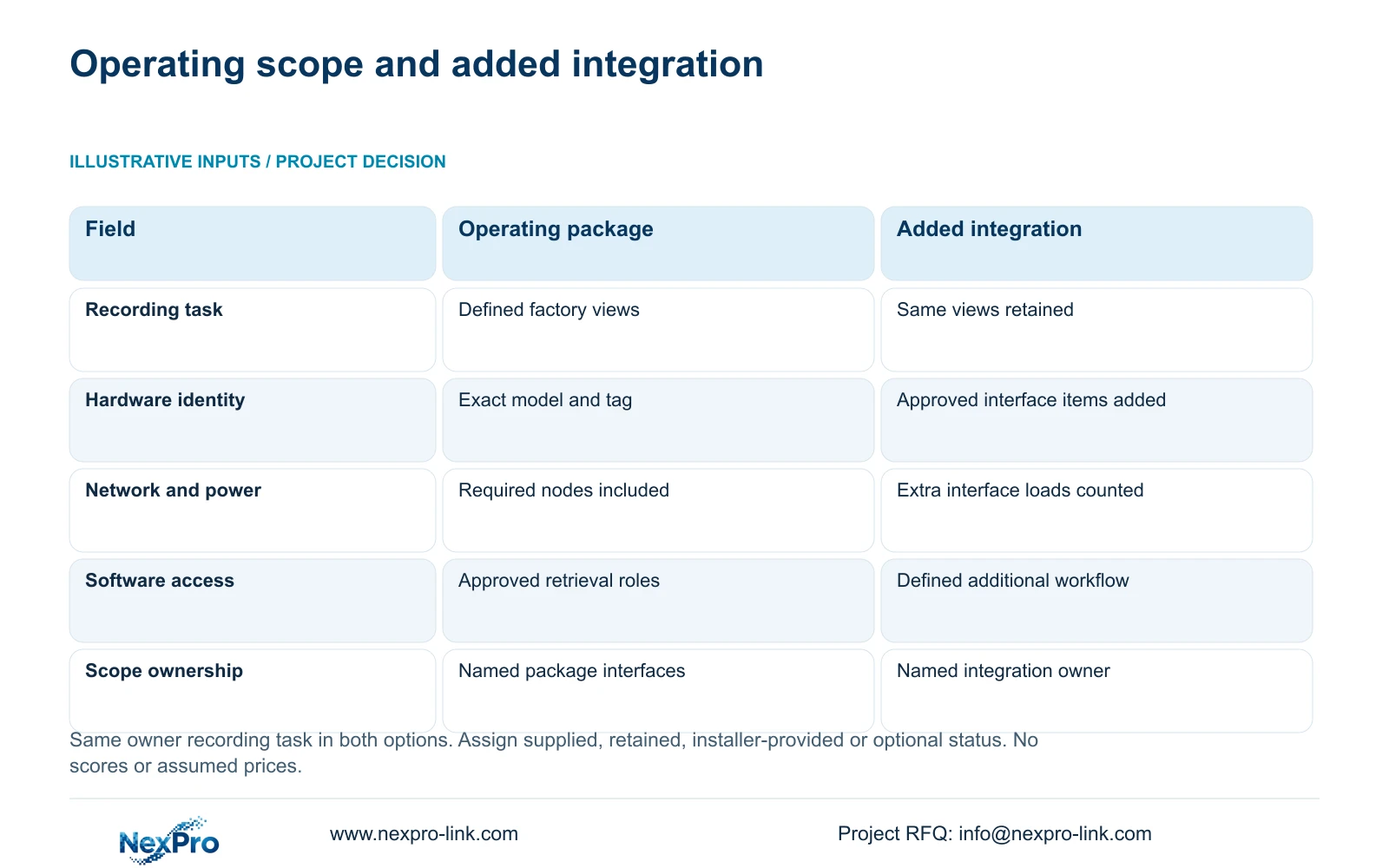
A camera BOQ should cross-reference the infrastructure that makes its footage usable. Option A below includes the camera-to-recording path, retrieval access and required protected nodes. Option B retains that outcome while adding only a defined management or integration task. Assign every item as supplied, retained, installer-provided or optional, with one responsible owner for each interface.
The decisive difference is the added responsibility in Option B. A requested central workflow can introduce client software, servers, network permissions, configuration and acceptance work. It belongs in the tender only when the owner states what it must accomplish. Coordinated supply can bring equipment and documents into one quotation without establishing shared software support or including local construction.
The CNC reference provides an illustrative capacity cross-check. At 32 cameras, 4 Mbps average, continuous recording and 30 days, video_TB = 32 × 4 × 10^6 × 86400 × 30 / 8 / 10^12 = 41.472 TB. Four 16 TB disks give 64 TB raw; the assumed budget is 64 × 0.95 × 0.80 = 48.64 TB. Compare 41.472 TB directly with 48.64 TB: the formatting allowance and 20% reserve are already included. Record these as design assumptions, not camera specifications or measured retention.
| Decision | Option A: operating package | Option B: added integration |
|---|---|---|
| Recording outcome | Defined factory views retained | Same defined views retained |
| Hardware identity | Exact models and location tags | Same plus approved interface items |
| Network and power | Required recording nodes included | Added servers and interfaces counted |
| Software and access | Approved retrieval roles | Defined additional workflow |
| Procurement ownership | Complete scope and named interfaces | Added scope and named integration owner |
Section 05
Compare deviations against the accepted outcome
Ask each bidder to return a row-by-row compliance response with its exact model, source document and exceptions. A general statement of compliance cannot resolve whether the offered output, lens adjustment or client workflow matches the requested position. Separate a declared product field from an illustrative design input and from evidence still needed. This makes an alternative proposal reviewable without requiring every bidder to use identical hardware.
Power illustrates why the distinction matters. CASE01 assumes 12 W device-side demand per ordinary camera for planning. That is not a published maximum for the BL5 or DM5 candidate. Request the selected model's maximum demand and relevant operating state before finalising the PoE budget. Likewise, a recorder's channel count cannot prove playback capacity or a supported RAID mode; those belong in separate verified requirements.
Recommend a concise, task-led BOQ with an attached deviation schedule. Preserve a mandatory brand, platform interface or specialist scope where the owner requires it. Compare other offers on the same recorded tasks, retention assumptions, accessories and installation boundary. Revise affected rows when lighting, mounting geometry or firmware changes. Do not declare a lower-cost winner without matched quotations that account for the unresolved and added work.
Section 06
Release a schedule that procurement and installation can share
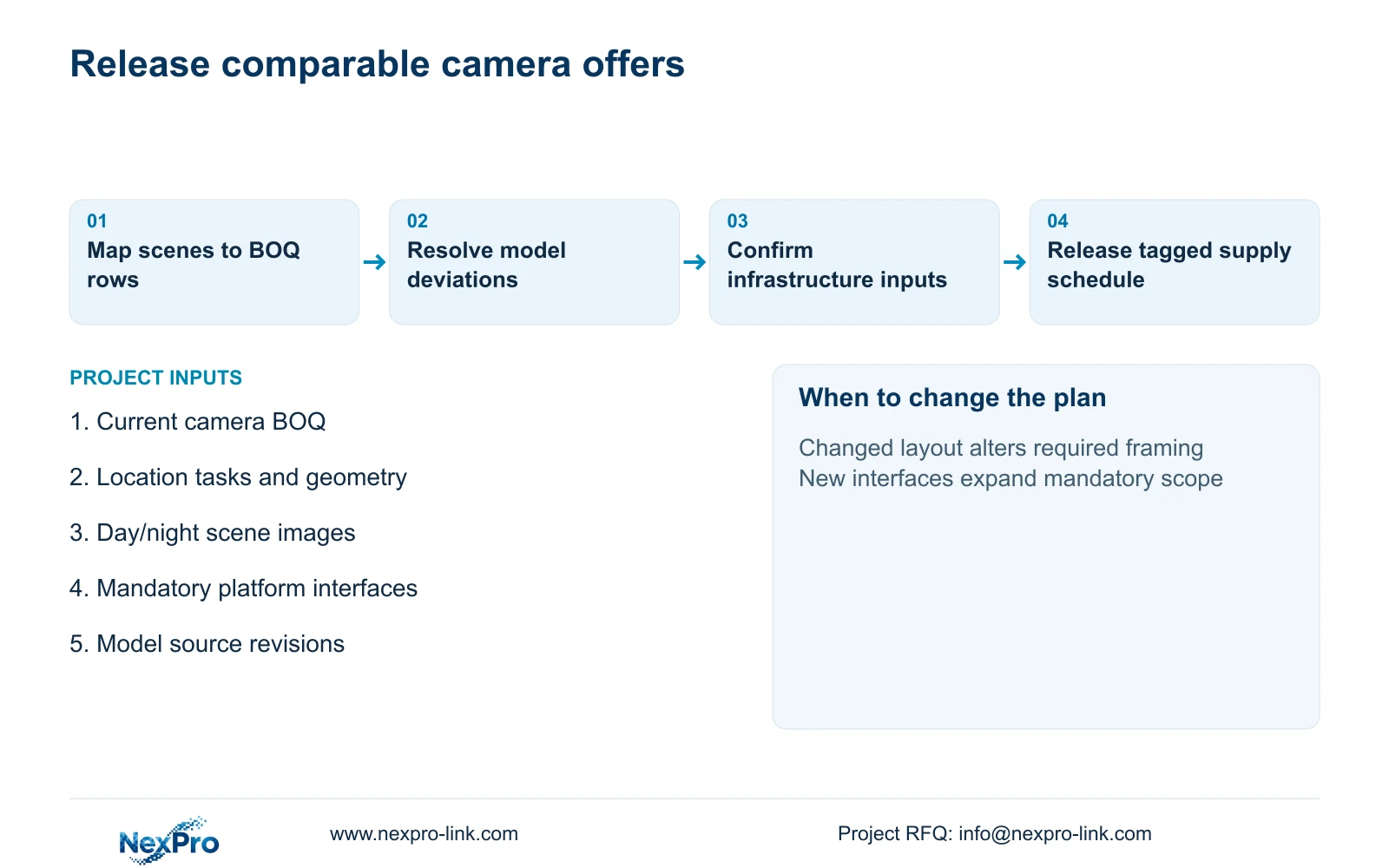
Complete the schedule with quantity, project tag, required task, proposed model, source revision, mandatory settings, supply status and acceptance responsibility. For the illustrative factory, the new ordinary cameras are supplied items; brackets and terminations must have an agreed supplier; mounting and alignment remain assigned site work. Any optional central-management interface stays outside the base package until approved. Avoid a single catch-all accessories line that leaves essential items unassigned.
Use the same tags in technical submittals, configuration records and packing labels. Attach the selected camera evidence and show how each source field maps to a BOQ requirement. Before release, resolve every open item that could alter equipment choice or infrastructure demand. Less consequential optional choices can remain separately priced, provided they cannot silently change the base recording outcome.
NexPro-Link's BOQ and tender-support scope covers model matching, technical submittals, deviations and quotation coordination. The approved schedule can also guide project packing and overseas supply preparation. The buyer retains project approval, and the local installer confirms construction details and site acceptance. A useful release package therefore names both the equipment being purchased and the decisions that another party still needs to complete.
Section 07
Buyer questions
Can bidders offer alternatives while some scene inputs are provisional? Yes, if the provisional inputs and the basis of each offer are explicit. Ask bidders to identify what would change after confirmation, and keep affected quantities or settings conditional. Do not approve an unresolved critical view as fully compliant.
How should an unavailable camera power figure be shown? Use an open technical item with a responsible supplier and a resolution point before PoE selection. A clearly labelled planning allowance can support an early estimate, but it must not appear in the product-compliance column as a manufacturer rating.
Should the BOQ require ONVIF for every camera? Where interoperability is needed, specify the required device/client workflow and request applicable profile and firmware evidence. ONVIF wording alone does not establish every event, audio, search or export function.
Does project branding change the technical approval process? Branding can change artwork, labels and packing records, but the exact hardware identity and accepted settings must remain traceable. Approve a branded sample against the same technical schedule before repeating the order.
Section 08
Turn the camera tender into comparable offers
Email your current camera BOQ, location task schedule, target geometry with day/night scene images and mandatory platform interfaces to info@nexpro-link.com. NexPro-Link can discuss model matching and a deviation schedule with base and optional scope clearly separated.
Engineering references
These sources support the general planning principles. Always use the selected product's current datasheet and applicable project standards for final design.