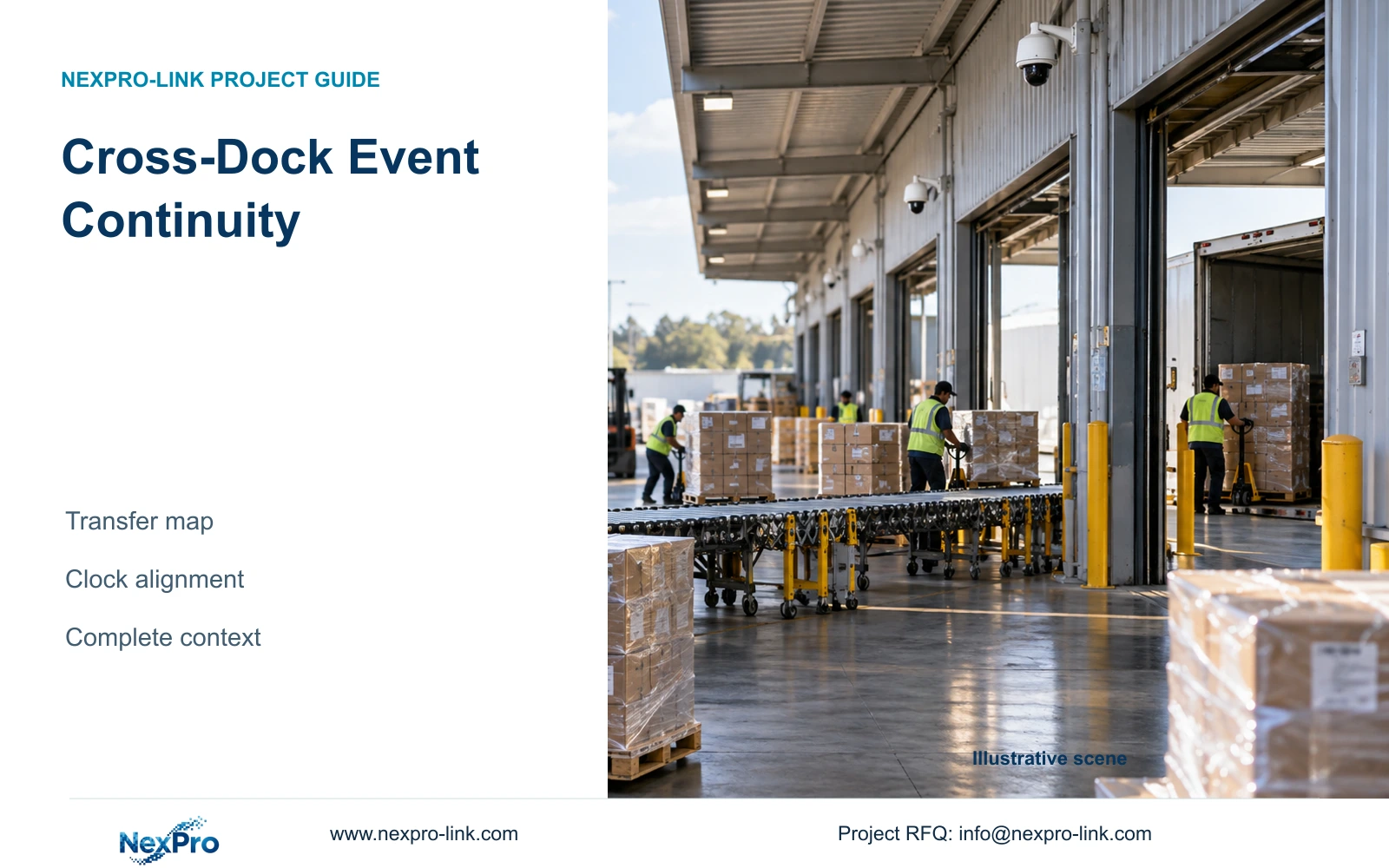
Cross-dock goods may never receive a storage location. Use shipment records, consistent camera names and aligned time references to reconstruct their movement.
Section 01
Name the transfer sequence before assigning cameras
Factory cross-dock CCTV should provide a continuous time-and-location sequence across critical transfers. Use the operations record to identify the shipment, then use recordings to inspect its handling. Give each threshold a stable name that appears in the dock schedule, camera list and playback instructions. This makes retrieval possible even when goods never occupy a numbered storage position.
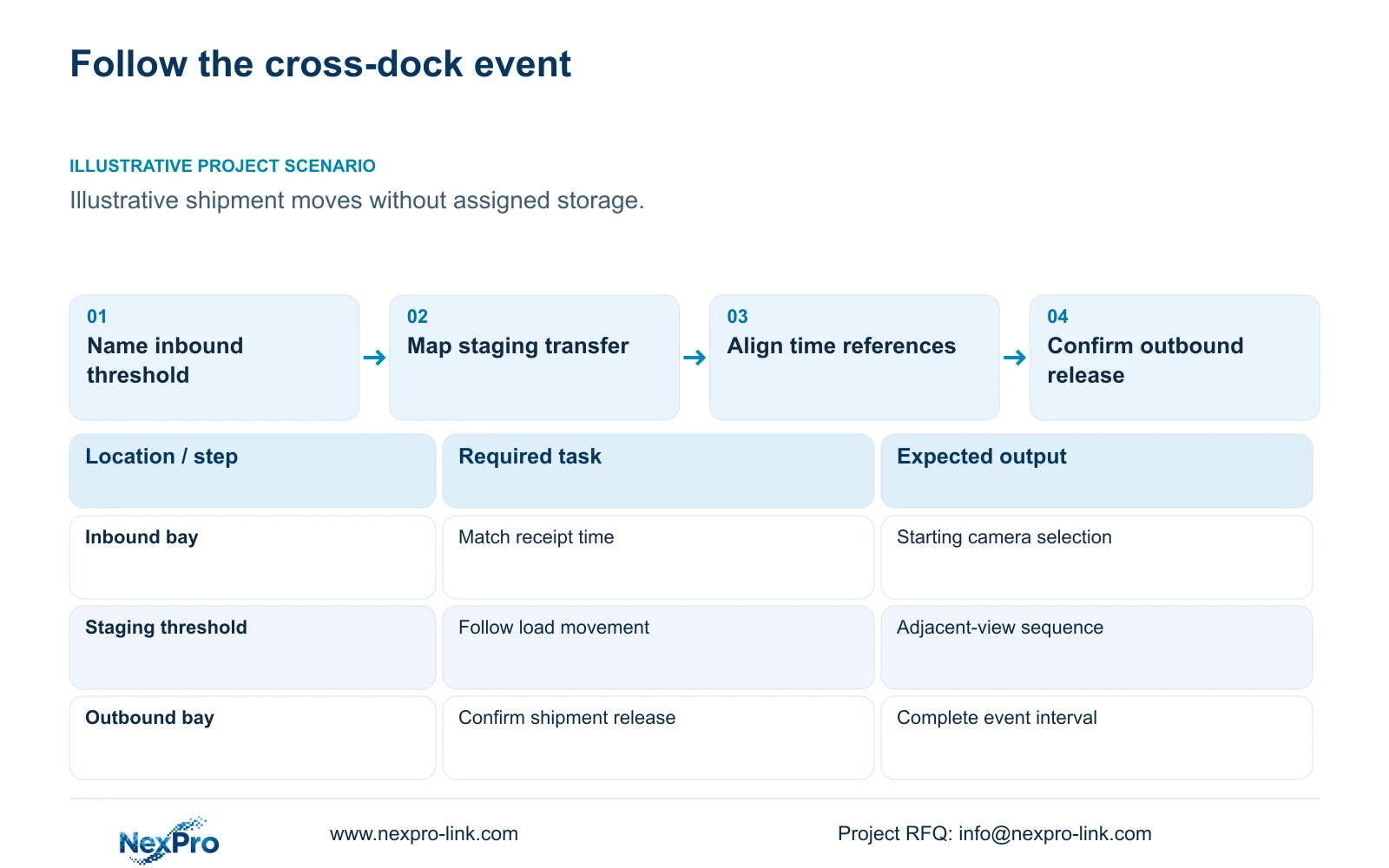
Illustrative project scenario: Goods cross a busy dock without being stored in an assigned warehouse position. Assume an inbound load enters a temporary staging area, passes a sorting threshold and leaves through an outbound bay. Forklifts and adjacent pallets may briefly obscure it. The team needs enough context to follow the movement without assuming cameras can automatically read every shipment label.
Have operations mark the inbound receipt, staging transfer, route junction and outbound release on the drawing. Record alternative paths, loaded-rack obstructions, cold transitions and the network rooms serving those views. At each threshold, state what must remain visible and which business record provides the shipment reference. A camera named only by its model or channel number gives an investigator little help locating the relevant transfer.
Section 02
Keep cameras and shipment records on a known time basis
Agree the time source, displayed time zone and any seasonal-clock treatment for the proposed recorder configuration. Include the operations system's time convention in the same document. The project acceptance procedure should compare a visible handover against its business timestamp and record any offset. A consistent convention matters more than a timestamp that merely looks plausible on each screen.
Where multiple recorders serve the route, test the time relationship across all relevant nodes after configuration and restart. Specify who checks drift and how an investigator learns about a known discrepancy. Avoid silently rewriting historical timestamps or assuming a settings change fixes earlier recordings. Keep any observed offset with the event-selection record.
Mixed-device connectivity needs its own qualification. ONVIF Profiles concern specific device and client capabilities and firmware applicability; basic video connectivity does not establish every search or event workflow. Demonstrate the selected camera, recorder and client combination through recording, replay and export. Clock alignment cannot compensate for a client that omits a required view or handles the requested export differently.
Section 03
Define a retrieval route that operators can follow
Choose a primary retrieval route, such as an authorised local recorder station or a qualified client with access to the necessary views. Write the procedure around the event: find the inbound threshold, follow the transfer, inspect staging and confirm outbound release. Do not make routine investigation dependent on a display wall if a normal review screen meets the task.
Create an event map linking dock names to camera IDs, recorder assignments and likely adjacent views. Operations owns the shipment reference; security controls authorised review; the installer supplies the channel map and tested playback path. The map can remain a controlled document if no software integration is required. An automatic shipment-to-video interface should be quoted and demonstrated separately.
CASE06 illustrates a cold-chain recording boundary with four receiving views, four dispatch views, eight other ordinary-area views and eight specialist cold-area views. If a cross-dock route enters a cold transition, retain the appropriate camera and connection scope there. Locate the shared recorder and access equipment in a suitable warm room and include the power path needed to keep the critical sequence recording.
Section 04
Measure export scope without promising retrieval speed
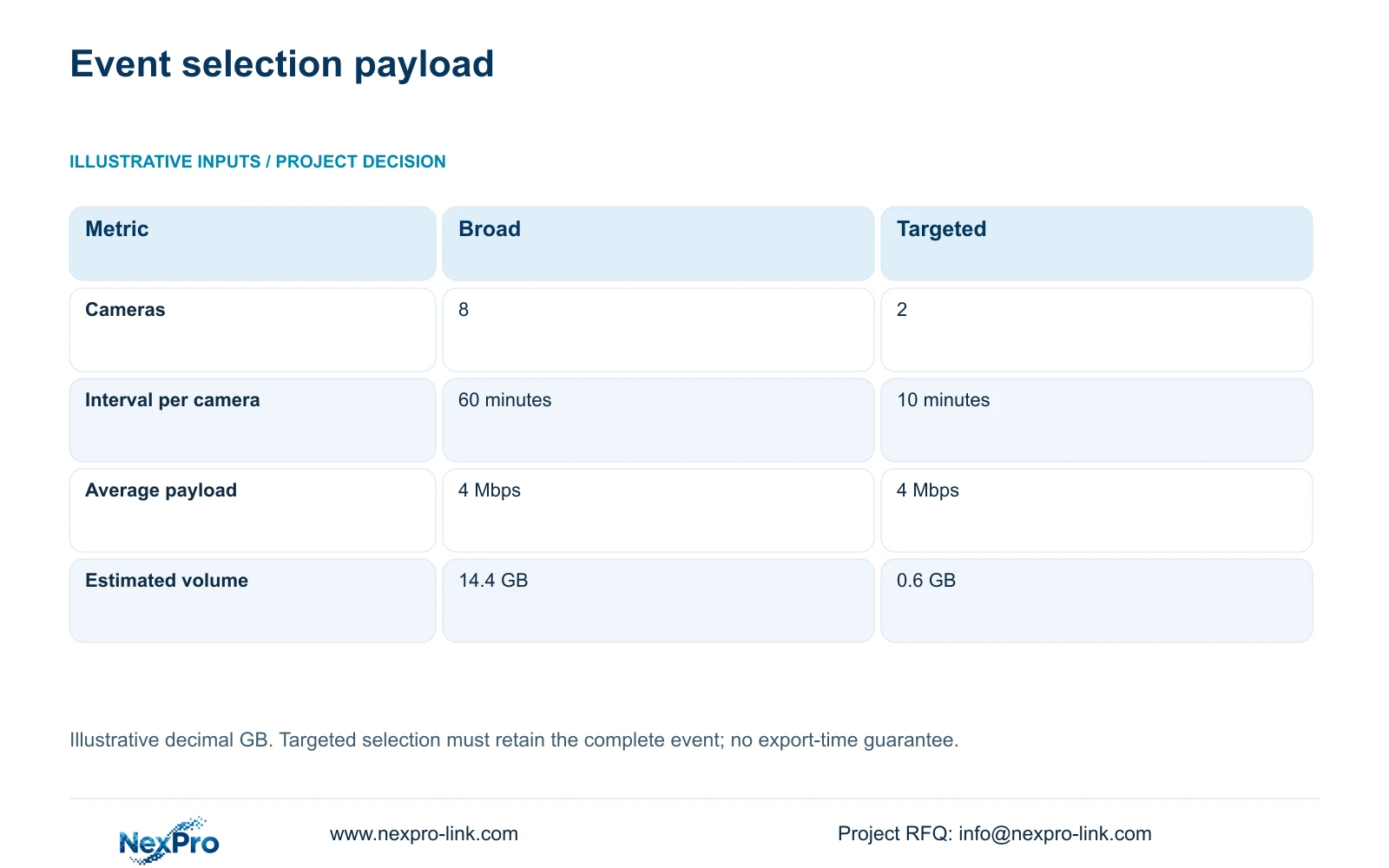
The supplied illustrative comparison uses a broad request of eight cameras for 60 minutes each and a targeted request of two relevant cameras for ten minutes each. Both assume an average 4 Mbps payload. Decimal export volume is GB = cameras × Mbps × seconds / 8 / 1000. It estimates video payload rather than every container or metadata overhead.
For the broad selection, 8 × 4 × 3600 / 8 / 1000 = 14.4 GB. For the targeted selection, 2 × 4 × 600 / 8 / 1000 = 0.6 GB. The smaller selection is appropriate only when those two views and ten-minute intervals preserve the complete required event. A time-and-camera map enables a justified selection; the calculation does not justify excluding an unresolved part of the route.
These requests represent different selection boundaries. Their data volumes do not establish a measured reduction in staff time, export duration or network transfer time. If a pallet pauses elsewhere, the clock offset is uncertain or another view captures a hidden transfer, widen the request. Confirm the beginning and end of the sequence in playback before finalising an authorised export.
| Metric | Broad request | Targeted request |
|---|---|---|
| Selected cameras | 8 | 2 |
| Minutes per camera | 60 | 10 |
| Average payload | 4 Mbps | 4 Mbps |
| Estimated volume | 14.4 GB | 0.6 GB |
Section 05
Preserve critical coverage before optimising exports
Use continuous recording at agreed critical thresholds where the owner needs the complete transfer sequence. Event notifications may help navigation, but their usefulness should be tested against actual loaded movement. A missing alert and a missing recording are different conditions. Do not reduce the recording policy merely because the illustrative targeted export is small.
CASE06 separately assumes 24 cameras at 4 Mbps continuously for 60 days. Video_TB = 24 × 4 × 10^6 × 86400 × 60 / 8 / 10^12 = 62.208 TB. Its eight 12 TB disks provide 96 TB raw; the illustrative video budget is 96 × 0.95 × 0.80 = 72.96 TB. Compare 62.208 TB directly with that budget because formatting and reserve are already included.
That reference uses NexPro-NVR8864-4K as a capacity candidate and assumes supported 5MP-class streams. Storage does not establish simultaneous replay performance, RAID or automatic recovery. Price those requirements separately if the investigation task needs them. The preferred cross-dock package preserves the route first, then narrows review through reliable naming and time context.
Section 06
Procure the camera map and export demonstration together
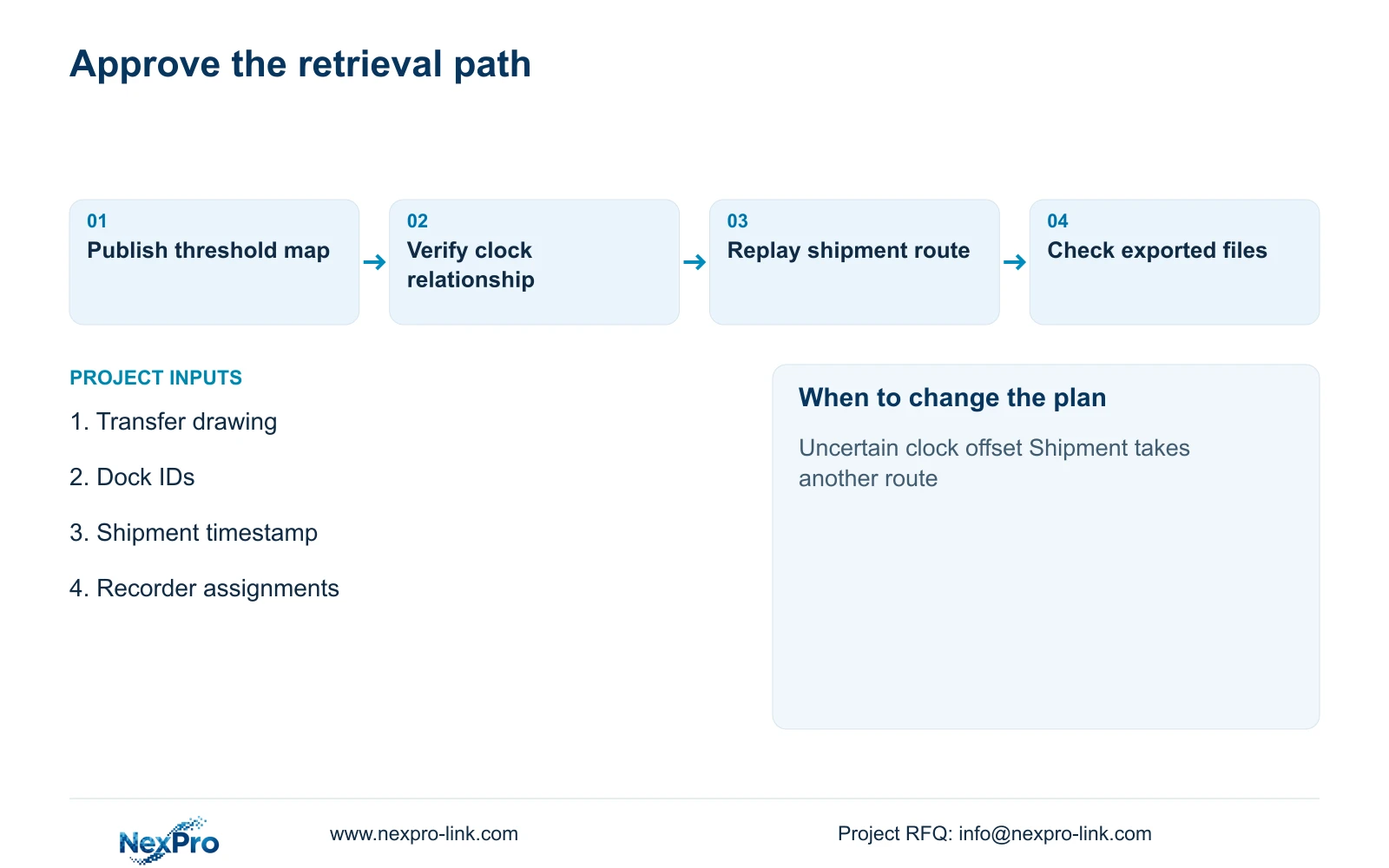
The technical submission should include the transfer drawing, camera-to-recorder map, clock convention, recording policy and operator permissions. Ask the supplier to identify any unsupported interface or workflow rather than describing the whole package as compatible. Exact model, firmware and client details belong in the accepted configuration record.
NexPro-Link's BOQ and Tender Support scope can help translate this requirement into model matching, documents and quotation deviations. Factory preparation and project labels should preserve the same threshold IDs used on site. The local team remains responsible for mounting, occupied-route testing and confirming the final interfaces.
At handover, use a representative shipment movement to demonstrate retrieval from inbound to outbound. Check replay continuity, select the required context, export it and open the exported files on the agreed review device. Record who selected and received the material. This demonstrates an operational procedure without claiming a particular legal evidence status or an unmeasured time saving.
Section 07
Buyer questions
Do we need automatic shipment-to-video integration? Only if the operating workflow requires it. A maintained camera map and consistent time references can support manual retrieval. Quote automatic integration separately, including its data fields and demonstration criteria.
Should a targeted request replace the broad footage immediately? No. Review completeness first and follow the owner's preservation procedure. Keep uncertain route segments available until the authorised reviewer decides what must be retained.
Can an existing recorder remain in the route? Yes, if its time convention, recording modes, permissions and export workflow pass the same checks as the new equipment. Include its exact configuration in the event map.
Section 08
Scope an inbound-to-outbound recording sequence
Send your transfer-route drawing, dock naming schedule, shipment timestamp example, and recorder/network-room map to info@nexpro-link.com. NexPro-Link can discuss the equipment and documentation needed for a demonstrable cross-dock retrieval workflow.
Engineering references
These sources support the general planning principles. Always use the selected product's current datasheet and applicable project standards for final design.